How To Create Studio Ghibli-Style AI Images?
Have you ever wanted to make artwork that looks like it belongs in a Studio Ghibli film? The soft colors and magical scenes from movies like Spirited Away and My Neighbor Totoro pull people in.
Now, AI makes it simple to create these images yourself. You don’t need to be an artist. This guide shows you how to use AI tools to make Studio Ghibli style images.
We cover tools, tips, and steps to get you started. Keep reading to learn how to bring Ghibli magic to your own pictures!
Key Takeaways
- Studio Ghibli style uses soft colors and detailed scenes with a mix of real and fantasy elements.
- AI tools like Midjourney and Stable Diffusion help you make Ghibli style images fast.
- Good prompts with clear details give you better AI results.
- Trying different settings like colors and sizes improves your images.
- Avoiding errors like unclear prompts keeps your art clean and pretty.
- AI art grows as tools get better and more people use them for fun and work.
This list sums up the big points. You get a quick look at what the post teaches. Studio Ghibli style stands out for its beauty. AI tools make it easy to copy. Clear prompts and smart settings boost quality. Avoiding mistakes saves time. AI art has a big future ahead.
What Makes Studio Ghibli Style Special
Studio Ghibli is a Japanese animation studio started in 1985. Hayao Miyazaki and Isao Takahata created it. Their films show soft colors and detailed drawings. Think of Princess Mononoke with its big forests or Kiki’s Delivery Service with its cute towns. The style mixes real life with fantasy. Characters feel alive. Backgrounds look painted by hand.
This style takes time to draw. Artists focus on every leaf and cloud. AI can copy this look without years of work. You type words, and the AI builds the image. It learns from lots of pictures to get the Ghibli feel right. Knowing this style helps you tell AI what to make.
How AI Makes Images
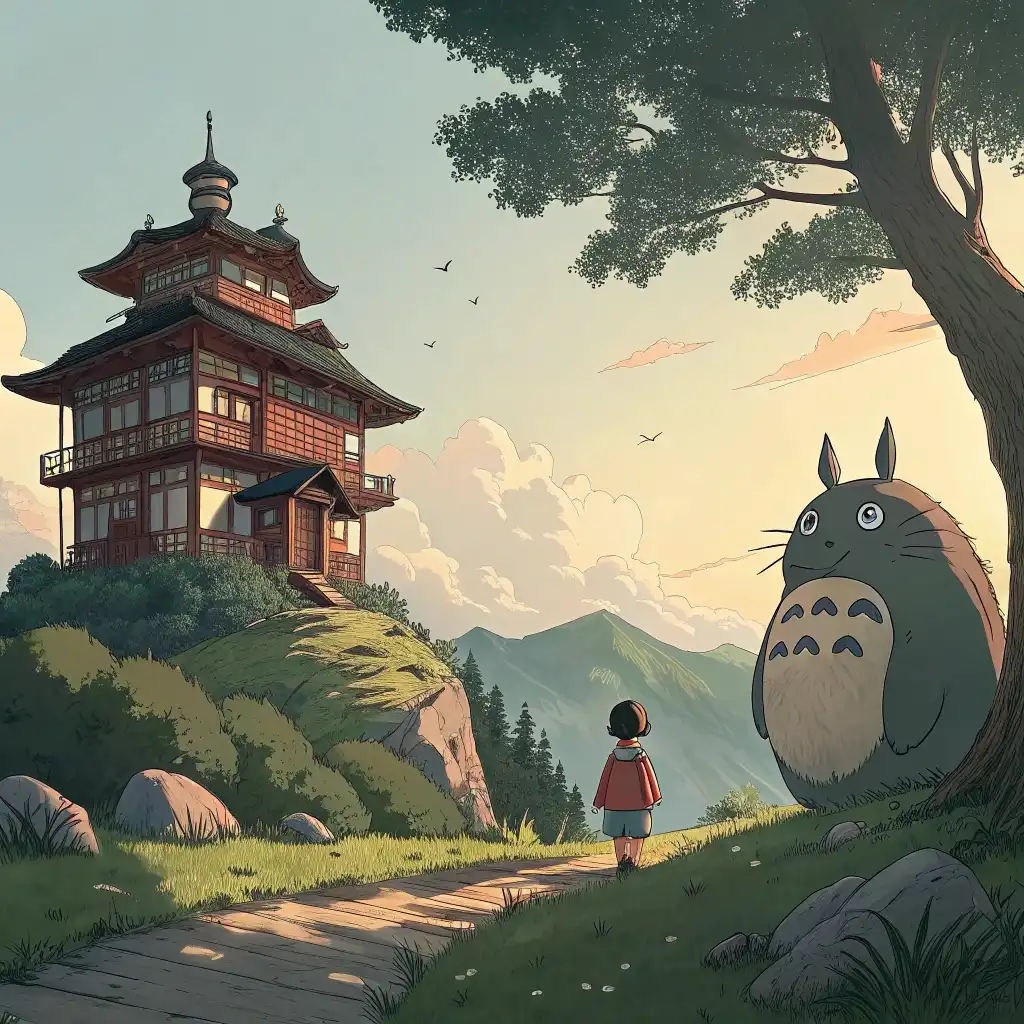
AI image tools create pictures from words. You write a sentence, and the AI draws it. Tools like Midjourney use big sets of images to learn styles. They spot patterns in art and copy them. Stable Diffusion does this too. It’s free to use and lets you change more settings.
When you ask for a Ghibli style image, the AI pulls from what it knows. It blends soft colors and fun details. You don’t draw anything. The AI does the hard part. This makes art fast and fun for everyone.
Best AI Tools for Ghibli Style Images
Many AI tools work for Ghibli style art. Here are some top picks.
- Midjourney makes pretty images with a dreamy look. It’s good for Ghibli fans.
- Stable Diffusion lets you control details. You can tweak it to match Ghibli colors.
- ChatGPT with DALL E is simple. It draws from text and works for beginners.
- getimg.ai has a Ghibli mode. It’s built to make images like Studio Ghibli films.
Each tool helps in its own way. Midjourney shines for beauty. Stable Diffusion gives power. ChatGPT keeps it easy. getimg.ai fits Ghibli perfectly. Pick one and start playing.
Using Midjourney for Ghibli Style Images
Midjourney makes Ghibli style art simple. Follow these steps.
- Sign up on the Midjourney site.
- Join their Discord server. It runs there.
- Type /imagine in a chat box.
- Add a prompt like “A small house in a forest Studio Ghibli style soft colors.”
- Wait for the AI to draw four options.
- Pick one and click upscale for a big version.
Prompts matter a lot. Add words like “hand drawn” or “warm light” for better results. Change settings like size if you want. Midjourney gives you fun images fast.
Using ChatGPT for Ghibli Style Images
ChatGPT can make images too. It uses DALL E. Here’s how.
- Go to chat.openai.com and log in.
- Use the GPT 4o version. It draws pictures.
- Type “Draw a boy on a hill Studio Ghibli style green fields.”
- Hit enter. The AI makes the image.
- Save it by right clicking and choosing save.
Keep it clear. Say exactly what you want. ChatGPT is good for quick art. It’s easy if you already use it.
Tips to Make Great Ghibli Style Images
Good Ghibli style art needs some tricks. Try these tips.
- Write clear prompts. Say “A girl in a blue dress by a river Studio Ghibli style” instead of just “Ghibli girl.”
- Add extra words. Use “soft light” or “big trees” to get the look right.
- Play with settings. Change colors or shapes in the tool.
- Try again. Make a few images and pick the best.
Practice helps. The more you try, the better your art gets. AI listens to what you say. Give it good directions.
Mistakes to Skip
Bad habits hurt your AI art. Avoid these.
- Unclear prompts confuse the AI. “A house” won’t look Ghibli. Add details.
- Messy layouts ruin the image. Ghibli keeps things neat. Check your picture.
- Wrong colors clash. Ghibli uses soft tones. Skip bright reds.
- Bad lighting hides details. Use warm or gentle light.
Stay sharp. Clear words and clean ideas make better art. Fix these, and your images shine.
Sample Ghibli Style AI Images
Want ideas? Here are some.
- A tiny boat on a calm lake with mountains behind. It feels peaceful.
- A cat sitting on a roof under stars. It’s cute and simple.
- A boy with a kite in a windy field. It’s full of life.
These show what AI can do. They mix Ghibli’s charm with your ideas. Try your own scenes.
What’s Next for AI Art
AI art keeps growing. Tools get smarter every year. Soon, they might draw faster or add more styles. People use AI for fun and jobs now. Artists mix it with their own work.
AI won’t take over. It helps you create. You pick the ideas. The tool draws them. This teamwork makes art new and exciting.
Sharing Your Ghibli Style Images
Made something cool? Show it off.
- Post on Instagram. Use tags like #GhibliAI or #AIArt.
- Join DeviantArt. Other artists give tips there.
- Put it on a blog. Share your steps with fans.
Tell people. Say which tool you used. It helps others try too.
Thinking About AI Art Rules
AI art has some questions to answer.
- Who owns it? AI learns from old art. Check if you can sell it.
- Give credit. Name the tool. Say if Ghibli inspired you.
- Make it yours. Add your own spin so it’s not just AI.
Be fair. Use AI smartly and respect others.
FAQs
What is Studio Ghibli style?
Studio Ghibli style uses soft colors and detailed scenes. It mixes real and fantasy ideas. Think big forests or small towns.
Which AI tools work best for Ghibli style images?
Midjourney and Stable Diffusion stand out. ChatGPT with DALL E is easy. getimg.ai fits Ghibli well.
How do I write good prompts for AI images?
Use clear words. Say what you see like “A girl by a lake Studio Ghibli style soft light.”
Can I sell AI made images?
Check the tool’s rules. Some say yes. Others limit it. Read before you sell.