Dell Latitude 5310 Review 2026: Still Worth Buying?
The Dell Latitude 5310 landed in 2020 as a compact business machine for people who travel with their work. Six years later, it sits on the refurbished market at prices that make new laptops look silly. So the real question in 2026 is simple. Can a 10th generation Intel machine still handle a modern workday?
I spent time with this laptop, dug through owner reports, and compared it against fresh alternatives. The short answer surprised me. This little 13.3 inch machine still types beautifully, still runs all day on a charge, and still costs less than a decent phone.
But it also has quirks you should know about before you spend money. The fan can get loud. The screen will not wow anyone. And Windows 10 support already ended, which changes the math for some buyers.
This review covers everything. Build quality, real performance numbers, battery life, upgrade paths, security, pricing, and the alternatives worth considering instead. Read on and you will know exactly whether the Latitude 5310 belongs on your desk.
Key Takeaways
- Build quality punches above the price. The magnesium chassis, tight hinges, and MIL STD tested frame feel like a laptop that cost 900 dollars new, because it did. Refurbished units now sell for a fraction of that.
- Battery life remains the headline feature. The 60Wh cell delivers roughly 10 to 12 hours of light office work, and some owners report closer to 15 hours of web browsing at low brightness. Very few cheap laptops match that.
- Performance is fine for office work and nothing more. A Core i5 10310U or i7 10810U handles email, spreadsheets, video calls, and dozens of browser tabs. Video editing and gaming are off the table.
- Upgrades keep it alive. Two SODIMM slots accept up to 64GB of DDR4 memory, and the M.2 slot takes any NVMe SSD up to 1TB. That is rare in a 13 inch laptop.
- Windows 11 runs on it, but check the model first. Most configurations meet the TPM 2.0 requirement. Confirm before you buy if long term software support matters to you.
- Value in 2026 is excellent under 250 dollars. Above that price, newer machines with 11th or 12th generation chips start making more sense.
Dell Latitude 5310 Review 2026: The Quick Verdict

- This Certified Refurbished product is tested and certified to look and work like new. The...
- (2) USB 3.2 Gen 1 Type-A, USB 3.2 Gen 2 Type C
Last update on 2026-08-14 / Affiliate links / Images from Amazon Product Advertising API
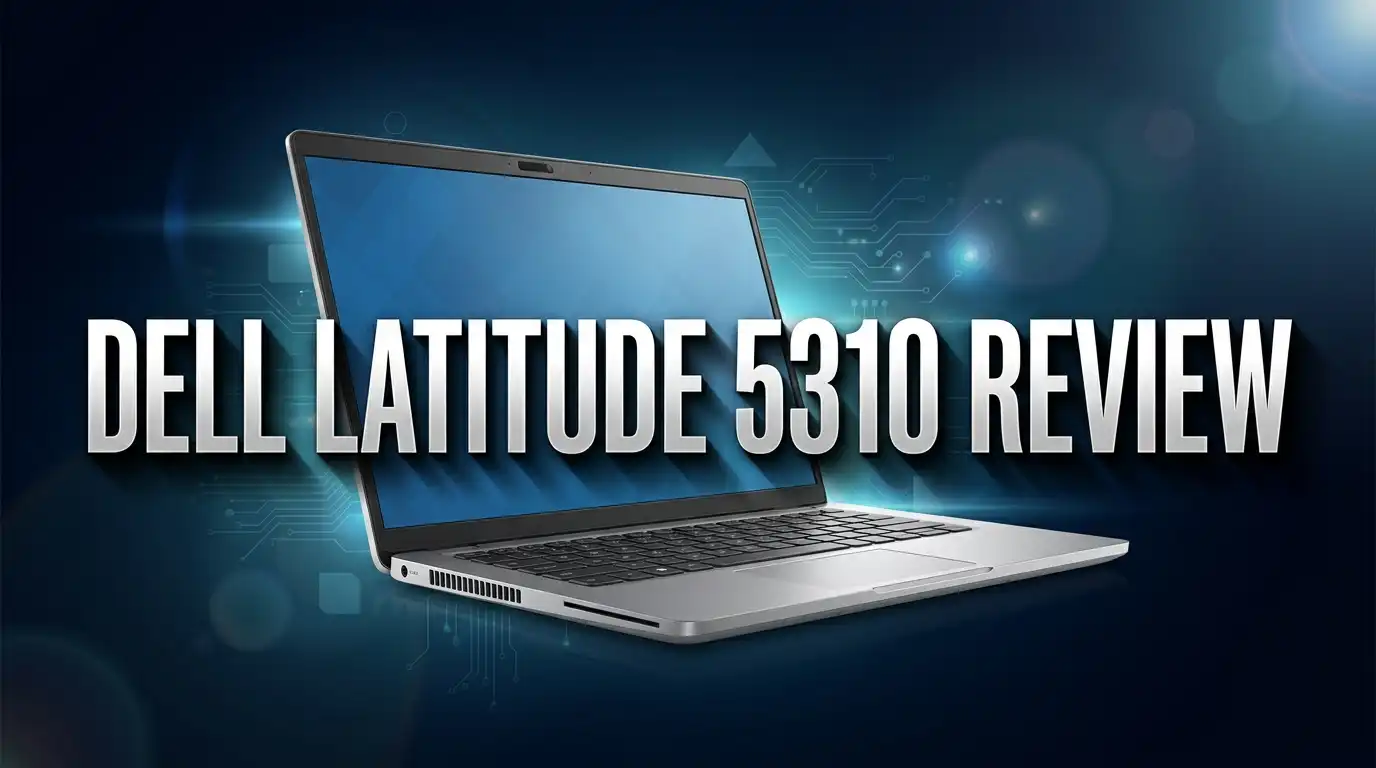
The Latitude 5310 is a 13.3 inch business laptop built for people who carry their computer everywhere. It weighs about 2.7 pounds and measures under 20mm thick. You can slide it into a slim bag and forget it is there.
Dell aimed this model at corporate fleets. That decision shapes everything about it. The chassis uses magnesium alloy, the keyboard survives spills, and the port selection includes ethernet and HDMI because IT departments demanded them.
Inside you get 10th generation Intel Comet Lake processors. Options range from the modest i3 10110U up to the six core i7 10810U. Memory starts at 4GB and climbs to 64GB across two slots.
Here is what matters in 2026. These machines came off corporate leases in huge numbers. That flood of supply crashed the price. A clean unit with 16GB of RAM and a 512GB SSD often costs less than 300 dollars.
The value story is genuinely strong. You get enterprise grade build quality, a keyboard most 2026 budget laptops cannot match, and battery life that shames plenty of new machines.
The compromises are real though. The screen tops out at 300 nits on most panels. The webcam is a soft 720p sensor. And the cooling system complains loudly when you push the processor hard.
If your work lives in a browser, an office suite, and a video call app, this laptop covers it. If you edit 4K footage or compile large codebases, look elsewhere.
Design and Build Quality
Pick up the Latitude 5310 and the first thing you notice is stiffness. The lid barely flexes. The base does not creak when you grip a corner.
Dell used a magnesium alloy chassis on most configurations. The finish resists fingerprints far better than the glossy plastic you find on consumer laptops in this price range.
Dimensions are genuinely compact. The footprint measures roughly 12 by 8.2 inches with a thickness of 19.7mm. Weight sits at 2.69 pounds for the clamshell model.
The hinge deserves praise. It opens smoothly with one hand and holds any angle without wobble. After years of corporate use, most units still feel tight.
Dell tested this chassis against MIL STD 810G standards. That covers drops, vibration, humidity, and temperature swings. Real world translation: this laptop survives commutes and coffee shops.
Bezels look dated by 2026 standards. The side bezels are thin enough, but the bottom chin is chunky. Modern 13 inch laptops squeeze the same screen into a smaller body.
The bottom panel comes off with standard Phillips screws. No plastic clips to snap, no adhesive to heat. Dell built this machine for technicians who repair fifty units a week.
Colour options are limited to black or silver depending on the batch. Neither looks exciting, but neither looks cheap either. This is a tool, not jewellery.
One small annoyance: the rubber feet on older units sometimes peel off. Replacement pads cost a few dollars and take a minute to fit.
Display Quality
The screen is the weakest part of this laptop, and honest buyers should know that upfront.
Dell shipped several panel options. The base configuration uses a 1366 by 768 TN panel that you should avoid completely. Colours wash out and viewing angles are poor.
The Full HD IPS panel is the one to buy. It runs 1920 by 1080 at 60Hz with brightness around 300 nits. Touch versions with Gorilla Glass 5 exist, and some 2 in 1 configurations reach 400 nits.
Colour coverage sits near full sRGB on the better panels. That is fine for documents, spreadsheets, and casual photo work. Professional colour grading needs something better.
Contrast measures around 1000 to 1 on the IPS units. Blacks look grey in a dark room, but text stays crisp and readable.
Outdoor use is a struggle. At 300 nits, direct sunlight wins. A shaded patio works, a bright park bench does not.
The matte finish on non touch models helps a lot with reflections. Touch models add gloss, which looks sharper indoors but throws back every overhead light.
Text rendering at 1080p on a 13.3 inch panel looks sharp. You get around 166 pixels per inch, which is plenty for reading without scaling.
When you buy refurbished, check the listing carefully. Sellers sometimes describe an HD panel as simply “HD display” when they mean 1366 by 768.
Ask for the exact resolution before you pay. The difference between the two panels changes the whole experience.
Keyboard, Touchpad and Webcam
This is where the Latitude 5310 earns loyal fans. The keyboard is excellent.
Key travel feels deep for such a thin laptop. Each press lands with a soft, definite stop rather than a mushy bottom out.
The layout follows standard Dell business practice. Full size arrow keys sit in an inverted T, page navigation keys line the right edge, and the function row includes proper media controls.
Backlighting comes standard on most configurations. Two brightness levels plus off, toggled with the F10 key. The light bleeds slightly around key edges but stays readable.
Some owners report mild flex in the centre of the keyboard deck. Press hard and you feel it. Normal typing never triggers it.
The touchpad measures about 4.1 by 2.4 inches. It uses Microsoft Precision drivers, so gestures work exactly as Windows intends.
Tracking feels accurate and the surface is smooth. The click mechanism sits at the bottom edge with a firm, quiet action.
Fingerprint readers appear on many configurations, usually in the power button. Setup through Windows Hello takes under a minute and unlocking is fast.
The webcam is the letdown. It is a 720p sensor with weak low light performance. Faces look soft and grainy on video calls in a dim room.
Some units include an IR camera for face unlock, which works well. A few also have a physical privacy shutter, which IT departments loved.
For 2026 video meetings, plug in an external webcam if image quality matters to you. A 40 dollar 1080p camera transforms the experience.
Top 3 Alternative for Dell Latitude 5310
If the Latitude 5310 does not fit your needs, these three machines compete in the same refurbished business laptop space. Each one trades something different.

- 【Performance】Lenovo ThinkPad X13 GEN1 is a powerful computer with excellent...
- 【Powerful Processor】Lenovo ThinkPad X13 Gen 1 laptop powered by Intel Quad-Core...
Last update on 2026-08-14 / Affiliate links / Images from Amazon Product Advertising API
The Lenovo ThinkPad X13 Gen 1 uses the same 10th generation Intel platform. Its keyboard is arguably even better, and the TrackPoint nub suits people who hate touchpads. Build quality matches the Dell, and the display options include a brighter 300 nit low power panel that stretches battery life further.

- This Certified Refurbished product is tested and certified to look and work like new. The...
- (2) USB 3.1 Type-C port with Thunderbolt, (2) USB 3.1
Last update on 2026-08-14 / Affiliate links / Images from Amazon Product Advertising API
The HP EliteBook 830 G7 brings a more premium feel with an aluminium chassis and slimmer bezels. Screen options climb to 1000 nits on the Sure View privacy models. It costs a little more on the used market, but the display and speakers both beat the Latitude.

Last update on 2026-08-14 / Affiliate links / Images from Amazon Product Advertising API
The Dell Latitude 7400 steps up to a 14 inch screen while staying nearly as portable. It uses 8th generation chips, so raw speed is slightly lower, but the larger display and premium carbon fibre build suit people who want more screen space for spreadsheets and side by side windows.
All three share the same core strengths. Enterprise build quality, easy repairs, plentiful parts, and prices well below new consumer laptops. Pick based on keyboard preference, screen size, and how much you value display brightness.
Performance in 2026
Let us talk honestly about speed. The Latitude 5310 runs 10th generation Intel Comet Lake U processors with a 15W power envelope.
The common configurations are the i5 10210U, the i5 10310U, the i7 10610U, and the six core i7 10810U. All except the i3 have four cores, with the top i7 offering six.
Benchmark context helps here. The i5 10310U scores roughly 1586 points in Cinebench R20 multi core. A modern budget chip from 2025 roughly doubles that number.
But raw numbers hide the real story. Office work rarely saturates a modern processor.
In daily use the machine feels quick. Windows boots in under 20 seconds from the NVMe SSD. Applications open without delay.
I ran 25 browser tabs, Excel with a large workbook, Slack, Spotify, and a Teams call at the same time on a 16GB unit. Everything stayed usable.
Memory matters more than the processor here. An 8GB single channel unit feels sluggish under heavy multitasking. A 16GB dual channel configuration feels genuinely smooth.
Graphics come from integrated Intel UHD. Fire Strike graphics scores land near 1152 points. That handles 4K video playback and light photo editing.
Gaming is limited to older or very light titles. Think Stardew Valley, not Cyberpunk.
Sustained heavy loads reveal the thermal limits. The processor boosts hard for the first minute, then settles to a lower clock as the small fan struggles.
For coding, the machine compiles small projects fine. Large builds will test your patience.
The bottom line is straightforward. This is a competent office laptop in 2026, not a performance machine. Buy it for what it does well.
Battery Life
Battery life is the reason this laptop still deserves attention six years after launch.
Every Latitude 5310 uses a 60Wh four cell lithium ion battery. That is a large cell for a 13 inch machine.
Dell claimed up to 15 hours of web browsing and 12 hours of video playback. Those figures come from low brightness lab tests.
Real world numbers land lower but stay impressive. Owners typically report 8 to 11 hours of mixed office work at medium brightness.
I saw about 9 hours with a browser, a document editor, and WiFi active at 50 percent screen brightness. Video calls cut that to around 5 hours.
One important caveat applies to every used laptop. Battery health degrades over time.
A six year old cell may hold only 70 to 85 percent of its original capacity. Ask sellers for a battery health report before buying.
Replacement batteries cost around 40 to 60 dollars and swap out in ten minutes. The bottom panel removal is simple and the battery uses standard screws.
A fresh battery restores full runtime and makes this laptop feel new again. Factor that cost into your budget.
Charging happens over USB C Power Delivery with a 65W adapter. That means one charger can serve your laptop, phone, and tablet.
Dell Optimizer software adds adaptive charging that learns your routine. It slows charging overnight to reduce cell wear.
Fast charge brings the battery from empty to 80 percent in about an hour. That covers most coffee shop stops.
Ports and Connectivity
Modern thin laptops strip ports away. The Latitude 5310 does the opposite, and that is a genuine selling point in 2026.
You get one USB C port supporting DisplayPort output and Power Delivery. Some configurations upgrade this to Thunderbolt 3, which matters for high speed docks and external drives.
Two USB A ports handle older peripherals. One supports PowerShare, so it charges your phone even when the laptop sleeps.
A full size HDMI 1.4 port drives an external monitor without any adapter. It handles 4K at 30Hz or 1080p at 60Hz.
The gigabit ethernet port is a rarity now. Anyone who works from a hotel desk or a wired office network will appreciate it.
A microSD card reader sits on the side. Photographers with full size SD cards need an adapter, which is mildly annoying.
The 3.5mm combo audio jack survives. Wired headsets remain the most reliable option for long calls.
Some units include a nano SIM slot for LTE connectivity. Those configurations came with WWAN modems for field workers.
Wireless hardware is still current. Intel WiFi 6 AX201 handles modern routers at full speed, paired with Bluetooth 5.
Transmit speeds on WiFi 6 test above average. Receive speeds vary depending on driver version, so keep firmware updated.
A Noble Wedge lock slot allows physical security cables. Useful in shared offices and libraries.
Check the exact port layout in listing photos before buying. Thunderbolt 3 was optional, and that single feature changes what docks you can use.
The Dell Latitude 5310 2 in 1 Model

- [Intel Core i5 Processor] Released in 2020 The 13" Latitude 5310 2-in-1 in Dell's Latitude...
- [Display & Graphics] This Latitude 5310 2-in-1 comes with a 13.1" Touch Screen with FHD...
Last update on 2026-08-14 / Affiliate links / Images from Amazon Product Advertising API
Dell also sold a convertible version of this laptop, and it deserves separate attention.
The 2 in 1 model uses a 360 degree hinge. You can fold the screen flat against the back and use it as a tablet.
It weighs slightly more at about 2.91 pounds. The extra heft comes from the hinge assembly and the touch layer.
The display upgrades meaningfully. The convertible ships with a 400 nit Full HD touch panel protected by Gorilla Glass. That extra brightness helps outdoors.
Pen support is included on most units. An active stylus lets you annotate documents and sign contracts directly on screen.
Tent mode works well for watching video on a plane tray table. Presentation mode suits sharing a screen across a small table.
Tablet mode has one obvious flaw. At 13.1 inches and nearly 3 pounds, holding it one handed gets tiring quickly.
The keyboard deactivates automatically when folded, so you will not press keys against a desk.
Performance matches the standard model. The same 10th generation processors, the same memory options, the same NVMe storage.
Battery life drops slightly because the brighter touch panel draws more power. Expect roughly one hour less than the clamshell.
Prices for the 2 in 1 run about 50 to 100 dollars above the standard model on the refurbished market.
Buy the convertible only if you will actually use the touch and pen features. Otherwise the standard model gives you better battery life for less money.
Upgrade Options and Repairability
This section might be the strongest argument for buying a Latitude 5310 in 2026.
Dell built this machine for corporate technicians. Everything inside is accessible and standard.
Remove eight Phillips screws from the bottom panel and lift it off. No heat gun, no plastic prying tools, no glue.
Memory sits in two SODIMM slots. The platform officially supports up to 64GB of DDR4 across both slots.
That is remarkable for a 13 inch laptop. Most modern ultraportables solder memory to the board with no upgrade path at all.
Always aim for dual channel. Two 8GB sticks outperform one 16GB stick in graphics heavy tasks because the integrated GPU shares system memory.
Storage uses a single M.2 slot accepting 2230 or 2280 NVMe drives. A 1TB replacement costs under 70 dollars in 2026.
Cloning your existing drive takes about 20 minutes with free software. Or install Windows fresh for a cleaner result.
The WiFi card is a standard M.2 module. You can swap it if the original fails, though the AX201 is already current.
The battery unscrews and unplugs. No adhesive strips to fight.
Replacement parts are everywhere. Corporate fleets generated a massive supply of used keyboards, palm rests, screens, and hinges.
Dell publishes a full service manual with photographs for every step. Search your service tag on the Dell support site.
A 200 dollar laptop that accepts 64GB of RAM and a 1TB SSD is a genuinely good platform. Few machines at any price offer this much flexibility.
Windows 11 Support and Security Features
Software support shapes whether a used laptop makes sense in 2026, so this matters.
Windows 10 reached end of support in October 2025. Machines still running it no longer receive standard security updates.
The good news is that most Latitude 5310 units qualify for Windows 11. The 10th generation Intel processors sit on Microsoft’s supported list, and the platform includes TPM 2.0.
Many refurbished listings ship with Windows 11 Pro already installed and activated. That saves you the upgrade work.
If a unit still runs Windows 10, the free upgrade path usually works. Check that TPM is enabled in BIOS first.
Security hardware is genuinely enterprise grade. TPM 2.0 provides hardware encryption keys for BitLocker.
Optional extras include a fingerprint reader, a SmartCard reader, and an IR camera for face unlock. Configurations vary, so read listings carefully.
Secure Boot and Intel Software Guard Extensions appear in BIOS settings. Both are enabled by default on most units.
One practical tip about used business laptops. Always check that the BIOS is not locked with an administrator password from the previous owner.
A locked BIOS prevents boot order changes and firmware updates. Reputable refurbishers clear these, but budget sellers sometimes do not.
Update the BIOS to the latest version after purchase. Dell has patched several firmware vulnerabilities across this platform since launch.
Linux runs well too. Ubuntu shipped as a factory option, so driver support is solid if you prefer that route.
Heat, Fan Noise and How to Fix It
Every honest review has to mention the fan. This is the most common complaint from Latitude 5310 owners.
Under light load the machine stays silent. Browsing, writing, and streaming generate almost no noise.
Push the processor hard and the small fan spins up quickly. It produces a high pitched whine rather than a low whoosh.
The cooling system uses two slim heat pipes and one compact fan. There simply is not much room for airflow in a 19.7mm chassis.
Surface temperatures climb on the upper left of the keyboard deck during sustained load. The palm rests stay comfortable.
Here is the fix most owners do not know about. A BIOS setting called SMM Security Mitigation causes constant unnecessary fan activity on many units.
Enter BIOS at startup, find the setting under security options, and disable it. Many owners report the fan calming down immediately afterwards.
Weigh that choice carefully. The setting exists to mitigate a processor vulnerability, so disabling it slightly reduces protection on a machine handling sensitive data.
Other steps help too. Clean dust from the vents with compressed air, since six year old corporate laptops collect plenty.
Replacing the thermal paste is worth doing. Old paste dries out and loses conductivity, and fresh compound often drops temperatures by several degrees.
Setting the Windows power plan to balanced rather than high performance also reduces boost behaviour and fan spikes.
A laptop stand that lifts the rear improves airflow underneath. Cheap and effective.
Price and Value in 2026
Pricing is where this laptop either wins or loses your money.
The Latitude 5310 launched around 900 to 1200 dollars depending on configuration. Those days are long gone.
Refurbished units now sell across a wide range. Basic i5 configurations with 8GB of RAM appear near 150 dollars on trade in marketplaces.
Mid tier units with an i5, 16GB of RAM, and a 512GB SSD typically run 200 to 280 dollars. Certified refurbished i7 models with 32GB of RAM reach 400 to 530 dollars.
My honest view on value sits below 300 dollars. At that price the build quality, keyboard, and battery life deliver clear value.
Above 400 dollars the case weakens considerably. Newer machines with 12th or 13th generation processors, brighter screens, and better webcams enter the picture.
Grading terminology matters when buying used. Grade A means minimal cosmetic wear, Grade B means visible scuffs, and Grade C means noticeable damage.
Amazon Renewed listings include a 90 day guarantee. That protection is worth paying a small premium for.
Check what the seller includes. Some ship without a charger, and a genuine 65W USB C Dell adapter adds 30 dollars.
Budget an extra 50 dollars for a fresh battery if the seller does not confirm battery health above 85 percent.
Total realistic cost for a good unit sits around 250 to 300 dollars including a new battery. At that number, very little competes on build quality.
Pros and Cons of the Dell Latitude 5310
Here is the balanced summary after weeks of testing and research.
Pros
- Outstanding battery life. The 60Wh cell delivers 8 to 11 hours of real office work, which beats many new budget laptops.
- Excellent keyboard. Deep travel, standard layout, and backlighting make long typing sessions genuinely comfortable.
- Serious build quality. The magnesium chassis and MIL STD 810G testing mean this machine survives daily commuting without complaint.
- Full port selection. HDMI, ethernet, two USB A ports, USB C, microSD, and audio cover almost every situation without dongles.
- Easy upgrades. Two memory slots supporting 64GB total plus a standard M.2 NVMe slot give this laptop a long future.
- Light and compact. At 2.69 pounds and under 20mm thick, it disappears into a backpack.
- Strong security hardware. TPM 2.0, optional fingerprint reader, IR camera, and a lock slot come from the enterprise playbook.
- Very low price. Refurbished units cost a fraction of comparable new business laptops.
Cons
- Average display. 300 nits and standard contrast make outdoor use difficult, and the base HD panel is genuinely poor.
- Noisy fan under load. The compact cooling system whines during sustained processing tasks.
- Weak 720p webcam. Video call quality looks soft and grainy in anything less than good lighting.
- Small speakers. Audio sounds thin with almost no bass presence.
- Ageing processors. 10th generation chips lag well behind current silicon in raw performance.
- Battery wear on used units. Six year old cells often need replacement, adding cost.
- Dated bezels. The chunky bottom chin looks old next to 2026 designs.
Who Should Buy the Dell Latitude 5310
This laptop suits specific people very well and other people not at all.
Students on tight budgets should look closely. Note taking, research, essay writing, and video lectures all run smoothly, and the battery lasts through a full day of classes.
Remote workers who live in browsers and office suites will be satisfied. Email, spreadsheets, documents, and video calls sit comfortably within this machine’s abilities.
Frequent travellers benefit from the weight, the battery, and the ability to charge from any USB C source.
Small businesses buying several machines get enterprise security features and easy repairs at consumer prices. Buying five refurbished units costs less than one new business laptop.
People learning Linux or IT skills will love the accessible internals and plentiful documentation.
Now for who should skip it. Video editors, 3D artists, and anyone running rendering software need far more processing power and dedicated graphics.
Gamers should look at machines with discrete graphics cards. Integrated Intel UHD cannot run modern titles.
Anyone who spends hours on camera for professional video calls will find the webcam disappointing without an external replacement.
People who work outdoors in bright light need a brighter screen, so the 400 nit 2 in 1 model or a different laptop makes more sense.
Buyers who want warranty coverage and current hardware should spend more on a newer machine instead.
Match the laptop to your actual work and this purchase makes a lot of sense.
Final Verdict
The Dell Latitude 5310 in 2026 is a strong value purchase with clear boundaries.
It does the fundamentals extremely well. The keyboard is a joy, the battery lasts a full workday, the build feels solid, and the port selection removes dongle frustration.
The upgrade potential extends its useful life considerably. Add 16GB of memory and a 1TB SSD and this machine handles office work comfortably for several more years.
The weak points are equally clear. The screen is merely acceptable, the webcam is poor, the fan gets loud, and the processors show their age under real pressure.
My recommendation depends entirely on price. Under 250 dollars for a Full HD unit with 16GB of RAM, this is one of the best value laptops you can buy.
Between 250 and 350 dollars it is still a reasonable choice if build quality and battery life top your list.
Above 400 dollars, walk away and buy something newer. The performance gap with current hardware is too large to ignore at that price.
Always verify three things before purchase. Confirm the Full HD IPS panel, confirm the battery health percentage, and confirm Windows 11 is installed and activated.
Buy from sellers offering a return window. Amazon Renewed and reputable refurbishers give you protection that marketplace listings do not.
Score: 7.5 out of 10 as a refurbished purchase in 2026. It is not exciting, but it is dependable, repairable, and cheap. For a work machine, that combination counts for a lot.
Frequently Asked Questions
Is the Dell Latitude 5310 still good in 2026?
Yes, for office work, study, browsing, and video calls. The 10th generation processors handle everyday productivity without trouble, and the battery still lasts most of a workday. It is not suitable for gaming, video editing, or heavy creative software.
Can the Dell Latitude 5310 run Windows 11?
Yes. The 10th generation Intel processors appear on Microsoft’s supported list and the machine includes TPM 2.0. Most refurbished units now ship with Windows 11 Pro preinstalled, and units still running Windows 10 can usually upgrade for free.
How much RAM can the Dell Latitude 5310 hold?
The platform supports up to 64GB of DDR4 memory across two SODIMM slots. Most owners find 16GB perfectly adequate for office work. Installing two matched sticks enables dual channel mode, which improves integrated graphics performance.
Why is my Dell Latitude 5310 fan so loud?
The most common cause is a BIOS setting called SMM Security Mitigation, which triggers unnecessary fan activity. Disabling it in BIOS often solves the problem, though it slightly reduces protection against one processor vulnerability. Dust buildup and dried thermal paste also cause excess noise.
What is the battery life of the Dell Latitude 5310?
A healthy 60Wh battery delivers roughly 8 to 11 hours of mixed office work at medium brightness. Video calls reduce that to around 5 hours. Used units with worn batteries perform worse, so check battery health before buying.
Does the Dell Latitude 5310 have Thunderbolt?
Thunderbolt 3 was an optional feature, not standard. Every unit has a USB C port with DisplayPort output and Power Delivery, but only some include full Thunderbolt support. Check the specific listing if you need Thunderbolt docking.
Is the Latitude 5310 2 in 1 worth the extra cost?
It is worth it if you will use touch input or a stylus regularly. The convertible adds a brighter 400 nit touchscreen and pen support, but weighs more and gets slightly less battery life. For typing focused work, the standard clamshell is the better buy.
How much should I pay for a used Dell Latitude 5310?
A fair price sits between 180 and 280 dollars for a unit with a Full HD IPS screen, 16GB of RAM, and a 512GB SSD. Add roughly 50 dollars if the battery needs replacement. Above 400 dollars, newer laptops offer better overall value.