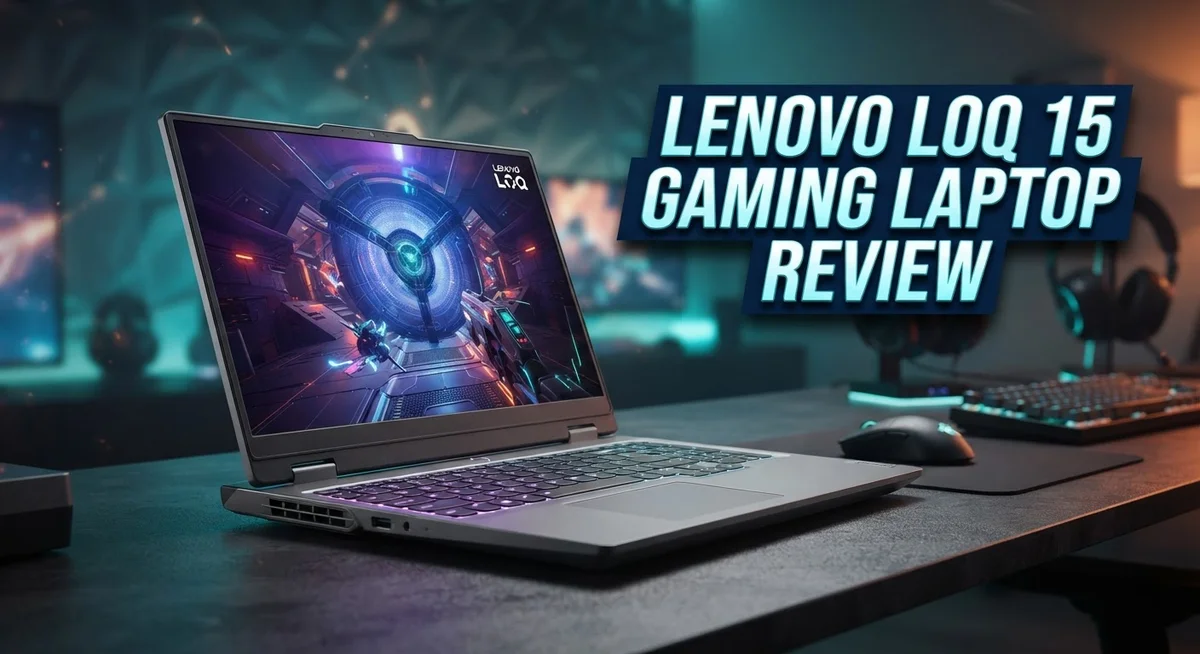
Lenovo LOQ 15 Gaming Laptop Review: Performance, Design, and Value
Looking for a gaming laptop that handles games without fuss? The Lenovo LOQ 15 might catch your eye. This machine packs serious hardware into a simple body.
You get a 15.6 inch display with a 144Hz refresh rate. Games feel smooth and fast. Screen tearing stays away thanks to this high refresh rate.
Inside, you choose between an AMD Ryzen 200 Series or a 13th Gen Intel Core processor. Both options handle gaming and daily tasks well. The GPU choices include the NVIDIA GeForce RTX 50 Series or RTX 4050, giving you strong graphics power.
RAM ranges from 16GB to 32GB DDR5. Storage comes with a 1TB PCIe SSD. Your games load fast and run smooth.
This laptop also brings smart features like Lenovo AI Engine+ and NVIDIA Advanced Optimus. These tools boost performance and battery efficiency.
Is the LOQ 15 the right pick for your gaming setup? Let’s break down what makes this laptop tick, and where it might fall short. We’ll cover specs, real world performance, and how it compares to other options on the market.
In a Nutshell
Here’s the quick rundown on the Lenovo LOQ 15:
- This laptop packs a NVIDIA GeForce RTX 50 Series or RTX 4050 GPU, giving you real muscle for modern games.
- Storage comes with a 1TB PCIe SSD, so games load fast and you get plenty of room for your library.
- It handles more than gaming. Editing, browsing, and everyday tasks run smoothly too.
- The display resolution stays at 1080p, which can feel limiting if you want sharper visuals.
- Color accuracy on the screen falls short, so creative work might need a different monitor.
- The design looks a bit dated next to rivals like Acer and ASUS.
- The 15.6 inch screen can feel tight if you use this laptop for daily tasks beyond gaming.
- Think of the LOQ 15 as a strong secondary gaming laptop rather than your only machine.
Overall, this laptop delivers solid gaming chops. Just know its limits before you commit.
Key Features and Specifications
The Lenovo LOQ 15 packs serious firepower under the hood. You get your choice of an AMD Ryzen 200 Series or 13th Gen Intel Core processor, which means you’re getting current generation chips that handle both gaming and everyday work.
Graphics power comes from either an NVIDIA GeForce RTX 50 Series (on AMD models) or an RTX 4050 (on Intel versions). Both options deliver smooth frame rates in modern games without forcing you to cut settings down to minimum.
Memory and storage matter for gaming. This laptop comes with 16GB to 32GB DDR5 RAM, so you can run games alongside streaming software or Discord without stuttering. The 1TB PCIe SSD loads games and applications quickly, and you get enough space for a solid game library.
The display hits 144Hz refresh rates on a 15.6 inch 1080p panel. Higher refresh rates mean smoother gameplay, especially in fast paced shooters or competitive titles. You’ll notice the difference immediately when you’re gaming.
Smart features round out the package. Lenovo AI Engine+ learns your usage patterns and optimizes performance automatically. NVIDIA Advanced Optimus switches between integrated and dedicated graphics, which helps battery life when you’re not gaming.
However, some limitations exist. The 1080p resolution feels dated compared to what other gaming laptops offer at this tier. Text and images appear less sharp than higher resolution displays. Color accuracy also lags behind, which matters if you do any photo editing or creative work alongside gaming.
The industrial design looks functional but uninspired. Competitors from Acer and ASUS feature more modern styling and premium finishes. If aesthetics matter to you, you might feel the LOQ 15 looks a bit plain.
The 15.6 inch screen works fine for gaming sessions, but feels cramped for general computing tasks. If you plan to use this laptop as your daily driver for work or school, you might want something larger. The LOQ 15 shines as a dedicated gaming machine or secondary laptop rather than an all in one solution.

- 【Processor】 AMD Ryzen 5 7235HS Processor (4 Cores, 8 Threads, 8 MB L3 Cache, 2 MB L...
- 【Graphics】NVIDIA GeForce RTX 4050 6GB GDDR6.
Last update on 2026-09-28 / Affiliate links / Images from Amazon Product Advertising API
Gaming Performance and Graphics
The Lenovo LOQ 15 delivers solid gaming performance across modern titles. The NVIDIA GeForce RTX 50 Series on AMD configurations or RTX 4050 on Intel models handle 1080p gaming at high settings without struggle. You’ll see smooth frame rates in popular games like Cyberpunk 2077, Fortnite, and Elden Ring.
The 144Hz refresh rate makes a real difference during gameplay. Fast-paced shooters and competitive games feel noticeably smoother than 60Hz displays. Your eyes notice the fluidity, especially in quick camera movements and combat scenarios.
DDR5 RAM ranging from 16GB to 32GB keeps performance stable during gaming sessions. Multitasking works well too. You can stream gameplay, run Discord, and play demanding titles simultaneously without stuttering or lag.
The 1TB PCIe SSD loads games quickly. Long loading screens become short waits. Fast storage also helps when switching between multiple games in your library.
However, the 1080p resolution shows its limits in certain situations. High end GPUs like the RTX 50 Series have extra power that goes unused at this resolution. If you want maximum visual fidelity and sharpness, a 1440p display would better match the graphics hardware.
The display itself has another weakness. Color accuracy falls short for gaming sessions where visual detail matters. Competitive players won’t notice much difference, but story driven games with rich cinematics look less vibrant than they could.
Thermal performance stays solid during extended play. The cooling system keeps the CPU and GPU at safe temperatures. Fans do get loud under heavy load, but that’s normal for this laptop category.
The Lenovo AI Engine+ and NVIDIA Advanced Optimus work behind the scenes to optimize performance. These features automatically balance power consumption and frame rates based on what game you’re running.
Overall, the LOQ 15 punches above its weight for gaming. The GPU and processor combination handles current generation games comfortably. The 144Hz display enhances the experience significantly. Just know that 1080p gaming, while smooth and enjoyable, represents a trade off compared to higher resolution alternatives.
Display Quality and Screen Experience
The 15.6 inch screen delivers a smooth 144Hz refresh rate, which makes a real difference when you play fast paced games. You notice the fluidity instantly during combat scenes and competitive matches.
The 1080p resolution works for gaming, but it shows its limits when you demand sharper visuals. Text appears less crisp than higher resolution screens, and detailed game environments lose some clarity. If you play story driven games or explore open worlds, you might wish for more pixel density.
Color accuracy falls short on this display. The screen doesn’t reproduce colors with precision, so if you do any creative work like photo editing or video work, you’ll need a separate monitor. Gaming doesn’t require perfect color accuracy, but general use suffers from this weakness.
The panel itself feels functional rather than premium. You get adequate brightness for gaming sessions indoors, but outdoor use or bright rooms can make the screen harder to see. The viewing angles are acceptable for solo gaming, though side viewing shifts the image noticeably.
The 15.6 inch size creates a trade off. For gaming, the screen feels just right. You sit close enough that the full display stays in your view without turning your head. However, if you use this laptop for work, coding, or general computing, the screen feels cramped. Spreadsheets and multiple windows compete for space.
The bezels around the screen are fairly thick by modern standards. This adds to the dated appearance and wastes valuable screen real estate. Newer competitors offer thinner bezels that maximize the display area.
Refresh rate performance stays consistent during gameplay thanks to the graphics hardware. The 144Hz panel pairs well with the RTX GPU options, so you actually reach high frame rates in most games. This synergy makes the gaming experience smooth and responsive.
The matte finish on the screen reduces glare, which helps during long gaming sessions. You won’t see annoying reflections from lights or windows, making the display easier on your eyes during extended play.
Top 3 Alternatives
ASUS TUF Gaming

- READY FOR ANYTHING – Dive headfirst into gaming on Windows 11 powered by the Intel Core...
- SUBTLE STYLING – The TUF Gaming F16 maintains its classic design, boasting a subtle...
Last update on 2026-06-08 / Affiliate links / Images from Amazon Product Advertising API
The ASUS TUF Gaming laptop delivers solid performance for gamers who want durability without compromise. This machine features a military-grade chassis that withstands drops and spills. The keyboard feels responsive, and the display refresh rate keeps your games smooth.
You get powerful graphics from NVIDIA cards paired with latest-gen processors. The cooling system works hard to keep temperatures down during long gaming sessions. Battery life extends reasonably well for a gaming laptop, so you can work between matches.
Dell G15 Gaming

- 12th Gen Intel Core i7-12700H 14-Core 1.70 GHz Alder Lake Processor (24MB Intel Smart...
- 32GB DDR5 4800MHz Memory, 1TB M.2 PCIe Gen 4 Solid State Drive Storage, No Optical Drive...
Last update on 2026-09-28 / Affiliate links / Images from Amazon Product Advertising API
Dell’s G15 Gaming laptop stands out with its clean, professional design. It fits easily into backpacks and doesn’t scream “gamer” at first glance. The display offers vibrant colors and fast refresh rates for competitive play.
Performance matches high-end expectations with strong GPU and CPU combinations. The G15 runs games at high settings without stuttering. Dell’s build quality feels premium, and the trackpad responds accurately to your inputs. Thermal management keeps the system cool even during intense gaming marathons.
HP Victus Gaming

- FAST 144HZ FULL HD DISPLAY: The 15.6-inch 1920 x 1080 IPS anti-glare panel refreshes at...
- SIX-CORE RYZEN PERFORMANCE: AMD Ryzen 7 7445HS processing with 6 cores, speeds up to...
Last update on 2026-09-28 / Affiliate links / Images from Amazon Product Advertising API
HP’s Victus Gaming laptop brings aggressive styling with RGB lighting and bold accents. The keyboard has satisfying key travel, making it great for both gaming and typing. Performance specs include powerful processors and graphics cards that handle modern games easily.
The display technology provides quick response times and smooth visuals. Cooling performance stays impressive even when you push the hardware hard. The Victus line focuses on giving gamers exactly what they need: speed, reliability, and style. Audio quality from the speakers adds immersion to your gaming experience.
Design, Build Quality, and Portability
The Lenovo LOQ 15 strikes a practical balance between performance and portability. This machine measures 15.6 inches, which sits in the sweet spot for gaming laptops that still travel reasonably well.
The chassis uses an industrial aesthetic. You get a no-nonsense design that prioritizes function over flash. The build quality feels solid during daily use, though the materials don’t scream premium. The keyboard responds well for both gaming and typing work. The trackpad offers adequate space without feeling cramped.
Weight and thickness matter for portability. The LOQ 15 carries a moderate footprint compared to larger gaming rigs. You can toss it in a backpack for trips to a friend’s house or a LAN party. It won’t feel feather-light, but it won’t weigh you down either. The 15.6 inch form factor means you get a larger screen than 14 inch models while keeping bulk reasonable.
Cooling vents and port placement show practical engineering. Air intake and exhaust paths stay clear during normal use. You’ll find USB ports, headphone jacks, and charging connections in sensible locations. The power adapter connects without awkward angles that damage cables over time.
The bezels around the display are fairly thick by today’s standards. This gives the screen a slightly dated appearance compared to newer competitors. However, thicker bezels mean less risk of accidental touches during intense gaming moments.
The lid and base feel sturdy when you pick up the machine. Hinges open smoothly without wobbling. The overall construction suggests this laptop can handle regular transport and occasional bumps. The matte finish on surfaces resists fingerprints better than glossy alternatives.
Build durability appears solid for this segment. You won’t find premium materials like magnesium alloys, but the plastic construction holds up fine. The keyboard deck remains stable when you rest your wrists during extended sessions.
The design choices reflect the LOQ 15’s purpose as a gaming machine first. Aesthetics take a back seat to functionality. If you prioritize sleek looks, other options exist. If you want a practical gaming laptop that handles travel without fuss, this design works effectively for your needs.
Thermal Management and Cooling
The Lenovo LOQ 15 uses a dual fan cooling system designed to handle sustained gaming sessions without thermal throttling. The heat pipes route warm air away from the CPU and GPU efficiently. You’ll notice the cooling vents positioned along the sides and rear of the chassis, which keeps intake and exhaust pathways clear.
During extended gameplay, the LOQ 15 maintains stable temperatures under load. The fans activate intelligently based on system demand. At light workloads, they run quietly. When you push the GPU and processor hard, the fans ramp up to keep components cool.
Air circulation matters for longevity. The laptop’s design allows cool air to flow through the internal chambers without obstruction. The bottom panel has adequate ventilation slots. Dust filters help protect internal components from debris buildup over time.
Thermal performance stays consistent even during marathon gaming marathons. The 144Hz display demands sustained GPU performance, and the cooling system rises to meet that challenge. You won’t experience sudden frame drops from heat management kicking in.
One practical consideration: place the laptop on hard, flat surfaces during gaming. Soft surfaces like beds or cushions block airflow and reduce cooling efficiency. A laptop stand or cooling pad enhances thermal performance further if you game frequently.
The fan noise reaches moderate levels during peak performance. Some users find it acceptable for a gaming machine. Others prefer using headphones to mask the sound. The noise level stays reasonable compared to other gaming laptops in this segment.
Thermal management integrates with the Lenovo AI Engine+ software. This system learns your usage patterns and adjusts cooling profiles accordingly. You get automatic optimization without manual tweaking.
The cooling design reflects practical engineering priorities. Lenovo prioritized performance stability over silence. This approach keeps your games running smoothly without thermal constraints limiting frame rates. The system proves reliable during extended play sessions, making it dependable for gamers who demand consistent performance.
Pros and Cons
Pros
- Strong performance specs paired with capable gaming power across both AMD and Intel models
- The 144Hz refresh rate delivers smooth gameplay in fast paced titles
- Dual fan cooling system keeps temperatures stable during extended gaming sessions
- Practical engineering with solid build durability for this segment
- Lenovo AI Engine+ software helps optimize performance automatically
Cons
- 1080p resolution limits visual sharpness compared to higher resolution displays
- Color accuracy falls short, making it less suitable for creative work
- Industrial design aesthetic feels outdated rather than modern
- 15.6 inch screen works best as a secondary gaming laptop, not a primary machine
Who Should Buy It
The Lenovo LOQ 15 works best for specific types of gamers. If you play competitive shooters, MOBAs, or fast paced titles, this laptop delivers the performance you need. The 144Hz display keeps up with quick action scenes.
Students and casual gamers benefit from this machine too. You get solid gaming power without compromising everyday tasks like browsing, document editing, or video calls. The dual core processors handle multitasking smoothly.
This laptop suits you if you already own a primary computer. Think of it as a secondary gaming device. You bring it to friends’ houses, LAN parties, or use it in different rooms. The 15.6 inch screen works well in these scenarios.
Content creators should look elsewhere. The display lacks color accuracy, which matters for photo editing, video work, or design projects. If gaming is your main goal and creative work is secondary, you can make it work with external monitors.
Esports players appreciate the 144Hz refresh rate and stable thermal performance. Long gaming sessions stay smooth without throttling. The Lenovo AI Engine+ software automatically adjusts settings for optimal frame rates during matches.
Budget conscious gamers find value here. You get capable hardware without overpaying for premium features you won’t use. The AMD Ryzen and Intel Core options both deliver strong gaming performance.
Avoid this laptop if you need a primary work machine. The 1080p resolution feels cramped for spreadsheets, coding, or document review. The industrial design won’t impress in professional settings either.
Portability matters to you? This isn’t ultralight, but it travels better than desktop replacements. Gaming laptops sacrifice some weight for cooling and performance. If you move between locations regularly, the LOQ 15 fits the bill.
Finally, consider this machine if you want reliability without fuss. The solid build quality means fewer repairs. The cooling system handles sustained use. You get a straightforward gaming laptop that does its job without complications. No unnecessary features. Just gaming performance that works.
Final Verdict
The Lenovo LOQ 15 stands out as a smart choice for gamers who want solid performance without extra frills. It brings together strong hardware and thoughtful engineering in one package.
Compared to rivals like Acer and ASUS, the LOQ 15 holds its own. Each brand offers similar specs, but Lenovo’s software integration and build choices give it a distinct edge.
The flexibility in configuration deserves credit too. Buyers can choose between AMD Ryzen 200 Series or 13th Gen Intel Core processors. This lets you pick a setup that matches your specific gaming style.
RAM options ranging from 16GB to 32GB DDR5 mean you can scale performance based on your needs. Pairing this with a 1TB PCIe SSD gives enough space for game libraries and everyday files.
The GPU choice between RTX 50 Series and RTX 4050 shows Lenovo’s effort to serve different budgets and performance expectations. This isn’t a one size fits all laptop. It adapts to different gaming priorities.
That said, this laptop won’t satisfy everyone. If you want a sleek, ultra premium design, look elsewhere. If color perfect visuals matter for your work, this isn’t your machine.
But if you want dependable gaming power without unnecessary complexity, the LOQ 15 delivers. It’s built for people who care more about performance than appearances.
Think of it as a workhorse, not a showpiece. It gets the job done efficiently and consistently. Gamers who value function over flash will appreciate what Lenovo built here.
In short, the Lenovo LOQ 15 earns its spot among solid gaming laptops. It’s not perfect, but it’s honest about what it offers. Its strengths outweigh its weaknesses for the right buyer.
Choose this laptop if you understand its purpose. Skip it if you need something more polished or specialized. Either way, you’ll know exactly what you’re getting with this machine.
Frequently Asked Questions
Is the Lenovo LOQ 15 good for competitive gaming?
Yes, it handles competitive gaming well. The 144Hz display refreshes fast enough for shooters and MOBAs. The GPU options deliver smooth frame rates in most esports titles. Stable thermal performance means you won’t experience throttling during long matches. However, the 1080p resolution is standard here, so don’t expect ultra-sharp visuals compared to higher resolution screens.
Can I use this laptop for video editing or graphic design?
Not ideally. The display lacks color accuracy, which matters for creative work. Video editors and designers need precise color representation. You’ll struggle with color grading and design tasks on this screen. The specs are decent, but the display limitation makes it unsuitable for professional creative projects.
What’s the difference between the AMD and Intel versions?
The AMD Ryzen model includes the RTX 50 Series GPU. The Intel version uses RTX 4050. Both configurations work well for gaming. Your choice depends on which processor you prefer. The GPU difference means the AMD model handles demanding games slightly better. Either option gives you solid performance without major drawbacks.
Is 16GB RAM enough, or should I get 32GB?
16GB handles gaming and everyday tasks fine. You’ll run most games smoothly without stuttering. If you multitask heavily or stream while gaming, 32GB DDR5 provides extra breathing room. The upgrade matters more for content creators than casual gamers. Most players won’t notice a difference with 16GB.
Should this be my only laptop?
Not really. The 15.6″ screen feels cramped for general computing work. It works best as a secondary gaming machine. If you need a primary laptop for work and gaming combined, consider something with a larger screen and better color accuracy. This laptop excels as a dedicated gaming device, not an all-in-one solution.