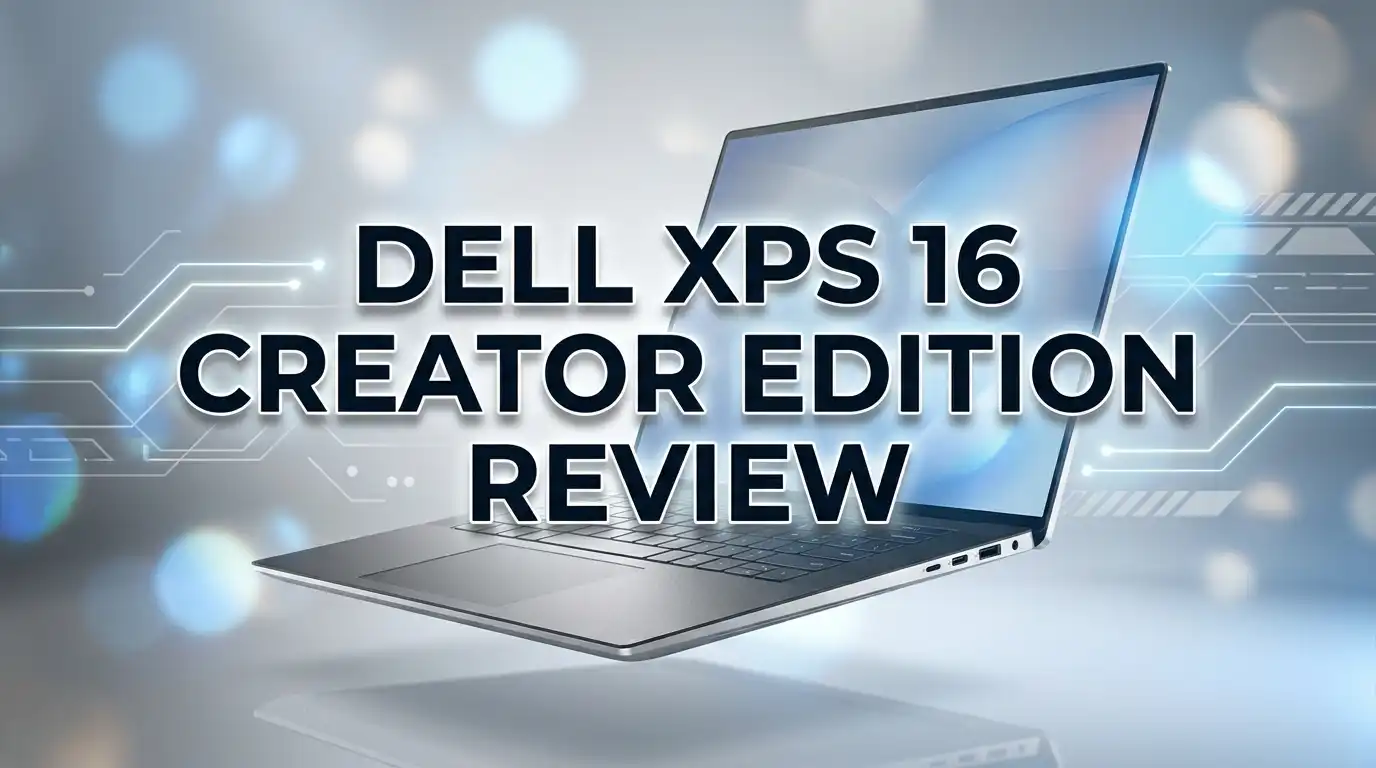
Dell XPS 16 Creator Edition Review 2026: Worth The Upgrade?
Dell just did something it has never done before. It built an XPS laptop with no Intel chip and no AMD chip inside. Instead, the new Dell XPS 16 Creator Edition runs entirely on NVIDIA silicon.
That single decision changes everything about this laptop. Creators who spent years asking Dell for a real graphics engine inside a slim 16 inch body finally have an answer.
Dell revealed the machine at Computex in June 2026. It pairs the new NVIDIA RTX Spark platform with a Tandem OLED panel, an SD card reader, and up to 128GB of unified memory.
This review breaks down what that hardware means for video editors, photographers, 3D artists, and AI developers. It also covers the parts Dell has not answered yet, because there are a few.
Read on before you preorder. The XPS 16 Creator Edition is exciting, but it is not the right laptop for everyone.
Key Takeaways
- The XPS 16 Creator Edition is the first XPS laptop powered end to end by NVIDIA. It uses the RTX Spark platform, which combines an RTX class GPU, an efficient ARM based CPU, and shared unified memory on one package. This is a full architecture change, not a spec bump.
- Memory is the headline feature. Configurations reach up to 128GB of unified memory, and the GPU can address that pool directly. Local AI model work that normally needs a desktop workstation becomes possible on a laptop that fits in a backpack.
- The Tandem OLED display supports True Black HDR 600. Tandem OLED stacks two emissive layers, which raises sustained brightness and extends panel lifespan. Color accuracy should satisfy grading and print work.
- Dell brought back the ports creators actually use. A full size SD card reader and HDMI sit alongside Thunderbolt. The standard XPS 16 refresh shipped with Thunderbolt only, so this is a meaningful fix.
- Windows on ARM is the biggest question mark. Native apps will fly. Older plugins, codecs, and niche creative tools may need emulation, and emulation costs speed.
- Pricing and full specs are still partly unconfirmed. Dell has signaled a starting figure near $2,199 for the XPS 16 family, with RTX Spark laptops arriving in fall 2026. Treat early numbers as provisional.
What The Dell XPS 16 Creator Edition Actually Is
Dell sells two different 16 inch XPS laptops in 2026, and the names look almost identical. Confusing them is easy, so let us clear that up first.
The standard XPS 16 (2026) runs Intel Panther Lake chips with Arc B390 integrated graphics. It starts near $2,039.99 and has no discrete GPU option at all.
The XPS 16 Creator Edition is a separate machine. It drops Intel completely and runs the NVIDIA RTX Spark platform instead.
RTX Spark is NVIDIA’s new consumer platform built on the N1X class SoC. It merges an ARM CPU, an RTX GPU, and unified memory into one chip package.
Early community reporting places the graphics performance somewhere near an RTX 5070 laptop GPU. That would be a large jump over anything Dell has shipped in a thin XPS body before.
The design goal is simple. Dell wants a laptop that handles 4K timelines, 3D scenes, and local AI models without turning into a five pound workstation.
Think of it as Dell’s direct answer to the MacBook Pro. Apple proved that a unified memory architecture with a strong GPU can win over creators, and NVIDIA is now running the same playbook on Windows.
Full Specs And Configurations

- Premium Flagship Laptop and Gaming PC: Dell Premium 16 (XPS 16 2025) comes brand new from...
- High-Performance Processing and Storage: Intel Core Ultra 9 285H with 16 Cores and up to...
Last update on 2026-08-14 / Affiliate links / Images from Amazon Product Advertising API
Dell has not published a complete configuration sheet yet, but the confirmed details paint a clear picture. Here is what the company and NVIDIA have stated publicly.
The processor is an NVIDIA RTX Spark SoC. It bundles ARM CPU cores with RTX graphics cores and NVIDIA’s full AI software stack.
Memory scales up to 128GB of unified LPDDR5X. Unified means the CPU and GPU share one pool instead of splitting into separate system RAM and video RAM.
The display is a 16 inch Tandem OLED panel with True Black HDR 600 certification. Expect very high color coverage across DCI P3 and Adobe RGB.
Ports include HDMI, a full size SD card reader, and Thunderbolt class USB C connections. Dell has not confirmed the exact port count yet.
Storage should follow the current XPS range, meaning 1TB and 2TB NVMe options with larger tiers through Dell’s configurator.
One number matters more than any other here. That 128GB unified pool lets the GPU load models and timelines that would choke a normal 8GB or 12GB laptop GPU.
Pricing signals point to a starting figure around $2,199, with higher memory tiers climbing well past that. European listings have already appeared near 4,049 euros for a 64GB build, so top configurations will be expensive.
Design And Build Quality
Dell rebuilt the XPS chassis for 2026, and the Creator Edition inherits that work. The changes fix nearly every complaint people had about the previous generation.
The body is unibody aluminum with a slim profile. The 2026 XPS 16 measures roughly 0.6 inches thick and weighs about 3.6 pounds, which is a full pound lighter than the outgoing Dell 16 Premium.
The invisible function row is gone. Dell replaced those capacitive LED touch buttons with real physical keys.
That single change makes daily use far less frustrating. Adjusting brightness or volume no longer requires looking down and hoping the tap registers.
The haptic touchpad is still seamless glass, but Dell now marks its boundaries with subtle etched lines. You can finally tell where the pad begins and ends.
The zero lattice keyboard survives. Keys sit edge to edge with no gaps between them, which takes a few days to adjust to if you come from a traditional layout.
Typing feel is good once your fingers learn the spacing. Travel is shallow but the feedback is crisp.
Dell also moved the quad speakers under the keyboard deck. Sound still projects clearly through the keys and the front edge, and the top surface now looks cleaner without visible speaker grilles.
Build quality remains the strongest part of the XPS story. Panel flex is minimal, the hinge holds position well, and the machine feels like the premium object its price implies.
Top 3 Alternative for Dell XPS 16 Creator Edition
The Creator Edition is not the only serious 16 inch creator laptop in 2026. These three machines compete directly and each wins in a different area.
Apple MacBook Pro with M5 Pro remains the default choice for video professionals. Final Cut and Adobe apps run natively, battery life is exceptional, and the unified memory approach is mature after several generations.

- FAST RUNS IN THE FAMILY — The 14-inch MacBook Pro with the M5 Pro or M5 Max chip brings...
- BUCKLE UP — Along with a next-generation CPU, faster unified memory, and up to 2x faster...

Last update on 2026-08-14 / Affiliate links / Images from Amazon Product Advertising API
ASUS ProArt P16 offers a discrete NVIDIA GeForce GPU with a proven x86 processor. Every Windows plugin, codec, and legacy tool runs without emulation, which removes the compatibility risk entirely.

- [3K OLED Lumina Touch Display] Discover boundless creativity with the ProArt P...
- [Powerful AMD Ryzen AI 9 HX Processor] Step into the future of content creation with the...
Last update on 2026-08-14 / Affiliate links / Images from Amazon Product Advertising API
Razer Blade 16 delivers the most raw graphics power in a thin chassis. If your work leans toward 3D rendering, real time engines, or heavy GPU exports, the Blade pushes further than any integrated solution.

- ULTRA-THIN 14.9MM DESIGN — Featuring a new design, the Blade 16 is up to 30% smaller and...
- NVIDIA GEFORCE RTX 5090 LAPTOP GPU — Pushing up to 160 W TGP in a low profile chassis...
Last update on 2026-08-29 / Affiliate links / Images from Amazon Product Advertising API
Each option trades something away. The MacBook loses Windows software access, the ProArt is heavier, and the Blade runs hotter with shorter battery life.
Choose based on your software stack first and your hardware wish list second. A faster GPU means nothing if your main application refuses to use it properly.
The Tandem OLED Display Explained
Tandem OLED is the display technology Apple brought to the iPad Pro, and Dell is now using it here. The concept is straightforward.
A normal OLED panel has one layer of emissive material. A Tandem OLED stacks two layers on top of each other.
Two layers split the workload. Each layer runs at lower intensity to hit the same brightness, which reduces heat and slows burn in.
The practical benefits matter for creators. You get higher sustained brightness, better longevity during long editing sessions, and stable performance when large parts of the screen stay bright.
True Black HDR 600 certification confirms two things. Peak highlights reach 600 nits, and black levels stay genuinely black rather than dark gray.
For color grading, that contrast is the point. You can judge shadow detail accurately because the panel is not lifting blacks the way an LCD does.
Color accuracy should be excellent out of the box. Dell ships XPS OLED panels with strong DCI P3 and Adobe RGB coverage, and Creator Edition units are expected to include factory calibration.
The one open question is resolution and refresh rate. Dell has not confirmed final numbers, though the standard 2026 XPS 16 uses a 3,200 by 2,000 OLED, so something similar or sharper is likely.
Photographers editing raw files will notice the difference immediately. Skin tones, gradients, and deep shadow areas all render with a precision that mainstream laptop screens cannot match.
RTX Spark Performance For Creators
This is the section that decides whether the Creator Edition earns its name. Early information is promising but incomplete.
Community reporting from Computex places the RTX Spark GPU roughly on par with a laptop RTX 5070. For a machine this thin, that is a serious result.
NVIDIA designed the N1X class silicon for a 45W to 80W power envelope. That is far lower than a full desktop replacement, but far higher than any integrated graphics solution.
Video editing sees the clearest gains. Dell specifically cites smoother playback on 4:2:2 4K timelines and faster export times.
That 4:2:2 detail is not marketing filler. Many mirrorless cameras record 4:2:2 10 bit footage, and decoding it in real time has historically required either a strong GPU or proxy workflows.
3D work benefits from the memory architecture more than the raw core count. Complex scenes with heavy textures stop swapping between system RAM and video memory because there is only one pool.
Compositing in After Effects or Fusion should feel noticeably more responsive. Layered projects with multiple 4K sources are exactly the workload unified memory handles well.
One caution deserves attention. Sustained performance in a thin chassis always depends on cooling, and nobody has run long form thermal tests on retail units yet.
Wait for independent benchmarks before assuming this matches a thicker workstation. Announcement claims and real world exports are different things.
Local AI And The 128GB Memory Advantage
The 128GB unified memory option is the most genuinely new thing about this laptop. It opens a door that was closed on Windows portables until now.
Large language models need memory more than they need raw compute. A model that does not fit in memory simply will not run.
A 128GB unified pool can hold models that need 70GB or more. Most laptop GPUs top out at 16GB or 24GB of dedicated video memory, which rules those models out completely.
Developers running local inference gain real independence here. You can test, fine tune, and iterate without paying for cloud GPU time or sending data to external servers.
Privacy sensitive work benefits directly. Medical, legal, and enterprise teams often cannot upload data anywhere, and local processing solves that outright.
NVIDIA’s software stack is the second half of this advantage. CUDA, TensorRT, and the broader NVIDIA AI toolchain all run natively, which is something no competing laptop platform can claim.
Creative AI tools also get faster. Generative fill, AI upscaling, background removal, and automatic transcription all run locally instead of waiting on a server round trip.
Bandwidth still matters and nobody has published those figures. Memory capacity determines what you can load, but bandwidth determines how fast tokens generate.
For anyone doing serious local AI work, this configuration alone may justify the purchase. It is the closest thing to a portable AI workstation Dell has ever offered.
Ports And Connectivity
Dell listened on this one. The standard 2026 XPS 16 ships with three Thunderbolt 4 ports and a headphone jack, and that is the entire list.
Creators complained loudly, and the Creator Edition responds. HDMI and a full size SD card reader are both confirmed.
The SD card reader saves photographers and videographers real time every single day. Offloading a shoot no longer requires digging through a bag for a dongle.
HDMI matters for client work and presentations. Plugging directly into a monitor or projector removes one more failure point from your setup.
Thunderbolt class USB C ports remain for external drives, docks, and displays. Dell has not confirmed the exact count, but at least two is the reasonable expectation.
One port always goes to power on machines like this. Having HDMI and SD built in means your remaining USB C ports stay free for storage and peripherals.
Wireless should follow the current XPS standard, which means WiFi 7 and Bluetooth 6. Both are already present on the Intel version of the 2026 XPS 16.
Ethernet is absent, as it is on every laptop this thin. Use a dock if you need a wired connection for large file transfers.
The overall port loadout now matches what the MacBook Pro offers. That parity is exactly what creators asked Dell to deliver.
Keyboard, Touchpad, Webcam And Audio
Daily comfort determines whether you actually enjoy a laptop, and Dell got most of this right in 2026.
The keyboard uses edge to edge keycaps with no gaps between them. Key tops are flat rather than sculpted, so your fingers rely on muscle memory instead of physical guides.
Typing accuracy improves after roughly a week. Most reviewers who disliked the layout initially adapted within a few days.
Backlighting is even and adjustable. The physical function row returns, which restores quick access to brightness, volume, and media controls.
The haptic touchpad is large, smooth, and precise. Haptic feedback simulates a click anywhere on the surface, and Dell now marks the edges so you know your boundaries.
Leave haptics enabled. Turning them off reduces the pad to tap only input, which feels worse in every way.
The webcam is a genuine standout. The 2026 XPS 16 carries an 8 megapixel 4K camera with HDR support, and image quality beats almost every built in laptop camera on the market.
Video calls look sharp, exposure adapts quickly to changing light, and skin tones stay natural. For creators who present to clients remotely, this removes the need for an external camera.
Audio comes from a quad speaker array now hidden beneath the keyboard deck. Output is loud and full, with more low end than most thin laptops manage.
Rough edits and dialogue passes are workable on the built in speakers. Final mixes still need headphones or monitors.
Battery Life Expectations
Battery performance on the Creator Edition remains unmeasured, but we can set reasonable expectations from related data.
The Intel powered XPS 16 (2026) delivered more than 17 hours in video playback testing with the sharp OLED panel installed. Dell claims up to 31 hours with the lower resolution LCD configuration.
ARM based processors are typically more efficient than x86 chips at low loads. NVIDIA has explicitly targeted all day battery life for RTX Spark laptops.
That combination suggests strong idle and light use endurance. Web browsing, document work, and video calls should comfortably fill a workday.
Heavy creative loads tell a different story. Rendering, exporting, and running local AI models will drain the battery quickly regardless of architecture.
Plan on two to four hours during sustained GPU work. That is normal for every creator laptop and not a criticism specific to this machine.
The Tandem OLED panel helps slightly here. Dark interface themes consume less power on OLED because black pixels stay switched off.
Charging should run over USB C with a high wattage adapter. Expect something in the 100W to 130W range based on the power envelope NVIDIA has described.
Wait for verified tests before making battery a deciding factor. Announcement claims and measured results rarely match exactly.
Windows On ARM Software Compatibility
This is the most important caveat in the entire review, and it deserves honest treatment.
RTX Spark uses an ARM based CPU. Windows on ARM has improved dramatically since 2024, but it is still not identical to running on x86 hardware.
Native ARM apps run at full speed. Chrome, Edge, Office, Photoshop, Lightroom, Premiere Pro, DaVinci Resolve, and Blender all ship ARM native builds now.
Emulated x86 apps run through Microsoft’s Prism layer. Performance loss varies, typically landing somewhere between 10 and 30 percent depending on the workload.
The real risk sits with plugins and utilities rather than main applications. Older After Effects plugins, niche audio VSTs, camera specific codecs, and small workflow tools may not have ARM builds.
Check your critical tools before buying. Make a list of every plugin and utility you depend on, then verify ARM support for each one.
Some hardware drivers also lag behind. Audio interfaces, capture cards, and older printers occasionally lack ARM drivers entirely.
Gaming compatibility has improved but remains inconsistent. Anti cheat systems in particular still cause problems on ARM Windows.
If your entire workflow runs on modern Adobe, Blackmagic, or Blender software, you will likely have no issues at all. If you depend on a decade old plugin chain, buy an x86 machine instead.
This is not a flaw in Dell’s execution. It is the cost of moving to a new architecture, and it will fade as developers ship more ARM builds.
Price And Value Assessment
Dell has signaled starting pricing near $2,199 for the XPS 16 family, with the Creator Edition expected at the higher end of the range.
European listings for a 64GB configuration appeared around 4,049 euros. That translates to a premium machine price, not a mainstream one.
Compare that against the alternatives to judge value fairly. A MacBook Pro 16 with M5 Pro, 48GB of memory, and 1TB of storage sits around $2,700.
An ASUS ProArt P16 with an RTX 5070 and 32GB of RAM lands closer to $2,400. The Razer Blade 16 with an RTX 5090 climbs well past $3,000.
The Creator Edition competes on memory capacity, not on price. No competitor offers 128GB of GPU accessible unified memory in a laptop this size.
For general video and photo editing, the ProArt or a MacBook Pro delivers similar results for less money. Those workloads rarely need more than 32GB.
For local AI development, the math flips completely. The alternative to a 128GB laptop is a desktop workstation plus cloud credits, which costs far more over a year.
Storage and memory upgrades on unified architectures are never cheap. Configure carefully at purchase, because you cannot add memory later.
Wait for launch pricing before committing. Fall 2026 availability means real numbers are close.
Pros And Cons
Here is the honest summary of what this laptop does well and where it falls short.
Pros
- Up to 128GB unified memory gives the GPU access to a memory pool no competing laptop can match, which unlocks large local AI models.
- Tandem OLED with True Black HDR 600 delivers accurate color, deep blacks, and better sustained brightness than standard OLED panels.
- HDMI and full size SD card reader return, removing the dongle dependency that frustrated creators on the standard XPS 16.
- Graphics performance near an RTX 5070 laptop GPU in a chassis around 3.6 pounds represents a genuine engineering achievement.
- Redesigned chassis fixes past complaints with physical function keys, marked touchpad boundaries, and lighter weight.
- Full NVIDIA CUDA and TensorRT support runs natively, which no ARM competitor currently offers.
- Excellent 4K webcam and quad speaker audio make it strong for client calls and remote collaboration.
Cons
- Windows on ARM compatibility remains the biggest risk, especially for older plugins, codecs, and hardware drivers.
- Final pricing and complete specifications are unconfirmed, which makes committing early a gamble.
- No independent benchmarks exist yet, so sustained thermal performance is unknown.
- Memory is soldered and unified, meaning you cannot upgrade later and high capacity configurations cost significantly more.
- Fall 2026 availability means waiting several months if you need a machine now.
- Zero lattice keyboard still requires an adjustment period for anyone switching from a standard layout.
Who Should Buy The XPS 16 Creator Edition
Not every creator needs this machine, and being clear about that saves people money.
Buy it if you run local AI models. The 128GB unified memory option is the single strongest reason to choose this laptop over anything else on the market.
Buy it if you edit 4K multicam projects on location. The combination of SD card reader, strong GPU, and slim body suits documentary and event work perfectly.
Buy it if you need Windows and hate dongles. Dell finally built a portable creator laptop with the ports creators actually reach for.
Skip it if your workflow depends on legacy plugins. Emulation performance is unpredictable and troubleshooting compatibility mid project is miserable.
Skip it if you mainly edit photos and 1080p video. A ProArt P16 or even the standard XPS 16 handles that work for less money.
Skip it if you need a laptop this month. Fall 2026 availability means the wait is real.
Skip it if gaming is a priority. ARM Windows still struggles with anti cheat systems and older titles.
Students and hobbyists should look at Dell’s new entry XPS models instead. The $699 XPS 13 announced alongside this machine covers general work at a fraction of the cost.
Final Verdict
The Dell XPS 16 Creator Edition is the most interesting laptop Dell has announced in a decade. It abandons a twenty year relationship with Intel and bets entirely on NVIDIA silicon.
That bet looks smart on paper. Unified memory, a strong RTX GPU, a Tandem OLED panel, and proper creator ports all in a 16 inch body address exactly what the XPS line lacked.
The 128GB memory ceiling is the killer feature. It makes this a portable AI workstation rather than just another thin creator laptop.
The risks are equally clear. Windows on ARM compatibility, unverified thermal performance, and unconfirmed pricing all remain open questions until retail units ship.
Our recommendation is patience. This platform deserves serious attention, but nobody should preorder blind.
Wait for independent reviews in fall 2026. Check your plugin list against ARM support. Compare final pricing against a MacBook Pro and a ProArt P16.
If the benchmarks match the promise, Dell will have built the best Windows creator laptop available. If thermals or compatibility disappoint, the alternatives are already excellent.
Rating based on announced specifications: promising, with verification pending.
Frequently Asked Questions
When does the Dell XPS 16 Creator Edition release?
Dell announced the laptop at Computex in June 2026 and confirmed that RTX Spark laptops arrive in fall 2026. A specific release date has not been published yet.
How much does the XPS 16 Creator Edition cost?
Dell has signaled starting pricing near $2,199 for the XPS 16 range. European listings for a 64GB configuration appeared around 4,049 euros, so higher memory builds will cost considerably more.
What is NVIDIA RTX Spark?
RTX Spark is NVIDIA’s new consumer computing platform. It combines an ARM based CPU, an RTX class GPU, and shared unified memory on a single chip package, bringing NVIDIA’s full AI software stack to slim laptops.
Does the XPS 16 Creator Edition run Windows on ARM?
Yes. The RTX Spark platform uses ARM CPU cores, so the laptop runs the ARM version of Windows 11. Most major creative applications ship native ARM builds, but older plugins and utilities may need emulation.
Will Adobe Premiere Pro run on this laptop?
Yes. Adobe ships native ARM versions of Premiere Pro, Photoshop, Lightroom, and After Effects. Third party plugins may still require emulation, so verify your specific plugin list before buying.
How much memory can the XPS 16 Creator Edition hold?
Configurations reach up to 128GB of unified memory. The CPU and GPU share this pool, so the GPU can address far more memory than a traditional discrete graphics card allows.
Does it have an SD card reader?
Yes. Dell confirmed a built in full size SD card reader along with an HDMI port, addressing a common complaint about the standard XPS 16.
Is the XPS 16 Creator Edition better than a MacBook Pro?
It depends on your work. The Creator Edition wins on maximum memory capacity and CUDA support for AI work. The MacBook Pro wins on software maturity, battery life, and resale value.
Can you upgrade the memory later?
No. Unified memory is soldered to the chip package, so you must choose your capacity at purchase.
How does it compare to the standard XPS 16 2026?
The standard XPS 16 uses Intel Panther Lake chips with Arc B390 integrated graphics and offers Thunderbolt ports only. The Creator Edition uses NVIDIA silicon with much stronger graphics, more memory capacity, and additional ports.