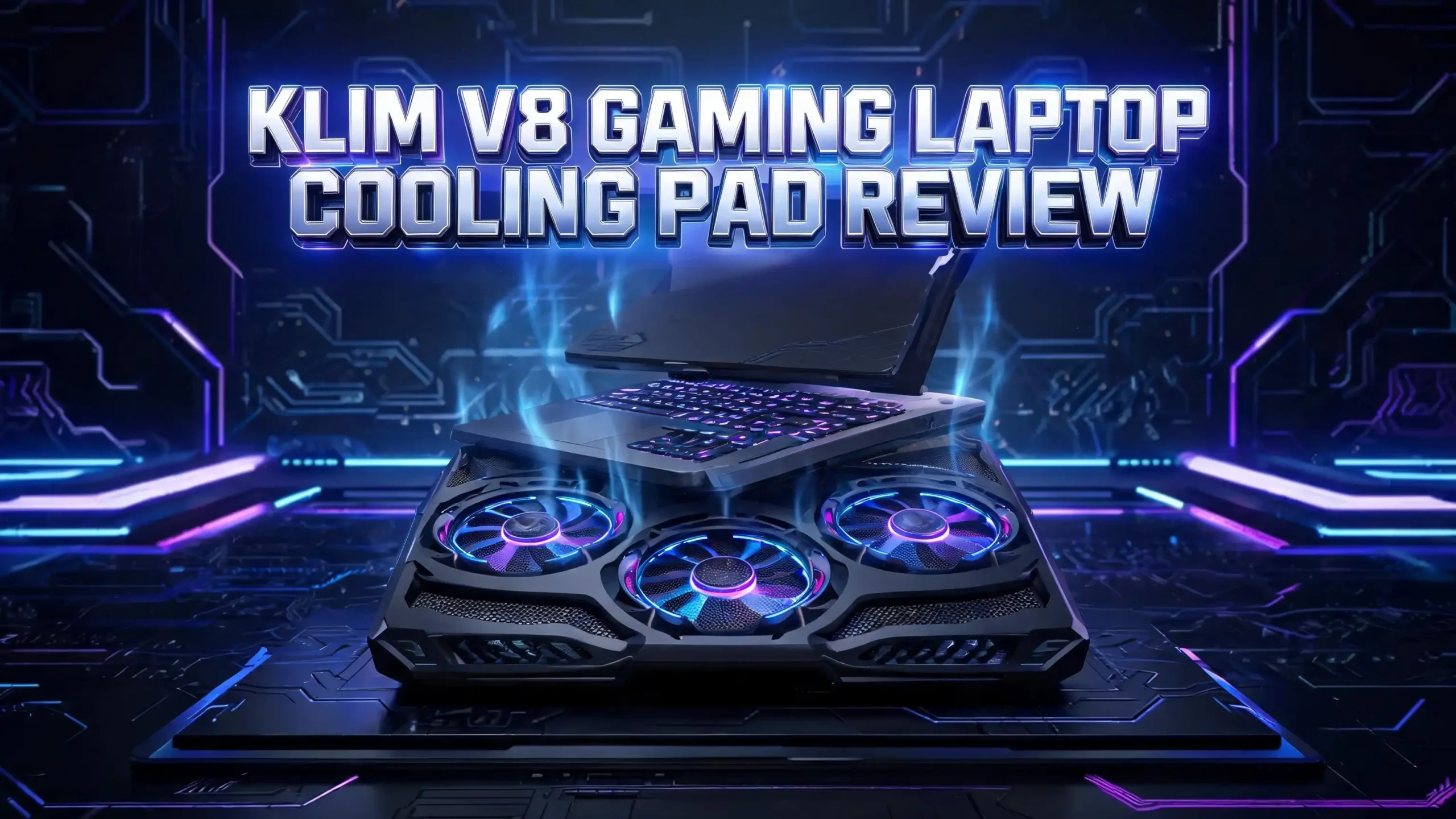
KLIM V8 Gaming Laptop Cooling Pad Review 2026: Is It Worth Your Money?
Gaming laptops run hot. Long sessions push the CPU and GPU hard, and heat builds up fast. A good cooling pad helps your machine stay cool and run smooth. The KLIM V8 is one popular choice in 2026.
It packs eight fans, bright RGB lights, and a strong build. But does it actually work? This review breaks down every detail. You will learn about its cooling power, design, noise level, and value.
By the end, you will know if the KLIM V8 fits your setup. Keep reading to find out everything before you buy.
In a Nutshell
- The KLIM V8 uses 8 fans to spread cooling across the whole base of your laptop, not just one spot.
- It works with laptops from 10 inches up to 17 inches, so it fits almost any gaming machine.
- The pad offers 10 RGB lighting effects and lets you turn the lights off with one button press.
- It stays quiet at 19.5 to 24.3 dB, which is softer than most gaming laptop fans.
- You get 2 USB ports and a phone holder, plus a strong 5 year warranty for peace of mind.
- The price sits around $35, making it a budget friendly pick for gamers and remote workers.
What Is the KLIM V8 Gaming Laptop Cooling Pad?

- ► 8 FANS FOR SUPERIOR COOLING: This laptop cooling stand features 8 powerful fans that...
- ► WIDE COMPATIBILITY + ERGONOMIC DESIGN: The laptop cooling stand has an ergonomic...
Last update on 2026-06-09 / Affiliate links / Images from Amazon Product Advertising API
The KLIM V8 is a flat laptop stand with fans built inside. You place your laptop on top, plug in the USB cable, and the fans pull heat away. The pad sits at an angle to lift your screen and keep airflow open underneath.
KLIM is a brand that makes computer accessories. They focus on cooling gear, keyboards, and audio products. The V8 is one of their top cooling pads for gaming laptops.
This model stands out because of its 8 fan layout. Most pads use one or two large fans. The V8 spreads smaller fans across the surface. This covers more of your laptop base and targets hot zones better.
The pad also adds style. The RGB lights glow in many colors and patterns. You can match it to your gaming setup or switch the lights off when you want focus. It is a simple tool that solves a real problem for heavy laptop users.
KLIM V8 Design and Build Quality
The KLIM V8 uses a metal mesh top and a strong ABS plastic frame. This mix keeps the pad light but tough. It weighs about 910 grams, which is close to two pounds. You can carry it in a backpack without much trouble.
The surface measures 15.5 by 10.6 inches, with a slim height of just 1.1 inches. This wide base supports big 17 inch laptops with room to spare. Rubber grips along the edges stop your laptop from sliding off.
The metal mesh does two jobs. It lets air flow through freely, and it protects the fans from damage. The build feels solid in the hand, not cheap or flimsy.
KLIM backs the V8 with a 5 year warranty. That is a long promise for a budget pad. It shows the company trusts the build. If anything breaks, their support team helps you fix or replace it. For the price, this design quality is hard to beat.
How Well Does the KLIM V8 Cool Your Laptop?
Cooling is the main reason you buy this pad. The KLIM V8 uses 8 fans spinning at 2200 RPM. Together they move a steady stream of air across your laptop base.
The 8 fan setup gives an edge over single fan pads. Heat does not build in one spot. The fans push cool air to the CPU, GPU, and battery areas at the same time. This keeps temperatures more even.
Real world tests show cooling pads like this can drop laptop temps by 5 to 15 degrees Fahrenheit. The exact drop depends on your laptop and the load. Heavy gaming sees bigger gains than light browsing.
Lower heat brings real benefits. Your laptop throttles less, so games run smoother. The internal fans work less hard, which can extend the life of your machine. Your lap and desk also stay cooler during long sessions.
The V8 will not turn a weak laptop into a powerhouse. But it gives your hardware breathing room. For most gamers, that steady cooling boost is exactly what they need.
Fan Speed Settings and Control
The KLIM V8 lets you control the fan speed. Buttons on the side let you switch between six speed levels. You pick the level that fits your task.
Low speeds work for light tasks like writing or web browsing. They keep noise down while still moving air. High speeds kick in for gaming and video editing, when your laptop runs hottest.
This control matters. You do not waste fan power when you do not need it. And you get full cooling when the heat ramps up. The buttons are easy to reach and simple to press.
The fan controls also link to the RGB lights. One button cycles the colors and effects. Another lets you turn the lights off fully. This keeps the setup clean and easy to learn.
Having adjustable speed puts you in charge. You balance noise and cooling to match your needs. Many cheaper pads run at one fixed speed. The V8 gives you flexibility, which is a smart touch for daily use.
Top 3 Alternatives for KLIM V8 Gaming Laptop Cooling Pad
The KLIM V8 is great, but it is not the only choice. Here are three strong alternatives worth a look. Each one offers something a little different for your cooling needs.
The KLIM Wind is a budget pick from the same brand. It uses four fans and stays slim and light. It works well for everyday cooling and costs less.

- ✅ AN INVESTMENT. This laptop cooler is an investment => no component overheating...
- ✅ LARGE MODEL. Covers the following sizes: 11 11,3 12 13 14 15 15,6 16 inches...
Last update on 2026-06-09 / Affiliate links / Images from Amazon Product Advertising API
The IETS GT500 uses a sealed turbo fan design. It pushes air at high speed for strong cooling power. Gamers with very hot laptops often pick this one.

- ❤【Two cores】:Industrial-grade turbofan(5000RPM)+ combined sealed foam, creating a...
- ❤【Infinitely variable speed】:The speed adjustment range of the fan is 0-5000 Rpm...
Last update on 2026-06-09 / Affiliate links / Images from Amazon Product Advertising API
The ICE COOREL cooling pad offers 8 fans with six height settings. It also adds RGB lights and a phone stand. It is a close rival to the V8 with extra height options.

- Eight Super Cooling Fans: The newest 8-core laptop cooling pad can efficiently cool your...
- Ergonomic Comfort: The gaming laptop cooling pad provides 6 heights adjustment to...
Last update on 2026-06-09 / Affiliate links / Images from Amazon Product Advertising API
Each pad has its own strengths. Compare the fan count, noise, and price to pick the right fit for your laptop.
Noise Level: Is the KLIM V8 Quiet?
Many people worry that more fans mean more noise. The KLIM V8 proves that wrong. It runs at just 19.5 to 24.3 dB. That is quieter than a whisper at the low end.
The eight fans are smaller than the large fans in other pads. Smaller fans spin with less roar. Even at full speed, the V8 stays soft. Your gaming laptop’s own fans will likely be louder.
This quiet run is a big plus. You can game late at night without bothering others. You can join video calls without fan noise in the background. The pad stays in the background, doing its job.
At low speed, the V8 is nearly silent. You barely notice it is on. At high speed, you hear a gentle hum, not a loud whir. For a pad with this much cooling power, the low noise is impressive. It shows KLIM tuned the fans well for a calm, steady airflow.
RGB Lighting and Style Features
Gaming gear loves RGB, and the KLIM V8 delivers. It offers 10 RGB lighting effects with many colors. The lights glow through the fans and create a bright, lively look.
You can match the colors to your keyboard, mouse, or desk setup. The effects cycle through smooth patterns and steady glows. It adds a fun touch to your gaming corner.
Not everyone wants lights, though. KLIM thought of that. You can turn the RGB off by holding the button for three seconds. This is great for work, study, or sleep mode.
The lighting does not change cooling power. It is purely for style. But it makes the pad feel premium without raising the price much. The glow looks clean and not too flashy.
For gamers who care about looks, the RGB feature is a win. For those who want a plain pad, the off switch keeps everyone happy. Either way, the V8 fits your style.
USB Ports and Phone Holder
The KLIM V8 powers itself through your laptop’s USB port. But it gives back too. The pad includes a second USB 2.0 port built into the side.
This extra port is handy. You only use one USB slot on your laptop, but you get one back. You can plug in a mouse, keyboard, or USB drive through the pad. This is great for laptops with few ports.
The pad also has an adjustable phone holder. It sits on the side and holds your phone upright. You can watch videos, check messages, or follow a guide while you game.
These small extras add real value. Many cooling pads skip them. The V8 turns into a mini hub for your desk. You keep your phone in view and free up laptop ports at the same time.
For a budget pad, these bonus features punch above their weight. They make daily use smoother and keep your gaming space tidy.
Compatibility With Different Laptops
The KLIM V8 fits a wide range of laptops. It supports sizes from 10 inches up to 17 inches. This covers nearly every laptop on the market today.
The wide base holds small ultrabooks and large gaming rigs alike. Rubber stoppers keep your laptop in place no matter the size. You do not need to worry about your machine sliding off.
This broad fit makes the V8 a safe buy. If you switch laptops later, the pad still works. You are not locked into one screen size. Families with different laptops can share one pad.
The angled design also helps. It lifts your screen to a better viewing height. This improves your posture during long sessions. It opens airflow under the laptop at the same time.
Whether you own a 14 inch work laptop or a 17 inch gaming beast, the V8 has you covered. Its flexible fit is one of the reasons it sells so well. Most buyers find it works right out of the box.
KLIM V8 Setup and Ease of Use
Setting up the KLIM V8 takes seconds. You unbox it, plug the USB cable into your laptop, and place your laptop on top. That is the whole process. There is no software to install.
The plug and play design means anyone can use it. You do not need tech skills. Just connect and go. The buttons for speed and lights are clearly marked on the side.
The pad starts cooling right away. You feel the airflow under your laptop within moments. Switching speeds is quick and simple with the side buttons.
The phone holder folds out when you need it. The angle stays fixed but works well for most desks. The whole unit is light enough to move around your home easily.
For people who want zero fuss, the V8 shines. No drivers, no setup wizard, no learning curve. You spend your time gaming, not configuring. This easy use is a big reason buyers give it strong reviews.
Battery and Power Consumption
The KLIM V8 draws power from your laptop’s USB port. This raises a fair question. Does it drain your battery fast? The honest answer is that it uses some power, but not a lot.
USB fans pull a small current. Most users plug in their gaming laptop to the wall during heavy use anyway. In that case, the pad uses wall power, not battery.
If you run on battery, the fans will shorten your runtime a little. The drop is minor for light tasks. For gaming, your laptop already drains fast, so the pad’s effect is small.
The pad also passes USB power through its second port. So plugging in a mouse through the V8 uses your laptop power too. Keep this in mind if you watch battery life closely.
For most gamers, this is a non issue. You game plugged in, and the pad runs free. The cooling benefit outweighs the small power draw. It is a smart trade for cooler, smoother performance.
Pros and Cons of the KLIM V8
Every product has strong points and weak points. Here is a clear look at both sides of the KLIM V8 to help you decide.
Pros:
- Eight fans spread cooling across the whole laptop base for even heat removal.
- Very quiet operation at 19.5 to 24.3 dB, softer than most laptop fans.
- Six adjustable fan speeds let you balance noise and cooling for any task.
- 10 RGB effects with a one button off switch for style and focus.
- Extra USB port and phone holder add real daily value.
- Strong build with a 5 year warranty and a budget friendly price.
Cons:
- The fixed angle may not suit every user’s preferred height.
- It uses a USB port, which slightly lowers battery life when unplugged.
- RGB lights may feel too flashy for office or work settings, though they switch off.
The list shows the V8 leans heavily toward the positive. The few drawbacks are minor for most gamers. The strong cooling, quiet run, and fair price make it a solid pick in 2026.
Who Should Buy the KLIM V8?
The KLIM V8 fits many types of users. It is not just for hardcore gamers. Here is who gets the most value from this pad.
Gamers top the list. Long sessions heat up laptops fast. The V8 keeps temps in check so games run smooth without throttling.
Students and remote workers also benefit. Video calls, large files, and many open tabs heat a laptop. The pad keeps your machine cool and your lap comfortable.
Content creators who edit video or render files will like it too. These tasks push the CPU hard. Steady cooling protects your hardware during heavy loads.
Anyone with an older laptop that overheats should consider it. The V8 can give a struggling machine new life by lowering its heat.
The only people who may skip it are those with light use only. If you just browse and type, your laptop may not need extra cooling. But for everyone running heavy programs, the V8 is a smart, low cost upgrade.
Is the KLIM V8 Worth It in 2026?
After looking at every feature, the verdict is clear. The KLIM V8 offers strong value for its price. At around $35, it delivers features found on pricier pads.
You get 8 fans, quiet operation, six speeds, RGB lights, and extra ports. Few pads in this range pack all of that. The 5 year warranty seals the deal on long term trust.
The cooling is reliable, not extreme. It will not match a high powered turbo fan pad like the IETS GT500. But it cools more evenly and runs much quieter.
For the everyday gamer, student, or worker, this balance is ideal. You get cooler temps, lower noise, and useful extras without spending much. The build feels solid and lasts.
In 2026, the KLIM V8 stays a top budget choice. It does its main job well and adds nice touches. If you want a quiet, capable, and affordable cooling pad, the V8 earns its spot on your desk. It is an easy product to recommend.
Frequently Asked Questions
Does the KLIM V8 really lower laptop temperature?
Yes, it does. The eight fans pull heat away from your laptop base. Most users see a drop of 5 to 15 degrees Fahrenheit during heavy use. The exact change depends on your laptop and the task. Gaming sees bigger gains than light browsing.
Is the KLIM V8 loud during gaming?
No, it stays quiet. The pad runs at 19.5 to 24.3 dB, which is softer than a whisper. Even at full speed, it is quieter than most gaming laptop fans. You can game late at night without bothering anyone nearby.
What laptop sizes fit the KLIM V8?
The KLIM V8 fits laptops from 10 inches up to 17 inches. The wide base and rubber grips hold small and large laptops safely. This broad fit covers nearly every gaming and work laptop on the market today.
Can I turn off the RGB lights?
Yes, you can. Just hold the RGB button for three seconds to switch the lights off. This is great for work, study, or sleeping. The lights do not affect cooling, so turning them off changes nothing about performance.
Does the KLIM V8 need software or drivers?
No, it does not. The pad is plug and play. You connect the USB cable to your laptop and place your laptop on top. The fans start right away. You control speed and lights with the side buttons, not an app.
How long is the warranty on the KLIM V8?
KLIM offers a 5 year warranty on the V8. This is a long promise for a budget cooling pad. If the pad fails, their support team helps with repair or replacement. The warranty shows strong trust in the build quality.
Does the cooling pad drain laptop battery?
It uses some power through the USB port. The drain is small for light tasks. Most gamers run plugged into the wall, so battery is not a concern. If you run on battery, expect a minor drop in runtime.
Disclosure: This content is part of an Amazon Creator Connections campaign, meaning I earn a commission from qualifying purchases. Using these links costs you nothing extra but directly supports my blog and future content.