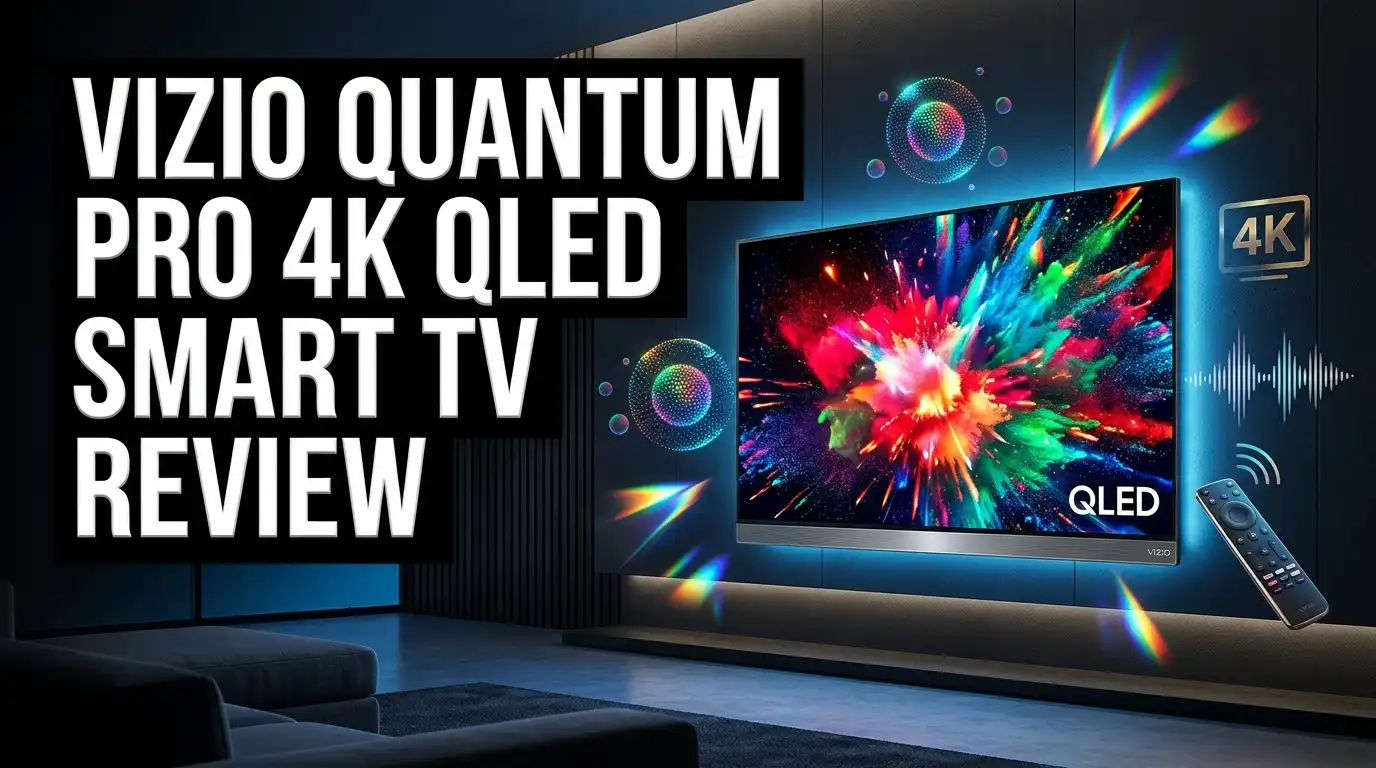
Vizio Quantum Pro 4K QLED Smart TV Review 2026: Worth Buying?
The Vizio Quantum Pro sits in an odd spot in 2026. It launched as a midrange QLED with big brightness claims, and it now shows up at prices that make shoppers stop scrolling. A 65 inch QLED with 120Hz gaming and Dolby Vision for the cost of a budget set sounds almost too good.
So is it still worth buying, or has the market moved past it?
This review covers picture quality, gaming, SmartCast, sound, and the honest weak spots nobody mentions in the product bullets.
By the end you will know exactly who this TV suits and who should walk away.
Key Takeaways
- Brightness is the star feature. Vizio advertises up to 1,000 nits, and independent lab testing measured roughly 1,269 nits in HDR and about 1,382 nits in SDR on the brightest mode. That is genuinely strong for the money and makes the screen usable in sunlit rooms.
- Dark room performance is the weak point. The panel has low native contrast and a small number of local dimming zones. Blacks look gray, and bright objects on dark backgrounds create obvious halos.
- Gaming support is generous for the price. You get a 120Hz panel, 4K at 120fps, 1080p at 240fps, VRR across FreeSync and HDMI Forum standards, and input lag near 14ms. Only one HDMI port carries full 2.1 bandwidth though.
- Viewing angles beat most rivals. Color holds steady from the sides, which is rare at this price. Wide sofas and open plan rooms benefit a lot.
- SmartCast is functional but limited. There is no app store, apps load slowly, and ads appear on the home screen. A cheap streaming stick fixes most of this.
- Value depends entirely on price. At deep discount it is a smart buy. At full price, newer mini LED sets from Hisense and TCL beat it.
Vizio Quantum Pro 4K QLED Smart TV Overview

- Visual mastery - Experience brilliant 4K QLED HDR picture and unconfined color that draws...
- See the action. Everywhere. - Wide Viewing Angle lets you sit wherever you want and still...
Last update on 2026-08-01 / Affiliate links / Images from Amazon Product Advertising API
The Quantum Pro is Vizio’s step above its standard Quantum line. It uses quantum dot film over a full array LED backlight, which produces a wide color range and high peak brightness without the cost of mini LED hardware.
Vizio sells it in two sizes only. You get a 65 inch model and a 75 inch model, with no 50 inch or 55 inch option in this series.
The panel runs at a native 120Hz refresh rate. It resolves 3840 x 2160 pixels and accepts Dolby Vision, HDR10+, HDR10, and HLG signals, which covers every mainstream HDR format in use today.
Vizio calls its dimming system Active Full Array. The backlight splits into zones that brighten and dim independently, though the zone count stays modest compared to mini LED competitors.
Connectivity is current. The set includes WiFi 6E, Bluetooth, Apple AirPlay, and Google Cast built in, so phone mirroring works without extra hardware.
Worth noting for 2026 shoppers: Walmart completed its acquisition of Vizio, so stock now flows heavily through Walmart and Sam’s Club. Amazon inventory fluctuates and sometimes shows the listing as unavailable.
The TV first arrived as a 2023 model. That age is exactly why prices dropped so far, and it is also why you should compare it against fresher options before checking out.
Design and Build Quality
Vizio kept the design clean and simple. Three sides of the screen carry very thin bezels, with only a slim black border between the frame and the first row of pixels.
The bottom edge sits slightly thicker, but it never pulls your eye away from the picture. From a normal seating distance the set looks more expensive than it costs.
The feet are the smart part. They mount near the outer edges, so you need a wide cabinet, but they offer two height positions.
The lower position places the screen about 1.7 inches above the surface. The raised position lifts it to roughly 3.3 inches, which leaves room for a soundbar without blocking the bottom of the image.
Build materials mix plastic and metal. The chassis feels solid in hand, though the rear panel flexes a little under pressure. That is normal at this price and causes no real problem.
The 65 inch stand spreads across roughly 50 inches wide and 12.6 inches deep. Measure your media console before ordering.
Cable management gets no attention here. There are no clips or channels on the back, so you will want adhesive raceways if you wall mount.
Ports face sideways rather than straight back. That small choice makes plugging things in far easier on a wall mounted set.
Picture Quality and Brightness Performance
Brightness is where the Quantum Pro earns its keep. Lab measurements put HDR peak output above 1,200 nits and SDR peak near 1,380 nits in the brightest picture mode.
Numbers like that matter in a real living room. Sunlight through a window stops washing out the screen, and daytime sports look vivid rather than flat.
The screen coating helps too. Reflection handling tested as excellent, with a semi gloss finish that scatters harsh reflections instead of mirroring them back at you.
Combine high output with good glare control and you get a genuinely great bright room TV. This is the single strongest argument for buying one.
Color gamut coverage impresses as well. The panel displays close to the full DCI P3 space used by modern HDR movies, and it manages decent Rec. 2020 coverage on top of that.
Gradients render smoothly in most content. Some banding shows in greens and grays, but it stays subtle during normal viewing.
Uniformity lands at average. The sides of the screen run slightly dimmer than the center, and there is mild dirty screen effect visible during panning shots in sports.
Upscaling is the disappointment. Standard definition and low bitrate streams look soft, and fine text loses definition. Feed it 4K content and the picture snaps into focus.
Top 3 Alternatives for Vizio Quantum Pro

- MINI-LED PRO WITH FULL ARRAY LOCAL DIMMING: Discover the latest in backlight technology...
- QLED QUANTUM DOT COLOR: Dive into a world of color with QLED Quantum Dot Technology. This...
Last update on 2026-08-01 / Affiliate links / Images from Amazon Product Advertising API

- TCL QM6K QD-MINI LED TV SERIES - AFFORDABLE PREMIUM PERFORMANCE FOR SPORTS, GAMING...
- QD-MINI LED. IT’S MINI LED PLUS QLED COLOR - BREATHTAKING BRIGHTNESS AND COLOR IN ANY...

Last update on 2026-08-01 / Affiliate links / Images from Amazon Product Advertising API

- MINI-LED PRO+ WITH FULL ARRAY LOCAL DIMMING PRO: Unleash superior picture quality with...
- UP TO 3000 NITS PEAK BRIGHTNESS: Bask in stunning picture quality with up to 3000 nits of...
Last update on 2026-08-01 / Affiliate links / Images from Amazon Product Advertising API
Color Accuracy and HDR Support
Out of the box accuracy is just okay, and that is being kind. The most accurate preset is Calibrated Dark, but white balance still drifts and gamma misses its target.
The practical effect is a picture that looks slightly too bright through the middle of the brightness range. Faces and midtones lift more than they should, which flattens depth in some scenes.
Reviewers noticed undersaturated skin tones compared to rival sets. Reds and yellows in particular can look muted next to a Hisense or TCL panel of similar cost.
There is good news. Vizio issued a firmware update that improved Calibrated Dark accuracy in HDR on the 65 inch model, so make sure your set is fully updated before judging it.
The calibration menu itself is easy to use. If you own a colorimeter, or you hire a calibrator, the TV responds well and cleans up noticeably.
HDR format support is complete. Dolby Vision, HDR10+, HDR10, and HLG all work, so nothing in your library goes unsupported.
Tone mapping is basic. The set applies a hard cutoff at its peak brightness rather than rolling off gradually, which delivers maximum punch but clips detail in the brightest highlights.
For casual viewing none of this ruins the experience. For color critical work, look elsewhere.
Local Dimming and Black Levels
This is the section that decides whether you buy. Native contrast on this panel measures low, which means blacks appear washed out and grayish whenever local dimming cannot help.
The Active Full Array system does improve things. In genuinely dark scenes it drops the backlight and restores some depth.
The zones are large though. A single street lamp against a night sky lights up a whole zone, producing a visible halo around the object.
Motion makes it worse. The dimming algorithm reacts slowly, so a bright object moving across a dark background leaves a trailing glow behind it.
Black uniformity also disappoints. With dimming off the screen shows cloudy patches, and enabling dimming reduces but never eliminates them.
One quirk deserves a warning. When the TV detects a PC source, local dimming stops working properly and the entire backlight stays lit.
Console gaming is unaffected. A PlayStation 5 or Xbox Series X triggers normal dimming behavior, so only PC users hit this issue.
If you watch mostly at night with the lights off, this TV will frustrate you. If your viewing happens in a lit room, the weakness largely disappears because ambient light hides raised blacks anyway.
Be honest about your room before you decide.
Gaming Performance and Input Lag
Gamers get real value here. The 120Hz panel accepts 4K at 120fps and drops to a special 1080p mode that runs at 240fps.
Input lag measured around 14ms in Game mode at both 1080p and 4K. That feels responsive for shooters, racers, and fighting games alike.
Variable refresh rate support is comprehensive. The set handles HDMI Forum VRR, AMD FreeSync, and Nvidia G Sync compatible mode across a wide refresh window.
Response time tested as great. Fast motion shows very little smearing, though there is some overshoot that creates faint inverse ghosting in shadow areas.
An optional black frame insertion mode sharpens motion further. It works well, but the timing is imperfect and produces a faint double image trail behind quick movement.
Now the catch. Only one of the four HDMI ports supports full HDMI 2.1 bandwidth.
Own a PS5 and an Xbox Series X? One of them loses 4K 120Hz. The eARC port is the same port that carries 2.1 bandwidth, which helps if you use a soundbar, but it still forces a choice.
Another limitation: 1440p at 120Hz does not work on either current console. PC users can force it with Nvidia cards only.
The 240Hz 1080p mode halves resolution internally. Motion looks smooth, but text renders poorly, so treat it as a gaming only feature.
SmartCast Operating System and Apps
Vizio runs its own platform called SmartCast rather than licensing Roku or Google TV. That decision shapes the whole ownership experience.
The interface is easy to learn. Rows of apps, a settings menu, and a search bar behave the way you expect.
Apps are web based rather than natively installed. The practical result is slower loading and occasional stutter when scrolling menus.
There is no app store. You get whatever selection Vizio ships, and you cannot add anything missing.
Major services are covered. Netflix, YouTube, Prime Video, Disney Plus, Max, and the big free channels all appear.
Niche apps and regional services often do not. Casting from your phone becomes the workaround, and AirPlay plus Google Cast both work reliably for that.
Ads appear on the home screen and cannot be disabled. Reviewers consistently rate Vizio’s ad placement as more intrusive than Roku’s smaller widget.
The included voice remote is simple and uncluttered. It has shortcut buttons for popular services and a microphone that opens apps and switches inputs, though it will not search inside apps.
My honest recommendation: buy a $40 streaming stick. It removes nearly every SmartCast complaint and costs almost nothing next to the TV.
Sound Quality and Audio Options
Built in audio is adequate rather than good. The speakers produce a reasonably balanced sound profile at moderate volume, so dialogue stays clear.
Push the volume up and problems appear. Compression kicks in, distortion becomes audible, and the sound hardens noticeably.
Maximum loudness is limited. In a noisy kitchen or a large open room you will struggle to hear detail.
Bass extension is shallow, which is typical for a thin panel. Explosions and music lack weight without external help.
The good news is the connection options. eARC support on HDMI port 1 passes uncompressed audio to a soundbar or receiver.
Format support through eARC is broad. Dolby Atmos over Dolby Digital Plus, Dolby TrueHD, DTS X, and DTS HD Master Audio all pass through correctly.
That makes the Quantum Pro a solid partner for a Blu ray based home theater. Optical output and a 3.5mm analog output add flexibility for older gear.
Vizio also built in a feature called QuickFit. Select Vizio soundbars attach directly to the TV, which cleans up your setup and removes the need for a separate shelf.
Bottom line: budget for a soundbar. Almost any model improves on the internal speakers immediately.
Vizio Quantum Pro 75 Inch Model Compared

- Visual mastery - Experience brilliant 4K QLED HDR picture and unconfined color that draws...
- See the action. Everywhere. - Wide Viewing Angle lets you sit wherever you want and still...
Last update on 2026-08-01 / Affiliate links / Images from Amazon Product Advertising API
The 75 inch version shares its panel technology, processing, and feature set with the 65 inch model. Picture quality behaves the same way in both sizes.
Brightness, color coverage, dimming behavior, and gaming support all carry over identically. Reviewers confirmed that findings on the smaller set apply to the larger one.
What changes is value per inch. The 75 inch model regularly appears at aggressive holiday pricing, and it dipped as low as $799 during recent Black Friday sales.
At that price, few 75 inch televisions match its brightness. Size buyers on a tight budget should look here first.
Owner feedback on the larger size skews positive. Reddit users describe it as bright, punchy in HDR, and great for gaming at 120Hz.
Consider your room first. A 75 inch screen wants a viewing distance of roughly eight to ten feet for comfortable 4K viewing.
Also check your wall mount rating and your stand width. The larger set needs a substantial surface if you are not mounting it.
One more practical note. The larger panel spreads the same number of dimming zones across more area, so blooming can look slightly more obvious at close range.
Pros and Cons of the Vizio Quantum Pro
Pros
- Very high peak brightness that handles sunlit rooms with ease, measured above 1,200 nits in HDR
- Excellent reflection handling thanks to an effective semi gloss screen coating
- Wide viewing angles that keep color and contrast stable from the sides of the room
- Strong gaming package including 4K at 120Hz, 1080p at 240Hz, low input lag near 14ms, and full VRR support
- Nearly complete DCI P3 color coverage for vivid HDR movies and games
- Support for every major HDR format including Dolby Vision and HDR10+
- Height adjustable feet with a dedicated soundbar clearance position
- WiFi 6E, AirPlay, and Google Cast built in with no extra hardware needed
- Frequently discounted well below its original launch price
Cons
- Low native contrast leaves blacks looking gray in dark rooms
- Limited dimming zones cause visible blooming and slow zone transitions
- Local dimming malfunctions entirely when the TV detects a PC source
- Only one of four HDMI ports offers full 2.1 bandwidth
- SmartCast has no app store, loads slowly, and shows ads you cannot remove
- Weak built in speakers with distortion at higher volumes
- Soft upscaling of standard definition and low bitrate content
- Out of the box color accuracy needs calibration to look its best
- Available in only two screen sizes
Vizio Quantum Pro vs Hisense U7N vs TCL QM6K
These three sets compete for the same buyer, so the differences matter.
The Quantum Pro wins on viewing angles and glare control. Neither rival keeps color as consistent when you sit off to the side, and the Vizio coating handles harsh light very well.
The Hisense U7N wins on contrast. Its mini LED backlight packs far more dimming zones into the same area, which produces deeper blacks and much less blooming.
The TCL QM6K wins on software and refresh rate. Google TV offers a full app store and faster navigation, and the panel supports 144Hz for PC gaming.
Brightness is closer than you might expect. All three clear 1,000 nits in HDR, so daytime viewing looks strong on any of them.
Sound quality favors TCL. The Onkyo tuned system in the QM6K outperforms both competitors without a soundbar.
Price decides most purchases here. The Quantum Pro undercuts both when discounted, and that gap is the entire reason to choose it.
My simple rule: bright room and tight budget means Vizio. Dark room or movie focus means Hisense. Balanced everyday use with good software means TCL.
Check current prices before committing, because these three swap positions constantly during sale periods.
Who Should Buy the Vizio Quantum Pro in 2026
This TV fits a specific buyer very well and disappoints everyone else.
Buy it if your main viewing happens during the day in a room with windows. High brightness and strong glare control solve the exact problem those rooms create.
Buy it if you have a wide seating arrangement. The stable viewing angles mean nobody gets stuck with a washed out picture.
Buy it if you are a console gamer on a budget. You get 120Hz, low lag, and full VRR for less than most competitors charge.
Buy it if the price is genuinely low. At a steep discount the value math works in its favor.
Skip it if you are a movie fan with a dark theater room. Raised blacks and blooming will bother you every single night.
Skip it if you connect a gaming PC. The broken local dimming behavior in PC mode has no workaround.
Skip it if you need multiple 4K 120Hz sources. One HDMI 2.1 port is a real limitation for multi console households.
Skip it if smart platform quality matters to you. SmartCast is the weakest part of the package by a wide margin.
Final Verdict on the Vizio Quantum Pro
The Vizio Quantum Pro is a bright room specialist sold at a bargain price. That framing explains both its appeal and its limits.
Where it succeeds, it succeeds convincingly. Peak brightness, glare handling, color volume, and viewing angles all punch above what the price suggests.
Where it fails, it fails clearly. Dark scenes reveal shallow contrast, obvious halos, and clumsy dimming that newer mini LED panels handle far better.
Gaming support is the pleasant surprise. Low input lag, 120Hz at 4K, and broad VRR compatibility make it a legitimate console companion.
The software is the frustration. A cheap streaming stick fixes it, and I would consider that purchase mandatory rather than optional.
Age works both ways here. This is a 2023 design, so it lacks the zone counts and processing of 2025 and 2026 releases, but that same age produces the discounts that make it interesting.
My score sits around 7.5 out of 10 at discount pricing and closer to 6 out of 10 at full price. Very few televisions swing that hard based on cost alone.
Compare it against a current Hisense U7 or TCL QM6K before you buy. If the Vizio is meaningfully cheaper and your room is bright, take it and enjoy it.
Frequently Asked Questions
Is the Vizio Quantum Pro good for gaming?
Yes, it performs well for console gaming. It supports 4K at 120fps, 1080p at 240fps, and every major VRR standard, with input lag around 14ms. The one drawback is that only a single HDMI port carries full 2.1 bandwidth, so households with two current consoles must compromise. PC gamers should note that local dimming stops working correctly when the TV detects a PC source.
Does the Vizio Quantum Pro have mini LED?
No, it uses a standard full array LED backlight with quantum dot color film. Vizio calls the dimming system Active Full Array. Mini LED sets like the Hisense U7N and TCL QM6K use far smaller LEDs and many more zones, which is why they produce deeper blacks and less blooming. The absence of mini LED is the main reason the Quantum Pro costs less than those competitors.
How bright is the Vizio Quantum Pro?
Vizio advertises up to 1,000 nits peak brightness. Independent testing measured roughly 1,269 nits in HDR on the brightest mode and about 1,382 nits in SDR, which exceeds the official claim. Real world brightness is excellent for daytime viewing and sports. Combined with good reflection handling, it stands out as a strong choice for rooms with lots of natural light.
What sizes does the Vizio Quantum Pro come in?
The Quantum Pro is available in 65 inch and 75 inch sizes only. Vizio never released a 50 inch or 55 inch version in this series. If you need a smaller screen, look at the Vizio Quantum series, the older M series Quantum X in 50 inch, or competitors like Hisense and TCL that offer 55 inch models with similar features.
Does the Vizio Quantum Pro support Dolby Vision?
Yes, it supports Dolby Vision along with HDR10+, HDR10, and HLG. That covers every mainstream HDR format currently used by streaming services and 4K Blu ray discs. Dolby Vision content from Netflix, Disney Plus, and Apple TV plays correctly. Just be aware that limited dimming zones mean the TV cannot deliver the deep blacks that Dolby Vision content is mastered to show.
Is SmartCast better than Roku or Google TV?
Most reviewers rate SmartCast below both. It has no app store, apps run as web based versions that load slowly, and ads appear on the home screen without an option to disable them. Roku offers more apps and better search, while Google TV provides faster navigation and deeper integration. Adding an inexpensive streaming stick gives you a better interface without affecting picture quality.
Is the Vizio Quantum Pro still worth buying in 2026?
It depends almost entirely on price and room conditions. As a 2023 model it now sells at heavy discounts, and at those prices it delivers excellent brightness and gaming features for the money. In a bright room it remains a smart value pick. In a dark room, or at anything near full price, newer mini LED options from Hisense and TCL make more sense.