Canon Ivy 2 Mini Photo Printer Review 2026: Is This Worth Buying?
Do you want to turn phone photos into real prints in seconds? The Canon Ivy 2 Mini Photo Printer promises exactly that.
It fits in your pocket, connects over Bluetooth, and prints sticky backed photos without any ink.
In this review for 2026, I share what works, what does not, and who should buy it. Keep reading to see if this tiny printer fits your life.
Key Takeaways
- The Canon Ivy 2 Mini prints 2 inch by 3 inch photos using ZINK paper, so you never buy ink.
- It uses Bluetooth 5.0 and the free Canon Mini Print app for quick wireless printing from iOS and Android phones.
- Each print takes about 30 seconds, and the battery lasts around 20 prints per charge with fast 45 minute charging.
- Print quality is good for a mini printer but soft compared to desktop machines, with a slight vintage look.
- The cost runs about 50 cents per photo, and every print has a peel and stick back for sticker use.
- It is small, light, and travel friendly, making it great for events, journaling, and gifts.
What Is the Canon Ivy 2 Mini Photo Printer?
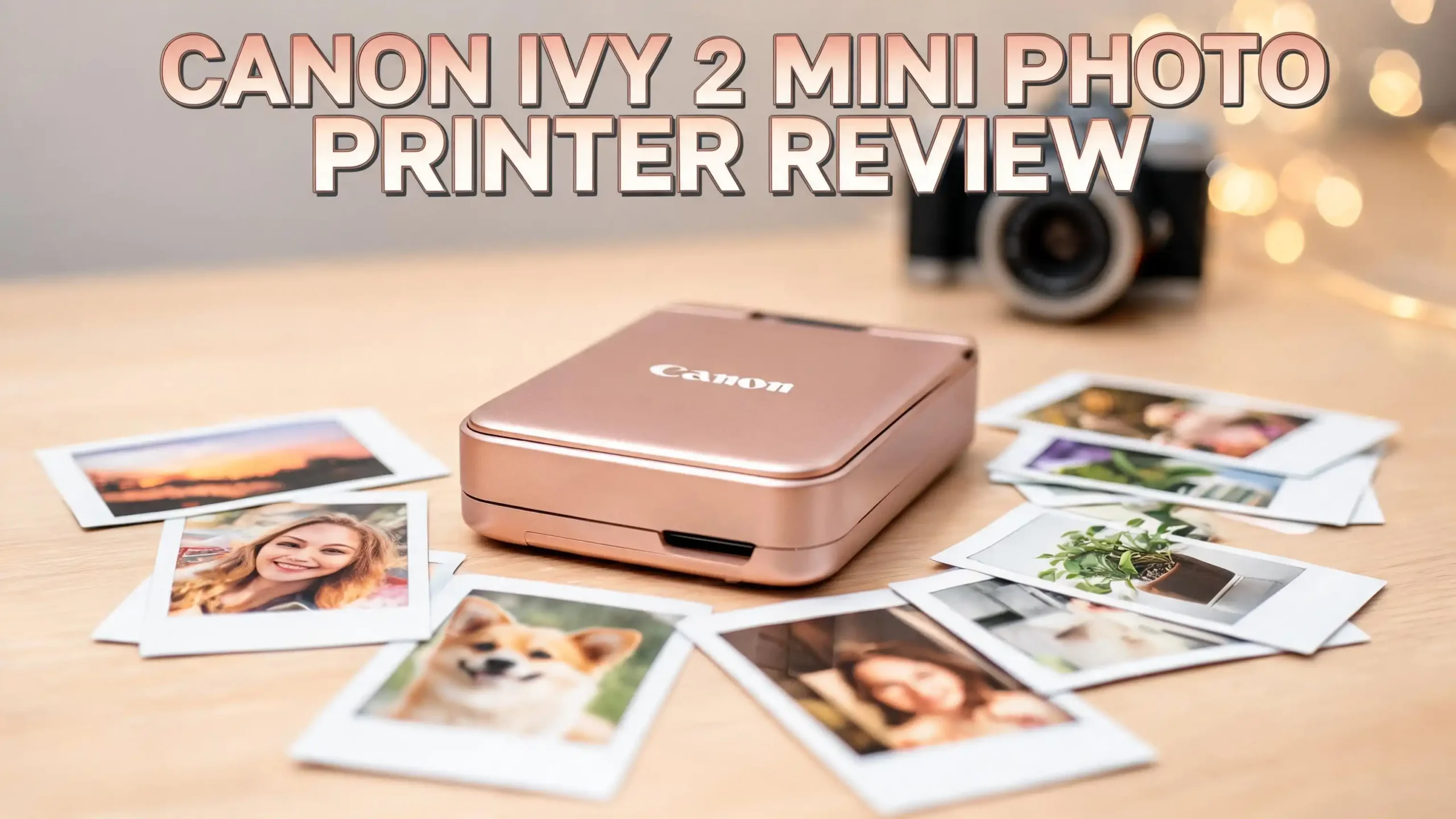
The Canon Ivy 2 Mini is a small wireless photo printer. It connects to your phone and prints tiny photos on the spot. You do not need a computer or cables. You just send a photo from the app and the print comes out in seconds.

- Print and customize your photos directly from your smartphone devices via the Canon Mini...
- NO INK NEEDED! The IVY 2 Mini Photo Printer uses ZINK (Zero Ink) technology, which...

Last update on 2026-06-21 / Affiliate links / Images from Amazon Product Advertising API
This printer uses ZINK technology, which means Zero Ink. The color comes from the paper itself, not from cartridges. This keeps the printer light and simple. You only buy paper, never ink.
The Ivy 2 is the second generation of Canon’s pocket printer line. It improves on the original Ivy in several ways. Canon added Bluetooth 5.0 for a stronger connection. They also added faster charging and slightly better print quality.
The device is about the size of a phone. It slips into a pocket, purse, or backpack with ease. It comes in fun colors like blush pink, pure white, and frosted berry. This makes it popular with younger users and hobbyists.
You can print regular photos or sticker photos. Every sheet has a peel and stick back. This feature makes it a favorite for scrapbooking, journaling, and decorating. The printer aims for fun and speed, not gallery quality.
Canon Ivy 2 Mini Key Specifications
The specs tell you a lot about what this printer can do. Here is a clear look at the main numbers and features.
The print size is 2 inches by 3 inches. This is the standard mini print size. The print resolution is about 313 x 512 dpi. This is fine for small prints but soft if you zoom in.
The printer uses ZINK Zero Ink thermal printing. It heats the paper to bring out the color. There are no cartridges and no ribbons to replace. You only load paper.
The connection is Bluetooth 5.0. It pairs with the free Canon Mini Print app. The app works on both iOS and Android phones. You can connect more than one phone, so friends can share the printer.
The battery is a built in rechargeable lithium battery. It prints about 20 photos per full charge. A full charge takes as little as 45 minutes over USB C. This fast charging is a big upgrade over the original Ivy.
The paper capacity holds up to 10 sheets of Canon ZINK paper plus one SmartSheet. The printer weighs very little and fits in one hand. Canon includes a 1 year limited warranty with the unit. These specs make it a true grab and go device.
How Does the Canon Ivy 2 Mini Print Quality Look?
Print quality is the first thing most buyers ask about. The honest answer is that it is good for a mini printer but not perfect. You should set your expectations for the size.
The Canon Ivy 2 makes the best prints in its mini class. Reviewers found it beats most rivals on color and detail. Still, it sits below desktop photo printers. The small size limits the resolution.
Colors look pleasing but slightly faded. Many prints have a soft vintage look. Some people love this style for journals and scrapbooks. Others want sharper, brighter results.
The printer struggles a little with blues. Blue tones sometimes shift toward green. Some test prints also came out a few shades darker than the screen image. This is common with ZINK printers.
Black and white prints are a pleasant surprise. The Ivy 2 handles grayscale better than many mini printers. The detail holds up well. You may notice a slight pink or magenta tint in shadows.
For best results, use bright, well lit photos. Dark images lose detail in the shadows. The printer cannot separate fine tones in low light shots. With good source photos, the prints look fun and shareable.
Top 3 Alternatives for Canon Ivy 2 Mini Photo Printer
The Ivy 2 is great, but it is not the only choice. Here are three strong rivals if you want something different. Each one prints small photos from your phone.
The Fujifilm Instax Mini Link 2 prints instant film with a classic look. The Kodak Step is a budget friendly ZINK option with sticky back paper. The HP Sprocket offers a stylish design with editing features.

- Compact and lightweight. Connects wirelessly via Bluetooth to your Smartphone
- For use with INSTAX MINI instant film only (sold separately) - Prints 2” x 3” photos
Last update on 2026-06-21 / Affiliate links / Images from Amazon Product Advertising API

- STEP UP YOUR PRINTING GAME | No more making plans to print tomorrow. | Kodak step printer...
- AMAZING ZERO-INK TECHNOLOGY: ZINK innovation eliminates the need for pricy ink cartridges...
Last update on 2026-06-21 / Affiliate links / Images from Amazon Product Advertising API
![HP Sprocket Portable Photo Printer (2nd Edition) – Instantly print 2x3' sticky-backed photos from your phone – [Luna Pearl] [1AS85A]](https://techfixai.com/wp-content/plugins/aawp/public/image.php?url=YUhSMGNITTZMeTl0TG0xbFpHbGhMV0Z0WVhwdmJpNWpiMjB2YVcxaFoyVnpMMGt2TkRGR1UwWlhRM2x1VGt3dWFuQm58MTc5Mjk0MDQ4NA= "Canon Ivy 2 Mini Photo Printer Review 2026: Is This Worth Buying? 7")
- Instant photos on the go – Easily print your favorite adventures on 2x3" sticky-backed...
- Get the print party started – Now you can connect multiple devices so you and your...
Last update on 2026-06-21 / Affiliate links / Images from Amazon Product Advertising API
Each of these printers has its own strengths. The Instax Mini Link 2 gives you real film prints with vivid color. The Kodak Step often costs less and uses similar ZINK paper. The HP Sprocket has a slim build and a strong app.
Pick the one that fits your style and budget. If you love sticker prints and Canon’s app, the Ivy 2 still leads. If you want film look photos, the Instax is worth a look.
How to Set Up the Canon Ivy 2 Mini
Setup is one of the easiest parts of owning this printer. You can be printing within a few minutes. No tech skills are needed.
First, charge the printer with the included USB C cable. A full charge takes about 45 minutes. The light tells you when it is ready.
Next, download the Canon Mini Print app. It is free on the Apple App Store and Google Play. Open the app and follow the steps on screen.
Then, turn on the printer and pair it over Bluetooth. The app finds the printer fast. You only do this pairing step once.
Now you load the ZINK paper. Open the top, place the blue SmartSheet at the bottom, and add up to 10 sheets. The SmartSheet cleans the rollers and calibrates the first print.
Finally, pick a photo and tap print. The first sheet out is the SmartSheet. After that, your photos print one by one. The whole setup feels simple and friendly even for first time users.
Exploring the Canon Mini Print App
The app is the heart of this printer. It controls every print and adds fun features. A good app makes a mini printer much better.
The Canon Mini Print app is free and easy to use. It works smoothly with the Ivy 2. The design is clean, so you find tools fast.
You can edit photos before you print. Add filters, frames, text, and stickers. There are many fun options for journals and gifts. Kids and teens enjoy these creative tools.
The app has a collage feature. You can fit several photos onto one print. There is also a fun video print tool. It pulls a frame from a video and adds a QR code that links back to the clip.
You can print from social media too. Pull photos from Instagram, Facebook, and your gallery. The app keeps an album of your past prints.
The app supports multiple users. Friends can connect and print at the same event. This makes parties and trips more fun. Overall, the app adds real value to the printer.
Battery Life and Charging Performance
Battery life matters for a printer you carry around. You do not want it dying at an event. The Ivy 2 does well here for its size.
The battery prints about 20 photos per charge. This is enough for a small gathering or a day trip. Heavy users may want to recharge mid day.
The biggest win is fast charging. A full charge takes as little as 45 minutes. The original Ivy took much longer. This upgrade helps a lot when you are on the move.
The printer charges over USB C. This means you can use a common cable and power bank. You can even charge it from a laptop or car charger.
To get the most life, charge it fully before events. Turn it off when not in use to save power. The battery is built in, so you cannot swap it out easily.
For most casual users, the battery is plenty. It handles birthdays, trips, and craft sessions well. Just plan ahead for big events with lots of prints.
ZINK Paper and Running Costs
Running cost is a key part of any printer review. With ZINK, the math is simple. You only pay for paper.
The Canon Ivy 2 uses ZINK Zero Ink paper. The color is built into the sheet. There are no cartridges or ribbons to buy. This keeps the system clean and easy.
A pack of 50 sheets of Canon ZINK paper is the standard buy. This works out to about 50 cents per print. The cost is steady and easy to track.
Every sheet has a peel and stick back. You can turn any photo into a sticker. This is great for journals, lockers, laptops, and gifts. The sticker feature adds real value.
The paper is smudge free and tear resistant. ZINK prints handle handling and water better than ink prints. They do not need a drying time.
Compared to desktop printers, the cost per inch is higher. But you save on ink and maintenance. For fun, small prints on the go, the cost feels fair.
Design, Build, and Portability
Portability is the main reason to buy a mini printer. The Ivy 2 nails this part. It is built to travel light.
The Canon Ivy 2 is about the size of a phone. It slips into a pocket or small bag. You barely notice it when you carry it. This makes it perfect for trips and events.
The build is light plastic with a clean look. It feels simple, not premium, but it holds up to daily use. The colors are bright and fun.
There is a wrist strap loop on the side. You can attach a strap and carry it on your hand. This is handy at parties and outdoor events.
The top opens easily to load paper. There are very few buttons, so it stays simple. A small light shows the power and status.
The design fits its purpose well. It is made for fun and speed, not for an office desk. If you want a printer you can take anywhere, the Ivy 2 delivers.
Who Should Buy the Canon Ivy 2 Mini?
This printer is not for everyone. It fits some users much better than others. Here is who will love it most.
The Canon Ivy 2 is great for journaling and scrapbooking fans. The sticky back prints make crafts easy and fun. Bullet journal users especially enjoy it.
It suits travelers and event goers. The small size and fast charging make it a great travel buddy. You can print memories on the spot.
It is a fun pick for teens and young adults. The colors, app, and stickers match their style. It also makes a nice gift.
It works well for casual photo lovers. If you want quick keepsakes, not gallery prints, it fits. You can hand prints to friends right away.
It is not for pros who need sharp, large prints. Those users should pick a desktop photo printer. The Ivy 2 trades quality for size and speed. Know your needs before you buy.
Pros and Cons of the Canon Ivy 2 Mini
A quick list of pros and cons helps you weigh the choice. Here is a fair look at both sides. This sums up the full review.
On the plus side, the Ivy 2 is small and light. It prints in 30 seconds and needs no ink. The fast 45 minute charge is a big win. The app and sticker prints add fun and value.
The Bluetooth 5.0 connection is stable and quick. It pairs with both iOS and Android. Friends can share the printer at events. Setup takes just a few minutes.
On the down side, the print quality is soft. Colors look slightly faded and blues can shift. The single 2 by 3 inch size limits your options. The 50 cents per print cost adds up over time.
The battery is built in and cannot be swapped. Dark photos lose shadow detail. The build feels plastic, not premium.
Overall, the pros fit its mini printer goal. The cons are normal for this class. If the trade offs match your needs, you will enjoy it.
How the Canon Ivy 2 Compares to Rivals
It helps to see how the Ivy 2 stacks up. Each rival has a different strength. This guide makes the choice clearer.
The Fujifilm Instax Mini Link 2 uses instant film, not ZINK. Its prints have richer color and a classic frame. But film costs more per print and the printer is a bit larger.
The Kodak Step uses the same ZINK paper as the Ivy 2. It often costs less to buy. The quality is similar, though the app feels less polished than Canon’s.
The HP Sprocket has a slim, stylish design. Its app offers strong editing tools. Print quality is close to the Ivy 2, with the same soft look.
The Canon Ivy 2 wins on app features and sticker prints. It also charges faster than most rivals. Canon’s app is one of the best in this class.
If you value film look, pick Instax. If you want low cost, look at Kodak. If you want the best app and stickers, the Ivy 2 is a smart choice.
Tips to Get the Best Prints
A few simple tips raise your print quality. Small changes make a big difference. Try these before your next print.
First, use bright, well lit photos. Good light gives the best results. The printer cannot fix dark or blurry shots.
Second, edit before you print. Boost brightness a little in the app. Prints often come out slightly dark, so a small lift helps.
Third, keep the paper flat and dry. Store ZINK paper away from heat and sun. Damaged paper leads to poor prints.
Fourth, always use the blue SmartSheet with each new pack. It cleans the rollers and tunes the colors. This step keeps prints looking their best.
Fifth, charge the printer fully before big events. A full battery means fewer interruptions. Carry a power bank for long days. These small habits make your prints look much better.
Frequently Asked Questions
Does the Canon Ivy 2 Mini need ink?
No, it does not need any ink. It uses ZINK Zero Ink paper, where the color is built into the sheet. You only buy paper, never cartridges. This keeps the printer light and easy to use.
How long does it take to print one photo?
Each photo prints in about 30 seconds. The first sheet out of a new pack is the SmartSheet, which sets up the colors. After that, your photos print one by one. The speed makes it great for events.
What size photos does the Canon Ivy 2 print?
It prints 2 inch by 3 inch photos. This is the standard mini print size. Every sheet has a peel and stick back, so you can use them as stickers. There is only this one size option.
Can I connect more than one phone?
Yes, you can. The Canon Mini Print app supports multiple users. Friends can connect over Bluetooth and print at the same time. This makes parties and group trips more fun.
How much does each print cost?
Each print costs about 50 cents. A pack of 50 sheets of Canon ZINK paper sets the price. There are no other costs since the printer needs no ink. The cost is easy to track.
Is the Canon Ivy 2 good for journaling?
Yes, it is a favorite for journaling. The sticky back prints make it easy to add photos to journals and scrapbooks. The app also offers frames, filters, and stickers. Craft lovers enjoy these tools.
Final Verdict
The Canon Ivy 2 Mini Photo Printer is a fun, simple way to print phone photos in 2026. It is small, fast, and easy to use. The no ink design and fast charging make it a great travel buddy.
The print quality is soft but charming, which fits its mini size. It shines for journaling, events, gifts, and casual prints. It is not for pros who need large, sharp photos.
If you want quick, shareable prints with a strong app, the Ivy 2 is a smart pick. For most casual users and craft fans, it offers real fun and value. Just match your needs to its strengths and you will enjoy it.