
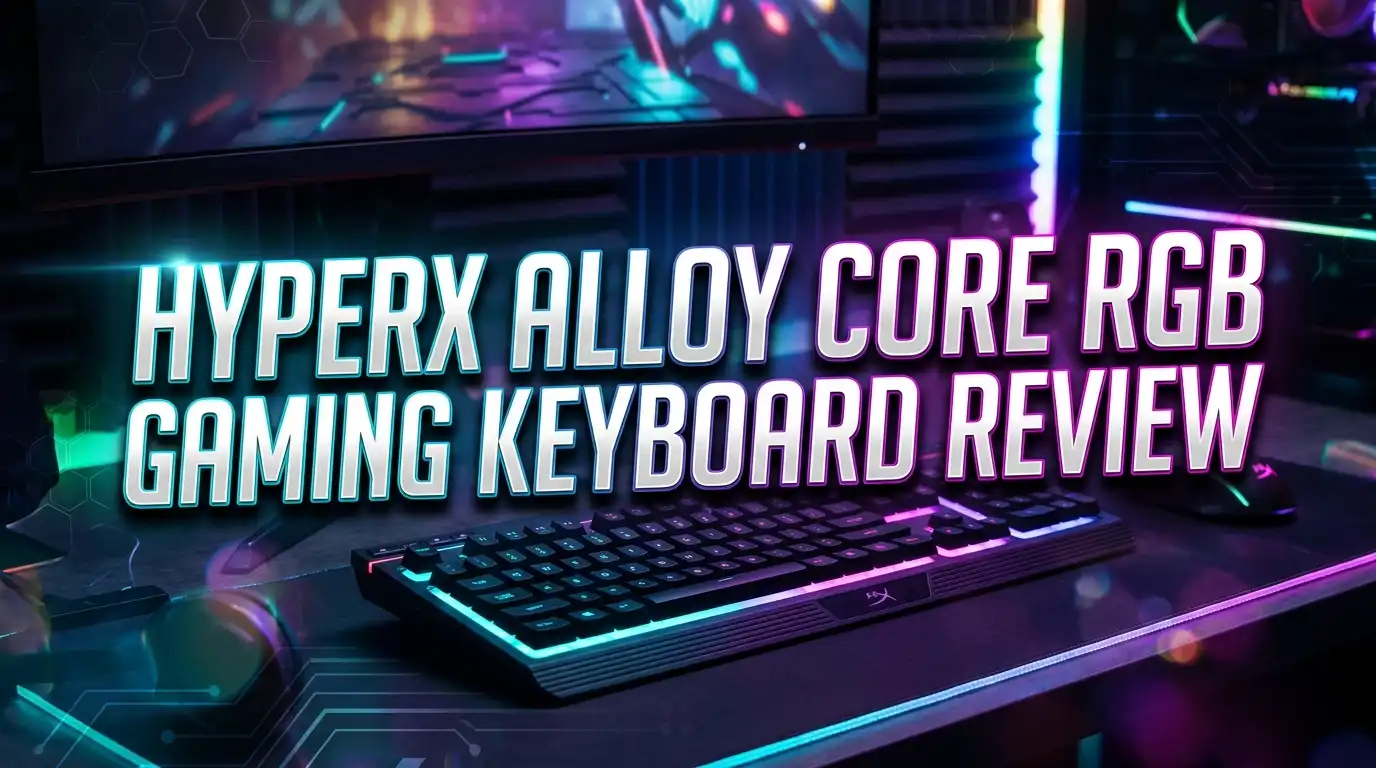
HyperX Alloy Core RGB Gaming Keyboard Review 2026: Still Worth It?
Are you looking for a budget gaming keyboard that looks great and feels good under your fingers? The HyperX Alloy Core RGB has been a fan favorite for years. It sits at a price point that almost anyone can afford. But does it still hold up in 2026?
This keyboard brings flashy RGB lighting, quiet membrane keys, and a spill resistant frame to your desk. It does all of this for under $50. Gamers on a budget often turn to this board first. The question is whether it delivers enough performance and features to compete with newer options.
In this review, we break down every detail of the HyperX Alloy Core RGB. We cover its design, lighting, key feel, gaming performance, and more. By the end, you will know if this keyboard belongs on your desk or if you should look elsewhere. Let’s get into it.
Key Takeaways
- The HyperX Alloy Core RGB is a full size membrane gaming keyboard priced under $50. It offers great value for casual gamers and everyday users who want RGB lighting without a big investment.
- It features a signature HyperX light bar along with five zone RGB customization and six preset lighting effects. The visual appeal of this keyboard punches well above its price tag.
- The keys are quiet and comfortable with a soft touch feel. They use rubber dome switches that require low actuation force. This makes typing and gaming sessions easy on your fingers.
- The keyboard is spill resistant up to 120ml of liquid. This gives peace of mind if you keep drinks near your desk. The reinforced plastic frame also adds durability.
- It includes dedicated media controls and a game mode button that disables the Windows key during gameplay. These small touches add convenience for gamers.
- The biggest drawback is the lack of software support. You cannot program macros or create custom lighting profiles through a companion app. This limits its appeal for advanced users.
HyperX Alloy Core RGB Gaming Keyboard: Overview

- Signature Light Bar and dynamic RGB lighting effects so you can personalize your battle...
- Durable solid Frame for long lasting durability and stability

Last update on 2026-06-09 / Affiliate links / Images from Amazon Product Advertising API
The HyperX Alloy Core RGB is a full size wired membrane gaming keyboard. HyperX, now a brand under HP, designed this board for gamers who want style and function at a low price. It has been on the market for several years and remains a strong seller.
This keyboard uses a standard US layout with a full number pad. It connects through a single USB cable. The black frame has a clean, modern look that fits well on any gaming desk.
HyperX positioned this product as an entry level gaming keyboard. It competes with boards like the Corsair K55, Razer Cynosa V2, and SteelSeries Apex 3. Its price sits comfortably below most of these competitors.
The keyboard weighs about 1.1 kg. This gives it a solid feel on the desk without being too heavy to move. The cable length is approximately 1.8 meters, which provides enough reach for most setups.
Design and Build Quality
The HyperX Alloy Core RGB has a reinforced plastic frame that feels sturdy in hand. It does not flex or creak during use. The matte black finish resists fingerprints and gives the keyboard a sleek appearance.
The top plate curves slightly at the edges. This adds a subtle premium feel to an otherwise budget product. The keycaps are made from standard ABS plastic and have a smooth surface texture.
On the back, you will find two flip out feet for adjusting the typing angle. There is no detachable cable. The USB cord runs out from the top center of the keyboard.
The overall footprint is large because this is a full size board. If you have a small desk, you might feel cramped. There is no included wrist rest, which is a minor downside for long typing sessions.
Build quality impressed us for the price. This keyboard can handle daily use without showing signs of wear quickly. The spill resistant design adds extra protection for your investment.
RGB Lighting and Visual Effects
The lighting on this keyboard is a real highlight. HyperX included their signature radiant light bar around the edges of the frame. This creates a glowing halo effect that looks stunning in a dark room.
The board offers six preset RGB effects: Color Cycle, Spectrum Wave, Breathing, Solid, 5 Zones, and Aurora. Each effect looks smooth and vibrant. You can switch between them using a dedicated button on the keyboard.
The five zone customization lets you assign different colors to different sections of the keyboard. This is a nice touch for a keyboard at this price. You get three brightness levels to fine tune the look.
One downside is the lack of per key RGB lighting. Each zone lights up as a group rather than individual keys. This limits creative customization compared to pricier keyboards.
The colors are bright and vivid. HyperX did an excellent job with the LED implementation here. Even without software support, the lighting options feel generous for a budget board.
Typing Experience and Key Feel
The HyperX Alloy Core RGB uses rubber dome membrane switches. These keys have a soft, quiet feel. They require low actuation force, so your fingers will not tire quickly during long sessions.
The keys have a noticeable pre travel distance. This means you need to press the key a bit further before it registers. Some users find this less responsive compared to mechanical keyboards.
Typing noise is very low. If you share a room or work in a quiet space, this keyboard will not bother anyone. The membrane switches produce a soft, muffled sound with each press.
The keycaps have a slightly textured surface. This provides a comfortable feel during extended typing. The spacebar and larger keys feel stable and consistent.
For casual typing and document work, this keyboard performs well. Writers and students will appreciate the quiet operation and comfortable key feel. However, fast typists may notice the mushier response compared to mechanical alternatives.
Gaming Performance
Gaming on the HyperX Alloy Core RGB delivers a mixed experience. The keyboard features anti ghosting and key rollover technology. This means it can register multiple key presses at the same time during intense gaming moments.
The game mode button disables the Windows key with a single press. This prevents accidental interruptions during gameplay. It is a small but valuable feature for competitive gamers.
Response times are adequate for casual gaming. However, serious competitive gamers may find the membrane switches too slow. The high pre travel distance can make fast inputs feel delayed.
The full size layout gives you a dedicated number pad. This is useful for games that use many keybinds. MMO and strategy game players will benefit from the extra keys.
There are no dedicated macro keys on this board. You also cannot program custom macros through software. This limits the keyboard for gamers who rely on complex key bindings.
Top 3 Alternatives for HyperX Alloy Core RGB
If the HyperX Alloy Core RGB does not match your needs, consider these three solid alternatives. Each one competes in a similar price range and offers unique strengths.
Corsair K55 CORE RGB is a direct competitor with iCUE software support. It adds macro programming and more customization options. This makes it a better pick for users who want full control over their keyboard.

- Your Winning Streak Starts Now: Everything you need to start your winning streak is here...
- Ten-Zone RGB Backlighting: Ten zones of fully customizable RGB illuminate your desktop...
Last update on 2026-06-09 / Affiliate links / Images from Amazon Product Advertising API
Razer Cynosa V2 brings per key Chroma RGB lighting and Razer Synapse software. It offers far deeper lighting customization. Gamers who love the Razer ecosystem will feel at home with this board.

- The NPD Group, U.S. Retail Tracking Service, Gaming Designed: Keyboards, Mice, PC...
- All-Around Gaming Performance: Able to execute up to ten commands at the same time with...
Last update on 2026-06-09 / Affiliate links / Images from Amazon Product Advertising API
SteelSeries Apex 3 features whisper quiet switches and IP32 water resistance. It comes with a magnetic wrist rest in the box. This keyboard offers a premium feel for a budget friendly price.

- Ip32 water resistant – Prevents accidental damage from liquid spills
- 10-zone RGB illumination – Gorgeous color schemes and reactive effects
Last update on 2026-06-09 / Affiliate links / Images from Amazon Product Advertising API
Spill Resistance and Durability
The HyperX Alloy Core RGB was tested to resist up to 120ml of liquid. This means a small drink spill will not destroy your keyboard. It is a valuable feature for anyone who keeps beverages near their gaming setup.
The spill resistance works through a sealed membrane layer beneath the keycaps. Liquid sits on the surface rather than seeping into the electronics. You can wipe it away and continue gaming.
The reinforced plastic frame handles daily wear and tear well. The keyboard does not feel flimsy at any point. You can press hard during gaming sessions without worrying about damage.
The keycaps may develop shine over time with heavy use. This is common for ABS plastic keycaps at this price point. Replacement keycap options are limited because this is a membrane board.
Overall durability is strong for a budget keyboard. Many users report using this board for two to three years without major issues. The value proposition here is solid.
Dedicated Media Controls
The top right corner of the keyboard features dedicated media control buttons. These include play, pause, skip forward, skip back, and mute. You also get a volume roller for quick adjustments.
These controls work instantly without any software. You press a button and it responds. This plug and play approach keeps things simple and reliable.
The media controls save you from alt tabbing out of games or applications. You can adjust your music or video volume on the fly. This is a quality of life improvement that many budget keyboards skip.
The buttons feel clicky and responsive. They are small but easy to locate by touch during gameplay. The volume roller moves smoothly and provides precise control.
For content creators and streamers, these media keys add extra convenience. You can manage audio without disrupting your workflow. It is a feature that punches above the keyboard’s price class.
Software Support and Customization
This is where the HyperX Alloy Core RGB falls short. There is no companion software for this keyboard. HyperX NGenuity software does not support this model.
All customization happens through onboard controls only. You cycle through lighting effects and adjust brightness using physical buttons. This limits how creative you can get with the setup.
You cannot program macros or remap keys on this keyboard. What you see is what you get. If you need advanced customization, you will need to look at other models.
There is also no onboard memory for saving profiles. Every time you unplug the keyboard, your lighting settings reset to default. This can be frustrating for users who travel with their keyboard.
The lack of software is a clear trade off for the low price. HyperX kept costs down by removing this feature. Budget conscious buyers may accept this limitation, but power users will find it restrictive.
Comfort and Ergonomics
The HyperX Alloy Core RGB has a standard flat profile with two angle positions from the flip out feet. The default angle is fairly flat, and the raised position adds a slight tilt.
There is no included wrist rest with this keyboard. For long gaming or typing sessions, you may want to buy one separately. Without wrist support, fatigue can set in after a few hours.
The low actuation force of the membrane keys helps reduce finger strain. You do not need to press hard to register a keystroke. This makes extended use more comfortable overall.
The keycap surface is smooth with a slight concave shape on letter keys. Your fingers rest naturally on the keys. The spacing between keys follows standard sizing, so touch typists will adapt quickly.
The keyboard sits at a moderate home row height. This means your wrists stay in a fairly neutral position. Adding a padded wrist rest would complete the ergonomic setup nicely.
Compatibility and Connectivity
The HyperX Alloy Core RGB connects via a single USB 2.0 wired connection. There is no wireless option. The cable is hardwired into the keyboard and cannot be detached.
This keyboard works with Windows 11, Windows 10, Windows 8.1, and Windows 7. It also functions on macOS and Linux with basic key functionality. The media keys may have limited support on non Windows systems.
Setup is true plug and play. You connect the USB cable, and the keyboard works immediately. There are no drivers to install and no software to download.
The non detachable cable means portability is slightly inconvenient. You cannot swap cables or pack the keyboard as compactly. However, the 1.8 meter cable length works well for most desk setups.
For console gamers, this keyboard works with PlayStation and Xbox systems that support USB keyboards. It provides basic text input for console messaging and menu browsing.
Who Should Buy the HyperX Alloy Core RGB?
This keyboard fits budget conscious gamers who want RGB lighting and a solid build. If you spend under $50 and want a good looking board, this is a top pick.
Students and casual users will love the quiet typing experience. It will not disturb roommates or family members. The low price makes it easy to justify for basic computing and light gaming.
First time gamers building their setup on a budget should consider this board. It covers the basics well. You get anti ghosting, media controls, and eye catching RGB.
This keyboard is not ideal for competitive esports players or anyone who needs macro programming. The membrane switches and lack of software hold it back at higher levels of play.
If you value simplicity and reliability over advanced features, the HyperX Alloy Core RGB delivers. It does what it promises without any fuss. For the price, it is hard to complain.
Pros and Cons Summary
Pros of the HyperX Alloy Core RGB include its budget friendly price, vibrant RGB lighting with the signature light bar, quiet membrane keys, spill resistance up to 120ml, and dedicated media controls. The plug and play setup also saves time.
On the other hand, the cons include the lack of software support, no macro programming, no detachable cable, and no included wrist rest. The membrane switches also feel less responsive than mechanical alternatives.
The lighting customization is limited to presets only. You cannot create custom effects or sync the keyboard with other peripherals. This is a clear area where competitors pull ahead.
For the price, the pros outweigh the cons for most casual users. Advanced gamers and productivity power users should consider spending a bit more for additional features. The trade offs here are reasonable given the budget.
Final Verdict: Is the HyperX Alloy Core RGB Worth It in 2026?
- Signature Light Bar and dynamic RGB lighting effects so you can personalize your battle...
- Durable solid Frame for long lasting durability and stability
Last update on 2026-06-09 / Affiliate links / Images from Amazon Product Advertising API
The HyperX Alloy Core RGB remains a solid budget gaming keyboard in 2026. It will not blow you away with cutting edge features. But it delivers consistent value at an affordable price.
The RGB lighting, spill resistance, and quiet keys make it a reliable daily driver. You get essential gaming features like anti ghosting and game mode without paying a premium.
If your budget allows, the Corsair K55 CORE RGB or SteelSeries Apex 3 offer better software support and extras. But at the HyperX’s price point, few keyboards match its combination of style and durability.
For casual gamers and everyday users, this keyboard earns a recommendation. It does the basics well and looks great doing it. At under $50, the HyperX Alloy Core RGB is still a smart buy.
Frequently Asked Questions
Is the HyperX Alloy Core RGB a mechanical keyboard?
No, the HyperX Alloy Core RGB uses rubber dome membrane switches. These are softer and quieter than mechanical switches. They require less actuation force but feel less precise than mechanical options. This makes the keyboard better suited for casual use than competitive gaming.
Does the HyperX Alloy Core RGB have software support?
The HyperX Alloy Core RGB does not have companion software support. HyperX NGenuity does not work with this model. All lighting and settings adjustments happen through onboard buttons on the keyboard itself. This is one of the main trade offs for its low price.
Can I customize the RGB lighting per key?
No, this keyboard does not offer per key RGB customization. It uses a five zone lighting system where groups of keys share the same color. You can choose from six preset lighting effects and adjust brightness to three levels. For per key lighting, you would need a higher priced model.
Is the HyperX Alloy Core RGB good for office work?
Yes, this keyboard works well for office tasks. The quiet membrane keys produce minimal noise. The low actuation force reduces finger fatigue during long typing sessions. It is a solid choice for shared workspaces where noise is a concern.
How long does the HyperX Alloy Core RGB last?
Many users report this keyboard lasting two to three years or longer with regular daily use. The spill resistant design and reinforced plastic frame add to its longevity. The ABS keycaps may develop shine over time, but the keyboard itself holds up well at this price point.
Does the HyperX Alloy Core RGB work on Mac?
Yes, the keyboard provides basic functionality on macOS. Standard keys and typing work without issues. However, some media keys and special functions may have limited compatibility. For full feature support, Windows remains the best operating system for this keyboard.