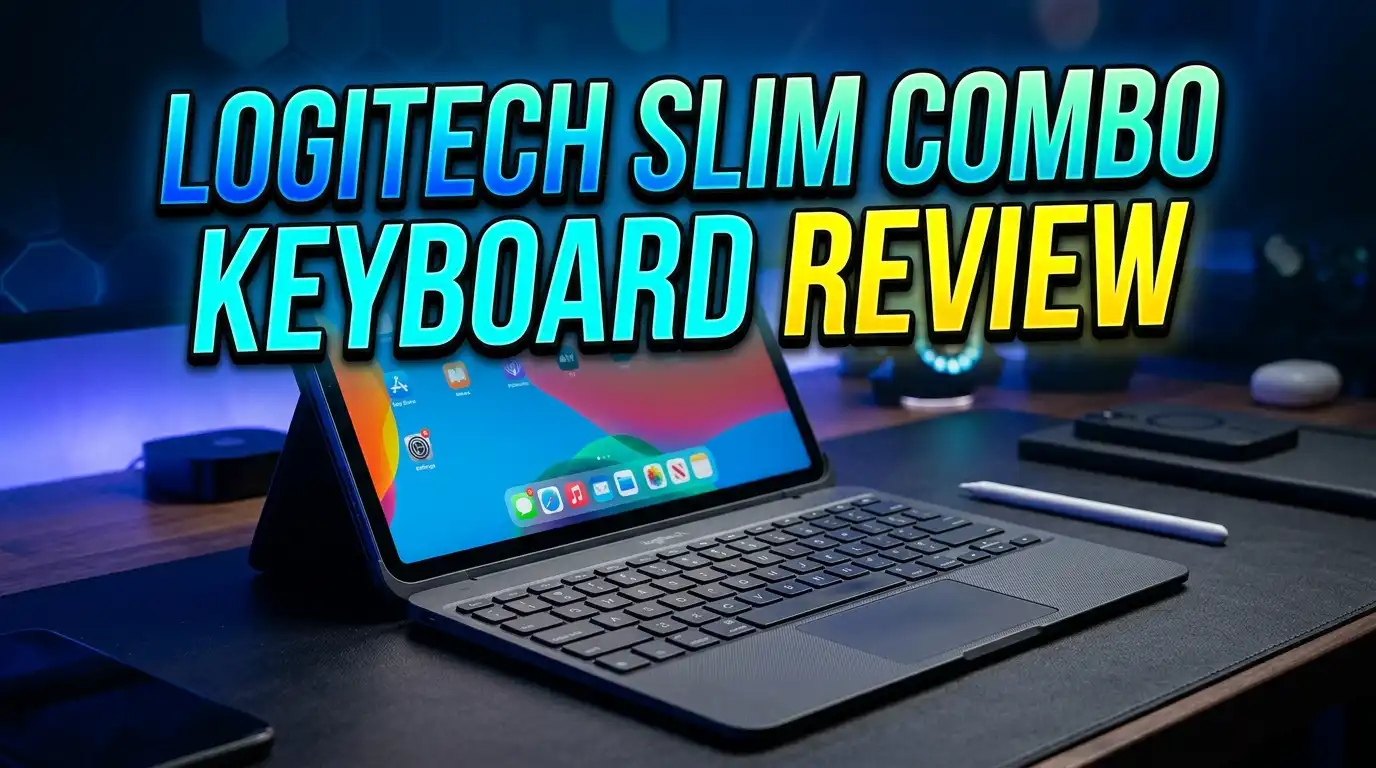
Logitech Slim Combo Keyboard Review 2026: Still Worth It?
You want a wireless keyboard and mouse combo that works quietly, looks clean, and lasts for years on a single set of batteries. The Logitech Signature Slim Combo MK950 promises all of that and more. But does it actually deliver in 2026?
I spent weeks typing, clicking, and switching between devices with this combo. The keyboard has soft, low-profile keys. The mouse has quiet clicks and smart scrolling. Together, they form one of the best productivity combos on the market right now.
In this review, I break down every detail. You will learn about design, typing feel, battery life, wireless performance, software, and much more. I also compare it to similar products so you can make a confident buying decision. Let’s get into it.
Key Takeaways
- The keyboard lasts up to 36 months on two AAA batteries, and the mouse lasts up to 24 months on a single AA battery. You will rarely think about replacing batteries with this combo.
- Quiet keys and quiet mouse clicks make the MK950 ideal for shared offices, video calls, and late-night work sessions. The sound level is noticeably lower than most standard keyboards.
- Easy-Switch lets you connect up to three devices at once. You can jump between a Windows laptop, a Mac, and a Chromebook with a single button press on both the keyboard and the mouse.
- The full-size keyboard includes a number pad, tilt legs, and a multi-OS printed layout. It supports Windows, macOS, and ChromeOS right out of the box.
- The included Signature M750 mouse has SmartWheel scrolling, a 1000 DPI default sensor (adjustable up to 4000 DPI), and six buttons. It is lightweight at just 76.3 grams.
- Build quality uses post-consumer recycled materials (up to 62% for graphite models). The keyboard also features a low-carbon aluminum plate. Logitech certifies this product as carbon neutral.
Logitech Signature Slim Combo MK950: Design and Build Quality

- Type and click on both home and business computers: Easily switch between your desktop and...
- Save time like with magic: Customisable keys, buttons and shortcuts for extended...
Last update on 2026-06-09 / Affiliate links / Images from Amazon Product Advertising API
The Logitech Signature Slim Combo MK950 has a modern, minimal design. It comes in two color options: graphite (dark) and off-white. Both versions look sleek on any desk.
The keyboard body is thin and lightweight. It uses a low-carbon aluminum plate that adds structure without extra bulk. The keys sit low on the surface, similar to a laptop keyboard. This keeps the overall height at just 19mm.
The mouse matches the keyboard’s style. It has a contoured shape with rubber side grips that feel secure in your hand. At only 76.3 grams, you can move it around all day without fatigue.
Logitech also made sustainability a priority here. The graphite keyboard uses 62% post-consumer recycled plastic. The mouse uses 61% recycled materials. The packaging is FSC-certified paper. These details matter if you care about the environmental impact of your tech purchases.
Overall, the build feels solid without being heavy. It looks professional on a home desk or in a corporate office. Logitech hit a good balance between form and function with this one.
Typing Experience and Key Feel
The MK950 keyboard uses low-profile scissor-switch keys. Each key has a subtle scoop shape that guides your fingertips into position. This creates a smooth, stable typing feel with minimal wobble.
Key travel is short, similar to typing on a premium laptop. If you prefer deep mechanical switches, this will feel different. But for productivity and daily typing tasks, the short travel helps you type faster with less effort.
The keys are also noticeably quiet. Logitech reduced the sound output to a soft tap. You can type during a Zoom call or in a quiet library without drawing attention. This is one of the biggest advantages of the MK950 over standard wireless keyboards.
The full-size layout includes a dedicated number pad, function row, and arrow keys. You get all the keys you need for spreadsheets, coding, and general writing. The printed layout supports Windows, macOS, and ChromeOS with dual-labeled keys.
Tilt legs on the back let you raise the keyboard to an 8-degree angle. This small adjustment can reduce wrist strain during long typing sessions. I found the default flat position comfortable too, so it depends on personal preference.
Battery Life That Lasts for Years
Battery life is a standout feature of this combo. The keyboard runs on two AAA alkaline batteries that Logitech rates for up to 36 months of use. That is three full years before you need to swap batteries.
The mouse uses one AA alkaline battery and lasts up to 24 months. Both devices include batteries in the box, so you can start using them right away.
These numbers come from Logitech’s estimates based on average office use. Your results may vary depending on how much you type and click each day. But even with heavy daily use, most users report getting well over a year from each set of batteries.
Both devices have LED battery indicators. The keyboard shows a light when power gets low. The mouse does the same. You will never be caught off guard by a dead battery.
This is a significant advantage over rechargeable combos that need charging every few weeks. The MK950 keeps working in the background while you focus on your tasks. You simply forget about power management, and that is exactly how it should be.
Top 3 Alternatives for Logitech Slim Combo MK950
If the MK950 does not fit your exact needs, here are three strong alternatives worth considering.

- Type and Click Across Your Personal and Work Computers: Move seamlessly between your home...
- Save Time Like Magic: Customizable keys, buttons and shortcuts for extended possibilities...

Last update on 2026-06-09 / Affiliate links / Images from Amazon Product Advertising API
The Logitech MK955 Signature Slim Combo is the upgraded version built for larger hands. It includes a bigger mouse and the same quiet keyboard. It also supports Easy-Switch across three devices and offers Bluetooth plus Logi Bolt connectivity. This is a great option if you find the M750 mouse too small.

- Logitech MK470 cordless combo features a compact modern designed keyboard with low-profile...
- This wireless keyboard and mouse set also features a comfortable, ambidextrous 3 button...
Last update on 2026-06-09 / Affiliate links / Images from Amazon Product Advertising API
The Logitech MK470 Slim Wireless Combo is a budget-friendly choice. It features a compact modern layout with low-profile scissor keys and an ultra-quiet mouse. It connects through a 2.4 GHz USB receiver. Battery life reaches 36 months for the keyboard and 18 months for the mouse. This is ideal if you want Logitech quality at a lower price point.

- Fluid Typing Experience: Laptop-like profile with spherically-dished keys shaped for your...
- Automate Repetitive Tasks: Easily create and share time-saving Smart Actions shortcuts to...
Last update on 2026-06-09 / Affiliate links / Images from Amazon Product Advertising API
The Logitech MX Keys S is a premium standalone keyboard with backlit keys, USB-C rechargeable battery, and programmable shortcuts. It pairs well with any Logitech MX mouse. If you want the best typing experience Logitech offers and do not need a bundled mouse, this is the pick.
Wireless Connectivity and Multi-Device Switching
The MK950 connects through Bluetooth 5.1 or the included Logi Bolt USB receiver. You can choose the method that works best for your setup.
Bluetooth pairing is quick. Turn the keyboard or mouse on, press the Easy-Switch button, and your device detects it within seconds. During my testing on a Dell laptop, the keyboard paired almost instantly after entering a 5-digit confirmation code.
The Easy-Switch feature is a major productivity boost. Both the keyboard and mouse let you pair with up to three devices at once. You press a button to switch between them. For example, you can type on your work laptop, then tap the switch key and start typing on your personal Mac.
Wireless range reaches up to 10 meters (about 33 feet). This gives you plenty of flexibility. You can sit back on a couch and still control your connected device across the room.
The Logi Bolt receiver is useful for desktops that lack Bluetooth. It plugs into a USB-A port and provides a stable, low-latency connection. You do not need to install drivers for basic functionality.
Mouse Performance and SmartWheel Scrolling
The included Signature M750 mouse is a capable companion for the K950 keyboard. It has an advanced optical sensor with a default DPI of 1000. You can adjust this through the Logi Options+ software up to 4000 DPI in increments of 100.
SmartWheel technology is the standout feature. You get two scrolling modes: precise line-by-line scrolling and fast free-spin scrolling. A quick flick of the wheel switches between them. This saves time when you scroll through long documents or web pages.
The mouse has six buttons in total. These include left click, right click, scroll wheel middle click, two side buttons, and a DPI adjustment button. All clicks are quiet. You will not hear the typical loud snap from each press.
The contoured shape with rubber side grips makes the mouse comfortable for extended use. At 76.3 grams, it is light enough to carry in a laptop bag without adding noticeable weight.
For general productivity, web browsing, and even light photo editing, the M750 handles every task well. It is not a gaming mouse, but it performs above average for office and creative work.
Logi Options+ Software and Customization
To unlock the full potential of the MK950, you should install Logi Options+. This free software is available for Windows and macOS.
The app lets you remap keyboard function keys and assign custom shortcuts. You can set a key to open a specific app, trigger a screenshot, or launch a macro. This is useful for professionals who repeat certain tasks throughout the day.
For the mouse, Logi Options+ allows DPI adjustment, button remapping, and gesture controls. You can also enable Logitech Flow, which lets you move your cursor across multiple computers on the same network. Drag a file from one screen and drop it on another. It works surprisingly well.
The software also shows battery status for both devices. You get a clear percentage reading inside the app. This is more precise than the LED indicator on the hardware itself.
Setup inside Logi Options+ takes about five minutes. The interface is clean and straightforward. Each device appears as a card on the main screen. You click on it and start customizing.
While the MK950 works perfectly fine without this software, the added control makes it a much smarter investment for power users.
Multi-OS Compatibility: Windows, Mac, and ChromeOS
The MK950 works across three major operating systems without extra configuration. The keyboard has dual-printed keycaps that show both Windows and Mac shortcuts.
You see the Windows key and the Command key printed on the same cap. This means you do not need to memorize alternate key positions. Everything is labeled clearly.
Switching between operating systems is instant. Press the Easy-Switch button, and the keyboard adapts to the connected device. If device 1 is a Windows PC and device 2 is a MacBook, the modifier keys remap automatically.
ChromeOS support is also included. This makes the MK950 a solid choice for students or professionals who use Chromebooks alongside other computers.
The mouse mirrors this multi-OS flexibility. It connects to three devices and switches between them with a button on the bottom. Each paired device gets its own dedicated profile in the Logi Options+ app.
Who Should Buy the Logitech Slim Combo MK950?
This combo fits a specific type of user very well. If you work from home and join frequent video calls, the quiet keys and clicks will keep your audio clean.
If you use multiple computers throughout the day, the Easy-Switch feature saves you from swapping USB receivers or re-pairing Bluetooth constantly. It just works with a single tap.
Professionals who value clean desk setups will love the slim profile. The keyboard and mouse both look minimal and modern. They do not clutter your workspace with chunky hardware.
People who dislike charging devices will appreciate the long battery life. You set it up once and forget about power for one to three years.
However, this combo may not suit everyone. Gamers who need low-latency mechanical switches should look elsewhere. Users who prefer rechargeable batteries may lean toward the MX Keys S lineup instead. And if you want a larger, more ergonomic mouse, the MK955 is a better fit.
Logitech Slim Combo MK950 vs. MK955: Which One to Pick?
- Type and click on both home and business computers: Easily switch between your desktop and...
- Save time like with magic: Customisable keys, buttons and shortcuts for extended...
Last update on 2026-06-09 / Affiliate links / Images from Amazon Product Advertising API
The MK950 and MK955 share many features. Both have quiet keys, Easy-Switch, and Logi Bolt connectivity. The main differences come down to the mouse and keyboard size.
The MK950 includes the Signature M750 mouse, which is compact and best for small to medium hands. The MK955 comes with a larger mouse built for bigger hands. If you have large palms, the MK955 mouse will feel more natural.
The MK955 keyboard is also slightly larger with a palm rest area. This adds comfort during long work sessions but takes up more desk space.
Price is another factor. The MK955 typically costs more than the MK950. If you want the most compact option at a lower price, the MK950 wins. If comfort for bigger hands is your priority, spend the extra on the MK955.
Both combos deliver excellent battery life, quiet performance, and seamless multi-device switching. You cannot go wrong with either choice. It simply depends on your hand size and budget.
Sustainability and Eco-Friendly Materials
Logitech made a clear effort to reduce the environmental footprint of the MK950. The graphite keyboard body uses 62% post-consumer recycled plastic. The graphite mouse uses 61%.
The off-white versions use slightly less recycled content. The keyboard sits at 48% and the mouse at 25%. The difference is due to the material processing needed for lighter-colored plastics.
The keyboard features a low-carbon aluminum plate. This structural component uses aluminum produced with fewer carbon emissions than standard manufacturing. It is a small but meaningful detail.
All packaging is FSC-certified paper. There is no single-use plastic in the box. Logitech also certifies this product as carbon neutral, meaning they offset the emissions from production and shipping.
If sustainability influences your buying decisions, the MK950 stands out. Few keyboard and mouse combos at this price point offer this level of environmental accountability. It proves that quality and eco-conscious design can exist together.
Pros and Cons of the Logitech Slim Combo MK950
Pros:
The keyboard offers an exceptional 36-month battery life. The typing feel is soft, stable, and quiet. Multi-device switching works flawlessly across Windows, Mac, and ChromeOS. The design is slim, modern, and made from recycled materials. Logi Options+ adds deep customization. The included Logi Bolt receiver gives you a wireless backup beyond Bluetooth.
Cons:
There is no backlight on the keyboard. This can be a drawback if you type in dim environments. The keyboard is not rechargeable. You must buy replacement AAA batteries when the included ones run out. The mouse is compact, which may feel too small for users with large hands. The combo is not suitable for serious gaming due to its non-mechanical switches and higher latency compared to gaming peripherals.
Overall, the pros strongly outweigh the cons for productivity-focused users. The lack of backlighting is the most common complaint, and it is a fair one. But the trade-off is that incredible battery life.
Final Verdict: Is the Logitech Slim Combo MK950 Worth It in 2026?
Yes. The Logitech Signature Slim Combo MK950 remains one of the best wireless keyboard and mouse combos you can buy in 2026. It delivers quiet performance, long battery life, multi-device support, and a clean design at a reasonable price.
It is perfect for remote workers, office professionals, and anyone who values a clutter-free desk. The Easy-Switch feature alone justifies the purchase if you use more than one computer.
The build quality holds up well over time. The recycled materials do not compromise durability. And the Logi Options+ software gives you room to customize the experience exactly how you want it.
If you need backlighting or prefer mechanical keys, consider the Logitech MX Keys S as an alternative. But for a complete combo that works out of the box and lasts for years, the MK950 is hard to beat.
Frequently Asked Questions
Does the Logitech Slim Combo MK950 have backlit keys?
No. The MK950 keyboard does not include backlighting. Logitech removed this feature to extend battery life to 36 months. If you need backlit keys, the Logitech MX Keys S is a better option. It offers per-key backlighting with a rechargeable battery.
Can I use the MK950 with an iPad or Android tablet?
Yes. The MK950 connects through Bluetooth 5.1. It works with any Bluetooth-enabled device that supports external keyboards and mice. This includes iPads, Android tablets, and even some smart TVs. The multi-OS keycap labels focus on Windows, Mac, and ChromeOS, but basic functionality works on other platforms too.
How do I switch between devices on the MK950?
Both the keyboard and the mouse have Easy-Switch buttons. The keyboard has three switch keys at the top. Press the one assigned to the device you want to use. The mouse has a similar button on its underside. Switching takes about one to two seconds.
Is the Logitech MK950 good for gaming?
The MK950 is a productivity combo. It uses low-profile scissor switches and a standard optical mouse sensor. It can handle casual games, but it is not built for competitive or fast-paced gaming. Gamers should look at Logitech’s G-series keyboards and mice for lower latency and mechanical switches.
Does the MK950 come with a wrist rest?
No. The MK950 does not include a wrist rest. The keyboard has a slim, low-profile design that reduces the need for one. However, you can buy a separate wrist rest if you prefer extra support during long typing sessions.
How does the Logitech Flow feature work with the MK950?
Logitech Flow lets you move your mouse cursor across two or three computers on the same network. You drag the cursor to the edge of one screen, and it appears on the next. You can also copy and paste files between devices. This feature requires Logi Options+ software and a compatible Logitech mouse like the included M750.