TCL 55 P8K 144Hz 4K QLED Google Smart TV Review 2026: Worth Buying?
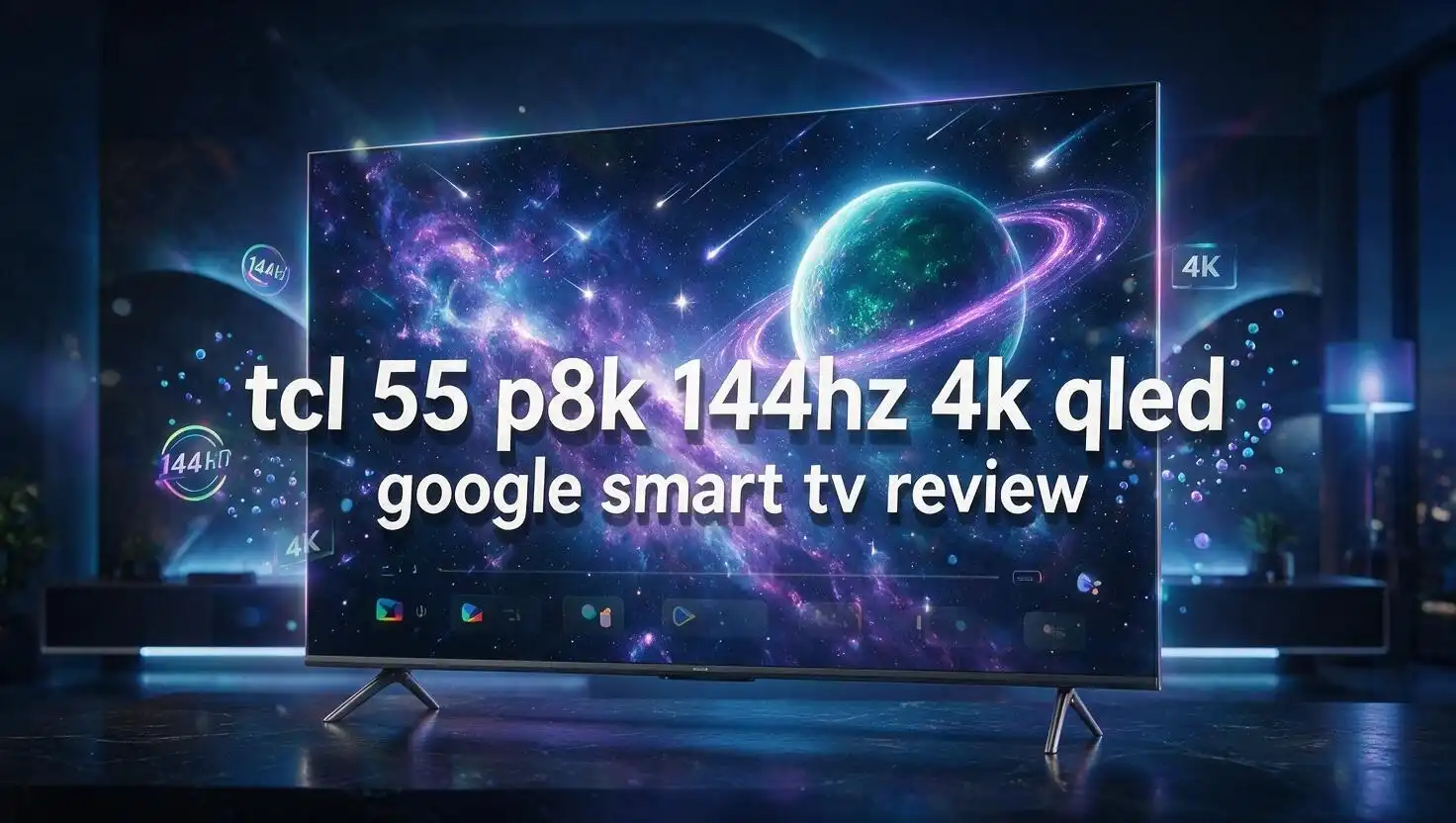
The TCL 55 P8K arrived as one of the loudest value stories in the mid range TV space, and it still holds that spot in 2026. It packs a native 144Hz QLED panel, full HDMI 2.1 gaming support, an Onkyo 2.1 speaker system, and Google TV into a body that costs far less than most name brand rivals.
I spent time digging through TCL’s official spec sheet, owner feedback, and hands on impressions to work out where this TV shines and where it quietly cuts corners.
The short answer: gamers and casual streamers get an enormous amount for the money, while brightness chasers and cinephiles need to read the fine print. Let’s break the whole thing down, section by section.
Key Takeaways
- The 144Hz panel is native, not simulated. TCL uses a real 144Hz HVA panel, so fast sports and shooters look genuinely smooth. Motion clarity is the single biggest reason to pick this model over cheaper 60Hz QLED sets.
- Gaming support is unusually complete for the price. You get HDMI 2.1 bandwidth, ALLM, VRR, a full Game Bar, superwide 21:9 and 32:9 modes, and low input lag in Game Mode. Console owners with a PS5 or Xbox Series X will feel the difference immediately.
- Colour is strong, peak brightness is modest. The QLED layer delivers around 93% DCI P3 coverage, which means rich, saturated tones. Peak HDR highlights stay conservative though, so a bright sunlit room will wash out some impact.
- The Onkyo 2.1 system with a rear subwoofer beats typical flat panel audio. Dialogue stays clear and bass has actual weight. Most buyers can skip a soundbar for casual viewing.
- Google TV keeps the software side modern. Voice search, Chromecast built in, Kids Profile, and thousands of apps arrive out of the box with no extra streaming stick needed.
- Value is the headline. For the asking price, very few 55 inch TVs match this combination of refresh rate, colour, audio, and smart features.
TCL 55 P8K Overview: What You Actually Get
No products found.
The TCL 55 P8K sits in TCL’s P series, the brand’s value focused QLED line that sits just below the Mini LED C series and QM series. It launched as a 2025 model and remains widely available in 2026, often at a lower street price than at release.
The core spec sheet is easy to read. You get a 3840 x 2160 4K panel, a native 144Hz refresh rate, quantum dot colour, an HVA panel for higher contrast, and TCL’s AiPQ Pro processor doing the image work.
TCL sells the P8K in 55, 65, 75, 85, and 98 inch sizes. The 55 inch version is the sweet spot for most apartments, bedrooms, and standard living rooms where the seating distance sits around seven to nine feet.
Software runs on Google TV, which means the full Play Store library, Google Assistant voice control, and Chromecast streaming from a phone. This is a proper smart TV, not a stripped down platform with a handful of apps.
Audio comes from an Onkyo tuned 2.1 system with three drivers, including a rear mounted bass unit. That is a genuine step above the tinny 2.0 speakers most budget TVs ship with.
The design uses a bezel less metal frame with a slim uni body profile. It looks considerably more expensive than it is, which matters when the TV becomes the visual anchor of a room.
Support for Dolby Vision, HDR10+, HLG, Dolby Atmos, and IMAX Enhanced rounds out the package. Very few TVs at this price cover every major HDR and audio format at once.
Design and Build Quality of the 55 Inch P8K
TCL went with a clean, modern look here. The screen uses a bezel less design with a thin metallic border that almost disappears when the panel is on, so your eye stays on the picture rather than the frame.
The uni body construction keeps the rear panel tidy. Cables route through the stand area, and the back has a textured finish rather than cheap glossy plastic.
Weight is manageable for a 55 inch set. Two people can lift and mount it comfortably, and standard VESA wall mounts fit without adapters.
The included feet sit toward the outer edges of the panel. Measure your TV stand before buying, because narrow furniture may not support the wider foot spacing on this model.
Panel thickness is slim across the top two thirds, with a modest bulge at the bottom to house the electronics and the subwoofer chamber. Wall mounted, it sits reasonably flush.
Build quality feels solid rather than luxurious. There is minimal flex in the chassis, the feet lock in firmly, and the panel does not creak under pressure.
The remote is a compact Google TV style unit with dedicated buttons for Netflix, YouTube, Prime Video, and other services. A built in microphone handles voice commands without needing to walk over to the TV.
One small design win worth mentioning: the front facing status LED is subtle and can be switched off in settings, which matters in a dark bedroom.
Overall, the P8K looks like a TV that costs two or three times more. TCL clearly spent money where buyers notice it first.
Picture Quality and QLED Colour Performance
The P8K uses TCL’s quantum dot layer, marketed as Colorful Quantum Crystal. In practice this means richer, more saturated colour than a standard LED TV can produce.
TCL quotes 93% DCI P3 coverage, which is a strong figure for this price bracket. Skin tones look natural, greens in nature documentaries pop, and animated content looks vivid without turning cartoonish.
The HVA panel is the other half of the picture story. VA style panels deliver deeper native blacks than IPS panels, and TCL claims a 5x contrast improvement over conventional screens.
In a dim room, that contrast advantage is obvious. Dark scenes hold shadow detail instead of turning into a grey haze, which is a common failure on cheap TVs.
The tradeoff is viewing angle. Sit far to the side and colours shift and contrast drops, which is normal VA behaviour. Straight on viewing is where this panel performs best.
The AiPQ Pro processor handles upscaling, and it does a respectable job. Full HD content from cable or older streams looks clean, with sensible sharpening and controlled noise.
Low bitrate content is where the processing works hardest. Compression artefacts get smoothed, though very poor sources still look soft on a 55 inch 4K screen.
Colour accuracy out of the box is decent in Movie or Filmmaker mode. Standard and Vivid modes push saturation and sharpness too far for most viewers, so switching modes is the first thing you should do after setup.
For everyday streaming, broadcast TV, and gaming, the picture punches well above the price tag.
Top 3 Alternatives for TCL 55 P8K
If the P8K does not quite fit your room or budget, these three 55 inch options cover the most common alternatives. Each one trades something different.
The TCL 55QM6K is the natural step up inside TCL’s own range. It swaps the standard backlight for QD Mini LED with local dimming, which lifts peak brightness and improves HDR highlights substantially. If you watch in a bright room, this is the upgrade that actually matters.

- TCL QM6K QD-MINI LED TV SERIES - AFFORDABLE PREMIUM PERFORMANCE FOR SPORTS, GAMING...
- QD-MINI LED. IT’S MINI LED PLUS QLED COLOR - BREATHTAKING BRIGHTNESS AND COLOR IN ANY...

Last update on 2026-08-01 / Affiliate links / Images from Amazon Product Advertising API
The Hisense 55U7N targets the same gaming crowd with a Mini LED backlight, 144Hz refresh, and strong HDR brightness. Hisense also includes IMAX Enhanced certification and a capable Google TV build, making it a direct rival rather than a compromise.

- MINI-LED PRO WITH FULL ARRAY LOCAL DIMMING: Discover the latest in backlight technology...
- QLED QUANTUM DOT COLOR: Dive into a world of color with QLED Quantum Dot Technology. This...
Last update on 2026-08-01 / Affiliate links / Images from Amazon Product Advertising API
The Samsung QN55Q60D goes the other direction. It drops to 60Hz and skips Dolby Vision, but delivers Samsung’s excellent Tizen platform, superb build quality, and reliable long term software support. Choose this one for reliability and interface polish rather than raw gaming specs.

- DUAL LED: Get a natural, realistic picture and accurate contrast that adapts automatically...
- 100% COLOR VOLUME w/ QUANTUM DOT: Take in breathtaking color that stays true at any level...
Last update on 2026-08-01 / Affiliate links / Images from Amazon Product Advertising API
All three sit close in price depending on sales. The Mini LED options win on brightness, the Samsung wins on ecosystem, and the P8K still wins on overall value per dollar.
144Hz Native Refresh Rate and Motion Clarity
This is the P8K’s headline feature and its strongest argument. Many budget TVs advertise high refresh numbers that come from software interpolation. TCL uses a genuine 144Hz panel here.
The difference shows immediately in sports. Football, cricket, and motorsport keep their detail during fast pans instead of smearing into a blur.
Camera pans in action films also hold together better. Judder that plagues 60Hz panels becomes far less noticeable.
TCL layers MEMC motion smoothing on top through the AiPQ Pro processor. This is worth using sparingly, since heavy settings create the soap opera effect that makes films look like daytime TV.
My suggestion is simple. Turn motion smoothing to low or off for films, and leave it at medium for live sports where the extra smoothing genuinely helps.
For PC users, the 144Hz panel means the TV doubles as a large gaming monitor. Connect a modern graphics card over HDMI 2.1 and you get 4K at 144Hz without dropping resolution.
Response time on the HVA panel is good rather than exceptional. Some black smearing appears in very dark, fast moving scenes, which is a known VA panel limitation across every brand.
Everyday viewers will not notice it. Competitive gamers playing dark maps might spot occasional trailing behind moving objects.
The bottom line: motion handling is a clear class leading strength here. At this price, almost nothing else offers a true 144Hz panel with this level of colour.
Gaming Performance and HDMI 2.1 Features
TCL built the P8K with gamers firmly in mind, and the feature list proves it. You get full HDMI 2.1 bandwidth, ALLM, VRR, AMD FreeSync compatibility, and a dedicated Game Bar overlay.
Input lag in Game Mode is low. Console shooters feel responsive, and there is no perceptible delay between controller input and on screen action.
The Game Master suite adds genuinely useful tools. Superwide Gameview stretches supported PC titles to 21:9 or 32:9 ratios, giving a wider field of view during play.
Aiming Aid overlays a crosshair on screen, which helps in shooters that hide the reticle by default. Game Picture Mode offers FPV and RPG presets alongside the standard option.
The Game Bar itself shows live refresh rate, VRR status, resolution, and HDR format. Pulling it up mid session takes one button press and tells you instantly whether your console is negotiating the right signal.
PS5 and Xbox Series X owners get 4K at 120Hz without issue. PC users pushing 144Hz need a compatible card and the correct HDMI port, so check the manual for which ports carry full bandwidth.
One caveat worth flagging: HDR gaming looks better in a controlled room. Without Mini LED backlighting, bright HDR highlights in games do not hit the intensity a QM6K or U7N delivers.
For the price, the gaming package is remarkably complete. Very few TVs under this budget give you native 144Hz, HDMI 2.1, VRR, and a proper game overlay together.
HDR Support, Dolby Vision and Real World Brightness
The P8K supports every HDR format that matters. Dolby Vision, HDR10, HDR10+, and HLG all work, and IMAX Enhanced certification appears on many regional versions.
Format support is only half the story though. HDR needs brightness to create real impact, and this is where the P8K shows its budget roots.
The backlight is a standard direct LED array without Mini LED zones on most regional variants. Peak brightness is modest, so specular highlights like sunlight on water or explosions do not punch the way they do on premium sets.
In a dim or dark room, HDR content still looks noticeably better than SDR. Colour volume expands, shadow detail improves, and Dolby Vision content in particular gets sensible tone mapping.
In a bright, sunlit living room, the effect flattens out. This TV performs best with curtains partly drawn.
Local dimming behaviour varies by region and firmware. Some versions offer basic dimming zones, others rely on global dimming, so check the exact model code sold in your country.
Screen reflections are handled reasonably. The panel has a semi matte finish that diffuses light rather than mirroring it back at you.
Contrast rescues a lot here. Because the HVA panel starts from a deep native black level, HDR films still feel cinematic even without huge peak nits.
My honest take: treat HDR on the P8K as a bonus rather than the main reason to buy. The colour and contrast do the heavy lifting.
Onkyo 2.1 Audio and the Built In Subwoofer
TV audio is usually the first casualty of a low price. TCL avoided that trap by partnering with Onkyo, a brand with over seventy years of home theatre experience.
The P8K uses a 2.1 configuration with three drivers, including a dedicated rear mounted bass unit. That subwoofer makes a real difference.
Dialogue stays clear at normal volumes. Voices sit forward in the mix instead of drowning under background music, which is a common complaint on thin panel TVs.
Bass has actual body. Action scenes get a low end thump that most built in TV speakers simply cannot produce.
TCL includes Vertical AI Sound Field for a wider, more spatial effect, plus Dolby Atmos decoding. The virtual height effect is subtle, not transformative, but it does open up the soundstage.
Two setup features deserve attention. Room Calibration tunes output to your specific space, and Content Adaptive mode automatically switches profiles between films, sport, and music.
Maximum volume is respectable without distortion. The system stays composed even in the upper range, which is unusual at this price.
Would a dedicated soundbar sound better? Yes, especially for bass extension below 60Hz. But most buyers can genuinely skip that purchase, and that saved money is part of the value equation.
For casual viewing, streaming, and gaming, the Onkyo system is more than adequate. It is one of the best built in audio setups in the budget QLED category.
Google TV Smart Platform and Everyday Use
Google TV powers the software side, and it remains one of the better smart TV platforms available. The home screen aggregates content across your subscriptions rather than pushing you into separate apps.
App support is comprehensive. Netflix, Prime Video, Disney Plus, YouTube, Apple TV, Max, and thousands of Play Store apps all install natively.
Voice control works through the remote microphone. Ask for the weather, sports scores, or a specific film, and results appear on screen without interrupting playback.
Chromecast is built in. Casting from a phone or laptop takes one tap with no extra hardware.
Smart home integration lets you view compatible cameras and control connected devices from the TV. For anyone already inside the Google ecosystem, this feels seamless.
Kids Profile deserves a mention for families. It restricts content to age appropriate material and gives parents watch time controls.
Performance is where opinions split. The interface is generally smooth, but occasional stutter appears when many apps run in the background.
A periodic restart clears this up. Storage fills over time too, so uninstalling unused apps keeps things responsive.
Ad placement on the Google TV home screen bothers some users. You can reduce it by turning off personalised recommendations in settings, though it does not disappear entirely.
Setup takes around ten minutes with a Google account, a TCL account, and a WiFi connection.
Connectivity, Ports and Setup
Port selection covers the essentials without being generous. You typically get four HDMI inputs, with HDMI 2.1 support on the ports that handle 4K at 144Hz.
One HDMI port carries eARC for passing lossless audio to a soundbar or receiver. Note the port number in your manual, because plugging into the wrong one costs you Atmos passthrough.
USB ports handle external drives for media playback and USB recording where regional firmware supports it. The file format support is broad, covering most common video containers.
Wireless connectivity includes dual band WiFi and Bluetooth. Bluetooth pairs headphones for late night viewing and connects game controllers directly to the TV.
An optical output, ethernet port, and standard aerial or satellite tuners round out the rear panel. Ethernet is worth using for 4K streaming stability if your router sits nearby.
Cable management is decent. Ports face sideways and downward, which helps when the TV is wall mounted close to the surface.
A practical tip: connect your fastest devices to the full bandwidth HDMI ports first. Streaming sticks and older consoles can live on the remaining inputs.
Initial setup runs through Google’s standard wizard. Sign in, connect WiFi, select apps, and run the audio room calibration.
Firmware updates arrive automatically. Check for an update immediately after unboxing, since early firmware on some units had motion and HDR quirks that later patches fixed.
Best Picture Settings for the TCL 55 P8K
Out of the box settings rarely represent a TV’s best work, and the P8K is no exception. A few changes make a visible difference.
Start by switching to Movie or Filmmaker mode for films and shows. These modes disable aggressive sharpening and set colour temperature closer to the industry standard.
Set colour temperature to Warm. It looks yellow at first, but your eyes adjust within a day and white tones become far more accurate.
Turn sharpness down to zero or near zero. High sharpness creates halos around edges rather than adding real detail.
For motion, set MEMC or Motion Clarity to low for films. Leave it at medium for live sport only.
Enable Game Mode automatically through ALLM rather than switching manually. The TV then applies low latency settings the moment a console wakes.
For HDR content, use Dolby Vision Dark in a controlled room and Dolby Vision Bright during daytime viewing. The difference in shadow detail is significant.
Local dimming, where available, should sit on medium. High settings can cause visible blooming around bright objects on dark backgrounds.
Disable any energy saving or ambient light sensor feature if you notice brightness fluctuating during viewing. These automatic adjustments are the most common cause of complaints about a dim picture.
Finally, run the Onkyo room calibration once your TV is in its permanent position. It takes two minutes and audibly improves balance.
Pros and Cons of the TCL 55 P8K
Here is the honest balance sheet after weighing everything up.
Pros
- True native 144Hz panel delivers genuinely smooth motion for sport, action films, and gaming, which is rare at this price point.
- Complete HDMI 2.1 gaming package including VRR, ALLM, FreeSync, Game Bar, superwide modes, and low input lag in Game Mode.
- Strong colour performance with roughly 93% DCI P3 coverage from the quantum dot layer, producing vivid and natural looking images.
- Excellent built in audio thanks to the Onkyo 2.1 system with a rear subwoofer, room calibration, and Dolby Atmos decoding.
- Full HDR format support covering Dolby Vision, HDR10+, HDR10, and HLG, which many rivals at this price omit.
- Google TV platform offers a huge app library, voice search, Chromecast, and Kids Profile without needing a streaming stick.
- Premium looking design with a bezel less metal frame and slim uni body profile that suits any living room.
Cons
- Peak brightness is limited, so HDR highlights lack punch and bright rooms wash out the image noticeably.
- VA panel viewing angles narrow quickly, meaning off axis seats lose contrast and colour saturation.
- Local dimming performance varies by region and firmware, and some variants lack meaningful zone control entirely.
- Occasional software stutter appears on Google TV when several apps run in the background.
- Some black smearing shows up in very dark, fast moving scenes, a common VA panel trait.
- Home screen advertising on Google TV cannot be fully removed, only reduced.
Price, Value and Who Should Buy the TCL 55 P8K
No products found.
Pricing on the P8K has softened since launch, which strengthens an already compelling value argument. It regularly undercuts comparable 144Hz QLED sets from bigger brands by a meaningful margin.
Buy this TV if you are a console or PC gamer on a budget. The combination of native 144Hz, HDMI 2.1, VRR, and low input lag is the strongest gaming feature set available near this price.
Buy it if you watch mostly in a dim or moderately lit room. Contrast and colour carry the picture beautifully in those conditions.
Buy it if you want good sound without adding a soundbar. The Onkyo system genuinely reduces the need for extra hardware.
Skip it if your room floods with daylight all afternoon. Step up to a Mini LED model like the QM6K or Hisense U7N instead, since brightness is the one area the P8K cannot fix with settings.
Skip it if you have wide seating where people sit far off to the sides. The VA panel narrows the useful viewing cone.
Skip it if you are a colour accuracy purist chasing reference level HDR. This is a value TV, not a mastering monitor.
For everyone else, the maths is simple. You get flagship style features at a mid range price, with brightness as the honest tradeoff.
Final Verdict on the TCL 55 P8K in 2026
The TCL 55 P8K remains one of the smartest budget buys in the 55 inch category. It nails the features most people notice daily and economises on the one specification that only matters in bright rooms.
Motion clarity from the native 144Hz panel is the standout. Sports and games look genuinely fluid in a way no interpolated 60Hz panel can match.
Colour from the quantum dot layer is rich and natural. Contrast from the HVA panel keeps dark scenes cinematic rather than grey.
The Onkyo 2.1 audio system with its rear subwoofer punches well above expectations. Google TV keeps the software modern and app support broad.
Gaming features read like a checklist from a much more expensive TV. HDMI 2.1, VRR, ALLM, Game Bar, superwide modes, and aiming assistance all arrive as standard.
The compromises are real but predictable. Limited peak brightness, narrow viewing angles, and variable local dimming define the ceiling of what this panel can do.
My overall score sits around 8.5 out of 10 for value and 7.5 out of 10 for outright picture performance. That gap is exactly what you would expect from a well built budget QLED.
If you want maximum features per dollar and you watch in a room you can control, the TCL 55 P8K is very easy to recommend. If brightness is your priority, spend a little more on Mini LED and you will be happier long term.
Frequently Asked Questions
Is the TCL 55 P8K really 144Hz or is it software boosted?
The P8K uses a genuine native 144Hz panel. TCL confirms this in its official specifications, and it applies across the 55, 65, 75, 85, and 98 inch sizes. This is not motion rate marketing or frame interpolation. Your PC or console can output a real 144Hz signal over HDMI 2.1 and the panel will display every frame.
Does the TCL 55 P8K support Dolby Vision and Dolby Atmos?
Yes. The P8K supports Dolby Vision, HDR10+, HDR10, and HLG for video, plus Dolby Atmos for audio. Many regional versions also carry IMAX Enhanced certification. This level of format coverage is unusual in this price bracket, since rivals often support either Dolby Vision or HDR10+ but rarely both.
Is the TCL P8K good for PS5 and Xbox Series X gaming?
It performs very well for console gaming. You get 4K at 120Hz support, VRR, ALLM, low input lag in Game Mode, and TCL’s Game Bar overlay showing live signal information. The main limitation is HDR brightness, so games look their best in a room without strong daylight.
Does the TCL 55 P8K have Mini LED backlighting?
No. The P8K uses a standard direct LED backlight with a quantum dot layer, not Mini LED. Local dimming capability varies by region and firmware version. If you want Mini LED with proper zone control, look at TCL’s QM6K or C series models instead.
How bright is the TCL 55 P8K?
Peak brightness is modest compared to Mini LED sets. It performs well in dim and moderately lit rooms but struggles to deliver impactful HDR highlights in bright sunlight. Owners consistently describe it as a good dim room TV rather than a bright room performer.
Do I need a soundbar with the TCL 55 P8K?
Most buyers do not. The Onkyo tuned 2.1 system with a rear subwoofer produces clear dialogue and real bass weight, which is well above typical flat panel audio. A dedicated soundbar still improves low end extension, but the built in system is genuinely usable for daily viewing.
Is the TCL 55 P8K available in the United States?
The P8K is primarily sold in international markets including Europe, the United Kingdom, the Middle East, and parts of Asia. In the United States, TCL’s equivalent models are the Q series and QM series. Check your regional listing carefully, since model codes and features differ between markets.