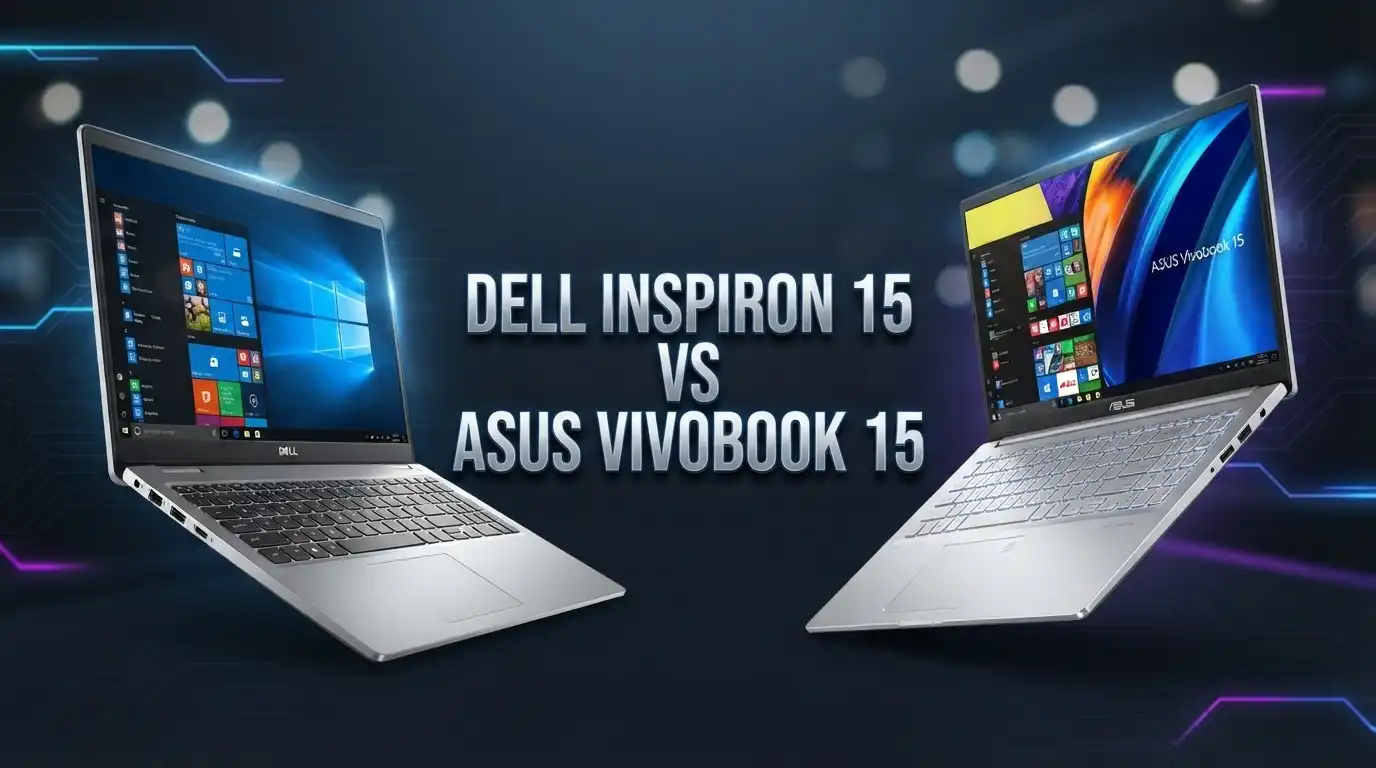
Dell Inspiron 15 vs Asus Vivobook 15: Which Laptop Is Better?
Buying a new 15.6 inch laptop is exciting, but the choices can feel confusing. Two names come up again and again: the Dell Inspiron 15 and the Asus Vivobook 15.
Both laptops sit in the popular budget to mid range price zone. Both offer big screens, solid Intel processors, and clean designs. So which one deserves your money?
This guide breaks down every part that matters. You will learn about the display, the speed, the battery, the build quality, and the price. We compare real specs and honest details so you can pick with confidence. By the end, you will know exactly which laptop fits your needs and your budget.
In A Nutshell
- The Dell Inspiron 15 wins on comfort and support. It has a sturdy build, a wide keyboard with a number pad, and Dell service is easy to reach.
- The Asus Vivobook 15 wins on style and portability. It looks modern, feels light, and often ships with more RAM at a similar price.
- Both laptops use Intel Core i5 chips like the i5 1235U or i5 1334U, so everyday speed feels close between them.
- The Vivobook 15 often gives you 16GB RAM as standard, while many Inspiron 15 models start at 8GB and need an upgrade.
- Battery life is a mixed bag for both. You get around 5 to 8 hours of real use, depending on the exact model and screen.
- Price is close, but the Vivobook 15 usually costs a little less for the same memory and storage.
Head To Head Comparison Table
| Feature | Dell Inspiron 15 | Asus Vivobook 15 |
|---|---|---|
| Display | 15.6 inch FHD 1920×1080 | 15.6 inch FHD 1920×1080 |
| Processor | Intel Core i5 1235U / i5 1334U | Intel Core i5 1235U / i5 1334U |
| RAM | 8GB to 32GB DDR4 | 8GB to 16GB DDR4 |
| Storage | 256GB to 1TB SSD | 512GB to 1TB SSD |
| Graphics | Intel Iris Xe / UHD | Intel Iris Xe |
| Battery Life | 5 to 8 hours | 5 to 8 hours |
| Weight | Around 1.65 kg | Around 1.7 kg |
| Webcam | 720p HD | 720p HD |
| Keyboard | Full size with number pad | Full size with number pad |
| Operating System | Windows 11 | Windows 11 |
| Price Range | Mid budget | Budget friendly |
Dell Inspiron 15 Overview

- 【Processor】Intel 10-Core i5-1235U (up to 4.4GHz) brings the perfect combination of...
- 【Display】With the 15.6", FHD, 120Hz, WVA, Anti-Glare, 250 nit, Narrow Border display...
Last update on 2026-07-19 / Affiliate links / Images from Amazon Product Advertising API
The Dell Inspiron 15 is a trusted choice for students, office users, and families. Dell built this line to handle daily tasks without fuss. You get a clean 15.6 inch Full HD screen, a comfortable keyboard, and a strong plastic body that survives daily bumps.
Most models run on Intel 12th or 13th generation Core i5 chips. These handle web browsing, video calls, documents, and light photo edits with ease. The Iris Xe or UHD graphics cover casual gaming and video streaming.
Dell adds smart touches that people love. The ExpressCharge feature can refill the battery to 80 percent in about 60 minutes. The keyboard includes a full number pad, which helps with data entry and spreadsheets. The trackpad feels wide and smooth.
Dell support is another big plus. You can reach Dell service teams fast, and warranty options are easy to add. For buyers who want peace of mind, this matters a lot.
The Inspiron 15 is not flashy. It focuses on function over looks. But it does the job well, day after day. If you want a reliable work and study laptop from a name you trust, this one earns your attention.
Asus Vivobook 15 Overview

- [Upgraded Memory & Storage & OS] Upgraded to 16GB DDR4 SDRAM 3200 MHz 512GB PCI-E...
- [Processor and Graphics] Intel Core i5-1235U 10-Core Processor (Up to 4.4 GHz with Intel...
Last update on 2026-07-19 / Affiliate links / Images from Amazon Product Advertising API
The Asus Vivobook 15 targets buyers who want value and style together. It looks modern with slim bezels and clean lines. The chassis feels light, so it is easy to carry to class or the office.
Under the hood, you find Intel Core i5 chips like the i5 1235U or i5 1334U. These give you fast, smooth performance for daily work. The best part is the memory. Many Vivobook 15 models ship with 16GB RAM as standard, which is great for multitasking.
The 15.6 inch Full HD display is bright and clear. Some versions add a touchscreen, which adds fun and flexibility. The keyboard is full size and includes a number pad, so heavy typists feel at home.
Asus packs strong value into this laptop. You often get more RAM and storage for less money compared to rivals. The Iris Xe graphics handle video, photos, and light games well.
Battery life is decent for the price, though it varies by model. The Vivobook 15 also includes handy ports, so you can connect drives, monitors, and USB devices. For anyone who wants a stylish, capable laptop without a high price, the Vivobook 15 is a smart pick.
Top 3 Alternatives For Dell Inspiron 15 and Asus Vivobook 15

- 15.6 inch full HD 4 way NanoEdge bezel display with stunning 88% screen-to-body ratio
- Intel core i3-8145U processor (4M Cache, upto 3.9 GHz)
Last update on 2026-07-19 / Affiliate links / Images from Amazon Product Advertising API

- 【Intel Core i5 1334U 10-Core Processor for Professionals】 Boost your productivity with...
- 【FHD IPS Display for Immersive Visuals】 The 1920 x 1080 resolution on this ASUS Laptop...
Last update on 2026-07-19 / Affiliate links / Images from Amazon Product Advertising API

- [High-Performance for Professionals] Powered by the latest Intel Core 7 150U processor and...
- [Intuitive Touchscreen Display] Featuring a 15.6-inch FHD (1920 x 1080) NanoEdge...

Last update on 2026-07-19 / Affiliate links / Images from Amazon Product Advertising API
Design And Build Quality
Design shapes how a laptop feels every day. Here both laptops take different paths.
The Dell Inspiron 15 uses a simple, boxy shape. The plastic body feels solid and firm. It does not bend much when you hold it. The lid resists small scratches well. This laptop is built to last through busy days. The color options stay neutral, like carbon black or silver, which suits work settings.
The Asus Vivobook 15 looks more modern and fun. It has slimmer bezels around the screen, so the display feels larger. The body is thin and light, which helps when you travel. Asus offers bolder colors on some models, which adds personality.
Both laptops weigh close to the same, around 1.65 to 1.7 kg. Neither feels heavy for a 15.6 inch machine. Both include a full keyboard with a number pad, which is rare and useful at this size.
The Inspiron feels a bit tougher, while the Vivobook feels a bit sleeker. If you want rugged and plain, pick Dell. If you want light and stylish, pick Asus. Both build quality levels are fair for the price. You will not feel cheated by either one in daily use.
Display And Screen Quality
The screen is where your eyes spend all day, so it matters a lot. Both laptops share a similar base setup.
Each uses a 15.6 inch Full HD panel with a 1920×1080 resolution. This gives you sharp text and clear images. Video looks good, and web pages fit well on the wide screen.
The Dell Inspiron 15 offers IPS panels on higher models. These give wider viewing angles and better colors. Some Inspiron models also add a touchscreen, which helps with drawing and quick taps. The anti glare coating cuts down on harsh reflections.
The Asus Vivobook 15 also uses bright FHD panels. Some versions come with a touchscreen too. The slim bezels make the screen feel more immersive. Colors look punchy and pleasant for movies and photos.
Neither laptop targets pro creators who need perfect color accuracy. Both aim at everyday users who watch videos, browse, and work on documents. For that goal, both screens perform well.
If you plan to watch lots of content, either screen will please you. Check the exact model before buying, since panel quality can shift between versions. Look for IPS and anti glare features to get the best view. Both brands deliver clear, usable displays that suit study, work, and streaming.
Performance And Processor
Speed decides how smooth your work feels. Both laptops use similar Intel chips, so the gap is small.
The Dell Inspiron 15 runs Intel Core i5 1235U or i5 1334U processors. These handle web tabs, office apps, video calls, and light editing with ease. You can open many programs at once without lag on the higher RAM models.
The Asus Vivobook 15 uses the same class of Intel Core i5 chips. Performance feels nearly identical in daily tasks. The Vivobook often ships with more RAM, which helps with heavy multitasking.
Both laptops use Intel Iris Xe graphics on the i5 models. This lets you play light games, edit photos, and stream 4K video. Neither is a gaming machine, but both handle casual play at low settings.
RAM is the key difference here. Many Vivobook 15 units come with 16GB, while base Inspiron 15 units start at 8GB. More RAM means smoother work with many apps open. You can upgrade the Dell later, but the Asus saves you that step.
For students, workers, and home users, both laptops feel fast enough. If you want strong multitasking straight out of the box, the Vivobook 15 has a small edge. If you plan to upgrade RAM yourself, the Inspiron 15 gives you room to grow.
Battery Life
Battery life shapes how far you can roam without a charger. Both laptops offer fair, though not amazing, results.
The Dell Inspiron 15 gives around 5 to 8 hours of real use. Light tasks like typing and browsing stretch the battery longer. Heavy tasks like video streaming drain it faster. Dell ExpressCharge is a real bonus. It refills to 80 percent in about an hour, so quick top ups are easy.
The Asus Vivobook 15 offers a similar range of 5 to 8 hours. Basic models with FHD screens tend to last longer. Some higher spec versions with brighter panels use more power and last less. Real world numbers depend on your settings and tasks.
Neither laptop is a two day battery champion. Both are made for a full morning or afternoon of work between charges. For all day use, keep the charger nearby.
To get the most from either battery, lower screen brightness and close unused apps. Both laptops charge fast enough to top up during lunch. If fast charging matters most to you, the Dell holds a slight lead with its ExpressCharge feature. For most buyers, battery life feels close between the two. Neither will let you down for normal school or office days.
Keyboard And Trackpad
You touch the keyboard and trackpad every minute, so comfort counts. Both laptops do well here.
The Dell Inspiron 15 has a wide, comfortable keyboard with a full number pad. The keys feel firm with good travel. Typing long documents feels pleasant. The trackpad is large and smooth, and it tracks your fingers well.
The Asus Vivobook 15 also offers a full size keyboard with a number pad. The keys are soft and quiet. Some models add a backlit keyboard, which helps in dim rooms. A few versions place a fingerprint reader on the trackpad for quick, safe login.
Both keyboards suit heavy typists, students, and office workers. The number pad on each helps with math, spreadsheets, and data entry. This is a big plus at the 15.6 inch size.
Trackpad quality is fair on both. They support gestures like scroll and zoom. Neither trackpad feels cheap or jumpy in daily use.
If you value a backlit keyboard, check the Vivobook 15, since more of its models include one. If you want a firm, classic key feel, the Inspiron 15 delivers. Both give you a solid typing base for work and study. You will type in comfort on either laptop, so this round is close to a tie.
Ports And Connectivity
Ports decide what you can plug in without extra gear. Both laptops cover the basics well.
The Dell Inspiron 15 includes USB Type A ports, a USB Type C port, and an HDMI output. You also get a headphone jack and an SD card reader on many models. This lets you connect a mouse, a monitor, a drive, and headphones at once.
The Asus Vivobook 15 offers a similar mix. You get USB Type A ports, a USB Type C port, HDMI, and a headphone jack. Some models add extra USB ports for more devices. The layout is clean and easy to reach.
Both laptops support Wi Fi 6 and Bluetooth on newer models. This gives you fast, stable wireless links to routers, headphones, and mice. Streaming and video calls feel smooth thanks to strong Wi Fi.
Neither laptop needs a dongle for basic tasks. You can connect an external monitor through HDMI right away. The USB Type C port supports data and, on some models, display output.
For office setups with a monitor and accessories, both laptops handle the load. If you use many USB devices, check the exact port count before you buy. Both brands give you enough ports for daily work, study, and home use. Connectivity is strong and modern on both machines.
Storage And Memory Options
Storage and memory shape speed and space. Here the two laptops differ in their default setups.
The Dell Inspiron 15 offers RAM from 8GB up to 32GB DDR4. Storage runs from 256GB to 1TB SSD. Base models start small, but you can pick higher configs. The Dell is easy to upgrade later, so you can add RAM or a bigger drive over time.
The Asus Vivobook 15 often ships with 16GB RAM as standard. Storage ranges from 512GB to 1TB SSD. This means you get more memory and space out of the box on many models. You spend less time upgrading and more time working.
Both laptops use fast SSD storage. This makes Windows boot quickly and apps open fast. No slow hard drives here, which is great for daily speed.
More RAM helps when you run many browser tabs and apps at once. The Vivobook 15 leads here for buyers who want power without extra steps. The Inspiron 15 wins for buyers who like to upgrade themselves.
For students who store photos, videos, and files, aim for at least 512GB. For heavy multitaskers, aim for 16GB RAM. Both laptops let you hit these targets. Check the exact config before you buy, since prices shift with each memory and storage level. Both offer flexible choices to fit your budget and needs.
Price And Value
Price is often the deciding point for many buyers. Both laptops sit in the budget to mid range zone.
The Dell Inspiron 15 carries a fair price for its build and support. Base models cost less, while higher RAM and storage configs cost more. You pay a little extra for the Dell name and easy service. Many buyers feel this is worth it for peace of mind.
The Asus Vivobook 15 often costs a bit less for the same specs. Since many models include 16GB RAM as standard, you get strong value. You spend less and still get plenty of memory and storage.
Both laptops go on sale often. Deals appear during holidays and shopping events. A quick price check can save you real money on either model.
When you compare value, think about the total package. The Dell adds strong support and a rugged build. The Asus adds more RAM and a lower price. Both give you a fair deal for the money.
For tight budgets, the Vivobook 15 usually wins on cost. For buyers who value service and warranty, the Inspiron 15 justifies its price. Watch for sales on both to grab the best deal. Whatever you pick, both laptops deliver solid value in the 15.6 inch class. Neither one feels overpriced for what it offers.
Who Should Buy The Dell Inspiron 15
The Dell Inspiron 15 fits certain buyers very well. Here is who should pick it.
Choose the Inspiron 15 if you value support and service. Dell makes it easy to reach help and add warranty. This matters for students and remote workers who cannot afford downtime.
Pick this laptop if you want a rugged build. The firm plastic body handles daily bumps and travel. It feels solid and durable for years of use.
Buyers who plan to upgrade RAM or storage later will like the Dell. You can start with a base model and add memory over time. This spreads out your cost.
The Inspiron 15 also suits office and home users who need a clean, reliable machine. The full keyboard with a number pad helps with spreadsheets and data entry. The ExpressCharge feature adds quick top ups for busy days.
If you trust the Dell brand and want dependable service, this laptop is a smart buy. It focuses on function and reliability over flash. For work, study, and daily tasks, the Inspiron 15 delivers steady, worry free performance that keeps you moving.
Who Should Buy The Asus Vivobook 15
The Asus Vivobook 15 suits a different type of buyer. Here is who should choose it.
Pick the Vivobook 15 if you want more RAM for less money. Many models include 16GB as standard, which helps with heavy multitasking. You get smooth speed right out of the box.
Choose this laptop if you like modern style. The slim bezels and light body look sleek and feel great to carry. Students and young workers love its clean design.
Buyers who want strong value will enjoy the Vivobook 15. It often costs less than rivals for the same specs. You get plenty of memory, storage, and speed at a fair price.
The Vivobook 15 also fits people who want extra features like a backlit keyboard or a fingerprint reader. These small touches add comfort and safety to daily use.
If you travel often and want a light, stylish machine, the Asus is a fine pick. It balances looks, speed, and price in one package. For students, home users, and light creators who want value and style together, the Vivobook 15 stands out as a smart and affordable choice.
Final Verdict
Both laptops are strong picks, but they win for different people. Here is the clear answer.
The Dell Inspiron 15 wins for buyers who value support, build quality, and upgrade room. If you want a rugged laptop from a trusted brand with easy service, choose the Inspiron. Its ExpressCharge and sturdy body make it great for busy work and study. It is the safer, more dependable pick.
The Asus Vivobook 15 wins for buyers who want value, style, and more RAM out of the box. If you want a light, modern laptop with 16GB memory at a lower price, choose the Vivobook. It is the smart choice for students and budget shoppers who want power without a high cost.
For most everyday users, both laptops handle work, study, and streaming with ease. The performance gap is small, since both use similar Intel Core i5 chips. Your choice comes down to what you value most.
Pick the Dell Inspiron 15 for reliability and service. Pick the Asus Vivobook 15 for value and style. Either way, you get a solid 15.6 inch laptop that serves you well for years.
FAQs
Is the Dell Inspiron 15 better than the Asus Vivobook 15?
Neither is clearly better for everyone. The Dell Inspiron 15 leads on build quality and support. The Asus Vivobook 15 leads on value and standard RAM. Your best pick depends on your budget and needs.
Which laptop has better battery life?
Both offer around 5 to 8 hours of real use. The Dell adds ExpressCharge for fast top ups. For fast charging, the Dell has a small edge, but overall battery life feels close.
Can these laptops handle gaming?
Both use Intel Iris Xe graphics on the i5 models. They handle light and casual games at low settings. Neither is a true gaming laptop, so heavy titles will struggle.
Do both laptops have a number pad?
Yes, both the Dell Inspiron 15 and the Asus Vivobook 15 include a full keyboard with a number pad. This helps with spreadsheets and data entry.
Which laptop is better for students?
The Asus Vivobook 15 often wins for students due to its lower price and 16GB RAM. The Dell Inspiron 15 is great too, thanks to its strong support and durable build.
Can I upgrade the RAM on these laptops?
The Dell Inspiron 15 is easy to upgrade with more RAM and storage. The Asus Vivobook 15 already offers 16GB on many models, so you may not need an upgrade.
Are these laptops good for office work?
Yes, both handle office apps, video calls, and web tasks with ease. Their full keyboards and FHD screens make them great for daily work and study.