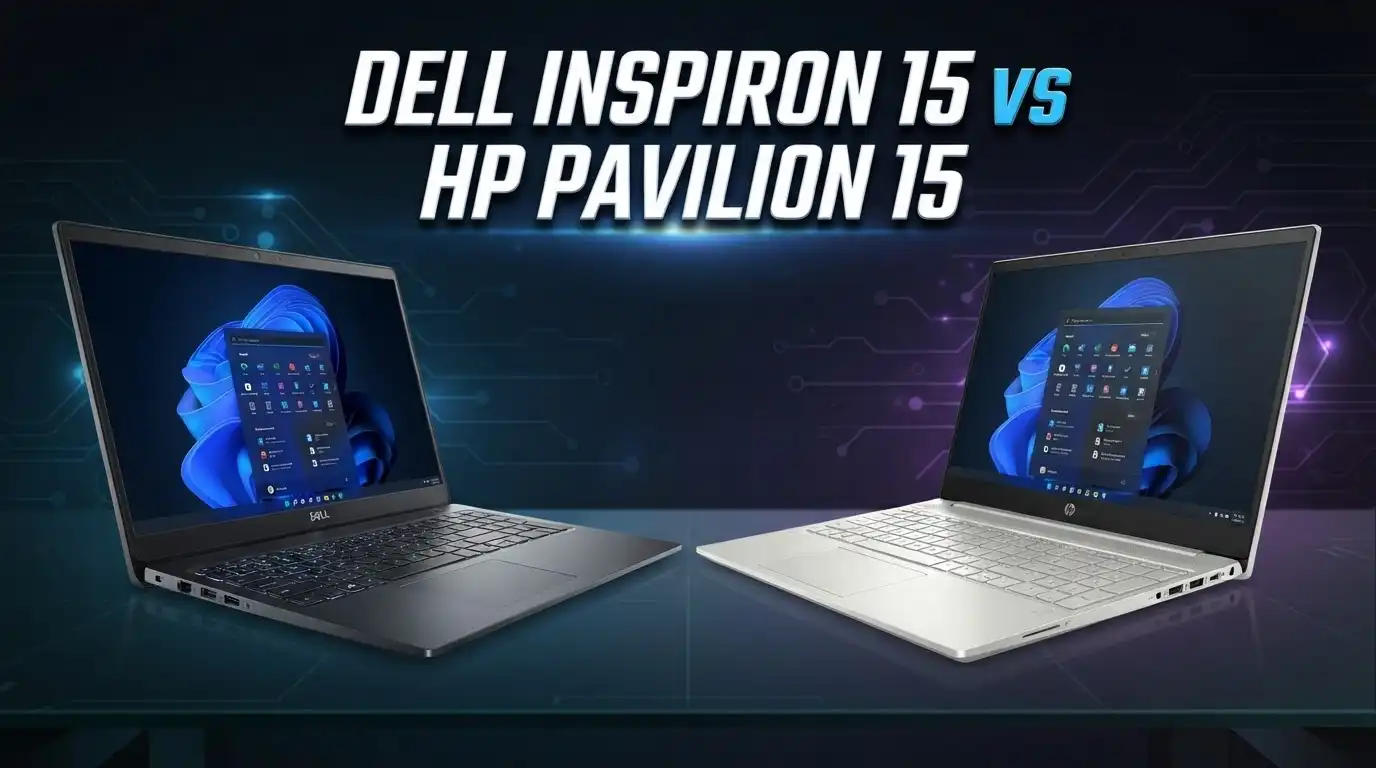
Dell Inspiron 15 vs HP Pavilion 15: Which Budget Laptop Wins?
Buying a new 15 inch laptop feels hard when two popular names sit right next to each other. The Dell Inspiron 15 and the HP Pavilion 15 both promise good value, solid performance, and a big screen. Both cost around the same price. Both target students, office workers, and home users. So which one should you pick?
This guide answers that question in plain words. You will see real specs, honest strengths, and clear weak spots for each laptop. We compare the processor, the display, the battery, the build, and the price. We also share three strong alternatives in case neither laptop fits your needs.
By the end, you will know exactly which machine matches your budget and daily tasks. Let us start with a quick summary, then go deep into every detail.
In a Nutshell
- The Dell Inspiron 15 offers better battery life on many AMD Ryzen models, which helps students and travelers who stay away from a plug for hours.
- The HP Pavilion 15 delivers a brighter, sharper display on higher trims, so it feels nicer for movies, photos, and long reading sessions.
- Both laptops use plastic bodies, but the Pavilion 15 feels slightly more premium and thinner, while the Inspiron 15 feels sturdy and practical.
- The Dell Inspiron 15 usually costs a little less at the entry level, which makes it a smart pick for tight budgets and basic work.
- The HP Pavilion 15 often ships with faster storage and better port options on mid range trims, which helps power users and content viewers.
- Both machines run Windows 11, handle Office apps, web browsing, and video calls with ease, and suit everyday home and school use.
Head to Head Comparison Table
This table puts both laptops side by side. Use it for a quick spec check before you read the full sections.
| Feature | Dell Inspiron 15 | HP Pavilion 15 |
|---|---|---|
| Screen size | 15.6 inch | 15.6 inch |
| Display type | FHD, IPS or standard panel | FHD IPS, brighter on high trims |
| Processor options | AMD Ryzen 5/7 or Intel Core i5/i7 | AMD Ryzen 5/7 or Intel Core i5/i7 |
| RAM | 8GB to 16GB DDR4 | 8GB to 16GB DDR4 |
| Storage | 256GB to 1TB SSD | 256GB to 1TB SSD |
| Graphics | AMD Radeon or Intel Iris Xe | AMD Radeon or Intel Iris Xe |
| Battery life | Up to 8 to 12 hours on Ryzen | Up to 8 hours typical |
| Weight | Around 3.6 lbs | Around 3.8 lbs |
| Ports | USB A, USB C, HDMI, SD reader | USB A, USB C, HDMI, SD reader |
| Operating system | Windows 11 | Windows 11 |
| Starting price | Around 380 to 550 USD | Around 500 to 650 USD |
Both laptops share a similar core setup. The gap shows up in battery, display brightness, and price. Read on to see where each one pulls ahead.
Dell Inspiron 15 Overview

- AMD Ryzen 7 7730U 8-Core Processor (Up to 4.5 GHz, 16 MB Smart cache| 8 Cores...
- 15.6 Inch FHD Touchscreen Display -- The laptop features a spacious 15.6 IN Full HD...
Last update on 2026-07-19 / Affiliate links / Images from Amazon Product Advertising API
The Dell Inspiron 15 is a dependable budget laptop built for daily tasks. It handles web browsing, video calls, Office work, and light photo editing without stress. Dell aims this line at students, families, and small businesses who want a fair price and steady performance.
The design is simple and clean. The body uses plastic, but it feels solid in the hand. The 15.6 inch screen gives you room for spreadsheets and browser tabs. The keyboard is comfortable and quiet, which helps during long typing sessions. Many models add a number pad, a nice touch for data entry.
Under the hood, you can choose AMD Ryzen 5 or Ryzen 7 chips, or Intel Core options. The Ryzen 7 7730U model with 16GB RAM and a 1TB SSD is a strong value pick. It runs many apps at once and stays smooth. The AMD versions often bring better battery life, which is a big plus for people on the move.
Storage uses fast SSDs, so the laptop boots quickly and loads apps fast. The port layout covers USB A, USB C, HDMI, and an SD card reader. That means you can plug in a monitor, a mouse, and a memory card at the same time. The Inspiron 15 keeps things practical and easy to use.
HP Pavilion 15 Overview

- POWER, PERFORMANCE, and SECURITY – Get work done on the go and experience mind-blowing...
- FHD plus DISPLAY – View all your photos, movies, and games in vibrant, crystal-clear...
Last update on 2026-07-19 / Affiliate links / Images from Amazon Product Advertising API
The HP Pavilion 15 sits one small step above basic budget laptops. It brings a sharper look, a nicer screen, and a slightly premium feel. HP builds this line for students, remote workers, and home users who want a stylish yet affordable machine.
The chassis still uses plastic, but the finish looks clean and modern. The laptop feels thin and easy to carry around campus or the office. The 15.6 inch Full HD IPS display shows bright colors and wide viewing angles. This makes movies, video calls, and photos look pleasing. Many trims add a touchscreen option too.
Inside, you get a choice of AMD Ryzen or Intel Core processors. Mid range models pack a Ryzen 7 or Core i7 with 16GB RAM and a fast 512GB or 1TB SSD. This setup handles multitasking, browser heavy work, and light creative tasks with ease. The Iris Xe graphics on Intel models help with casual photo edits.
Battery life reaches around 8 hours in mixed use, though this drops with heavy tasks. The keyboard feels springy and includes a backlight on many trims, which helps in dark rooms. Ports include USB A, USB C, HDMI, and a card reader. The Pavilion 15 blends looks, comfort, and solid daily speed in one package.
Top 3 Alternatives for Dell Inspiron 15 and HP Pavilion 15

- Display and Graphics:Experience visual brilliance and vivid clarity on this...
- Memory and Storage:Elevate your performance with 16GB of lightning-fast DDR4 SDRAM...
Last update on 2026-07-19 / Affiliate links / Images from Amazon Product Advertising API

- 【Upgraded】Seal is opened for upgrade only, 1-Year warranty on Upgraded RAM/SSD from...
- 【Intel Core i3-N305】Effortlessly accelerate your creativity while powering through new...
Last update on 2026-07-19 / Affiliate links / Images from Amazon Product Advertising API

- 【High Speed RAM And Enormous Space】32GB high-bandwidth RAM to smoothly run multiple...
- 【Processor】13th Generation Intel Core i7-1355U Processor (10 Cores, 12 Threads, 12MB...
Last update on 2026-07-19 / Affiliate links / Images from Amazon Product Advertising API
Design and Build Quality
Both laptops use plastic shells, which keeps the price low. Neither feels cheap in daily use, though. The Dell Inspiron 15 feels sturdy and practical. The lid resists small flexes, and the base stays firm when you type. It weighs around 3.6 pounds, so it travels fine in a backpack.
The HP Pavilion 15 leans toward style. The body looks sleek and modern, with cleaner lines and a slimmer profile. It feels a touch more premium in the hand. Color options like silver and gold add a nice look. The weight sits near 3.8 pounds, which is still easy to carry.
Both machines open with one hand on most trims. The hinges feel stable and hold the screen at any angle. Neither laptop uses metal for the full body, so you should treat both with normal care.
The Inspiron 15 wins on toughness, while the Pavilion 15 wins on looks. If you want a laptop that survives daily bumps, pick the Dell. If you want a machine that looks good in a coffee shop, pick the HP. Both hold up well for years of home and school use with basic care.
Display Comparison
The screen is where these two laptops split apart. Both use 15.6 inch Full HD panels at 1920 by 1080 resolution. That size fits documents, videos, and browser tabs with room to spare.
The HP Pavilion 15 usually offers a better display. Higher trims use bright IPS panels with wide viewing angles and richer colors. This makes the Pavilion nicer for streaming, photos, and long reading. Some models add touch support, which many users love. The screen also gets bright enough for well lit rooms.
The Dell Inspiron 15 display varies by trim. Entry models use basic panels with lower brightness and narrower angles. Mid and high trims switch to IPS panels that look much better. So the Inspiron can match the Pavilion, but only on the right model. Check the spec sheet before you buy.
Both screens use anti glare coatings on most trims, which cuts reflections. Neither hits high brightness levels seen on premium laptops. For indoor use, both work fine. For bright outdoor use, both struggle a little.
If display quality matters most to you, the Pavilion 15 is the safer pick. The Inspiron 15 can tie it, but you must choose the IPS trim to get there.
Performance and Processor
Both laptops offer strong chip choices. You can pick AMD Ryzen or Intel Core on each line. The right chip depends on your budget and your tasks.
The Dell Inspiron 15 shines with AMD Ryzen models. The Ryzen 7 7730U handles many open apps, browser tabs, and Office files with ease. It stays smooth during video calls and light photo work. Intel Core i5 and i7 trims also perform well and add Iris Xe graphics.
The HP Pavilion 15 matches this closely. Its Ryzen 7 and Core i7 trims handle multitasking and daily work with speed. The Iris Xe graphics on Intel models help with casual edits and light games. Both laptops feel quick for everyday use thanks to fast SSD storage.
Neither laptop is a gaming machine. They rely on integrated graphics, so heavy games will lag. Light titles and older games run at low settings. For work, study, and streaming, both machines have plenty of power.
For pure value and battery friendly speed, the Inspiron 15 with Ryzen is a smart pick. For balanced speed with a nicer screen, the Pavilion 15 holds its own. Both easily cover the needs of most home and school users.
RAM, Storage, and Upgrades
Memory and storage shape how smooth a laptop feels. Both machines offer flexible options here. You can start small and pick more if your budget allows.
The Dell Inspiron 15 ships with 8GB to 16GB of DDR4 RAM. The 16GB trims handle heavy multitasking with ease. Storage runs from 256GB up to 1TB on fast SSDs. The SSD makes the laptop boot fast and load apps quickly. Many Inspiron models let you upgrade RAM and storage later, which extends the life of the machine.
The HP Pavilion 15 offers the same RAM range, from 8GB to 16GB DDR4. Mid trims often pair a Ryzen 7 or Core i7 with 16GB RAM and a large SSD. Storage options reach 1TB as well. Some Pavilion models allow upgrades, but this varies by trim, so check before you buy.
For most users, 8GB works for basic tasks. Heavy multitaskers should aim for 16GB. Both laptops support this level, so neither holds you back.
The Inspiron 15 tends to offer easier upgrades on many trims. This helps if you want to add RAM or a bigger SSD in the future. The Pavilion 15 focuses more on a strong out of box setup. Both give you enough speed for years of daily use.
Battery Life
Battery life decides how far your laptop travels without a charger. This is a key point for students and workers on the go. Here, the two laptops differ in real use.
The Dell Inspiron 15 often leads on battery, mostly on AMD Ryzen models. Some Ryzen trims reach 8 to 12 hours in light tasks like browsing and Office work. Efficient AMD chips help stretch each charge. Real results vary with screen brightness and workload, but the Inspiron holds up well for a full class or work day.
The HP Pavilion 15 offers around 8 hours in mixed use on many trims. This covers a normal workday for most people. Heavy tasks like video and many browser tabs cut this number down. Some users report shorter life on certain models, so results depend on the exact trim and settings.
Both laptops charge fast with the included adapter. USB C charging on some trims adds handy flexibility. Neither laptop lasts as long as premium ultrabooks, but both handle daily needs.
If long battery life is your top need, the Inspiron 15 with Ryzen is the stronger choice. The Pavilion 15 still lasts a full day for light users. Lower your screen brightness and close extra apps to squeeze more time from either machine.
Keyboard, Touchpad, and Webcam
Daily comfort comes from the keyboard, the touchpad, and the webcam. Both laptops do a solid job here, with a few small differences.
The Dell Inspiron 15 keyboard feels quiet and comfortable. The keys have decent travel and a firm press. Many models include a full number pad, which helps with data entry and spreadsheets. Some trims add a backlight for typing in dark rooms. The touchpad is wide and tracks well for daily use.
The HP Pavilion 15 keyboard feels springy and responsive. It also includes a backlight on many trims, which is handy at night. The typing feel is pleasant during long sessions. A number pad appears on most trims too. The touchpad is smooth and supports Windows gestures without fuss.
Both laptops use 720p webcams on most models. The image is fine for video calls but not sharp for detailed work. Good lighting improves the result on both machines. Some trims add a privacy shutter, a nice touch for peace of mind.
Both keyboards suit long work and study sessions well. The choice here is close. The Pavilion 15 edges ahead on backlight availability, while the Inspiron 15 offers a firm and quiet feel. Either laptop keeps you comfortable through a full day of typing.
Ports and Connectivity
Ports decide what you can plug in without a dongle. Both laptops cover the basics well, so you rarely need extra adapters for daily tasks.
The Dell Inspiron 15 includes USB A, USB C, HDMI, and an SD card reader on most trims. This lets you connect a monitor, a mouse, a printer, and a memory card at once. A 3.5mm audio jack handles your headset. The port spread is practical and covers common needs.
The HP Pavilion 15 offers a similar layout, with USB A, USB C, HDMI, and a card reader on many trims. Some models add faster USB C with charging support. This adds flexibility for chargers and docks. The audio jack is present too. HP keeps the port choice modern and useful.
For wireless, both laptops support Wi Fi and Bluetooth. Newer trims add Wi Fi 6 for faster and steadier connections. This helps with video calls and downloads on a busy network.
Both laptops handle everyday connections with no trouble. The Pavilion 15 sometimes adds handy USB C charging, which is a small win. The Inspiron 15 keeps a full and practical set of ports. Either machine connects to your monitor, drive, and accessories without a hub for most tasks.
Price and Value
Price often makes the final call. Both laptops sit in the budget to mid range zone, so they compete hard on value. Real prices shift with sales, trims, and stock.
The Dell Inspiron 15 usually starts a little lower, often near 380 to 550 USD at the entry level. This makes it a smart pick for tight budgets and basic tasks. Higher Ryzen 7 trims with 16GB RAM and a 1TB SSD raise the price but add strong value. Dell runs frequent sales, so you can catch good deals.
The HP Pavilion 15 tends to start a bit higher, around 500 to 650 USD on many trims. The extra cost buys a nicer display and a slightly premium feel. Mid trims with fast storage and 16GB RAM justify the price for many buyers. HP also holds regular sales throughout the year.
Both laptops give strong value for the money. The Inspiron wins for pure budget shoppers. The Pavilion wins for those who want a better screen and a lighter build.
Check current sale prices before you buy, since both brands discount often. The best value often comes down to which laptop is on sale when you shop. Both deliver a lot of laptop for a fair price.
Software and Extra Features
Both laptops run Windows 11, so the core experience feels the same. You get the Start menu, widgets, and easy access to Office and browsers. Windows 11 runs smoothly on both machines thanks to fast SSD storage.
The Dell Inspiron 15 adds Dell apps like SupportAssist. This tool checks your system health and updates drivers. It helps less technical users keep the laptop in good shape. Dell also offers My Dell for quick settings and support. These tools are simple and useful.
The HP Pavilion 15 ships with HP apps like HP Support Assistant. This tool handles updates and system checks in one place. HP also adds audio tuning software on many trims, which improves the sound. Some models include a privacy webcam shutter and a fingerprint reader for quick sign in.
Both brands add some pre installed apps you may not need. You can remove these to free up space and speed things up. Neither laptop feels bogged down after a quick cleanup.
Both laptops give a clean, modern software base with helpful support tools. The Pavilion 15 sometimes adds nice extras like a fingerprint reader on higher trims. The Inspiron 15 keeps things simple and stable. Either machine is easy to set up and use right out of the box.
Verdict: Which Laptop Should You Buy?
Both laptops are strong choices, but they suit different buyers. Here is the clear call for each type of user.
Buy the Dell Inspiron 15 if you want the best value and long battery life. It fits students, budget shoppers, and anyone who works away from a plug. The Ryzen trims run smooth, last long, and cost less at entry. Easy upgrades on many models add extra life. This is the smart pick for practical, no fuss daily use.
Buy the HP Pavilion 15 if you want a nicer screen and a lighter feel. It fits remote workers, media fans, and users who value looks and comfort. The bright IPS display makes movies and photos pop. The slim body and backlit keyboard feel premium for the price. Extra features like a fingerprint reader add value on higher trims.
For pure budget and battery, the Inspiron 15 wins. For display quality and style, the Pavilion 15 wins. Both handle Office work, browsing, streaming, and video calls with ease.
Match the laptop to your top need, and either one will serve you well for years. Watch for sales, since a good deal can tip the choice in a moment.
Frequently Asked Questions
Which laptop has better battery life, the Dell Inspiron 15 or the HP Pavilion 15?
The Dell Inspiron 15 often leads on battery, mostly on AMD Ryzen trims. Some models reach 8 to 12 hours in light use. The HP Pavilion 15 offers around 8 hours in mixed use. Results vary with brightness and workload on both laptops.
Are these laptops good for gaming?
Neither laptop is a true gaming machine. Both use integrated graphics, so heavy games will lag. Light and older titles run at low settings. For casual play and everyday work, both handle the job. For serious gaming, look at a dedicated gaming laptop instead.
Can I upgrade the RAM and storage on these laptops?
The Dell Inspiron 15 often allows RAM and SSD upgrades on many trims. This extends the laptop’s life. The HP Pavilion 15 supports upgrades on some models, but this varies by trim. Check the exact spec sheet before you buy to confirm upgrade support.
Which laptop is better for students?
Both laptops suit students well. The Inspiron 15 wins for value and battery, which helps during long class days. The Pavilion 15 wins for a nicer screen and a lighter feel for campus travel. Pick based on your budget and your top need.
Do both laptops come with Windows 11?
Yes, both laptops ship with Windows 11 on current trims. You get the modern Start menu, widgets, and easy app access. Both run Office, browsers, and video calls with ease. Fast SSD storage keeps Windows 11 smooth on each machine.
Which laptop has a better display?
The HP Pavilion 15 usually offers a better display, with bright IPS panels and rich colors on higher trims. The Dell Inspiron 15 can match this, but only on IPS trims. Entry Inspiron models use basic panels, so check the spec before you buy.
Are these laptops good for office and work tasks?
Yes, both laptops handle office work with ease. They run Word, Excel, browsers, and video calls smoothly. The fast SSDs help apps load quickly. For heavy multitasking, pick a 16GB RAM trim on either laptop for the best experience.