
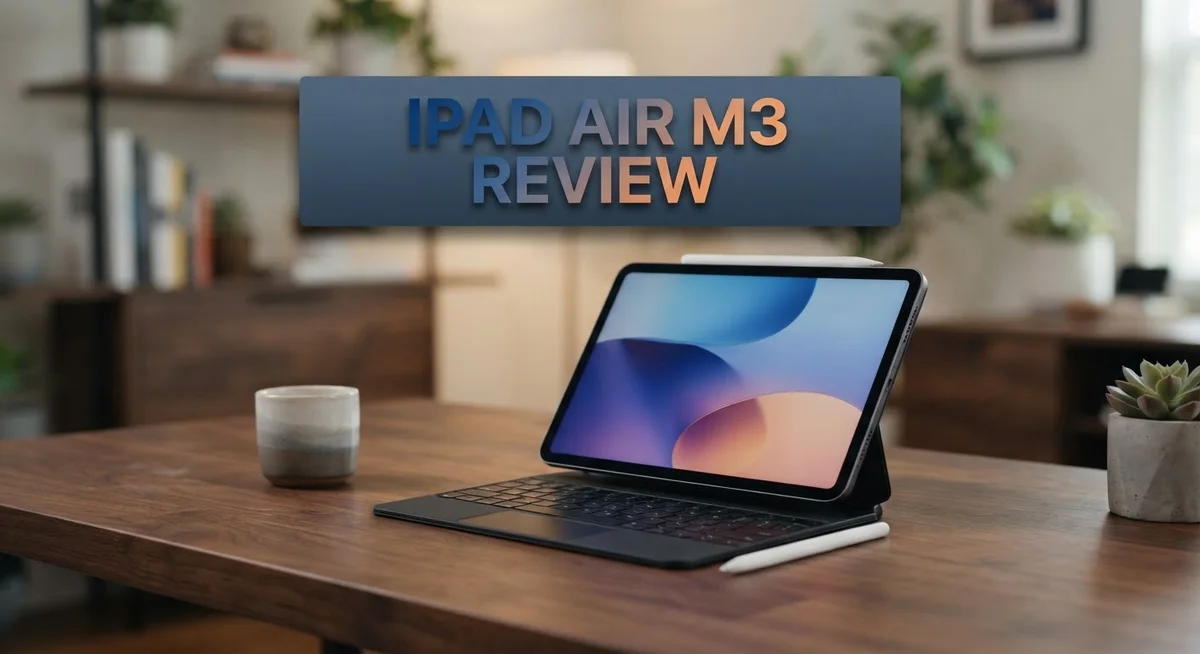
iPad Air M3 Review 2026: Is It Worth The Price?
The new iPad Air M3 brings serious power to your favorite tablet. Apple packed the M3 chip inside this sleek device. That means faster performance for everything you do.
Do you draw, edit videos, or take notes daily? This tablet handles it all with ease. The 8-core CPU keeps apps running smoothly.
Procreate artists and GoodNotes users will notice the difference right away. Graphics feel snappier. Multitasking feels effortless.
You get two screen size choices here. Pick the 11 inch model or go bigger with the 13 inch display. Both screens offer sharp, vibrant visuals for work and play.
This iPad skips some Pro features like Face ID and ProMotion. But it still delivers where it counts most: raw power and everyday usability.
Curious if the iPad Air M3 fits your lifestyle? Let’s break down every feature, camera detail, and performance number. You’ll know exactly what makes this tablet tick by the end.
In a Nutshell
Here is the quick summary for anyone short on time.
- The M3 chip powers this tablet with an 8-core CPU and 4 performance cores. Tasks load fast and apps run smooth.
- The Liquid Retina display offers a sharp 2732x2048px resolution. Colors look vivid for photos and videos.
- A 12MP wide camera with ƒ/1.8 aperture captures clear shots. It also supports 5x digital zoom for closer details.
- This tablet weighs just 1.36 lb. Carrying it around all day feels light and easy.
- Screen brightness hits 600 nits. This makes outdoor use and bright rooms much easier.
- If you already own a recent iPad, this feels like an incremental upgrade. New buyers get more value from the switch.
- Compared to rivals like the Samsung Galaxy Tab S11 Ultra or Surface Pro 11, this iPad holds its own in daily performance.
This tablet suits creators, students, and casual users alike. It balances power and portability well.
Key Features and Specifications
The M3 chip is the real star here. It packs an 8 core CPU with 4 performance cores that handle demanding apps without breaking a sweat. Whether you’re running multiple programs at once or playing graphics intensive games, this tablet keeps up.
You get two screen sizes to pick from. The 11 inch and 13 inch Liquid Retina displays both show crisp visuals at 2732 by 2048 pixels. Colors pop, text stays sharp, and the 600 nits brightness means you can use it in bright sunlight. The larger screen gives you more room for creative work, while the smaller one fits easier into bags.
The 12MP wide camera with ƒ/1.8 aperture captures solid photos and videos. You also get 5x digital zoom, which helps when you need to frame shots from a distance. This setup works well for content creators who need quick photo or video capture.
Battery life reaches up to 10 hours during web browsing or video playback. For pure video watching, you can stretch it to 16 hours. That means you can work or create all day without hunting for a charger.
The tablet weighs just 1.36 lb, making it light enough to hold comfortably during long creative sessions. This matters if you spend hours drawing in Procreate or taking notes in GoodNotes.
One trade off: this iPad skips Face ID and ProMotion (120Hz refresh rate). You get a standard 60Hz display instead. If you already own a recent iPad Air or Pro, the upgrades feel incremental rather than revolutionary. The M3 chip is faster, yes, but not dramatically so for everyday tasks.
For creators stepping up from older tablets or first time iPad buyers, these specs deliver real value. Students, designers, and note takers will appreciate the performance and screen quality.

- Key Features Apple M3 8-Core Chip 9-Core GPU | 16-Core Neural Engine
- 11" Liquid Retina Touchscreen 2360 x 1640 Screen Resolution (264 ppi)

Last update on 2026-09-17 / Affiliate links / Images from Amazon Product Advertising API
Design and Build Quality
The iPad Air M3 feels premium in your hands from the moment you pick it up. Apple kept the design clean and modern, staying true to what users expect from the Air line.
The aluminum chassis gives this tablet a solid, durable feel. It resists scratches and dents better than plastic alternatives. The edges are flat and angular, matching the aesthetic of newer iPad Pro models. This design choice makes the tablet look more professional than rounded competitors.
At just 1.36 lb, the iPad Air M3 remains light enough for extended use. You can hold it one handed while sketching in Procreate or taking notes in GoodNotes without arm fatigue setting in. The weight distribution feels balanced across the screen.
The frame houses the M3 chip securely without adding bulk. Apple engineered the internals well, so performance doesn’t come at the cost of portability. The tablet fits easily into most bags and backpacks.
The 11 inch and 13 inch options give you flexibility. The smaller model suits travel and everyday carrying. The larger screen works better for creative professionals who need more canvas space.
The bezels around the display are minimal but not as thin as iPad Pro models. This design choice actually helps. Thicker bezels give your fingers a comfortable grip without accidentally touching the screen during work.
The speaker placement sits along the sides and bottom. This keeps audio clear during video calls and media consumption. The microphone placement captures your voice cleanly for recordings and meetings.
Connectivity ports remain unchanged. You get a USB-C port for charging and data transfer. The magnetic connector for Apple Pencil sits flush against the frame.
The build quality matches or exceeds most Android tablets on the market. Samsung Galaxy Tab S11 Ultra and Surface Pro 11 offer similar materials, but the iPad Air M3 maintains Apple’s reputation for refined construction. The overall package feels like a device built to last through years of daily use.
Display and Visual Performance
The display on the iPad Air M3 deserves serious attention. You get a Liquid Retina screen that delivers sharp visuals across either 11 or 13 inch sizes. The resolution of 2732×2048 pixels ensures text stays crisp whether you’re reading documents or browsing the web.
Brightness reaches 600 nits, which means outdoor visibility works well even in direct sunlight. Your content stays readable without constant screen adjustments. This brightness level handles most indoor and outdoor scenarios without strain.
Color accuracy stands out for creative work. Designers, photographers, and artists notice the vibrant color reproduction immediately. Apps like Procreate and GoodNotes benefit from the screen’s ability to show fine details and smooth gradients. The display handles both photo editing and digital illustration without color shifts or banding issues.
The refresh rate stays at 60Hz, which differs from iPad Pro models that offer 120Hz. For most users, this feels completely natural. Scrolling remains smooth, and animations play without stuttering. Heavy gamers might notice the difference, but everyday tasks show no performance lag on screen.
Contrast levels impress across the board. Dark blacks appear deep without losing shadow detail. Bright whites maintain clarity without washing out. This balance makes watching videos and viewing photos genuinely enjoyable.
The screen’s anti reflective coating helps reduce glare during extended sessions. Your eyes experience less fatigue compared to glossy displays. This coating also resists fingerprints reasonably well, though occasional cleaning keeps things looking fresh.
Viewing angles remain consistent from different positions. Lean left or right, and colors stay true without shifting. This matters when sharing content with others or working in different positions throughout the day.
The display connects seamlessly with Apple Pencil for creative professionals. Responsiveness feels natural, and the screen registers input instantly without lag. Whether you’re sketching, annotating, or writing notes, the visual feedback keeps up with your hand movements perfectly.
Top 3 Alternatives
Samsung Galaxy Tab S9

- GALAXY AI IS HERE: Search like never before, let transcript assist take the notes for you...
- OUR MOST POWERFUL TABLET PROCESSOR YET: From work time to playtime, unleash greatness in...
Last update on 2026-09-17 / Affiliate links / Images from Amazon Product Advertising API
The Samsung Galaxy Tab S9 offers a premium Android experience. It features a bright AMOLED display that makes colors pop and blacks appear deeper. The tablet runs smoothly with its powerful processor and handles multitasking without lag.
Battery life on this device lasts all day with regular use. The camera system captures sharp photos and videos. Samsung’s One UI interface feels intuitive and easy to navigate. You get expandable storage, so you can add more space when needed.
Microsoft Surface Pro 9

- Tablet is the single answer to all your desired computation needs
- 13" screen allows a great view of movies and TV shows and yet is small enough to easily...
Last update on 2026-09-17 / Affiliate links / Images from Amazon Product Advertising API
The Microsoft Surface Pro 9 runs Windows, making it a true laptop replacement. You can attach a keyboard and use it like a traditional computer. The display is sharp and bright, perfect for work and entertainment.
This device excels at productivity tasks. Microsoft Office applications run natively, so document editing feels natural. The processor handles demanding software without stuttering. Battery performance keeps you working through your day. The kickstand adjusts to multiple angles, giving you flexibility for different activities.
Apple iPad Pro

- WHY IPAD PRO — iPad Pro with the Apple M5 chip delivers extraordinary performance for...
- PERFORMANCE AND STORAGE — iPad Pro with M5 brings next-generation speed and the power of...
Last update on 2026-09-17 / Affiliate links / Images from Amazon Product Advertising API
The Apple iPad Pro delivers exceptional performance for creative professionals. Its M-series chip powers through video editing, photo manipulation, and graphic design. The display offers stunning color accuracy and brightness levels.
iPadOS provides a smooth, responsive experience. The tablet supports Apple Pencil for precise drawing and note-taking. You can connect keyboards for typing-intensive work. The camera system performs well for content creation. Face ID keeps your data secure with biometric authentication. Storage options let you choose the capacity that fits your needs.
Performance and Processing Power
The M3 chip powers everything you do on this iPad. It features an 8 core CPU with 4 performance cores built specifically for demanding tasks. This processor handles multitasking without breaking a sweat, whether you’re running multiple apps or switching between creative software.
Gaming performance stands out as a major strength. The M3 delivers smooth frame rates in graphics intensive games. Apps like Genshin Impact and Call of Duty run without stuttering or lag. You get console quality gaming in a portable form factor.
Creative professionals notice the real benefits immediately. Procreate opens instantly and handles large brush libraries effortlessly. GoodNotes performs flawlessly even with hundreds of pages in your notebook. Video editing in Final Cut Pro handles 4K footage with minimal rendering delays. The chip processes complex operations in real time, keeping your creative flow uninterrupted.
Everyday performance feels snappy across the board. Scrolling through Safari remains buttery smooth. Email, social media, and productivity apps load instantly. The M3 never feels underpowered for standard tablet tasks.
Compared to competitors, this chip holds its ground well. The Samsung Galaxy Tab S11 Ultra and Surface Pro 11 offer comparable processing speeds. However, the M3 integrates better with Apple’s ecosystem if you own other devices. The OnePlus Pad 3 and Lenovo Tab Extreme provide alternatives, but they lack the software optimization that makes iPadOS shine.
One consideration: the 60Hz refresh rate doesn’t match the iPad Pro’s 120Hz display. This means animations appear slightly less fluid than premium models. For most users, this difference goes unnoticed during regular use.
The M3 also manages battery efficiency remarkably well. Processing power doesn’t drain your battery quickly. You get up to 10 hours of active use before needing to charge. This balance between performance and efficiency makes the iPad Air M3 genuinely practical for all day work sessions.
Camera and Multimedia Capabilities
The camera system on the iPad Air M3 keeps things simple but effective. You get a 12MP wide camera with an ƒ/1.8 aperture and 5x digital zoom. This setup handles everyday photography, document scanning, and video calls with confidence.
For content creators, the camera performs well in various lighting conditions. The wide aperture lets in plenty of light, so your photos stay sharp even when you’re indoors or in dimly lit spaces. The 5x digital zoom gives you flexibility without forcing you to move around your subject.
Video recording shines on this iPad. You can capture smooth footage for social media, tutorials, or personal projects. The M3 chip handles video processing efficiently, so you won’t experience lag when editing or exporting files. Battery life holds strong during extended recording sessions too.
The multimedia experience truly excels here. That 600 nit Liquid Retina display brings your photos and videos to life with vivid colors and deep blacks. Whether you’re watching movies, editing content, or reviewing your shots, the screen delivers exceptional clarity.
Audio playback impresses just as much. The speaker system produces balanced sound across music, podcasts, and video content. You won’t feel disappointed when streaming your favorite shows or listening to music without headphones.
For creative professionals, this combination matters. Apps like Adobe Lightroom and Final Cut Pro run smoothly on the M3 chip. The display’s color accuracy ensures your edits look right before you export them. The lightweight design means you can carry this tablet to different locations without strain.
The 10 hour battery life during web and video use keeps you productive throughout the day. Video playback extends to 16 hours, making this ideal for long flights or travel days. You get genuine multimedia capabilities in a portable package that doesn’t compromise on performance or screen quality.
Battery Life and Portability
The iPad Air M3 handles battery demands with impressive staying power. You get up to 10 hours of web browsing or video watching on a single charge. For video playback alone, the device stretches to 16 hours. This means you can work through a full day without hunting for an outlet.
The M3 chip deserves credit for this battery efficiency. It manages power consumption smartly, so you’re not draining the battery quickly even during demanding tasks. Creative apps like Procreate and GoodNotes run smoothly without unnecessary power drain. Gaming sessions won’t leave you scrambling for a charger mid session.
Portability stands out as a major strength here. The 11 inch model weighs just 1.36 pounds, making it lighter than most laptops. The 13 inch version adds screen real estate without becoming a burden. Both sizes slip easily into bags or backpacks for commuting or travel.
The thin bezels help keep overall dimensions compact. You get more screen in a smaller footprint compared to older iPad models. This matters when you’re moving between meetings or working in tight spaces.
Battery longevity combines with lightweight design to create a genuinely portable device. You won’t feel weighed down carrying it all day. The screen brightness at 600 nits means you can work outdoors without straining your eyes, and you’ll still have battery left when the sun sets.
For professionals who move between locations, this balance proves essential. Teachers, consultants, and remote workers appreciate not being tethered to power cables. The device handles a full workday easily. Whether you’re sketching, writing, or streaming, the battery keeps pace with your schedule.
Pros and Cons
Pros
- M3 chip delivers smooth performance with minimal lag during gaming, creative apps like Procreate, and everyday tasks
- Liquid Retina display offers sharp visuals at 2732×2048px with 600 nits brightness for clear outdoor use
- Battery lasts up to 10 hours on web and video, keeping you productive without constant charging
- Lightweight at 1.36 lb makes it genuinely portable for professionals who move between locations
- Graphics performance excels for creative work and demanding applications
Cons
- Refresh rate stays at 60Hz instead of the 120Hz found on iPad Pro models, which some users notice during scrolling
- No Face ID available, requiring passcode or Touch ID alternatives for security
- Limited color options compared to other tablets in the market
- Represents an incremental upgrade if you already own a recent iPad Air model
Who Should Buy It
The iPad Air M3 fits best for specific user groups who need solid performance without premium features.
Students and everyday users benefit most from this model. You get fast performance for note-taking apps, web browsing, and streaming content. The lightweight design (1.36 lb) makes carrying it between classes or coffee shops simple. The M3 chip handles multitasking smoothly, so switching between apps feels instant.
Content creators on a budget find real value here. Procreate runs beautifully on the M3 chip. GoodNotes feels responsive during long writing sessions. The sharp Liquid Retina display at 2732×2048px shows your work clearly. However, keep one thing in mind: the 60Hz refresh rate means scrolling feels less buttery than the Pro model’s 120Hz display.
Professionals who travel frequently appreciate the portability. The thin design combines with solid battery life to create a device you can actually use all day without hunting for outlets. Video playback reaches 16 hours, so international flights become productive time instead of dead time.
Casual gamers enjoy the graphics performance. The M3 handles modern games without stuttering. Frame rates stay consistent during intense scenes.
Skip this model if you need Face ID for quick unlocking, want the fastest refresh rate available, or already own a recent iPad Air. The upgrade feels incremental for recent owners.
Also consider alternatives if you prefer Android tablets. The Samsung Galaxy Tab S11 Ultra and OnePlus Pad 3 offer different ecosystems. Microsoft Surface Pro 11 appeals to Windows users.
The iPad Air M3 shines when you want genuine performance without paying for features you won’t use. It’s the practical middle ground between basic models and premium offerings.
Final Verdict
The iPad Air M3 earns its place as a smart choice for many users. It blends power and simplicity in one package. This tablet does its job well without overwhelming you with extra features.
Performance stays consistent across daily tasks and creative work. You get a device that handles what you throw at it. Most users will not feel limited by this tablet’s capabilities.
Compared to rivals like the Samsung Galaxy Tab S10 or OnePlus Pad 3, the iPad Air M3 holds its own. Apple’s ecosystem gives it an edge for users already tied to iPhones or Macs. The software experience feels more polished than many Android alternatives.
The Microsoft Surface Pro 11 offers more flexibility as a laptop replacement. But it comes with added complexity that some users want to avoid. The iPad Air M3 keeps things simple and focused.
This tablet works best as a dependable everyday tool. It is not trying to be the most advanced tablet on the market. Instead, it delivers what most people actually need.
Missing features like Face ID and ProMotion might bother some users. But these gaps do not break the overall experience. The tablet still performs its core functions without issues.
Think about how you plan to use this device. If you want a reliable tablet for work, creativity, and entertainment, this fits well. If you need top tier specs across every category, look elsewhere.
The iPad Air M3 succeeds by doing the basics right. It does not chase every trend or feature. This focus makes it a solid pick for anyone who wants dependable performance without unnecessary extras.
Your final decision depends on your specific needs and how you already use Apple products.
Frequently Asked Questions
Does the iPad Air M3 have Face ID?
No, it does not. The iPad Air M3 uses Touch ID built into the top button instead. If you rely on Face ID for quick unlocking, you’ll notice this difference. The top button sensor works fast and stays reliable across different lighting conditions.
Can I use the iPad Air M3 for serious photo and video editing?
Yes, absolutely. The M3 chip handles editing software smoothly without lag. Apps like Adobe Lightroom and Final Cut Pro run well on this device. The 12MP camera captures quality images, though it’s not designed for professional photography work. The Liquid Retina display shows accurate colors for editing tasks.
Is the 60Hz refresh rate a real problem?
Most people won’t notice it during normal use. Web browsing, email, and document work feel smooth at 60Hz. You’ll only spot the difference if you scroll rapidly or play graphics heavy games. The iPad Pro’s 120Hz feels smoother, but it’s not essential for everyday tasks.
How long does the battery actually last?
You get up to 10 hours of web browsing or video playback on one charge. Real world use often reaches 8 to 9 hours depending on your apps and screen brightness. Video playback stretches to 16 hours, which is helpful for long flights or trips. The battery holds up well over time with normal charging habits.
What’s the main difference between iPad Air M3 and iPad Pro models?
The M3 lacks ProMotion and Face ID. You also get fewer camera features and lower screen brightness on the Air. The Pro models feel more premium overall. However, the M3 delivers strong performance for most tasks at a lower cost point.


