VITURE Luma Pro XR Glasses Review 2026: Should You Buy This?
The XR glasses market has exploded over the past year. Dozens of brands now compete for your face. But only a few deliver a truly impressive visual experience in a lightweight, portable form factor. The VITURE Luma Pro XR Glasses sit right at the sweet spot of price, performance, and comfort.
I have spent weeks testing the VITURE Luma Pro. I used them for movies, gaming, productivity, and travel. This review covers everything you need to know before you buy. I break down the display quality, comfort, audio, software features, and real world performance. I also compare the Luma Pro to its closest competitors.
If you want a massive virtual screen you can take anywhere without lugging a monitor, keep reading. The VITURE Luma Pro might just be the product you have been looking for.
Key Takeaways
- The VITURE Luma Pro delivers a 152 inch virtual display with a 52 degree field of view. It uses Sony micro OLED panels at 1920×1200 resolution per eye. The picture is bright, sharp, and color accurate at 1000 nits peak brightness.
- Built in diopter adjustment dials correct for nearsightedness up to SPH 4.0. This removes the need for prescription lens inserts that competing brands require. It is a genuine convenience for glasses wearers.
- The 120Hz refresh rate ensures smooth visuals for gaming and fast paced content. Five picture modes (Cold, Film, True Color, Vivid, and Warm) let you fine tune color output to your taste.
- Comfort has improved significantly over the previous VITURE Pro. Flexible temples, tilt adjustable arms, and magnetic nose pads make the Luma Pro comfortable for hours of use. The glasses also produce less heat on the temples than previous models.
- SpaceWalker software adds 3DoF head tracking, multi screen support, and a breakthrough real time 2D to 3D conversion feature called Immersive 3D. This works across Windows, macOS, iOS, and Android.
- At $499, the Luma Pro directly competes with the XREAL One. It offers superior brightness and better software integration. However, it relies on software based head tracking rather than built in hardware tracking.
VITURE Luma Pro XR Glasses Overview

- 【A 1200P ULTRA SHARP DISPLAY YOU’LL NEVER FORGET — EVEN SHARPER THAN VITURE...
- 【THE BEST JUST GOT BETTER — IMMERSIVE 52° FOV & CINEMA-QUALITY COLORS】Enjoy a...
Last update on 2026-06-24 / Affiliate links / Images from Amazon Product Advertising API
The VITURE Luma Pro launched in August 2025 as the mid range model in VITURE’s Luma series. It sits between the $399 Luma base model and the $549 Beast. The Luma Pro serves as the direct successor to the popular VITURE Pro XR glasses.
VITURE designed the Luma Pro to be an all around performer. It targets movie watchers, gamers, productivity users, and frequent travelers. The glasses connect via USB C to phones, laptops, tablets, gaming handhelds, and consoles.
The core appeal is simple. You get a massive, bright virtual screen strapped to your face in a package that weighs very little. The glasses look like a slightly bulky pair of sunglasses. They fold up and fit inside the included carrying case.
VITURE has built a strong ecosystem around their glasses. The Mobile Dock Pro accessory adds HDMI connectivity for the Nintendo Switch, PlayStation 5, and Xbox Series consoles. One dock works across all VITURE glasses models thanks to firmware updates. This backward compatibility is a major advantage over competitors.
Display Quality and Visual Performance
The display is the star of the show. The VITURE Luma Pro uses Sony’s latest micro OLED panels running at 1920×1200 resolution per eye. This is a step up from the standard 1080p found in many competitors.
Peak brightness hits 1000 nits. This makes the Luma Pro one of the brightest XR glasses available right now. You can use the glasses in well lit rooms or even outdoors without struggling to see the screen. The electrochromic dimming feature lets you toggle lens transparency with a single button tap.
Colors look vibrant and accurate. VITURE claims Hollywood grade color accuracy with DeltaE below 2. In practical use, movies and games look stunning. The five color modes give you useful flexibility. I found True Color mode best for everyday use and Film mode ideal for watching movies.
The 52 degree field of view creates a virtual screen equivalent to 152 inches viewed from about 10 feet away. That is roughly 33% more screen real estate than the previous VITURE Pro. The wider view makes a noticeable difference in immersion.
One important note about resolution. PCMag’s testing found that the top and bottom edges of the picture can become blurry at the full 1200p resolution. Dropping to standard 1080p fixes this issue. Most movies and shows display at 16:9 anyway. So the practical impact is minimal for entertainment use.
Design and Build Quality
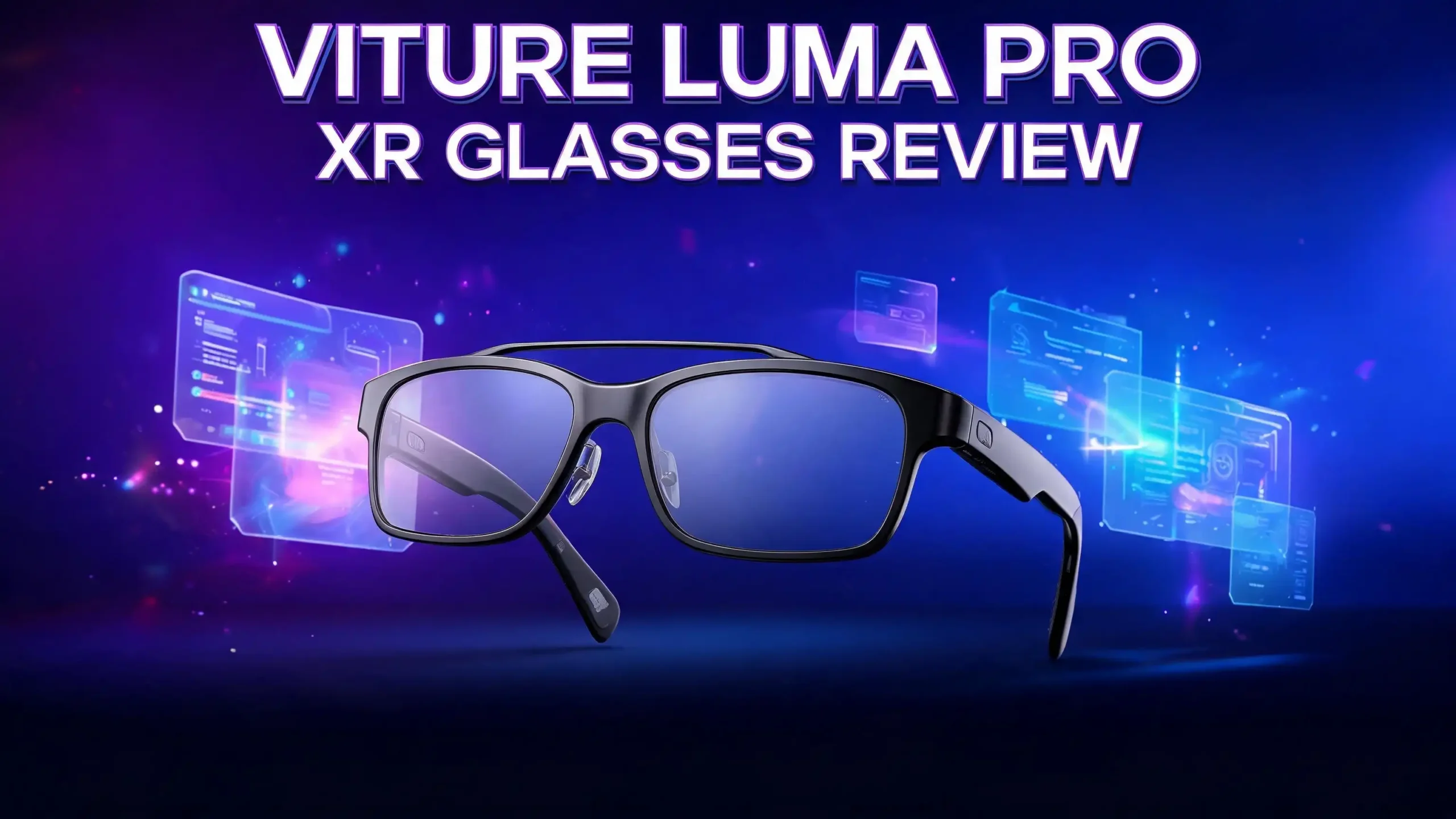
The Luma Pro introduces a translucent plastic design that reveals the internal circuitry through the frames. It gives the glasses a futuristic look. The matte translucent finish feels premium to the touch.
This is a departure from the aluminum and titanium construction of the previous VITURE Pro. Some users miss the metal feel. But the flexible plastic offers practical comfort advantages. The temples bend and flex to fit different head shapes. They produce significantly less heat during extended use.
Orange LED accent lights on the left earhook add a gaming inspired flourish. They glow when you connect a device and flash during button presses. The effect is subtle and does not stay on during regular use. It is a fun design touch that does not drain battery or distract you.
The right temple tip features a magnetic pogo connector for the included USB C cable. A small rubber cap covers the connector when not in use. This prevents hair from catching between the magnets. A privacy sticker is included for the front facing camera on the bridge of the glasses.
The glasses come in two IPD options. The Regular model fits up to 70mm IPD. The Large model fits up to 74mm. This ensures more users can find a comfortable fit with proper eye alignment.
Comfort and Ergonomics
Comfort is where the VITURE Luma Pro makes its biggest leap forward. The previous VITURE Pro had rigid aluminum temples that caused the glasses to slide down your nose. This was frustrating during extended use. The Luma Pro fixes this problem completely.
The new tilt adjustable temples offer three different viewing angle positions. This means the screen stays properly aligned even if the glasses shift slightly on your face. You no longer need to constantly push the glasses back up your nose.
Side lying comfort has also improved dramatically. The flexible temple material conforms to the area behind your ears. You can watch content while lying on your side in bed without pain. The magnetic cable also disconnects less frequently during movement. This was a common complaint with the older model.
The magnetic nose pads are another welcome addition. They snap on and off easily. They let you customize the fit for your specific face shape. The glasses feel light enough for multi hour sessions. I used them for three hour movie marathons without discomfort.
Heat management is better too. The Luma Pro distributes electronics more evenly across both temples. The silicone material conducts less heat than metal. Your temples stay cool even after long use.
Top 3 Alternatives for VITURE Luma Pro XR Glasses
If the VITURE Luma Pro does not match your needs or budget, these three alternatives are worth considering. Each one offers a different balance of features and price.

- 【Biggest. Brightest. Smartest. — A Viewing Experience Like Never Before】This isn't...
- 【SMARTEST: YOUR SCREEN, YOU RULES — No Software Needed】 Your Screen. You Rules...
Last update on 2026-06-24 / Affiliate links / Images from Amazon Product Advertising API
The VITURE Beast costs $549 and offers the biggest screen in XR at 174 inches with a 58 degree field of view. It features 1250 nit brightness powered by the latest Sony micro OLED panels. The Beast also includes built in 3DoF tracking, removing the need for SpaceWalker software. If you want the absolute best from VITURE and do not mind spending $50 more, the Beast is the top tier choice.

- World’s First HDR10 AR Display – Experience over 10 billion colors and ultra-deep...
- Vision 4000 Chip with AI SDR-to-HDR Upscaling – Co-developed with Pixelworks, this...

Last update on 2026-06-24 / Affiliate links / Images from Amazon Product Advertising API
The RayNeo Air 4 Pro is a strong budget option at around $239. It features a 201 inch HDR10 virtual display with audio tuned by Bang and Olufsen. It supports over 10 billion colors and uses the Vision 4000 chip with AI SDR to HDR upscaling. If you want affordable XR glasses with impressive HDR performance, the RayNeo Air 4 Pro delivers excellent value.

- Immersive Visuals, Zero Latency: Experience unparalleled clarity with XREAL Air 2 Pro...
- True-to-Life Colors, Crisp and Vivid: Each pair of glasses undergoes precise color...
Last update on 2026-06-24 / Affiliate links / Images from Amazon Product Advertising API
The XREAL Air 2 Pro offers a 130 inch 120Hz display with three level electrochromic dimming. It features true to life colors and cinematic spatial audio. The XREAL Air 2 Pro works with iPhones, Steam Deck, ROG Ally, Mac, and PC. It is a solid mid range competitor with good hardware based features and wide device compatibility.
Audio Performance
The VITURE Luma Pro features Harman AudioEFX tuned speakers built into the temples. Audio quality has improved over the previous generation. The speakers deliver fuller sound with better clarity and improved bass response.
In quiet environments, the speakers perform well for movies and casual gaming. Dialogue comes through clearly. Music sounds balanced and pleasant. The audio upgrade is not revolutionary but represents a meaningful evolution from earlier VITURE models.
The limitation shows up in noisy settings. On airplanes, in coffee shops, or in busy rooms, the built in speakers struggle to compete with ambient noise. Maximum volume may not be loud enough for everyone in these situations.
For the best audio experience, VITURE recommends using external headphones or earbuds. The glasses have a standard audio output option. Pairing them with your favorite earbuds transforms the experience. Spatial audio through good headphones makes movies feel truly cinematic.
Audio remains the weakest aspect of most XR glasses on the market. The Luma Pro is better than average. But do not expect it to replace a good pair of headphones.
Software and SpaceWalker App
VITURE’s SpaceWalker software is a significant competitive advantage. It works across Windows, macOS, iOS, and Android. This cross platform support is broader than what most competitors offer.
The app enables 3DoF head tracking on the Luma Pro. You can look around a virtual space and the display follows your head movements. The Windows version lets you set up to three virtual monitors. This is useful for productivity workflows. You can spread browser windows, documents, and tools across a wide virtual workspace.
The standout feature is Immersive 3D. This technology converts any 2D content into stereoscopic 3D in real time. You can watch YouTube, Netflix, live sports, and even IPTV streams in 3D. Users report that watching football matches and UFC fights in 3D feels like sitting in the stadium. The conversion quality continues to improve through software updates.
There are caveats. SpaceWalker puts a fair processing load on your device. VITURE recommends at least an Intel Core i7 13620H CPU and Nvidia GeForce 1060 GPU for the Windows version. The Immersive 3D feature requires even more modern hardware for smooth performance.
Head tracking through SpaceWalker is software based. It works but feels less refined than hardware based tracking found in the XREAL One Pro. Some users report drift issues that require periodic recalibration. VITURE pushes regular updates to improve stability.
Gaming Experience
The VITURE Luma Pro is an excellent gaming companion. The 120Hz refresh rate delivers smooth, responsive visuals. Fast paced games feel fluid with minimal motion blur. The low latency display keeps gameplay feeling tight and connected.
Steam Deck and ROG Ally users will love the Luma Pro. Plug it in via USB C and you get a massive private screen for handheld gaming. The bright display means you can play in any lighting condition. The wide field of view makes games feel more immersive than a tiny handheld screen.
Console gaming works through the Mobile Dock Pro accessory. This adds HDMI input so you can connect a PlayStation 5, Xbox Series X, or Nintendo Switch. The dock is particularly valuable for Switch users. It remains one of the only solutions for connecting XR glasses to the Nintendo Switch 2.
Cloud gaming also works well with the Luma Pro. Services like GeForce Now and Xbox Cloud Gaming pair nicely with the glasses. Connect your phone, launch a cloud gaming app, and you have a portable big screen gaming setup that fits in your pocket.
The five color modes help here too. Vivid mode makes game visuals pop. True Color mode provides accurate representation for games where color matters. You can switch modes on the fly with a double press of the left temple button.
Productivity and Work Use
Many people buy XR glasses as a portable monitor replacement. The VITURE Luma Pro handles this role well. The sharp 1200p display makes text readable and clear. You can work on documents, browse the web, and manage email on a large virtual screen.
SpaceWalker’s multi screen mode on Windows and macOS creates up to three virtual displays. This mimics a multi monitor desktop setup. You can place one screen for your main work, another for reference material, and a third for communication tools.
The built in diopter adjustment is especially useful for productivity. If you wear glasses for nearsightedness, you can dial in your correction and use the Luma Pro without prescription inserts. This makes quick setup much faster.
Travel productivity is where the Luma Pro really shines. On flights, trains, or in hotel rooms, you get a full size private screen. No one can see what you are working on. The electrochromic dimming blocks ambient light for better focus.
The drift issue with software based 3DoF tracking can be frustrating during long work sessions. Some users find they need to recalibrate periodically. This breaks concentration. For heavy productivity use, the VITURE Luma Ultra or XREAL One Pro may offer more stable tracking.
Diopter Adjustment and Prescription Support
The built in focus dials on top of the frames are one of the Luma Pro’s best features. They correct for nearsightedness up to SPH 4.0. If your prescription falls within this range, you can use the glasses without any additional accessories.
This is a huge convenience. Competing brands like XREAL and RayNeo require custom prescription lens inserts. These cost extra money. They add wait time. They make sharing the glasses with others difficult. With the Luma Pro, you just twist the dials.
The range has decreased from the previous model. The VITURE Pro offered correction up to SPH 5.0. The Rokid Max 2 goes up to SPH 6.0. If your nearsightedness is stronger than 4.0, you will still need prescription inserts.
For users with mild to moderate myopia, the diopter adjustment is a genuine game changer. You can share the glasses with friends and family. Each person dials in their own correction in seconds. No swapping lens inserts. No fumbling with tiny parts.
The adjustment feels smooth and precise. Small increments let you fine tune the focus until text looks perfectly sharp. Both eyes adjust independently. This accounts for differences between your left and right eye prescriptions.
Battery Life and Connectivity
The VITURE Luma Pro does not have an internal battery. It draws power from the connected device through USB C. This means the glasses themselves never need charging. But it also means they drain your phone, laptop, or handheld battery faster.
The magnetic pogo connector on the right temple connects to the included proprietary USB C cable. The magnetic attachment is convenient. You can connect and disconnect quickly. The rubber cap protects the connector from debris and prevents hair from catching in the magnets.
Device compatibility is broad. The Luma Pro works with iPhones (via SpaceWalker app), Android phones, MacBooks, Windows laptops, Steam Deck, ROG Ally, and other USB C devices with DisplayPort alt mode. The Mobile Dock Pro extends compatibility to HDMI devices.
VITURE’s ecosystem approach means accessories carry forward. A Mobile Dock Pro purchased for an older VITURE model works with the Luma Pro through firmware updates. This protects your investment and reduces upgrade costs.
The glasses connect instantly when plugged in. There is no pairing process. No Bluetooth setup. Just plug and play. The simplicity is refreshing compared to wireless headsets that require app setup and pairing sequences.
VITURE Luma Pro vs XREAL One Pro
This is the comparison most buyers want to see. The XREAL One Pro costs $650 and is the current PCMag Editors Choice for AR smart glasses. The VITURE Luma Pro costs $499. That is a $150 difference.
The XREAL One Pro offers a wider 57 degree field of view. It has built in hardware based 3DoF tracking that works without extra software. The tracking is more stable and reliable than SpaceWalker. It also features unique display modes including an ultrawide 3840×1080 virtual monitor.
The VITURE Luma Pro fights back with superior brightness at 1000 nits versus the XREAL One Pro’s 700 nits. This makes a real difference in well lit environments. The Luma Pro also has diopter adjustment dials that the XREAL lacks. And it costs significantly less.
Software is another differentiator. VITURE’s Immersive 3D feature converts any 2D content to 3D in real time. XREAL does not offer this. VITURE’s cross platform SpaceWalker app also works on more devices.
If you prioritize tracking stability and wide field of view, the XREAL One Pro wins. If you want the brightest display, built in focus correction, and lower price, the VITURE Luma Pro is the better choice. Both are excellent products.
Who Should Buy the VITURE Luma Pro?
The VITURE Luma Pro fits several types of users perfectly. Movie and entertainment lovers will appreciate the massive 152 inch virtual screen, vibrant colors, and 1000 nit brightness. Watching films on the Luma Pro feels like having a personal home theater.
Gamers benefit from the 120Hz refresh rate, low latency, and compatibility with consoles through the Mobile Dock Pro. Steam Deck and ROG Ally users get an effortless big screen gaming experience.
Frequent travelers gain the most practical value. A full size private display that fits in a glasses case is a powerful tool for flights, trains, and hotel rooms. The diopter adjustment means one less accessory to pack.
Nearsighted users should seriously consider the Luma Pro over competitors. The built in focus dials save money on prescription inserts and make the glasses instantly shareable.
If you need rock solid head tracking for heavy productivity use, the XREAL One Pro or VITURE Luma Ultra may serve you better. If you want the absolute biggest screen and have $50 extra, the VITURE Beast is worth the upgrade.
For most people who want a great balance of display quality, comfort, features, and price, the VITURE Luma Pro at $499 hits the sweet spot.
- 【A 1200P ULTRA SHARP DISPLAY YOU’LL NEVER FORGET — EVEN SHARPER THAN VITURE...
- 【THE BEST JUST GOT BETTER — IMMERSIVE 52° FOV & CINEMA-QUALITY COLORS】Enjoy a...
Last update on 2026-06-24 / Affiliate links / Images from Amazon Product Advertising API
Pros and Cons Summary
The VITURE Luma Pro gets a lot right. The 1000 nit brightness is class leading. The 52 degree field of view creates a truly immersive experience. Sony micro OLED panels deliver excellent color accuracy and deep blacks.
The diopter adjustment dials remain a standout feature that competitors struggle to match. Comfort improvements over the previous VITURE Pro are substantial. The flexible temples, tilt adjustment, and reduced heat make extended use genuinely pleasant.
The Immersive 3D feature is unique and impressive. Real time 2D to 3D conversion opens up entirely new ways to consume content. The cross platform SpaceWalker app provides good software support.
On the downside, software based head tracking lags behind the XREAL One Pro’s hardware solution. Drift can occur during long sessions. The built in speakers, while improved, still cannot compete with headphones in noisy environments.
The plastic construction trades premium feel for practical comfort. Some users will miss the metal build of the previous generation. The diopter range reduction from 5.0 to 4.0 may exclude some nearsighted users.
Edge blurriness at the full 1200p resolution is a minor disappointment. The front facing camera is not functional yet. VITURE promises future updates will enable it, but no timeline has been confirmed.
Final Verdict
The VITURE Luma Pro XR Glasses earn a strong recommendation in 2026. At $499, they deliver one of the best visual experiences available in XR glasses today. The display is bright, sharp, and color accurate. The comfort improvements are meaningful and well executed.
This is an excellent choice for first time XR glasses buyers. It offers the right balance of performance and price. The ecosystem of accessories and software adds long term value. Regular software updates keep improving the experience over time.
Existing VITURE Pro owners frustrated by display artifacts, comfort issues, or the narrower field of view will find the Luma Pro a worthwhile upgrade. The visual difference is immediately noticeable.
The VITURE Luma Pro proves that the wearable display category has matured. It is no longer a gimmick. It is a genuinely useful piece of technology for entertainment, gaming, and portable productivity.
Frequently Asked Questions
Does the VITURE Luma Pro work with iPhone?
Yes. The VITURE Luma Pro works with iPhones through the SpaceWalker app available on iOS. VITURE was the first XR glasses brand to offer full XR functionality on iPhone. You get 3DoF head tracking, multi screen support, and Immersive 3D features. You need a Lightning to USB C adapter or a USB C iPhone (iPhone 15 and later) to connect.
Can I use the VITURE Luma Pro with a Nintendo Switch?
Not directly. The Nintendo Switch uses HDMI output and the Luma Pro uses USB C. However, the VITURE Mobile Dock Pro accessory bridges this gap. It accepts HDMI input and converts it for the glasses. This accessory also works with PlayStation 5, Xbox, and other HDMI devices. It is currently one of the only solutions for connecting XR glasses to the Nintendo Switch 2.
How does the VITURE Luma Pro compare to the VITURE Beast?
The VITURE Beast costs $549 and offers a larger 174 inch virtual screen with a 58 degree field of view and 1250 nit brightness. It also features built in 3DoF hardware tracking. The Luma Pro at $499 offers a 152 inch screen with 52 degree FOV and 1000 nit brightness but relies on software tracking. The Beast is better overall but costs $50 more.
Is the VITURE Luma Pro comfortable for long sessions?
Yes. The Luma Pro features flexible temples, tilt adjustable arms, and magnetic nose pads. These improvements make it significantly more comfortable than the previous VITURE Pro. Users report comfort during multi hour sessions. The temples also generate less heat than the previous metal design. Side lying comfort has improved dramatically for bedtime viewing.
Do I need prescription lens inserts for the VITURE Luma Pro?
Only if your nearsightedness exceeds SPH 4.0. The Luma Pro has built in diopter adjustment dials on top of the frames. These correct for myopia up to 4.0 without any inserts. If your prescription is stronger than 4.0 or if you have astigmatism, you will need custom prescription inserts from a third party provider.
What devices are compatible with the VITURE Luma Pro?
The Luma Pro works with any device that supports USB C DisplayPort alt mode. This includes most modern Android phones, iPhones (15 and later), MacBooks, Windows laptops, Steam Deck, ROG Ally, and similar devices. The Mobile Dock Pro accessory adds HDMI compatibility for consoles and older devices.