
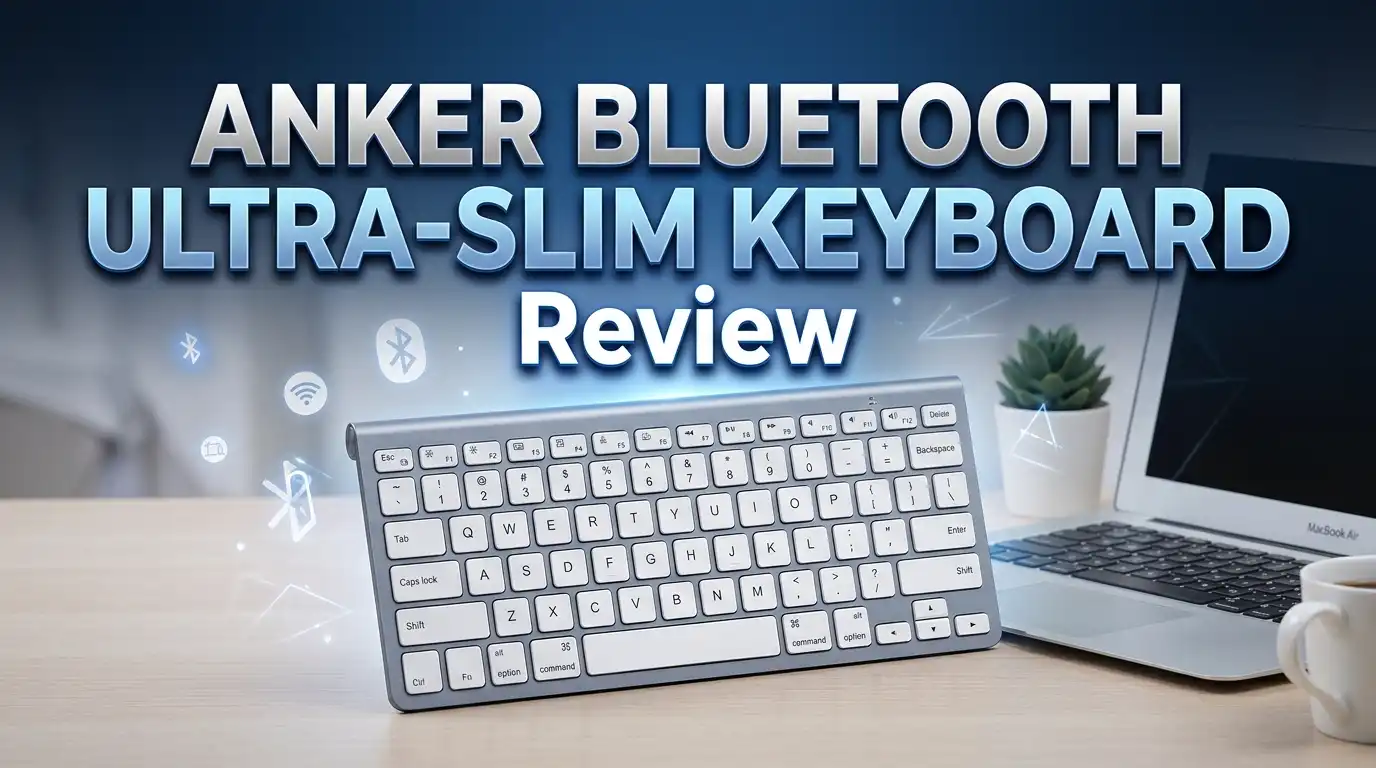
Anker Bluetooth Ultra-Slim Keyboard Review 2026: Worth Trying?
Are you looking for a slim, affordable Bluetooth keyboard that works across multiple devices? The Anker Bluetooth Ultra-Slim Keyboard has been a fan favorite on Amazon for years.
It costs a fraction of the price of an Apple Magic Keyboard. Yet it delivers a clean typing experience that many users swear by.
In this detailed 2026 review, we test the Anker Ultra-Slim Keyboard for build quality, battery life, typing comfort, and device compatibility.
We also compare it against newer competitors on the market. Whether you need a portable keyboard for your iPad, Android tablet, or laptop, this review will help you make a smart buying decision.
Key Takeaways
- Ultra-compact design makes it 30% smaller than traditional keyboards. It weighs just 6.7 ounces, which makes it one of the lightest Bluetooth keyboards you can buy today.
- Battery life is impressive for the price. The rechargeable model (B00PIMKN1Q) packs an 800mAh lithium battery and lasts up to 6 months on a single charge. The AAA battery model provides around 3 months of daily use.
- Broad device compatibility covers iOS, Android, Mac OS, and Windows. You can pair it with iPads, iPhones, Android tablets, laptops, and desktop computers using Bluetooth 3.0 or higher.
- Budget-friendly price point keeps it under $20 for most shoppers. That makes it a strong pick if you want a reliable Bluetooth keyboard without spending a fortune.
- Quiet, low-profile keys with a matte finish deliver smooth typing. The chiclet-style keys feel similar to what you get on a MacBook keyboard.
- Power-saving mode kicks in after 30 minutes of inactivity. You just press any key, wait 2 to 3 seconds, and the keyboard wakes right up.
Anker Bluetooth Ultra-Slim Keyboard: Design and Build Quality

- Ultra Compact: Takes up only two thirds the space of a traditional keyboard...
- 6-Month Battery Life: Rechargeable lithium battery with an industry-high capacity of...
Last update on 2026-06-09 / Affiliate links / Images from Amazon Product Advertising API
The Anker Bluetooth Ultra-Slim Keyboard keeps things simple and clean. The body measures 11.3 x 5.0 x 0.5 inches and weighs just 6.7 ounces. You can easily slide it into a backpack, messenger bag, or laptop sleeve.
The white and silver color scheme gives it a modern look. Many users compare its appearance to the Apple Magic Keyboard. The plastic body feels solid and does not flex under normal typing pressure.
Rubber feet on the bottom provide decent grip on most desk surfaces. The keyboard has a slight tilt that reduces wrist strain during longer typing sessions. Overall, the build quality exceeds expectations for a keyboard in this price range.
The keys use a chiclet-style layout with good spacing between each cap. This helps reduce accidental key presses while typing fast. The compact form factor does mean you lose the number pad, but most portable keyboard users expect that trade-off.
Typing Experience and Key Feel
The typing experience on the Anker Ultra-Slim Keyboard is quiet and responsive. Each key has a short travel distance. The matte finish on the keycaps prevents your fingers from slipping during extended use.
The keys require minimal force to press down. This makes the keyboard comfortable for long documents, emails, and chat sessions. The scissor-switch mechanism under each key provides a consistent press with a soft landing.
The QWERTY layout includes dedicated function keys and shortcuts for media control, brightness, and volume. iOS users get extra hot keys for the home screen, search, and screen lock. These shortcuts save time and reduce the need to touch your tablet or phone screen.
One downside is the compact key size. Users with larger hands may find the keys slightly cramped at first. Most people adjust after a day or two of regular use. The spacebar and modifier keys are appropriately sized and easy to hit.
Battery Life and Charging
Battery life is one of the strongest features of the Anker Ultra-Slim Keyboard. The rechargeable model uses an 800mAh lithium battery. Anker claims it lasts up to 6 months on a single charge. That estimate is based on 2 hours of daily use.
Charging takes about 2.5 hours through the included Micro USB cable. A full charge delivers roughly 90 hours of continuous typing. That is plenty for most professionals and students.
The keyboard also features an automatic power-saving mode. It puts itself to sleep after 30 minutes of inactivity. You press any key to wake it. The delay is about 2 to 3 seconds, which is slightly annoying but acceptable.
If you prefer the AAA battery model (B005ONMDYE), expect about 3 months of use with automatic sleep mode enabled. The rechargeable version is the better long-term value since you avoid buying replacement batteries.
Bluetooth Connectivity and Pairing
The Anker Ultra-Slim Keyboard uses Bluetooth 3.0 for wireless connectivity. Pairing is quick and straightforward. You press the connect button, find the keyboard on your device’s Bluetooth settings, and follow the on-screen code prompt.
The connection stays stable at distances up to 33 feet (10 meters). We experienced no noticeable input lag during our testing. Characters appeared on screen instantly during fast typing sessions.
One limitation is the single-device pairing. You can only connect to one device at a time. Switching devices requires manual disconnection and re-pairing. This is a clear drawback compared to multi-device keyboards like the Logitech K380.
The keyboard works with Bluetooth 3.0 and higher, so it supports nearly every modern tablet, phone, and computer. Anker lists compatibility with iOS, Android 3.0+, Mac OS X 10.2.8+, and Windows XP through Windows 10.
Top 3 Alternatives for Anker Bluetooth Ultra-Slim Keyboard
1. Arteck HB030B Universal Slim Bluetooth Keyboard offers 7-color backlighting and a rechargeable battery. The backlight is a feature the Anker lacks. It supports iOS, Android, and Windows.

- 7 Unique Backlight Color: 7 Elegant LED backlight with 2 brightness level and auto sleep...
- Broad Compatibility: Use with all four major operating systems supporting Bluetooth (iOS...
Last update on 2026-07-10 / Affiliate links / Images from Amazon Product Advertising API
2. Logitech Pebble Keys 2 K380s supports multi-device switching with up to three paired devices. The Easy-Switch buttons let you jump between your tablet, phone, and laptop instantly. It also uses Bluetooth 5.1 for a stronger signal.

- Find Your Colour: Own your space with a colourful keyboard that matches your aesthetic...
- Multi-Device Connectivity: Pair up to 3 Bluetooth devices that support an external...
Last update on 2026-06-09 / Affiliate links / Images from Amazon Product Advertising API
3. iClever BK10 Bluetooth Keyboard features a full-size layout with a number pad. It uses Bluetooth 5.1 and has a USB-C rechargeable battery. The scissor-switch keys offer a comfortable typing feel similar to the Anker.

- Quiet Typing for Focus: Low noise scissor switch keys deliver laptop-like comfort while...
- Multi Device Connection: Pair with up to three devices and switch with a single tap...

Last update on 2026-06-09 / Affiliate links / Images from Amazon Product Advertising API
Compatibility with iPads and Tablets
The Anker Ultra-Slim Keyboard is a popular choice among iPad users. It works with iPad Air, iPad Mini, iPad Pro, and the standard iPad 10.2-inch model. The iOS-specific hot keys make navigation fast and intuitive.
You can launch Spotlight search, return to the home screen, lock the screen, and control music playback without touching the iPad. Copy, cut, and paste shortcuts also work exactly as expected.
Android tablet users also get a good experience. The keyboard pairs easily with Samsung Galaxy Tab, Lenovo, and Amazon Fire tablets. Some function keys may behave differently on Android, but the core typing experience remains the same.
One thing to note: this keyboard does not come with a stand or case. You will need a separate tablet stand if you want to set up a proper workstation. Many users buy a small folding stand along with the keyboard.
Using It with Mac and Windows
The Anker Ultra-Slim Keyboard works well on both Mac and Windows computers. On Mac, the keyboard layout aligns closely with the native Apple keyboard. The Command and Option keys sit in familiar positions.
Windows users should expect some minor key mapping differences. The Page Up, Page Down, Home, and End keys may function differently in certain Windows applications. This is a known behavior that Anker mentions in the product description.
The keyboard connects to Mac and Windows machines through their Bluetooth settings. Setup takes less than a minute. For desktop users who want a clean, wire-free desk, this keyboard delivers on that promise.
One important compatibility note: this keyboard is not compatible with Mac OS X El Capitan. If you run an older Mac OS version, verify your system version before purchasing.
Portability and Travel-Friendliness
Portability is where the Anker Ultra-Slim Keyboard truly shines. At 6.7 ounces, it feels almost weightless in a bag. The slim 0.5-inch profile means it fits into tight spaces without adding bulk.
Business travelers and students benefit the most from this design. You can type comfortably at a coffee shop, library, or airport lounge. The compact size does not sacrifice key spacing, so your typing speed stays consistent on the go.
The keyboard does not fold, which some travelers may see as a negative. Foldable keyboards like the iClever BK05 save even more space. However, the Anker’s rigid design gives it a sturdier typing platform compared to folding alternatives.
A carrying case is sold separately on Amazon. The Hermitshell hard case fits the Anker Ultra-Slim perfectly and adds drop protection during travel.
Pros and Cons of the Anker Ultra-Slim Keyboard
- Ultra Compact: Takes up only two thirds the space of a traditional keyboard...
- 6-Month Battery Life: Rechargeable lithium battery with an industry-high capacity of...
Last update on 2026-06-09 / Affiliate links / Images from Amazon Product Advertising API
The Pros:
The price-to-quality ratio is hard to beat. You get a functional, attractive keyboard for under $20. Battery life is excellent, and the rechargeable version eliminates the cost of replacement batteries.
The typing experience is quiet and comfortable. The slim profile and light weight make it ideal for anyone who moves between workspaces. Broad OS compatibility means one keyboard can serve multiple devices in your life.
The Cons:
The lack of backlighting limits its use in dark environments. Single-device pairing is inconvenient if you switch between gadgets frequently. The Micro USB charging port feels outdated in 2026, especially when newer keyboards use USB-C.
The 30-minute sleep timer can interrupt workflow if you pause to read or think. The 2 to 3 second wake-up delay adds a small friction point.
Who Should Buy This Keyboard?
The Anker Bluetooth Ultra-Slim Keyboard is best for budget-conscious buyers who want a clean, simple wireless keyboard. Students and remote workers who type on tablets will appreciate the iOS and Android shortcut keys.
It also suits minimalist desk setups. If you want a keyboard that looks sleek and takes up little space, this one delivers. The Apple Magic Keyboard costs five times more and offers a similar typing feel.
Frequent travelers who need a lightweight typing solution will also find good value here. The compact size fits easily into any bag without adding noticeable weight.
However, if you need multi-device switching, backlighting, or USB-C charging, look at alternatives like the Logitech K380s or iClever BK10. These cost more but include features the Anker lacks.
How It Compares to Apple Magic Keyboard
Many shoppers compare the Anker Ultra-Slim to the Apple Magic Keyboard. The visual similarity is obvious. Both use a slim aluminum-style profile with white chiclet keys.
The Apple Magic Keyboard costs roughly $99 to $129. The Anker costs under $20. That price gap is significant. The Apple keyboard offers a superior build, Lightning/USB-C charging, and tighter macOS integration.
However, the Anker handles basic typing tasks just as well. For email, notes, documents, and web browsing, most users will not notice a dramatic quality difference. The Anker’s scissor-switch keys feel similar in travel and feedback.
The Apple keyboard wins on materials, charging technology, and seamless macOS integration. The Anker wins on price, cross-platform compatibility, and overall value. Your choice depends on your budget and ecosystem preference.
Customer Reviews and Community Feedback
The Anker Ultra-Slim Keyboard holds a strong 4+ star rating across major retailers. Amazon reviewers praise the battery life, build quality, and silent keys. Many highlight the exceptional value for the price.
Common positive feedback includes easy Bluetooth pairing, comfortable keys, and a clean look. Several reviewers mention using the keyboard daily for over two years without any issues.
Negative reviews focus on the lack of backlighting and the single-device pairing limitation. Some users report that the sleep mode timer is too aggressive. A few Windows users mention minor key mapping quirks.
Reddit communities like r/keyboards also give it positive marks. Users recommend it as a solid entry-level Bluetooth keyboard. The general consensus is clear: for the price, the Anker Ultra-Slim Keyboard delivers reliable performance.
Final Verdict: Is the Anker Ultra-Slim Keyboard Worth It in 2026?
The Anker Bluetooth Ultra-Slim Keyboard remains a solid budget buy in 2026. It does not have every modern feature. The Micro USB port and single-device pairing feel behind the times. Backlighting is absent.
But for under $20, it delivers dependable typing, long battery life, and broad compatibility. The build quality holds up well over time. The compact design makes it perfect for travel and small desks.
If your budget allows, upgrading to the Logitech K380s or iClever BK10 gets you newer features. But if you want a simple, affordable Bluetooth keyboard that just works, the Anker Ultra-Slim is still a strong contender. It earned its reputation as one of the best budget keyboards on Amazon, and that reputation holds true today.
Frequently Asked Questions
How do I pair the Anker Ultra-Slim Keyboard with my iPad?
Turn on the keyboard and press the Bluetooth pairing button. Go to your iPad’s Settings, tap Bluetooth, and select “Anker A7726” from the device list. Follow the on-screen instructions to enter a pairing code. The connection completes in seconds.
Does the Anker Ultra-Slim Keyboard work with Windows 11?
The keyboard supports Windows XP through Windows 10 per Anker’s official specifications. Most users report that it works fine on Windows 11 through standard Bluetooth pairing. Some function keys may behave differently on newer Windows versions.
Can I connect the Anker keyboard to multiple devices at the same time?
No. The Anker Ultra-Slim Keyboard supports single-device pairing only. You must disconnect from one device before connecting to another. If you need multi-device switching, consider the Logitech K380s, which supports up to three paired devices.
How long does the battery last on the Anker Ultra-Slim Keyboard?
The rechargeable model lasts up to 6 months on a single charge based on 2 hours of daily use. Continuous typing time is approximately 90 hours. The AAA battery model lasts about 3 months with the auto-sleep feature enabled.
Is the Anker Ultra-Slim Keyboard backlit?
No. The Anker Ultra-Slim Keyboard does not have backlighting. If you need a backlit Bluetooth keyboard at a similar price point, the Arteck HB030B offers 7-color backlight options and stays under $25.
Does the Anker keyboard have a USB-C charging port?
No. The rechargeable model uses a Micro USB charging port. This is one area where the keyboard shows its age. Newer competitors like the iClever BK10 have adopted USB-C charging, which is now the standard in 2026.