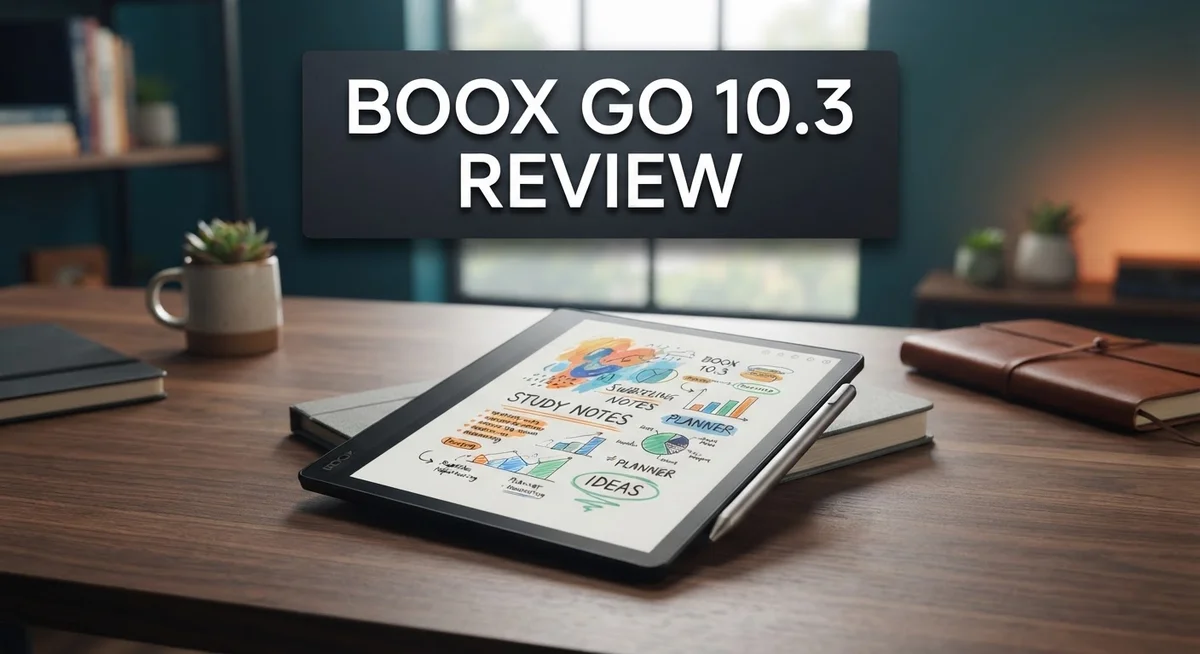
Boox Go 10.3 Review 2026: Is It Worth Your Money?
The Boox Go 10.3 stands out as a serious e-ink tablet for readers and note-takers. It packs a 10.3 inch monochrome display with 300 PPI clarity. This makes text and handwriting look sharp and natural.
Under the hood, it runs on a Snapdragon 680 octa-core processor. Paired with 4GB RAM and 64GB storage, it handles apps smoothly. You even get the Google Play Store built in, so your favorite apps are just a tap away.
This tablet is also incredibly thin. At just 4.6mm, it feels light in your hands. Carrying it around all day feels effortless.
But no device is perfect. This tablet skips a frontlight, and the stylus can slip off easily. The folio stand also feels a bit shaky.
Still, if you want a reliable e-ink companion, this Boox model deserves a closer look. Let’s explore what makes it tick and where it falls short.
In a Nutshell
Here is a quick summary of what makes the Boox Go 10.3 worth your attention.
- Display quality shines with a 300 PPI Carta 1200 screen. Text looks crisp. Notes appear sharp too.
- Battery life is a major strength. You can read or write for days without charging often.
- The tablet comes with Google Play Store built in. You get access to your favorite apps instantly.
- 4GB RAM and 64GB storage handle everyday e-ink tasks smoothly. Performance stays consistent during normal use.
- Some drawbacks exist though. There is no frontlight, so reading in dim rooms gets tricky.
- The stylus tends to fall off easily. The included folio stand also feels unstable at times.
- New users might face a slight learning curve. The interface differs from typical tablets.
- Compared to rivals like ReMarkable Paper Pro, this device holds its own in core e-ink performance.
If you want a capable note taking tablet with strong battery life and display clarity, the Boox Go 10.3 fits the bill nicely.
Display Quality and Resolution
The display is where the Boox Go 10.3 truly excels. You get a 10.3 inch monochrome ePaper screen with 300 pixels per inch using Carta 1200 technology. This combination delivers sharp, crisp text that feels almost like reading from paper.
Clarity matters when you read for hours. The 300 PPI resolution means small fonts remain legible without strain. Whether you’re reading novels, PDFs, or academic papers, text appears clean and defined. The Carta 1200 panel also handles contrast well, so black text pops against the white background.
The monochrome design is intentional. E Ink chose this approach to maximize battery life and reduce eye strain. You won’t see colors, but that’s by design. Readers and note takers often prefer this because it mimics paper more closely than color screens.
Brightness is a limitation here. The Boox Go 10.3 lacks a frontlight, which means you cannot read comfortably in dim lighting. You’ll need natural light or an external lamp for evening reading sessions. This differs from some competitors that include built in lighting.
Refresh rates feel smooth for an e ink device. Page turns happen quickly without excessive ghosting. When you write notes or sketch, the display keeps up reasonably well thanks to the 4096 pressure levels and tilt sensitivity.
The screen also resists fingerprints effectively. The matte finish prevents glare and reflections, which is helpful when using it outdoors or near windows. You can write directly on the display with the included stylus, and the surface feels responsive.
Color rendering is not available. If you need to view images with colors or work with color coded documents, this tablet won’t satisfy that need. The monochrome approach keeps things simple and focused on core reading and writing tasks.
Overall, the display quality justifies this tablet for serious readers and note takers. The resolution, contrast, and refresh rate work together to create an experience that feels natural and comfortable for extended use.

- Select Refresh Mode to reduce ghosting: HD Mode (System Default): For reading books and...
- Screen: 10.3" HD ePaper glass screen with flat cover-lens Resolution: 2480x1860 (300 ppi...
Last update on 2026-09-17 / Affiliate links / Images from Amazon Product Advertising API
Design and Build Quality
The Boox Go 10.3 feels premium in your hands from the moment you pick it up. At just 4.6mm thick, this tablet slips into bags and backpacks without adding bulk. The ultra slim profile makes it one of the thinnest e-ink tablets on the market today.
The build materials strike a balance between durability and lightness. The device uses a combination of aluminum and plastic components that keep weight minimal. You won’t feel fatigued holding it during long reading sessions or note taking marathons.
One concern users mention is the fragile appearance of certain areas. The bezels and back panel can feel delicate if you’re rough with handling. Using a protective case is recommended to safeguard against drops and impacts.
The stylus attachment system has a notable weakness. The stylus tends to fall off easily during transport or casual use. You may find yourself searching for it if you don’t keep it in a dedicated slot or pouch. This is frustrating for users who want seamless portability.
The folio stand that comes with the device presents another challenge. The stand feels unstable on uneven surfaces and during active writing. It works for basic propping up, but doesn’t inspire confidence during intensive note taking sessions. Many users upgrade to third party stands for better stability.
Despite these quirks, the overall construction quality remains solid. The 4096 pressure levels and tilt sensitivity in the Gen II stylus show attention to engineering detail. These features work smoothly when the stylus stays attached.
The monochrome design is intentional and reflects the device’s purpose as a distraction free tool. There are no RGB lights or flashy elements. This minimalist approach suits professionals and students who prioritize focus over aesthetics.
The tablet’s thin form factor does come with trade offs. Internal space is limited, which explains why the frontlight is absent. This design choice keeps the device portable but limits low light reading comfort. Understanding these compromises helps you decide if this tablet matches your needs and habits.
Performance and Processing Power
The Qualcomm Snapdragon 680 processor powers this device with eight cores running at 2.4GHz. This chip handles everyday e-ink tasks without lag or frustration.
4GB of RAM keeps apps responsive when you switch between note-taking, reading, and web browsing. The 64GB storage provides plenty of room for thousands of documents, PDFs, and digital books without filling up quickly.
Performance feels smooth during normal use. Page turns happen quickly. Annotations appear instantly when you write with the stylus. Opening apps takes seconds rather than minutes.
The pressure-sensitive stylus recognizes 4096 pressure levels and tilt sensitivity. This means your handwriting feels natural on screen. Light touches create thin lines. Heavier strokes produce darker marks. The Gen II stylus technology responds accurately to your writing style.
You won’t experience stuttering when scrolling through long documents or taking rapid notes. The processor manages these core functions efficiently. E-ink displays demand less computing power than traditional tablets, so this mid-range chip performs admirably here.
One thing to note: this device isn’t built for gaming or video editing. If you need intense graphics processing, look elsewhere. The Snapdragon 680 focuses on productivity and reading instead.
The tablet supports 26 different digital formats. You can open Word documents, PDFs, images, and various ebook formats without converting files first. This flexibility matters when you work with different document types daily.
Battery efficiency works hand in hand with the processor. Lower power consumption means longer usage between charges. You’ll go days without plugging in during typical reading and writing sessions.
Processing speed feels adequate for professionals, students, and casual readers alike. The device won’t win speed benchmarks against high-end tablets, but it wasn’t designed to. The Boox Go 10.3 prioritizes stability and battery life over raw processing power.
This balance makes sense for an e-ink device. You’re paying for a distraction-free experience, not computational muscle. The processor delivers exactly what this tablet promises: reliable, responsive performance for reading, writing, and note-taking without unnecessary complexity.
Top 3 Alternatives
Kindle Scribe

- Our most advanced Kindle Scribe – Features an 11” Colorsoft display with front light...
- Bring ideas to life in color – The custom-built Colorsoft display delivers...

Last update on 2026-09-17 / Affiliate links / Images from Amazon Product Advertising API
Amazon’s Kindle Scribe offers a large screen experience for reading and note-taking. The device features a 10.2-inch display that works well for both books and documents. You get handwriting recognition that converts your notes into text, which is helpful for organizing your thoughts.
The writing experience feels smooth thanks to the included stylus. Battery life lasts several weeks, so you won’t charge it constantly. Kindle Scribe integrates directly with your Amazon library, making book access instant and simple.
One consideration: the device works best within the Amazon ecosystem. If you prefer other platforms or formats, this might feel limiting.
Kobo Elipsa 2E

Last update on 2026-09-17 / Affiliate links / Images from Amazon Product Advertising API
Kobo’s Elipsa 2E brings flexibility to digital reading and writing. The 10.3-inch screen matches the Boox Go’s size, offering plenty of space for comfortable reading. Stylus support lets you annotate PDFs and take handwritten notes naturally.
This device supports multiple file formats, giving you more freedom than some competitors. The open ecosystem means you can sideload content easily. Page refresh speeds are quick, reducing that annoying flickering between screens.
The interface feels intuitive, and battery performance stays strong over extended use periods.
reMarkable Paper Pro

- THE ULTIMATE PAPER TABLET – For the first time on a reMarkable paper tablet, you can...
- WHAT’S IN THE BOX – You’ll find reMarkable Paper Pro, a digital notebook for...
Last update on 2026-09-17 / Affiliate links / Images from Amazon Product Advertising API
reMarkable positions itself as a digital notebook first, reader second. The 11-inch display provides an expansive writing surface that feels like paper. Pressure sensitivity and pen responsiveness make handwriting feel authentic and natural.
The device syncs your notes to the cloud, keeping everything backed up and accessible. Distraction-free design means minimal notifications interrupt your work. Reading capabilities exist but take a secondary role compared to writing features.
This option suits people who prioritize note-taking over heavy reading usage.
Stylus and Note-Taking Experience
The stylus and note-taking experience on the Boox Go 10.3 strikes a strong balance between responsiveness and precision. The pressure-sensitive stylus recognizes 4096 pressure levels, which means your handwriting captures natural variations in line weight. Tilt sensitivity adds another layer of control. You can angle the pen just like a real pen to create thicker or thinner strokes.
Writing feels natural on this device. The e-ink surface provides just enough friction to prevent your hand from sliding around. You won’t experience the slick, glassy feel of some competing tablets. This matters when you’re taking notes for hours at a time.
One real weakness emerges with the stylus attachment system. The stylus easily falls off, which frustrates users who carry the tablet in bags or backpacks. You’ll need to be intentional about securing it or keeping track of where it lands. This design flaw stands out against competitors that offer more secure attachment methods.
The note-taking apps perform smoothly without stuttering. You can write rapidly without lag between pen movement and screen response. Switching between handwriting and typing feels seamless. The 4GB of RAM keeps everything responsive when you juggle multiple notes or open reference documents.
The monochrome display actually enhances the note-taking experience. Without colors or distractions, you focus entirely on your writing. The 300 PPI resolution means your handwriting appears crisp and clear, even when you zoom in. This clarity matters for reviewing notes later.
One consideration: the folio stand presents another challenge. Some users report instability when the device sits upright. If you plan to use this tablet for sketching or handwriting while it rests on a desk, test the stand stability first. Propping it at an angle works better than relying on the included stand for extended writing sessions.
Overall, the stylus responsiveness and writing experience justify this device for serious note-takers. The main friction points involve physical design rather than the actual writing performance.
Battery Life and Software
The Boox Go 10.3 delivers exceptional battery performance that keeps you reading and writing for days without charging. The device uses an e-ink display, which consumes minimal power compared to traditional LCD screens. Most users report getting 2 to 3 weeks of regular use on a single charge.
Battery life depends on how you use the device. Heavy note-taking and frequent app switching drain the battery faster than simple reading. The Snapdragon 680 processor is efficient and doesn’t waste power during everyday tasks. When you enable airplane mode or reduce refresh rates, the battery lasts even longer.
Charging happens through a USB-C port. A full charge typically takes 2 to 3 hours. The device supports standard chargers, so you don’t need special cables or adapters.
The software experience runs on Android, which gives you access to the Google Play Store. This means you can install thousands of apps directly on the device. Popular note-taking apps like OneNote, Notion, and Evernote work smoothly without stuttering or lag. Reading apps such as Kindle, Kobo, and Apple Books integrate seamlessly into the system.
The monochrome display actually helps with battery efficiency. Since the screen doesn’t render colors, it uses less energy than color e-readers. This trade-off works well for serious readers and note-takers who prioritize battery life over visual variety.
One thing to note: software updates arrive regularly through Boox’s system. These updates improve stability and add new features over time. The interface feels intuitive once you spend a few hours exploring the settings and app ecosystem.
Performance remains consistent throughout the battery cycle. You won’t experience slowdowns as the battery drains. The 4GB of RAM keeps multiple apps running smoothly in the background. Overall, the combination of efficient hardware and optimized software creates a device that stays powered for extended periods without interruption.
Pros and Cons
Pros
- The 300 PPI Carta 1200 display delivers crisp, clear text that makes reading and note-taking a genuine pleasure
- At just 4.6mm thick and lightweight, this device goes anywhere without weighing you down
- Battery life stretches for days on a single charge, so you stay productive without constant charging
- Google Play Store access means you can install apps beyond the stock offerings
- The stylus responds instantly with 4096 pressure levels, making writing feel natural and precise
Cons
- No frontlight means you cannot read in dim lighting or dark environments
- The stylus attachment system is loose, so it falls off easily during regular use
- The folio stand feels unstable and wobbles when you try to prop up the device for hands-free reading
- The learning curve feels steeper than some competitors, especially if you switch from other e-ink tablets
Who Should Buy It
The Boox Go 10.3 works best for specific types of users. If you spend hours reading books, PDFs, or documents, this device shines. The crisp 300 PPI display reduces eye strain during long reading sessions. Your eyes will feel fresher compared to backlit screens.
Students and professionals who take handwritten notes find real value here. The stylus responds instantly with 4096 pressure levels. Writing feels natural, just like pen on paper. You can annotate PDFs, sketch diagrams, or organize your thoughts without lag. The monochrome display actually helps you focus on content instead of distractions.
Writers and content creators benefit from the distraction free environment. No notifications pop up. No social media feeds tempt you. You work in a calm space designed for deep focus. The Android system lets you install productivity apps from Google Play Store.
However, this device has limitations for certain users. If you need to read in bed or low light settings, skip this model. The lack of a frontlight is a real dealbreaker for evening readers. You’ll need external lighting.
People who prefer stylus pens with secure attachment systems may feel frustrated. The stylus falls off easily during regular use. You’ll need to keep track of it or purchase a replacement. The folio stand also feels unstable, so desk work requires a different solution.
This tablet demands patience with its interface. The learning curve feels steeper than some competitors. You need time to understand Boox’s software ecosystem and customization options. If you want something that works immediately without exploration, consider alternatives.
Budget conscious buyers should weigh their priorities carefully. The Boox Go 10.3 targets users who value reading quality and note taking precision. It’s not a general purpose tablet for casual browsing or media consumption.
Ultimately, buy this device if reading clarity and writing responsiveness matter most to you. Skip it if you need frontlight functionality, stylus stability, or quick setup. Your specific needs determine whether this e ink tablet fits your workflow.
Final Verdict
The Boox Go 10.3 stands out as a serious tool for anyone who values a clean writing and reading experience. Its strengths lie in display quality and everyday usability rather than flashy extras.
The fragile appearance deserves a mention here. The ultra thin build feels premium, but it also feels delicate. You will want a protective case if you travel often.
The included folio stand adds another concern. It wobbles during use, which makes propping up the tablet for video calls or hands free reading a bit tricky. This is a small but real annoyance.
When you compare this device to the ReMarkable Paper Pro, the Boox Go 10.3 wins on flexibility. You get Android apps, Google Play access, and a more open ecosystem. ReMarkable focuses narrowly on writing, while Boox tries to do more.
Other Boox models with higher PPI screens exist, but they often cost more or sacrifice thinness. This model finds a sweet spot between clarity, weight, and everyday practicality.
Who should walk away
If you dislike learning new interfaces, skip this device. The system takes time to master, and impatience will only lead to frustration.
If you need a backlit screen for reading in bed or dark rooms, this is not your device either.
Who should buy it
Choose the Boox Go 10.3 if you want a thin, capable e-ink tablet for notes, reading, and light productivity work. It rewards patience with genuine long term value.
Anyone tired of glossy tablets that strain the eyes will appreciate this quieter, paper like alternative.
In short, this tablet earns its place among top e-ink devices today. It is not perfect, but its display quality and portability make it easy to recommend for the right kind of user. Weigh the cons honestly, then decide if the pros outweigh them for your daily habits.
Frequently Asked Questions
Can I read this tablet in the dark or low light?
No, the Boox Go 10.3 does not have a frontlight. You cannot read comfortably in dim rooms or at night without an external light source. If reading in bed is important to you, this device may not suit your needs.
How does the stylus stay attached?
The stylus attachment system is loose. It falls off easily during regular use, which can be frustrating. You’ll need to keep track of it carefully or consider using a separate stylus holder for protection.
Is the stand reliable for reading?
The included folio stand feels unstable. It works for basic positioning, but it won’t hold the tablet firmly during extended reading sessions. Many users prefer external stands or cases for better support.
What makes this different from the ReMarkable Paper Pro?
The Boox Go 10.3 offers more flexibility. It runs Google Play Store apps, so you get access to thousands of applications beyond basic reading and note-taking. The ReMarkable Paper Pro stays focused on simplicity and distraction-free work. The Boox also feels thinner and lighter, but the ReMarkable may have a smoother user experience for beginners.
Who should actually buy this tablet?
Buy this device if you value crystal clear reading and responsive writing. Students taking handwritten notes, writers seeking distraction-free work, and professionals who need note-taking tools will find real value. Skip it if you need backlighting, prefer simple interfaces, or want a stylus that stays securely attached.