Rabbit R1 Review 2026: Should You Try This?
The Rabbit R1 promises a new way to talk to AI. It looks small and cute. But does it work as well as it looks?
This device wants to be your personal assistant. It listens to your voice. It answers your questions fast.
You get unlimited access to Perplexity and Wolfram Alpha. That means smart answers without limits. You can also record voice notes and translate languages on the spot.
The R1 can control apps like Uber, DoorDash, and Spotify. It even talks to Midjourney for image creation. Sounds impressive, right?
But every gadget has flaws. This one struggles with object recognition. Some users say it cannot even identify a taco. Battery life is another sore point. It drains fast and needs frequent charging.
Is the Rabbit R1 a smart buy or just a shiny toy? We tested it to find out.
In this review, we break down every feature. We check its pros, cons, and real world performance. By the end, you will know if this AI gadget fits your daily life.
Let’s get into it.
In a Nutshell
Here is the quick summary of what you need to know about the Rabbit R1.
- Battery life is short. You will need to charge this device often if you use it daily.
- The R1 can identify objects and translate languages on the spot. It also records voice notes for later.
- Sadly, it doesn’t save your answers. You cannot look back at past conversations easily.
- The device feels unfinished. Users report bugs and glitches that make it feel undercooked.
- Object recognition is hit or miss. In one case, it couldn’t even identify tacos correctly.
- This is not a smartphone replacement. Think of it as a fun extra gadget, not your main device.
- Compared to competitors like the Humane AI Pin or Limitless Pendant, the R1 offers unique features. But it also has its own set of quirks.
The Rabbit R1 has cool ideas but needs more polish. It’s a promising start, not a finished product yet.
Design and Build Quality
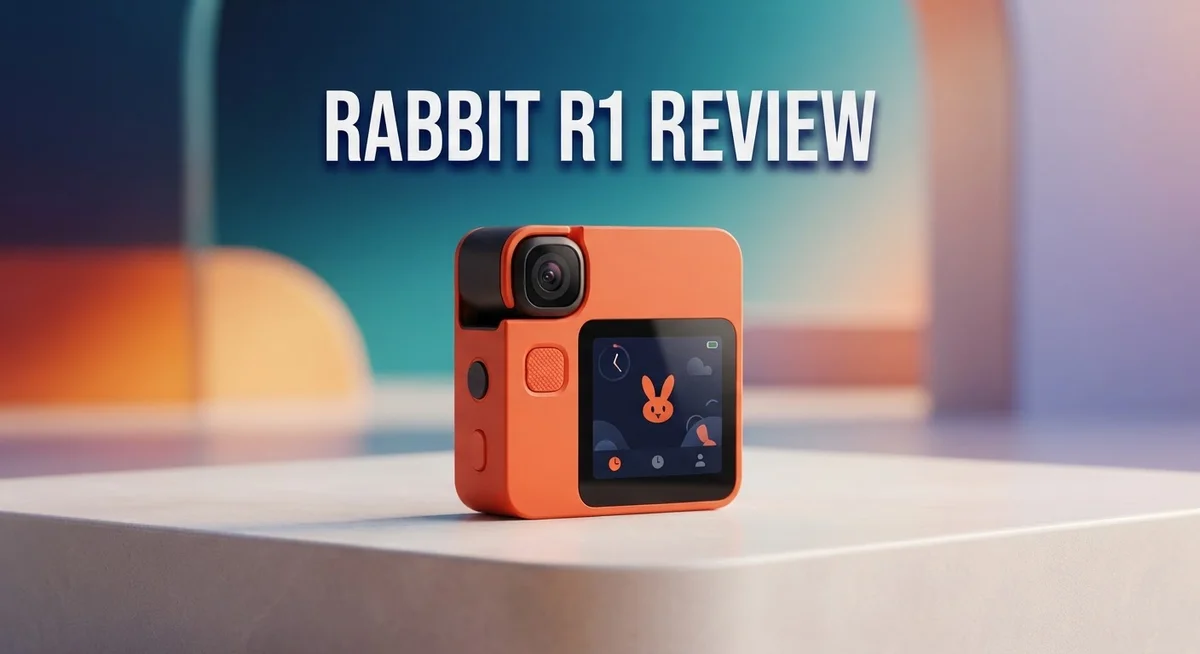
The Rabbit R1 feels compact and modern in your hands. The device measures roughly the size of a thick credit card holder, making it easy to slip into a pocket or bag. Its touchscreen display sits front and center, giving you quick access to features without fumbling through menus.
The build quality shows mixed results. The chassis uses plastic materials that feel light rather than premium. Some users report the device feels a bit cheap compared to flagship smartphones. The edges are smooth, and the overall design doesn’t scream “luxury,” but it gets the job done for everyday use.
The screen itself is responsive and bright enough for indoor viewing. Colors pop reasonably well, though direct sunlight makes reading difficult. The touchscreen responds quickly to taps and swipes, which keeps interactions smooth most of the time.
One notable design choice is the prominent camera on the back. This lens handles object identification and photo capture. The placement works well for pointing at items you want to identify, though the actual recognition accuracy needs improvement.
The device feels genuinely portable. Unlike a smartphone or tablet, the R1 doesn’t demand pocket space or add significant weight. This makes it practical for carrying around throughout your day. The form factor encourages quick interactions rather than extended sessions.
However, the build materials raise durability questions. The plastic construction might not withstand drops or rough handling as well as metal or glass alternatives. Users concerned about longevity may want to consider a protective case.
The overall aesthetic leans toward minimalist and playful. The device doesn’t look intimidating or overly technical. This approachable design helps it feel less like a gadget and more like a helpful companion.
Battery placement and thermal management remain unclear from the exterior design. The compact size means internal components are tightly packed, which could affect long term reliability. Time will tell whether this dense design choice proves practical or problematic for regular users seeking durability.

- [CES Innovation Award] AI RECORDER × AI ASSISTANT - Dual-channel Bluetooth recording...
- POWERED BY LAXIS AI PLATFORM - OSO App integrates advanced transcription and summarization...

Last update on 2026-09-22 / Affiliate links / Images from Amazon Product Advertising API
Key Features and AI Capabilities
The Rabbit R1 runs on a custom AI engine that brings several standout capabilities to a handheld device. At its core, the system prioritizes voice interaction first, letting you speak commands naturally without typing. This approach makes the device feel intuitive and quick to use in real situations.
One of the strongest features is unlimited access to Perplexity and Wolfram Alpha. You can ask complex questions, get instant answers, and have ongoing conversations without hitting any limits. The device stores all your transcripts, so you can reference past chats whenever you need them.
The R1 shines when controlling third party services. You can summon an Uber, order food through DoorDash, play music on Spotify, or even generate images with Midjourney using just your voice. This integration saves time and keeps you from switching between multiple apps.
Language translation works bidirectionally, meaning you can translate from English to another language or vice versa. The device also records voice memos and identifies objects through its camera. These secondary features add practical value for travelers and professionals on the go.
However, the AI capabilities show real limitations in execution. Object recognition often fails at basic tasks. The system reportedly struggles to identify common foods like tacos, which raises questions about the underlying computer vision model. This inconsistency undermines confidence in the device’s AI foundation.
The lack of answer storage is another drawback. While transcripts save, the actual responses don’t persist in a searchable format. You must scroll back through conversations to find information you already asked about, which feels like a missed opportunity.
The device feels genuinely smart in concept but unfinished in practice. Bugs appear regularly, and the software needs significant refinement. The AI capabilities are genuinely interesting, yet the execution prevents the R1 from being a reliable daily driver. Think of it as a promising platform with potential rather than a polished product ready for mainstream adoption.
Performance and Reliability
The Rabbit R1 operates smoothly when you stick to its core strengths. Voice commands respond quickly, and the touchscreen feels snappy during normal use. The device handles Perplexity searches and Wolfram Alpha calculations without lag. Switching between apps like Spotify and Uber happens almost instantly.
However, reliability takes a hit in real world scenarios. Bugs pop up frequently, especially when chaining multiple commands together. The software crashes occasionally, forcing you to restart the device. Users report that the same action sometimes works perfectly one moment and fails the next.
Battery performance is the biggest concern here. The R1 drains power rapidly throughout the day, even with light usage. You’ll need to charge it multiple times if you’re a heavy user. The device doesn’t provide enough juice for a full workday without access to a charger.
Object recognition, one of the advertised features, delivers mixed results. The camera can identify common items like phones and laptops. But it struggles with specific objects, occasionally missing items that seem obvious. The infamous taco identification fail shows the AI still needs training.
The touchscreen remains responsive and bright enough for indoor environments. Outdoor visibility suffers when sunlight hits the display directly. The screen doesn’t have the durability of flagship smartphones, so drops are concerning.
Software stability is where the R1 falls short most noticeably. The device feels like an early beta product, not a finished consumer device. Updates arrive regularly, but they sometimes introduce new problems instead of fixing existing ones. The lack of saved answers compounds reliability issues. You can’t reference previous conversations, so you lose important information if the app crashes.
Overall, the Rabbit R1 performs adequately for basic tasks. It shines with voice commands and service integration. But performance consistency remains a real weakness. Users seeking a dependable daily driver should wait for a more mature version. The current model works best as an experimental gadget rather than a reliable companion.
Top 3 Alternatives
Humane AI Pin

- Plaud Intelligence: Capture conversations in 112 languages and generate accurate...
- Multiple Ways To Wear With Included Accessories: Adapt Plaud NotePin S to any workflow...
Last update on 2026-09-17 / Affiliate links / Images from Amazon Product Advertising API
The Humane AI Pin offers a different approach to portable AI. This device clips to your clothing and uses a laser display to show information on your hand. You get voice control and camera features built in. The AI Pin focuses on quick tasks without needing to pull out a phone.
The device runs on its own operating system. You can check messages, get weather updates, and translate text with simple voice commands. The laser display makes it easy to see information anywhere, anytime. Battery life lasts through most of a full day.
Apple iPhone 15

- 6.1inch Super Retina XDR display. Aluminum with color-infused glass back. Ring/Silent...
- Dynamic Island. A magical way to interact with iPhone. A16 Bionic chip with 5-core GPU
Last update on 2026-09-17 / Affiliate links / Images from Amazon Product Advertising API
Apple’s iPhone 15 brings AI features into a phone you already know. The device has a powerful processor that handles complex tasks instantly. You get access to Siri, which understands natural language better than before.
The camera system captures stunning photos in any lighting. The phone works seamlessly with other Apple devices you own. Fast charging and all-day battery keep you connected. The iPhone 15 combines proven technology with new AI capabilities that feel natural to use.
Google Pixel 8

- 6.2" OLED 428PPI, 1080x2400px, 120Hz, HDR10+, Bluetooth 5.3, 4575mAh Battery, Android 14
- 128GB 8GB RAM, Octa-core, Google Tensor G3 (4nm), Nona-core (1x3.0 GHz Cortex-X3 & 4x...
Last update on 2026-09-17 / Affiliate links / Images from Amazon Product Advertising API
Google’s Pixel 8 puts AI at the center of your phone experience. The device includes Google’s Gemini AI, which understands context and answers follow-up questions. Magic Eraser removes unwanted objects from photos automatically.
The camera takes amazing photos with advanced computational photography. Real-time translation works during calls and conversations. Voice typing understands what you say with remarkable accuracy. Pixel 8 makes AI helpful for everyday tasks like organizing photos, writing emails, and planning your day.
Battery Life and Portability
The Rabbit R1 brings a genuinely portable device that fits easily in your pocket or bag. The compact form factor means you can carry it everywhere without the bulk of a traditional smartphone.
Battery life remains the biggest challenge with this device. Real world usage shows you’ll need to charge it frequently throughout the day. Heavy users report getting only a few hours of active use before the battery drains completely. Light usage might stretch it to a half day, but don’t expect all day performance like you’d get from a phone.
The device heats up during extended sessions, which suggests the battery works hard to power the AI features. Thermal management appears to be a trade off with the compact design. You won’t want to use it continuously for hours without taking breaks.
Portability shines as a true strength of the R1. The lightweight design makes it comfortable to carry in a pocket, crossbody bag, or backpack. The screen is small enough that it doesn’t feel cumbersome, yet large enough to see information clearly. This makes it ideal for quick lookups, voice commands, and on the go interactions.
The touchscreen remains responsive even during extended use, though the battery drain happens fast. You’ll find yourself reaching for a charger sooner than expected with regular interaction.
For travelers and people constantly on the move, the short battery life becomes a real limitation. You’ll need to plan around charging opportunities or carry a power bank. The device isn’t designed for all day trips without access to power.
If you use the R1 primarily for voice commands and quick tasks, battery drain slows down noticeably. Text heavy interactions and screen time drain the battery faster. This means your usage patterns directly impact how long the device lasts between charges.
The portability factor works well for specific use cases like quick translations, voice notes, or service control. However, the battery life means this stays a supplementary device rather than a primary tool for extended outings.
Service Integration and Compatibility
The Rabbit R1 connects to a growing but still limited set of third party services. You can control Uber for rides, DoorDash for food delivery, Spotify for music, and Midjourney for AI image generation. This integration approach means the device works best when you stick to these specific apps.
Voice commands handle most service interactions smoothly. You can order a ride, request food, or start playing music without touching the screen. The experience feels natural and responsive for these core functions.
The main limitation is service availability. The R1 doesn’t work with every app you use daily. If your favorite services aren’t on the compatible list, the device becomes less useful for your workflow. This narrow focus sets it apart from smartphones, which connect to thousands of apps.
The device shines when you combine multiple services in one request. You might ask the R1 to play a song while ordering dinner, and it handles both tasks without confusion. This multitasking capability works well within the supported ecosystem.
Perplexity and Wolfram Alpha integration provides unlimited access to search and calculation tools. You get real answers to questions without hitting paywalls. This unlimited approach contrasts sharply with many AI services that cap your daily queries.
Bidirectional translation works across the supported services too. You can translate text or voice between languages instantly. The feature integrates smoothly with the voice interface, making communication easier when you travel.
Reliability varies depending on which service you use. Some integrations work flawlessly, while others occasionally drop commands or fail to execute requests. The R1 still feels like software in development rather than a finished product.
The device lacks deep customization for service interactions. You can’t create complex automation routines or chain multiple commands together easily. Power users might find this frustrating compared to what other platforms offer.
Overall, the Rabbit R1 works well as a controller for basic service tasks. The integration is straightforward and voice driven. However, the limited service roster means it complements your smartphone rather than replacing it for most people.
Pros and Cons
Pros
- Access unlimited conversations with Perplexity and Wolfram Alpha for instant answers and calculations
- Control popular services like Uber, DoorDash, Spotify, and Midjourney directly from the device
- Compact design fits easily in your pocket or bag for true portability
- Voice commands work smoothly for most basic tasks and service interactions
- Bidirectional translation helps you communicate across language barriers
Cons
- Battery life drains quickly, making it impractical for full day use without charging
- Object recognition struggles with real world items and delivers unreliable results
- Limited service compatibility means many apps and platforms don’t work with the device
- Software bugs and stability issues appear regularly, showing the platform still feels unfinished
Who Should Buy It
The Rabbit R1 works best for people who want a lightweight AI companion that doesn’t replace their phone. You should consider this device if you frequently use Perplexity, Wolfram Alpha, or service apps like Uber and DoorDash.
Early adopters and tech enthusiasts make up the ideal audience. You enjoy experimenting with new gadgets. You don’t mind bugs or incomplete features. You want to explore what AI assistants can do before the technology matures.
Travelers benefit from the R1’s compact design. You can slip it into a pocket or small bag. Voice commands let you book rides, order food, or translate conversations without pulling out your phone. Just remember you’ll need to charge it during the day.
Content creators and developers should look at this device too. You can use Midjourney integration for quick image generation. Voice recording and object identification features support your workflow. The unlimited conversation access gives you a testing ground for AI interactions.
However, skip the R1 if you need reliability above all else. The device still has bugs. Object recognition often fails. Service compatibility remains limited compared to what you can do on a smartphone.
People who rely on their devices for a full workday should wait. Battery life won’t get you through eight hours of active use. You’ll spend more time charging than using it.
The R1 isn’t for casual users seeking a simple gadget. You need genuine interest in AI technology. You should understand this device complements your phone rather than replacing it.
Business professionals with specific use cases might find value. You integrate Uber or DoorDash into your routine. You want hands free access to information and services. Voice interaction appeals to your workflow.
Think of the R1 as an experimental tool for AI exploration. You’re willing to accept current limitations. You see potential in where the technology heads. You want to get familiar with AI assistants before they become mainstream.
If this describes you, the R1 deserves a closer look. Otherwise, wait for the technology to mature further.
Final Verdict
The Rabbit R1 stands out as a bold experiment in AI hardware. It shows what happens when a company tries something different from the usual smartphone app.
This device works best as a companion gadget. It doesn’t try to replace your phone. Instead, it adds a unique layer of AI interaction to your daily routine.
Bugs and rough edges still exist in the current software. Rabbit needs to polish many features before this device feels complete. Some users may find these issues frustrating.
The core idea behind the R1 remains exciting and fresh. Voice first interaction with a dedicated AI device feels different from typing on a screen. This approach could shape future gadgets in this space.
Competitors like the Humane AI Pin and Limitless Pendant offer similar concepts. Each device takes a slightly different path toward the same goal. The R1 carves its own space through its simple design and screen based interaction.
We think the Rabbit R1 deserves credit for innovation. It pushes boundaries in a market full of similar smartphone apps. The team behind it took real risks to build something new.
Should you buy one? That depends on your goals. If you enjoy testing new tech and don’t mind occasional glitches, this device fits well.
If you want a flawless, polished product that works perfectly every time, you might want to wait. Future updates could fix many current problems. Rabbit continues to push software patches to improve performance.
The R1 also sparks conversation about where AI hardware is heading. It challenges the idea that phones must handle every task. This alone makes it worth watching.
In short, the Rabbit R1 offers a glimpse into future possibilities. It isn’t perfect today. But it shows real potential for tomorrow.
Anyone curious about standalone AI devices should consider giving this one a try. Just keep your expectations realistic and enjoy the experimental ride.
Frequently Asked Questions
Can the Rabbit R1 replace my smartphone?
No. The R1 works best as a companion device, not a phone replacement. You still need your smartphone for most daily tasks. The R1 shines when you want quick AI answers, voice commands, or service control without pulling out your full phone.
What services can I actually control with the R1?
You can control Uber, DoorDash, Spotify, and Midjourney directly from the device. However, the list of compatible services remains limited. Many popular apps and platforms don’t integrate with the R1 yet. Check if your favorite services work before buying.
How long does the battery last?
Battery life is short. You’ll need to charge the device frequently throughout the day. This makes it impractical for people who need an all day gadget without access to a charger. Heavy users should expect multiple charging sessions daily.
Does the R1 remember my conversations?
The device offers unlimited AI conversations and transcripts, but it doesn’t save answers for later reference. This means you can’t easily look back at past information you discovered. You’ll need to take notes or screenshots if you want to keep important details.
Who should actually buy the Rabbit R1?
Early adopters and tech enthusiasts make the best fit. Travelers appreciate the compact design. Content creators exploring AI tools may find value too. Skip the R1 if you need reliability above all else or depend on devices for full workday use. Business professionals with specific use cases might discover real value here.