Boox Note Air 5C Review: Is It Worth Your Money?
Do you want a tablet that feels like paper but works like a computer? The Boox Note Air 5C might be your answer.
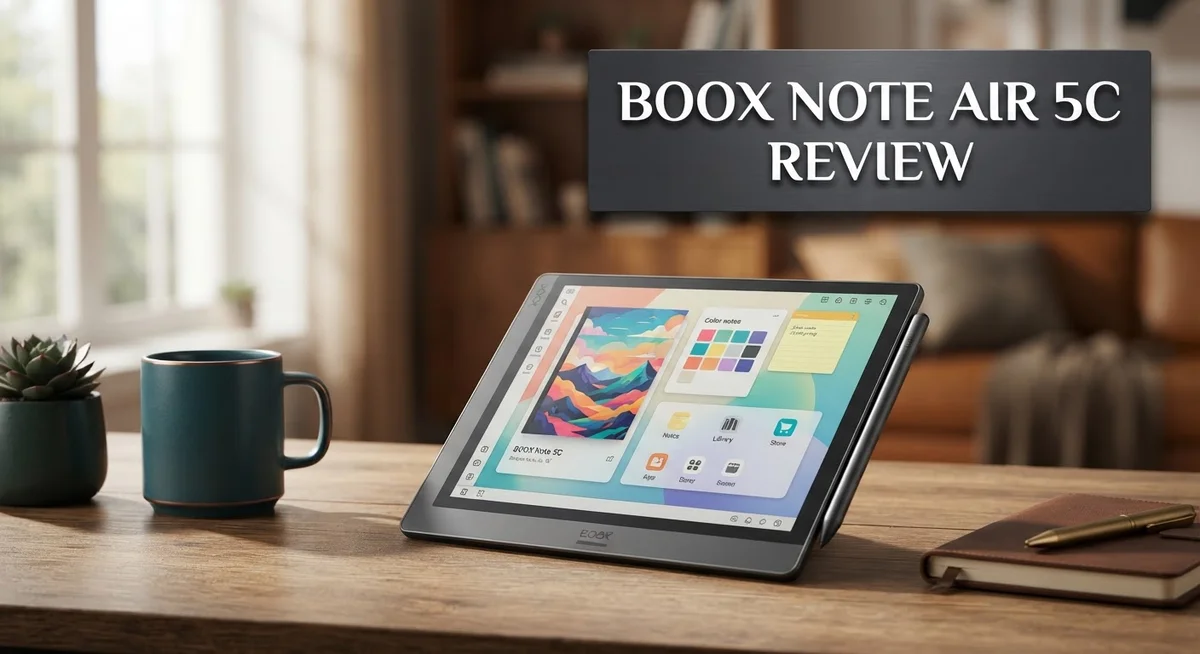
This device brings color to e-ink. It has a 10.3 inch Kaleido 3 screen with 300ppi sharpness. Reading feels natural. Notes look crisp.
We tested this tablet for weeks. We used it for scientific papers, manga, and daily notes. The results surprised us.
The screen refreshes fast. Colors show up well on comics and manga pages. Note taking feels smooth and responsive.
Build quality stands out too. The design is thin and sleek. It feels durable in daily use. An octa-core processor and 6GB RAM keep things running fast.
Android 15 powers this device. You get stylus support, WiFi, and Bluetooth 5.1. A fingerprint power button adds quick security.
No device is perfect though. Battery life has limits. Note taking lacks continuous pages. The screen looks darker than typical tablets, which is common for e-ink technology.
Is the Boox Note Air 5C worth your attention? This review breaks down every detail. We compare it to the Kindle Scribe, iPad, and other Boox models.
Keep reading to see if this tablet fits your needs.
In a Nutshell
Here’s a quick summary of what you need to know about the Boox Note Air 5C.
- Note taking feels smooth and natural. The stylus responds well, and writing on this screen feels close to real paper.
- Comic and manga fans will enjoy the color display. It shows enough color detail to make illustrated pages pop.
- Battery life could be better. You may need to charge this device more often than you expect.
- Continuous scrolling is missing in notes. Pages break instead of flowing together, which some users find annoying.
- The screen looks darker than typical tablets. This is common for e-ink displays, but it’s worth noting before you buy.
- Compared to devices like the Kindle Scribe or iPad, this tablet holds its own. It offers a unique mix of note taking power and e-ink comfort.
- Testers gave this device a 9 out of 10 rating. That score reflects strong overall performance despite a few minor drawbacks.
This tablet suits readers, students, and creative professionals well. It handles scientific papers, manga, and handwritten notes with ease.
Display and Color Technology
The Boox Note Air 5C uses Kaleido 3 color e-ink technology. This display delivers 10.3 inches of screen real estate at 300 pixels per inch. The resolution ensures text stays sharp whether you read books or take notes.
Color e-ink works differently than standard LCD screens. The display uses special ink particles that shift position to create colors. This means you get a genuine paper-like feel without the gloss and glare of traditional tablets.
The color accuracy matters for specific content. Manga and comic books show vibrant illustrations on this screen. Artwork pops with enough color separation to make panels feel alive. However, the palette remains limited compared to standard tablets. Expect realistic colors rather than cinema-quality brightness.
The 300ppi pixel density keeps everything crisp at normal viewing distances. Whether you read academic papers or browse web articles, text remains legible. Small fonts don’t blur or pixelate. This clarity makes extended reading sessions comfortable.
Refresh rates on this device move faster than older e-ink tablets. You’ll notice smoother page turns and quicker response times. The stylus keeps pace with your writing speed. Scribbles appear instantly rather than with lag. This responsiveness makes the Note Air 5C feel more like a real notebook than previous generations.
One thing to understand about e-ink displays is their natural darkness. The screen appears dimmer than typical tablets because e-ink reflects light rather than emits it. This characteristic actually reduces eye strain during long sessions. Your eyes experience less fatigue compared to backlit screens.
Outdoor visibility becomes a strength here. Sunlight actually improves readability on e-ink. You can use this tablet outside without fighting screen reflections. The anti-glare nature of the display shines in bright environments.
The Kaleido 3 technology balances color capability with the durability e-ink provides. You won’t see the latest display innovations, but you gain a screen built to last. The technology prioritizes functionality over flashy visuals. For readers, note takers, and creative professionals, this approach makes practical sense.

- Does not support EMR stylus, Support Active Stylus InkSense, but the sytlus is not...
- Screen: 7" Kaleido 3 (4096 colors)glass screen with flat cover-lens. Resolution: 1680 x...
Last update on 2026-06-27 / Affiliate links / Images from Amazon Product Advertising API
Performance and Processing Power
The Boox Note Air 5C runs on an octa-core processor paired with 6GB of RAM. This combination handles everyday tasks without lag or stuttering. Apps open quickly, and switching between programs feels smooth.
Android 15 powers this device, giving you access to millions of applications. You can install reading apps, note-taking software, and productivity tools directly from the Google Play Store. The system feels responsive when you tap icons or swipe through menus.
The 64GB storage capacity holds thousands of books, documents, and notes. You won’t run out of space for your digital library anytime soon. WiFi and Bluetooth 5.1 connectivity keep you linked to the internet and wireless accessories without delays.
Processing power matters most when you’re multitasking. The Note Air 5C handles note-taking while running a reading app in the background. You can open PDFs, annotate them with the stylus, and switch to another document without the system slowing down. This performance level makes it genuinely useful for work and study.
The stylus response time is particularly important here. The processor works with the display to register pen movements instantly. Your writing appears on screen as fast as you move the stylus, creating that natural paper-like feeling. Lag between hand movement and screen response would ruin this experience, but it doesn’t happen.
Refresh rates on this device move faster than older e-ink tablets. Page turns complete quickly, and scrolling through documents feels responsive. The processor handles these visual updates without creating delays that would frustrate you during reading sessions.
One limitation exists though. The device processes information at a solid pace, but battery life remains moderate. Heavy use drains the battery faster than lighter reading sessions. This isn’t a processing problem but rather a power management trade-off.
Overall, the performance and processing power deliver what users actually need. You get speed where it matters most—note-taking, reading, and app switching. The octa-core CPU ensures everything runs smoothly throughout your day.
Note-Taking and Stylus Experience
The stylus experience on the Boox Note Air 5C sets this device apart for serious note takers. The pressure sensitivity works with precision, capturing everything from light sketches to bold handwriting without lag.
Writing feels remarkably close to pen on paper. The Kaleido 3 display eliminates the plasticky sensation you get on many tablets. Your hand glides smoothly across the screen, and the stylus tip responds instantly to your movements. This immediacy matters when you’re jotting down quick thoughts or working through complex diagrams.
The 300ppi resolution keeps your handwriting sharp and legible. Whether you write small or large, every stroke appears crisp on screen. You won’t see pixelated edges or blurry lines when you zoom in to review your notes later.
One practical advantage emerges during extended writing sessions. The darker e-ink surface reduces eye strain compared to bright LCD screens. Your eyes feel less fatigued after hours of note taking, which makes this device ideal for students and professionals who work long hours.
The stylus itself feels comfortable to hold for extended periods. The weight and grip balance well in your hand. You can switch between writing, drawing, and erasing without fumbling or adjusting your grip constantly. The responsiveness means you don’t need to press hard. Light touches register correctly, which reduces hand fatigue during marathon note taking sessions.
One limitation worth mentioning: the device doesn’t support continuous page scrolling in notes. Instead, pages break into separate sections. Some users find this frustrating, while others appreciate the clear page boundaries for organization.
The color display adds genuine value for note takers who incorporate sketches or diagrams. You can highlight important sections in different colors, making visual organization simpler. The color accuracy works well enough for this purpose, though it won’t match an LCD screen’s vibrancy.
The combination of stylus responsiveness and e-ink texture creates a note taking experience that feels natural and intuitive. Most users report that the learning curve is minimal. You can start writing immediately without any adjustment period.
Top 3 Alternatives
Kindle Scribe

- Our most advanced Kindle Scribe – Features an 11” Colorsoft display with front light...
- Bring ideas to life in color – The custom-built Colorsoft display delivers...

Last update on 2026-09-17 / Affiliate links / Images from Amazon Product Advertising API
Amazon’s Kindle Scribe brings e-reading and writing together in one device. You get a large screen perfect for reading books, magazines, and documents. The stylus lets you take notes and mark up PDFs without switching between tools.
The device syncs with your Amazon account automatically. Your notes appear on your phone or computer instantly. Battery life stretches for weeks, so you charge less often. The display uses E Ink technology, which feels easy on your eyes during long reading sessions.
Remarkable 2

- THE ONLY TABLET THAT FEELS LIKE PAPER – With a paper feel never before experienced on a...
- DO YOUR BEST THINKING – reMarkable has no app store, no pop-up ads, notifications, or...
Last update on 2026-09-17 / Affiliate links / Images from Amazon Product Advertising API
Remarkable 2 focuses on a paper-like writing experience. The screen responds to your pen strokes with minimal lag, making handwriting feel natural. You can write, sketch, and organize your thoughts across digital notebooks.
This device stores thousands of pages without slowing down. The interface stays clean and distraction-free. You can convert handwritten notes to typed text, then export them to your computer. Cloud sync keeps your work safe across devices. The battery lasts about two weeks between charges.
Onyx Boox Page

- Dark, gray, or wrongfully believed low resolution screen : All Eink products used Kaleido...
- Over 99% of mobile apps are optimized for LCD/OLED screens with: High refresh rate...
Last update on 2026-09-17 / Affiliate links / Images from Amazon Product Advertising API
Onyx Boox Page offers a compact alternative for readers and note-takers. The screen size sits between smaller tablets and larger devices, giving you flexibility. You get access to Google Play Store, meaning you can install any Android app you want.
The stylus performs well for writing and drawing. The device handles PDFs smoothly, letting you annotate documents easily. Onyx’s software includes useful features like side notes and margin writing. You can connect to cloud services for backup and sync. The build quality feels solid, and the screen refresh rate works well for both reading and writing tasks.
Design, Build Quality, and Portability
The Boox Note Air 5C features a thin, sleek design that feels premium in hand. The device measures 10.3 inches diagonally, making it large enough for comfortable reading yet portable enough to carry in a bag. The build quality stands out immediately when you first hold it.
The materials used throughout the device speak to durability. The frame feels solid without being heavy, and the overall construction suggests this tablet can handle daily use without worry. The fingerprint power button adds a touch of modern convenience while maintaining the minimalist aesthetic.
Weight matters when you’re carrying a device regularly. The Boox Note Air 5C strikes a good balance between screen size and portability. You won’t feel fatigued holding it for extended reading sessions or note-taking periods. The thin profile makes it easy to slip into a backpack or messenger bag.
The device’s dimensions work well for different use cases. Reading scientific papers becomes comfortable on the larger display. Taking notes in meetings or classes feels natural thanks to the spacious writing area. The form factor adapts well whether you’re sitting at a desk or working on the go.
Durability is a genuine strength here. The e-ink display itself is inherently more robust than LCD screens. It resists scratches better and doesn’t suffer from the same fragility concerns. The overall construction quality means the device should last through years of regular use.
The sleek design doesn’t sacrifice functionality. All ports and buttons are positioned logically. The dual speakers integrate seamlessly into the frame. Everything feels intentional rather than cluttered.
The device also includes Bluetooth 5.1 and WiFi connectivity. These wireless features work reliably without compromising the slim profile. You won’t notice any bulges or awkward antenna placements.
Portability combines with premium build quality to create a device that works equally well at home or on the move. The Boox Note Air 5C proves that larger tablets don’t need to be cumbersome. The design philosophy prioritizes both comfort and durability for users who value reliability.
Battery Life and Connectivity
The Boox Note Air 5C keeps your workflow moving with solid battery performance that handles real-world use. You get multiple days between charges during typical reading and note-taking sessions. Heavy stylus users may see shorter battery life, but the device still delivers respectable endurance compared to standard tablets.
Charging happens quickly through the USB-C port. The battery management system works intelligently in the background. You won’t experience dramatic power drain when the device sits idle. E-ink technology naturally consumes less energy than LCD screens, which gives this device an advantage over traditional tablets.
Connectivity options keep you linked to your content and apps. WiFi connectivity lets you download books, access cloud storage, and sync your notes seamlessly. Bluetooth 5.1 opens doors for wireless headphones, keyboards, and other accessories. These features work reliably without causing noticeable battery drain.
The dual speakers deliver audio for videos and audiobooks without requiring external devices. Sound quality remains decent for casual listening. You can adjust volume quickly through the physical controls.
One practical consideration emerges during extended travel. The device doesn’t need constant charging like smartphones do. A single charge typically lasts through several days of moderate use. This makes the Note Air 5C genuinely portable for professionals who work between locations.
Battery longevity improves when you adjust screen brightness and disable background app refresh. These settings sit easily in the menu system. Most users find default settings strike a good balance between visibility and power consumption.
The fingerprint power button adds security without draining battery significantly. Waking the device happens instantly. This responsive behavior makes daily use feel frictionless.
Overall, battery life and connectivity combine to create a device that supports your lifestyle without constant management. You focus on your work while the hardware handles the technical side. The Note Air 5C performs exactly as users expect from a premium e-ink tablet in this category.
Pros and Cons
Pros
- Fast refresh rate makes reading scientific papers and PDFs smooth without lag
- Color Kaleido 3 display handles manga, comics, and diagrams far better than standard e-ink
- Strong note-taking performance with stylus that feels close to pen on paper
- Thin, sleek design with premium materials that survive daily use and travel
- Dual speakers let you enjoy videos and audiobooks without extra devices
Cons
- Battery life requires brightness adjustments and app management during extended use
- Note-taking lacks continuous page scrolling, forcing manual navigation between sections
- Darker screen appearance is typical for e-ink technology, reducing brightness compared to tablets
Who Should Buy It
The Boox Note Air 5C works best for specific user groups who match its strengths. If you read scientific papers, research documents, or PDFs regularly, this device shines. The fast refresh rate keeps up with your reading pace without lag or stuttering.
Students benefit greatly from this device. You can take handwritten notes with the stylus, review documents, and highlight key sections all in one place. The note-taking performance feels natural, almost like writing on real paper.
Comic and manga fans find real value here too. The Kaleido 3 color display shows illustrations and artwork far better than standard e-ink. Colors appear vibrant enough for visual storytelling without the eye strain of a regular tablet.
Professionals who work with documents should consider this option. Engineers, architects, and designers appreciate the stylus precision for annotations and sketches. The 10.3″ screen gives you enough space to work comfortably without constant zooming.
You should buy this if you spend hours reading daily. The e-ink technology reduces eye fatigue compared to LCD screens. Long reading sessions feel easier on your eyes, even in bright sunlight.
People who travel frequently like this device. The thin, sleek design fits easily into bags. The lightweight build means you won’t feel burdened carrying it around.
Skip this device if you need continuous page scrolling in note-taking. Manual navigation between sections can feel clunky if you’re used to traditional tablets. You’ll need to adjust your workflow slightly.
Avoid it if you prefer extremely bright displays. E-ink screens appear darker than standard tablets. Some users find this frustrating initially, though many adjust within days.
Heavy gamers and video streamers should look elsewhere. This device prioritizes reading and note-taking, not entertainment apps. The performance handles everyday tasks well, but demanding applications will disappoint you.
If battery life is your top concern during extended travel, manage expectations carefully. You’ll need to lower screen brightness and disable background apps to maximize runtime. This requires active management rather than passive use.
The Boox Note Air 5C targets focused readers, students, and professionals. It excels when your main activities involve reading documents and taking notes. It struggles when you demand constant scrolling, extreme brightness, or intensive computing.
Final Verdict
The Boox Note Air 5C stands out as a well built e reader that blends reading, note taking, and light productivity in one device.
Its 9/10 rating reflects strong real world performance rather than just specs on paper.
Compared to the Kindle Scribe, it offers more flexibility through Android apps, letting you install services beyond a closed ecosystem.
If you already use an iPad with a paper like screen protector, the Note Air 5C gives a true E Ink experience without needing extra accessories.
Boox earlier models, like the Note Air 4C, set the stage, but this version pushes hardware and software further for daily use.
The device holds up well over time, thanks to solid build materials that resist wear from constant handling.
For anyone comparing generic Android tablets with reading modes, this device offers a dedicated hardware advantage that software tricks cannot fully replicate.
The final decision comes down to matching your daily habits with what this tablet does best.
If you value flexible reading, sketching, and note taking in a single package, this tablet delivers a strong overall package.
People who need bright displays or fast paced multimedia use should look at other tablets instead.
For everyone else, especially students, professionals, and heavy readers, the Boox Note Air 5C proves itself as a reliable daily companion.
This device earns its place among top E Ink tablets in 2025, standing firm against strong competition from Kindle Scribe and Note Max.
Overall, the Boox Note Air 5C rewards users who want a serious reading and writing tool without unnecessary distractions.
Frequently Asked Questions
Can I use the Boox Note Air 5C for professional work?
Yes, this device works well for professionals who handle documents and PDFs. The 10.3″ Kaleido 3 color display makes reading contracts and reports easier. Android 15 lets you install productivity apps beyond what locked devices offer. The stylus performs well for signing documents and marking up files.
However, continuous page scrolling in notes is missing. You’ll need to manually switch between sections. This slows down heavy annotation work compared to traditional tablets.
How does the color screen compare to regular e-ink readers?
The Kaleido 3 display adds colors to your reading experience. Manga and comics look better than on black and white screens. Scientific papers with charts and diagrams become clearer.
The trade off is a darker appearance overall. Colors show up well, but brightness drops compared to standard tablets or phones. If you read in bright sunlight, you might need to adjust your angle or increase brightness settings.
Will the battery last through a full workday?
Battery life depends heavily on your habits. Brightness, app usage, and WiFi drain the battery faster. Most users need to manage settings during extended use.
Reduce brightness and close unused apps to stretch battery further. Turn off WiFi when you’re just reading. This approach works best for professionals who plan their device use around work sessions.
Is this better than an iPad with a screen protector?
The Boox Note Air 5C gives you a true e-ink experience without screen glare. Your eyes feel less strained after long reading sessions. An iPad with a paper-like protector still produces blue light and uses more power.
The Note Air 5C runs Android, so app choices differ. You won’t get every app available on iPad, but you gain freedom to install services beyond closed ecosystems.