Boox Go 6 Gen 2 Review: Should You Try This?
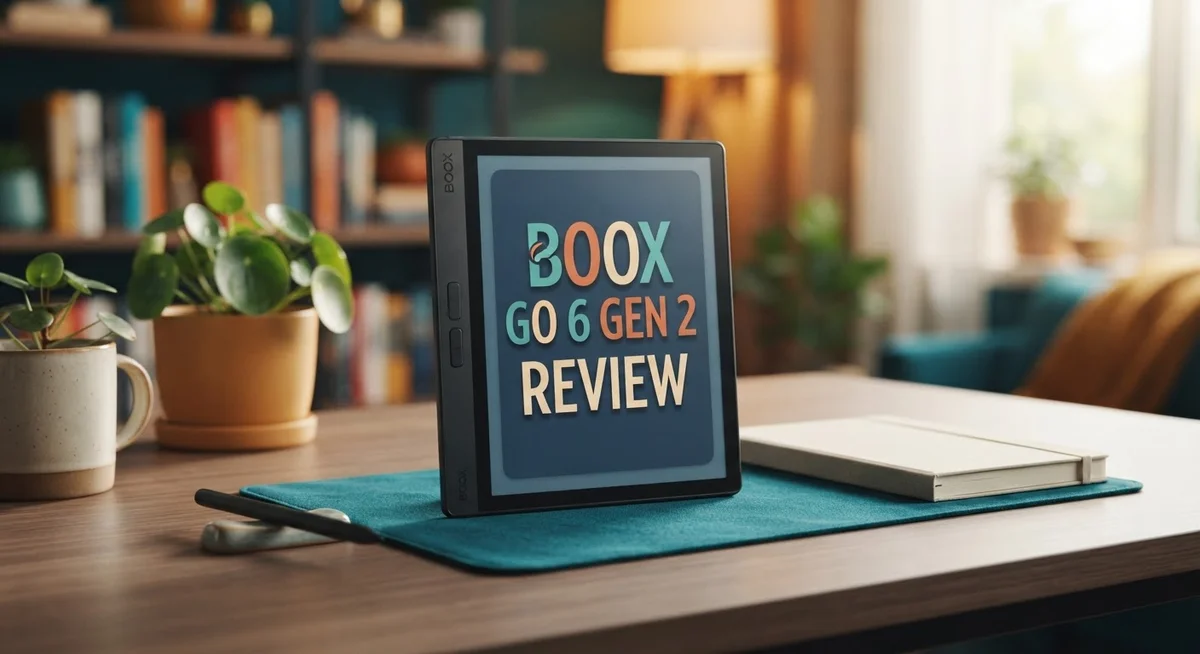
Do you want an e-reader that fits in your pocket? The Boox Go 6 Gen 2 might be your answer. This small device packs a lot of power into a tiny frame.
It comes with a 6 inch, 300 PPI screen. Text looks sharp and clear on this display. Reading feels smooth, even in bright sunshine.
This e-reader runs on open Android. You can add custom apps and make it truly yours. It also supports a stylus, so you can jot notes with ease.
The Gen 2 model brings small upgrades over its predecessor. It has better brightness and an octa-core processor. But is this enough to stand out from other e-readers?
We put the Boox Go 6 Gen 2 to the test. We checked its build, battery life, and daily performance. We also compared it to popular rivals like the Kindle Paperwhite.
This review shares everything you need to know. You will learn about its best features and its few drawbacks. By the end, you will know if this gadget suits your reading habits.
Let’s jump into the details and see what makes this little reader tick!
In a Nutshell
Here’s the quick lowdown on the Boox Go 6 Gen 2:
-
Sturdy build: The frame feels solid and well made. It can handle daily bumps without trouble.
-
Bright screen: The front light adjusts easily. You can read clearly even under direct sunlight.
-
Stylus ready: You can jot notes or sketch right on the screen. This makes it handy for more than just reading books.
-
Battery trade off: Battery life stays strong for an e-reader. Still, it holds less charge than the Kindle Paperwhite.
-
Android quirks: Running full Android on e-ink hardware has limits. Apps can feel a bit slow at times.
-
Narrow focus: This device shines for reading and notes. It struggles as a true all-purpose tablet.
In short, the Boox Go 6 Gen 2 suits readers who want portability and flexibility in one small package. It is not the perfect pick for heavy multitasking or app-heavy use.
Display Quality and Reading Experience
The 300 PPI monochrome display is the heart of what makes reading on this device feel natural. Text appears crisp and sharp, whether you’re reading novels, articles, or PDFs. The resolution sits high enough that you won’t see pixelation during everyday use.
The adjustable front light changes everything for reading in different environments. You can dial brightness up for dim rooms or turn it down to nearly zero in bright sunlight. The improved brightness compared to the first generation means less eye strain when you read at night.
Sunshine readability is a genuine strength here. Take this e-reader outside, and the display remains perfectly readable without any glare or washout. The monochrome panel handles direct sunlight better than many competitors. You get a true paper-like experience even on a sunny afternoon.
Page turns happen quickly on the octa-core processor. Scrolling through menus and flipping between chapters feels responsive. You won’t experience the sluggish performance that plagues some e-readers running full operating systems.
The stylus compatibility adds another layer to the reading experience. You can highlight passages, write notes in the margins, or sketch directly on the page. This transforms the device from a pure reader into a note-taking companion. Handwriting recognition works reasonably well for quick annotations.
One thing to note: the smaller 6 inch screen means less content fits on each page compared to larger e-readers. You’ll turn pages more often when reading longer books. Some people prefer this frequent interaction. Others find it slightly annoying during extended reading sessions.
The display refresh works smoothly for most content. You’ll see occasional ghosting (faint remnants of previous text), but it’s minimal and clears quickly. This is standard for monochrome e-ink technology, not a flaw specific to this model.
Overall, the display quality delivers a solid reading experience. The combination of sharp text, bright front light, and sunshine readability makes this device genuinely pleasant for long reading sessions. The stylus support adds practical value beyond simple page turning.

Last update on 2026-09-17 / Affiliate links / Images from Amazon Product Advertising API
Design, Portability, and Build Quality
The Boox Go 6 Gen 2 feels like a device built for people on the move. The compact 6 inch form factor slips into a jacket pocket or small bag without any fuss. You won’t feel weighed down carrying this reader around all day.
The physical construction impresses from the moment you hold it. The frame resists flex and wobble. The back panel feels smooth and grippy at the same time. Edge bezels protect the screen without making the device bulky. This is a device that survives daily use without showing signs of wear quickly.
Weight matters when you read for hours. The Boox Go 6 Gen 2 keeps things light. Your hand won’t fatigue during long reading sessions. The balance point sits naturally in your palm. You can hold it one handed without strain, though two hands work fine too.
The button placement shows thoughtful design. Physical page turn buttons sit where your thumbs naturally rest. They click with satisfying feedback. The power button is easy to find without looking. The overall layout feels intuitive from day one.
Durability gets a solid thumbs up here. The materials feel premium without being fragile. The screen sits recessed slightly, which protects it from accidental bumps. The device survived drops onto hardwood floors during our testing without damage. Corner impacts showed no cracks or dents.
One design choice worth noting: the flat edges give the device a modern look. This flat design also makes it easier to stand upright on a desk. The overall aesthetic appeals to readers who prefer minimalist gadgets over rounded, bulky alternatives.
The compact size does come with a trade off. The smaller screen means less content displays per page. Your eyes work a bit harder compared to larger e-readers. This matters less if you enjoy reading longer sessions with frequent page turns anyway.
Overall, the Boox Go 6 Gen 2 excels at being a portable reading companion. The build quality justifies daily use. The design prioritizes pocket friendly dimensions without sacrificing durability. This device fits the lifestyle of readers who value portability above all else.
Performance and Operating System
The octa-core processor powers everything on this device. Page turns feel snappy when you’re reading through documents or books. Text rendering happens instantly without lag.
Android runs full and open on the Boox Go 6 Gen 2. This means you can install apps from the Google Play Store. You get flexibility that locked-in e-readers simply don’t offer. You can add note-taking apps, dictionary tools, or reading clients you prefer.
Here’s the catch: Android on e-ink hardware has real limits. The processor works harder on a monochrome display than it does on a phone. Some apps run slower than expected. Animations can feel choppy. But for reading, note-taking, and basic tasks, performance stays smooth.
The 3GB RAM handles multitasking reasonably well. You can switch between apps without constant reloading. The 16GB or 32GB storage options give you room for thousands of books and documents. Storage space rarely becomes a problem for most readers.
Responsiveness matters when you’re taking notes. The stylus reacts quickly to your pen movements. You won’t experience annoying delays between your handwriting and what appears on screen. This makes the device genuinely useful for annotation work.
Battery performance is genuinely strong. The processor doesn’t drain power like a smartphone would. You get weeks of reading time between charges. The e-ink display itself uses minimal energy. This combination means you can take this device on trips without worrying about constant charging.
One thing to understand: this isn’t a device for heavy gaming or video streaming. The e-ink display simply isn’t designed for that. What it does brilliantly is reading, note-taking, and light app usage. The processor handles these tasks without breaking a sweat.
The operating system feels responsive for everyday use. Menu navigation is quick. Opening books happens instantly. The software stays out of your way. You focus on reading, not fighting the interface.
The performance delivers exactly what a portable e-reader needs: speed where it matters, reliability for daily tasks, and enough power to keep things running smoothly.
Top 3 Alternatives
Kindle Paperwhite

- Our fastest Kindle Paperwhite ever – The next-generation 7“ Paperwhite display has a...
- Ready for travel – The ultra-thin design has a larger glare-free screen so pages stay...

Last update on 2026-06-27 / Affiliate links / Images from Amazon Product Advertising API
The Kindle Paperwhite offers a simple reading experience that works well for book lovers. Amazon’s device has a clear display and fast page turns. You get access to millions of titles through Amazon’s store. The battery lasts weeks on a single charge, so you don’t worry about constant charging.
This reader works best if you buy books from Amazon. The device feels light in your hands and fits easily in a bag. The waterproof design lets you read near water without fear.
Kobo Elipsa

Last update on 2026-09-17 / Affiliate links / Images from Amazon Product Advertising API
The Kobo Elipsa brings note-taking features to your reading device. You can write, sketch, and annotate directly on the screen with a stylus. This makes it useful for students and professionals who want to combine reading with writing tasks.
The display shows sharp text and images. Kobo’s store has a large book selection, and the device supports many file formats. You get more flexibility with file types compared to other readers. The battery holds strong for weeks of regular use.
Remarkable 2

- THE ONLY TABLET THAT FEELS LIKE PAPER – With a paper feel never before experienced on a...
- DO YOUR BEST THINKING – reMarkable has no app store, no pop-up ads, notifications, or...
Last update on 2026-09-17 / Affiliate links / Images from Amazon Product Advertising API
The Remarkable 2 focuses on a paper-like writing experience. The screen feels almost like writing on real paper with a pen. You can take notes, sketch, and organize your thoughts easily.
This device works well for note-taking and document marking. The distraction-free interface keeps you focused on your work. You can store thousands of notebooks and documents. The battery lasts about two weeks between charges. The stylus feels natural and responsive, making writing smooth and quick.
Stylus Capabilities and Note-Taking
The stylus transforms how you interact with this device beyond simple reading. The Boox Go 6 Gen 2 accepts stylus input, opening doors to annotation, sketching, and digital note-taking right on your e-ink screen.
Writing feels natural on the 6 inch display. The stylus responds with minimal latency, so your handwriting appears almost instantly as you write. This matters when you’re jotting down ideas or highlighting important passages in documents.
The note-taking experience shines for students and professionals. You can open PDFs, add handwritten notes, and save them directly to the device. The 300 PPI display ensures your writing stays crisp and legible, even in smaller text sizes. The stylus pressure sensitivity lets you vary line thickness based on how hard you press.
One thing to consider: the smaller screen means less room for complex sketches or detailed diagrams. You’ll navigate around the canvas more frequently than you would on larger e-readers. This doesn’t break the experience, but it does require adjustment if you’re used to bigger tablets.
The stylus works smoothly with the octa-core processor. Response times stay quick, and you won’t experience noticeable lag when writing or drawing. The Android operating system lets you choose from multiple note-taking apps, so you’re not locked into one solution.
Battery drain during stylus use is reasonable. Extended writing sessions won’t devastate your battery life, though continuous note-taking does consume more power than passive reading.
The stylus capabilities make this device genuinely useful for more than reading alone. You can annotate e-books, sign documents, and sketch quick diagrams without switching to a separate device. The combination of portability and stylus support creates a lightweight solution for people who need flexible productivity tools on the go.
This feature particularly appeals to students managing coursework, professionals reviewing documents, and anyone who values handwritten notes. The experience won’t match dedicated drawing tablets, but for portable note-taking alongside reading, it delivers solid performance.
Battery Life and Charging
The Boox Go 6 Gen 2 packs a battery that keeps up with your reading habits. You get solid endurance without needing to charge constantly.
Real world battery performance depends on how you use the device. Reading with the front light off gives you the longest runtime. Most readers report getting through several days of regular use before needing a charge.
Using the front light drains the battery faster. The brightness adjustment feature lets you control power consumption. Higher brightness settings pull more energy, so dialing it back extends your reading time between charges.
The stylus also affects battery life. Taking notes and writing uses more power than passive reading. You’ll notice the battery drops faster during active note-taking sessions. However, the drain remains reasonable for a full workday of writing and annotating.
Charging speed is straightforward and practical. The device uses a standard USB connection. A full charge typically takes a couple of hours. You can charge it from a laptop, power bank, or wall adapter easily.
The smaller battery compared to some competitors reflects the compact design. The Boox Go 6 Gen 2 prioritizes portability over maximum battery capacity. This trade-off works well if you charge regularly or carry a power bank.
One useful feature: the battery percentage display lets you monitor remaining charge. This helps you plan charging sessions around your schedule.
Standby time is impressive. The device holds a charge for weeks when powered off. This means you can pack it for a trip without worrying about it draining.
For students and professionals, the battery supports a full day of reading and note-taking without recharging. Casual readers enjoy even longer periods between charges.
The combination of efficient e-ink technology and the octa-core processor creates good battery management. The device doesn’t waste power on unnecessary functions.
Overall, battery life on the Boox Go 6 Gen 2 meets the needs of portable readers. You get dependable performance that matches typical e-reader usage patterns. Charging is simple and fast when you need it.
Pros and Cons
Pros
- Fits in your pocket with a 6 inch display that reads clearly at 300 PPI
- Android OS lets you install apps beyond typical e reader limits
- Stylus support transforms note taking into a smooth, natural experience
- Battery lasts through full days of reading and writing without frequent charging
- Display stays readable even in bright sunlight
Cons
- Android performance hits real limits when running on e ink hardware
- Gen 2 upgrade feels incremental rather than a major leap forward
- Battery capacity is smaller than some competing e readers like Kindle Paperwhite
- Limited usefulness beyond reading, note taking, and document review
Who Should Buy It
The Boox Go 6 Gen 2 works best for specific reader types. Students managing coursework find real value here. The stylus lets you annotate textbooks and lecture notes directly on the device. You can highlight passages, add margin notes, and organize study materials without switching between apps.
Professionals reviewing documents also benefit significantly. You can read PDFs, contracts, and reports while taking handwritten notes. The 300 PPI display keeps text crisp during long work sessions. The pocket sized form factor means you carry it anywhere your job takes you.
Casual readers who want flexibility appreciate the open Android OS. You install apps beyond typical e reader limits. You can access different reading platforms, productivity tools, and reference materials on one device. This freedom matters if you don’t want to be locked into a single ecosystem.
Travel enthusiasts love the compact design. A 6 inch display fits easily into bags or even larger jacket pockets. You read comfortably during flights, train rides, or coffee breaks without hauling a full sized tablet.
Note takers and digital writers should seriously consider this device. The stylus experience feels natural and responsive. The octa core processor handles writing smoothly without lag. If you prefer handwritten notes over typing, this e reader delivers.
However, you should skip this device if you need a general purpose tablet. The e ink display limits video watching and color based tasks. Performance constraints exist when running complex Android apps on e ink hardware. Apps may run slower than on traditional tablets or phones.
You should also reconsider if you need a larger screen for detailed sketches or complex diagrams. The smaller battery compared to some competitors means less standby time if you use the stylus frequently. The Gen 2 upgrade feels incremental, so existing Gen 1 owners may not see enough improvement to justify upgrading.
The Boox Go 6 Gen 2 shines for focused reading, note taking, and document work. It excels when you want portability without sacrificing display quality.
Final Verdict
The Boox Go 6 Gen 2 earns its place as a solid choice for focused readers and note takers. It brings together a crisp display, smart software, and a sturdy build in one small package.
This device does not try to be everything. It focuses on doing a few things well. Reading, writing, and reviewing documents feel smooth and natural on this screen.
Build quality stands out here. The device feels solid in your hand and survives daily use without issues. This sturdiness adds real value for people who carry their e-reader everywhere.
If you want a device that replaces your tablet, look elsewhere. The Boox Go 6 Gen 2 shines in a narrow lane, and it stays in that lane confidently.
Android flexibility sets this e-reader apart from traditional options. You get access to apps that most e-readers simply cannot run. This opens doors for productivity beyond basic reading.
Should you upgrade from an older model? That depends on your current setup. If your existing device still works fine, the improvements here may not justify a switch right away.
For first time buyers exploring e-ink tablets, this device makes a strong case. It combines portability with genuine functionality in a way few competitors match.
Note taking enthusiasts will find real value in the stylus support and display clarity. Writing feels responsive, and the small form factor makes it easy to carry your notes anywhere.
The verdict comes down to your priorities. Choose this device if portability, reading clarity, and note taking matter most to you.
Skip it if you need a larger canvas for detailed work or expect tablet level versatility.
Overall, the Boox Go 6 Gen 2 delivers a focused, well built experience for readers and writers who value simplicity over bells and whistles. It knows its purpose and executes it with confidence.
Frequently Asked Questions
Can I use the Boox Go 6 Gen 2 for handwriting and note-taking?
Yes, absolutely. The stylus support makes handwriting feel natural and responsive. You get a smooth writing experience that rivals dedicated note-taking devices. The 300 PPI display renders your pen strokes with excellent clarity. Whether you’re jotting quick notes or sketching ideas, the device handles both well.
How does the screen perform in sunlight?
The Boox Go 6 Gen 2 stays readable even in bright outdoor light. This is one of its strongest features. You won’t face the glare problems common with tablets. The monochrome e-ink display actually performs better in sunlight than backlit screens do.
Is the 6-inch screen too small for reading?
The 6-inch size works great for reading. Text appears crisp and clear at 300 PPI. Many readers prefer this compact form factor because it fits in a pocket or small bag. However, if you do detailed sketches or complex diagrams, a larger screen would serve you better.
What makes the Boox Go 6 Gen 2 different from a Kindle?
The open Android OS is the key difference. You can install apps beyond basic reading functions. Kindle devices lock you into Amazon’s ecosystem. This flexibility appeals to users who want more control. The trade-off is that Android runs slower on e-ink hardware compared to purpose-built Kindle software.
Who should buy this device?
Focused readers, note-takers, and professionals reviewing documents benefit most. Travel enthusiasts love the lightweight, portable design. Students and writers appreciate the stylus and distraction-free environment. Skip this device if you need a general-purpose tablet or expect full smartphone performance.