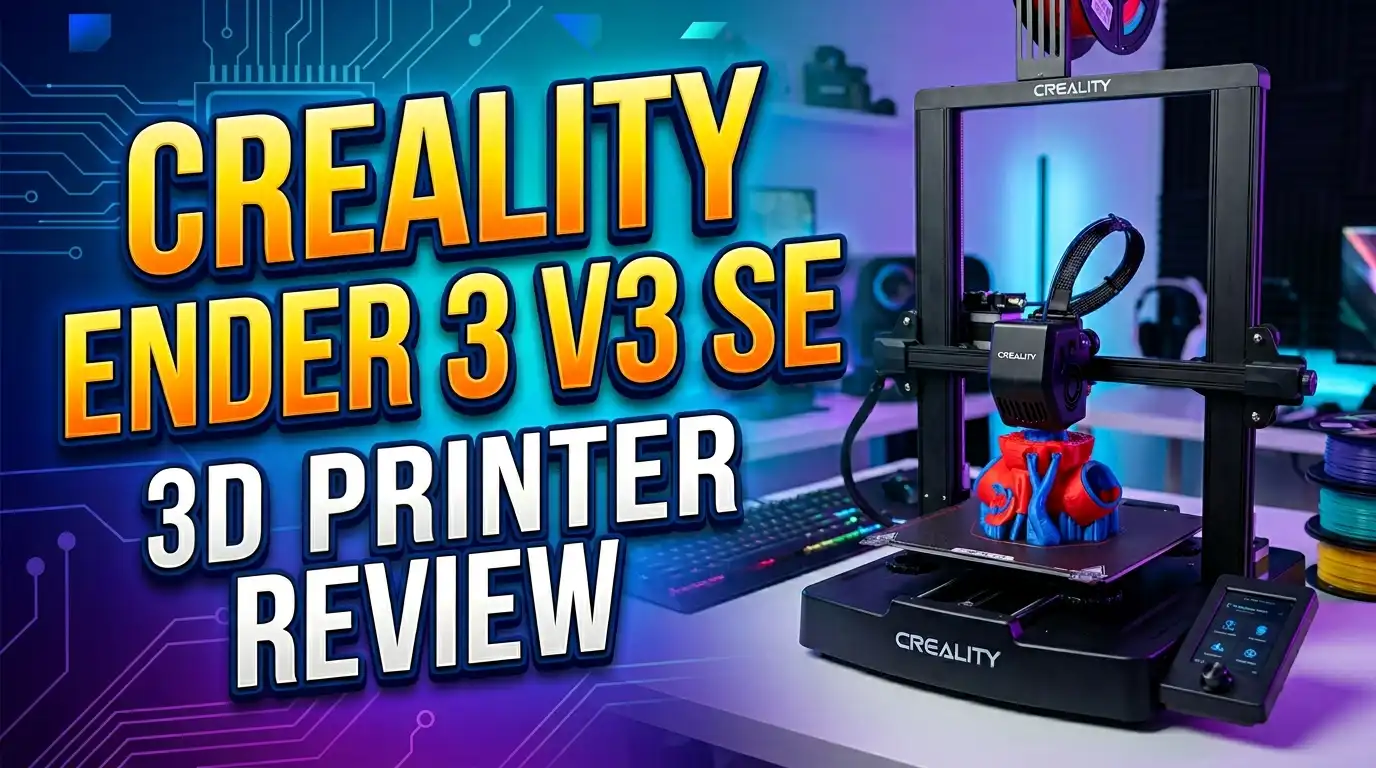
Creality Ender 3 V3 SE 3D Printer Review 2026: Best Budget Pick for Beginners?
Are you looking for the best budget 3D printer that actually delivers on its promises? The Creality Ender 3 V3 SE has been turning heads since its launch, and in 2026, it still holds its ground as one of the most capable affordable FDM printers you can buy.
With a price tag under $200, it packs features that were once reserved for much pricier machines.
In this full review, we cover everything: specs, design, print quality, ease of use, pros and cons, and whether the Ender 3 V3 SE is still worth buying in 2026. Let’s get straight into it.
In a Nutshell
- Outstanding value for money: The Creality Ender 3 V3 SE prints at up to 250mm/s, which is significantly faster than most printers in its price bracket. You get premium-tier speed at a beginner-tier price, making it a top pick on any budget-focused list.
- Beginner-friendly setup: The printer assembles in roughly 10 minutes thanks to a pre-built modular design. The CR Touch auto-leveling system takes away the most frustrating part of 3D printing for new users, which is getting the first layer right every single time.
- Sprite Direct Drive Extruder: The direct drive extruder on the Ender 3 V3 SE handles a wide range of filaments with excellent grip and reliability. It works well with PLA, PETG, and TPU, making it very flexible for everyday printing needs.
- Solid print quality: Real-world test prints including Benchy boats, calibration cubes, and detailed models come out with impressive accuracy. Dimensional tolerance is typically within 0.1mm, which is great for a printer at this price point.
- A few minor limitations: The printer lacks a filament runout sensor, heating can be a bit slow, and the nozzle maxes out at 260°C, which means high-temperature materials like ABS or Nylon require an upgrade. These are manageable trade-offs at the price.
- Still relevant in 2026: While newer models have entered the market, the Ender 3 V3 SE remains a strong pick for anyone who wants a reliable, community-supported, upgradeable FDM printer without spending a lot.
Creality Ender 3 V3 SE: Quick Overview

- 【Hassle-free Auto Leveling】Ender-3 V3 SE features a CR Touch sensor for auto leveling...
- 【Ensure Smooth Feeding】Ender 3 V3 SE 3d printers comes with the new upgraded "Sprite...
Last update on 2026-06-09 / Affiliate links / Images from Amazon Product Advertising API
The Creality Ender 3 V3 SE is a compact FDM (Fused Deposition Modeling) 3D printer aimed at beginners and budget-conscious makers. It was released as an upgrade to the classic Ender 3 lineup and brought a significant jump in features, especially with auto-leveling, a direct drive extruder, and improved print speeds.
The build volume measures 220 x 220 x 250mm, which is standard for entry-level printers and gives you plenty of space for most everyday prints.
The printer runs on Creality’s own Creality Print slicer software, though it is also compatible with popular third-party slicers like Cura and PrusaSlicer. The 3.2-inch color LCD screen with a rotary knob makes it straightforward to operate, even for people who have never touched a 3D printer before.
Design and Build Quality of the Creality Ender 3 V3 SE
The Creality Ender 3 V3 SE looks and feels more premium than its price suggests. The base is covered with a clean plastic housing that hides most of the internal electronics, giving it a tidy, modern appearance. The tool head has a smooth hood that adds to the overall professional look.
The Y-axis uses dual stainless steel rods with linear bearings, which results in a smoother printing motion and better dimensional accuracy. The X-axis stepper motor sits on the inside of the frame, which reduces the printer’s physical footprint without compromising performance. The Z-axis uses dual screws synced with a timing belt, a design that eliminates the Z-wobble issues that plagued earlier Ender 3 models.
The overall build feels sturdy. The frame does not flex during high-speed printing, which directly contributes to the quality of your prints. Creality has clearly put thought into refining the structure of this printer compared to its predecessors.
Specifications at a Glance
Understanding the core specs helps you know exactly what you are getting with the Ender 3 V3 SE before you buy it.
- Build Volume: 220 x 220 x 250mm
- Max Print Speed: 250mm/s (recommended: 180mm/s)
- Max Acceleration: 2,500mm/s²
- Nozzle Temperature: Up to 260°C
- Bed Temperature: Up to 100°C
- Layer Resolution: 0.05 to 0.35mm
- Extruder Type: Sprite Direct Drive
- Auto Leveling: CR Touch (16-point mesh)
- Connectivity: SD Card, USB
- Supported Filaments: PLA, PETG, TPU
- Display: 3.2-inch Color LCD with Rotary Knob
- Machine Weight: Approximately 7.8kg
- Price Range: $159 to $219 USD (varies by retailer)
These numbers tell a clear story: this is a well-equipped printer for its price class, particularly in terms of speed and auto-leveling capability.
Top 3 Alternatives for Creality Ender 3 V3 SE
If you want to compare the Ender 3 V3 SE with similar printers before making your final decision, these three alternatives are worth checking out. Each one offers a slightly different experience depending on your needs and budget.

- LIGHTNING-FAST 500MM/S PRINTING: Powered by Klipper firmware, Neptune 4 Max reaches speeds...
- MASSIVE BUILD VOLUME: Spacious 16.53”x16.53”x18.89”/420x420x480mm build area for...

Last update on 2026-06-09 / Affiliate links / Images from Amazon Product Advertising API
The ELEGOO Neptune 4 Pro is a strong competitor that prints up to 500mm/s and features a 300°C high-temperature nozzle. It supports more materials out of the box, including ABS, which is a clear advantage over the Ender 3 V3 SE. If you need faster speeds and wider material compatibility, the Neptune 4 Pro is a great step up.

- 【More Than Faster】Anycubic Kobra 2 fast 3D printer Firmware Upgrades save printing...
- 【New Direct Extruder】Kobra 2 adopts a dual-gear extrusion structure, efficiently and...
Last update on 2026-06-09 / Affiliate links / Images from Amazon Product Advertising API
The Anycubic Kobra 2 is another budget-friendly option with a clean design and solid auto-leveling system. It prints at up to 300mm/s and is well-supported by the community. The Kobra 2 is slightly easier to get started with and offers reliable print quality for everyday PLA and PETG prints.

- 【Hassle-free Auto Leveling】Ender-3 V3 SE features a CR Touch sensor for auto leveling...
- 【Ensure Smooth Feeding】Ender 3 V3 SE 3d printers comes with the new upgraded "Sprite...
Last update on 2026-06-09 / Affiliate links / Images from Amazon Product Advertising API
The Creality Ender 3 V3 SE with PLA Filament bundle is worth considering if you want to jump straight into printing without buying filament separately. This bundle offers excellent value and is perfect for anyone buying their very first 3D printer setup.
Sprite Direct Drive Extruder: What Makes It Stand Out
The Sprite Direct Drive Extruder is one of the most important upgrades the Ender 3 V3 SE has over older Ender 3 models. Earlier versions used a Bowden-style extruder, which placed the motor far from the nozzle and created challenges with flexible filaments. The Sprite extruder changes that entirely.
The direct drive design places the motor directly above the hot end, meaning the filament travel distance is much shorter. This improves retraction performance, reduces stringing, and gives you much better control over flexible materials like TPU.
The extruder has strong grip, and filament loading is simple thanks to the auto-load feature. You simply insert the filament while holding the lever, and the printer feeds it automatically once the hot end reaches the target temperature.
The hot end itself handles temperatures up to 260°C, which covers PLA, PETG, and TPU comfortably. For most home users and hobbyists, this range is more than enough. The only limitation is that ABS and Nylon require higher temperatures, so users who want to print those materials regularly should look at an upgrade or consider a different printer.
CR Touch Auto Leveling: Hassle-Free First Layers Every Time
Bed leveling is the step that frustrates most beginners, and the CR Touch auto-leveling system on the Ender 3 V3 SE solves this problem effectively. The leveling process works in two stages, and both happen automatically with just a tap of a button.
First, the printer calibrates its Z-offset using a strain-gauge sensor located under the front-left corner of the print bed. The nozzle moves down slowly until it makes gentle contact with the bed surface, and the sensor detects this pressure to set the precise Z-offset. This eliminates the need for manual paper-test leveling, which is a common source of error for new users.
Second, the CR Touch probe taps 16 points across the bed to build a virtual mesh map of the surface. Any unevenness in the bed is compensated for digitally during printing. The result is a perfect first layer that sticks well without any elephant-foot deformation or gaps. This two-step process is genuinely one of the best implementations of auto-leveling at this price point.
Print Speed and Performance: Is 250mm/s Real?
Creality advertises the Ender 3 V3 SE as capable of printing at up to 250mm/s with 2,500mm/s² acceleration. The natural question is: does it actually deliver? The short answer is yes, but with some context.
At 60mm/s, the print quality is outstanding. Benchy models come out clean, with sharp details and smooth walls. At 120mm/s, the quality barely drops, making this the sweet spot for everyday printing if you want both speed and quality.
At 180mm/s, which is Creality’s recommended typical speed, there is a very slight quality reduction that most people will not notice unless they look closely. At the maximum 250mm/s, prints are usable but show visible quality loss, especially at the Z seam.
The biggest improvement over older Ender 3 models is not just the raw speed, but how well the printer maintains quality at those speeds. The dual Z-axis, stainless steel Y-axis rods, and rigid frame all work together to prevent vibrations that would otherwise ruin print quality at higher speeds.
In terms of time savings, going from 60mm/s to 180mm/s cuts print times roughly in half, which adds up significantly over many prints.
Print Bed and Surface: Great Adhesion Out of the Box
The print bed on the Ender 3 V3 SE is a removable PC-coated spring steel sheet that sits magnetically on the heated aluminum bed. This combination delivers excellent print adhesion for PLA and PETG without needing any glue stick or hairspray.
The surface is noticeably grippy when warm, meaning prints stick well during the print job. Once the bed cools down to room temperature, prints release easily without force. If a print is particularly stubborn, you can simply flex the spring steel plate and the print pops off cleanly. This is a huge convenience for anyone who has dealt with prints that refuse to release.
The bed heats up to 100°C, which is sufficient for PLA, PETG, and TPU. The plate is also easy to reposition thanks to two small front tabs for gripping and two rear cavities that help you align it correctly every time. Replacing or upgrading the build surface is also straightforward, which is a bonus if you want to try different surface types in the future.
User Interface and Ease of Use
The Ender 3 V3 SE uses a 3.2-inch color LCD screen controlled by a single rotary knob. While it is not a touchscreen, the interface is clean, well-organized, and fast to respond. The home screen shows all the key information you need, including nozzle temperature, bed temperature, and print progress.
Setting up the printer from scratch is simple. Power it on, select your language, run the leveling process, and you are ready to print. The entire first-time setup, including assembly, can be done in under 30 minutes by someone with no prior experience.
Loading filament is also intuitive: preheat the nozzle from the Prepare menu, then insert the filament while pressing the extruder lever. The printer auto-loads the filament the rest of the way.
The only minor complaint about the interface is the absence of a dedicated back button. Backing out of menus requires you to navigate using the rotary knob, which can occasionally feel slightly slower than expected. This is a very small issue and does not affect the overall experience in any meaningful way.
Slicer Software: Creality Print and Third-Party Options
The printer includes a copy of Creality Print, which is Creality’s in-house slicing software. It comes pre-loaded with profiles for all current Creality printers, including the Ender 3 V3 SE, which means you do not need to set up printer parameters manually.
The interface is clean and approachable for beginners, offering basic and advanced print settings without overwhelming new users.
For those who prefer more control, the Ender 3 V3 SE is also fully compatible with Ultimaker Cura and PrusaSlicer. However, you will need to create your own custom printer profiles for these third-party slicers, which requires some research or community resources.
Creality Print is a solid starting point for most users, and you can always switch to a more powerful slicer once you become comfortable with the basics.
The slicer supports common file formats including STL, OBJ, and 3MF, and exporting files to the printer via SD card is simple and reliable.
Pros and Cons of the Creality Ender 3 V3 SE
Pros:
- Great print quality for the price, even at higher speeds
- Fast printing at up to 250mm/s with 2,500mm/s² acceleration
- Excellent CR Touch auto-leveling with 16-point mesh compensation
- Sprite Direct Drive Extruder for better filament handling and TPU compatibility
- Removable PC spring steel print bed with strong adhesion
- Very easy and fast assembly (approximately 10 minutes)
- Clean and intuitive color LCD interface
- Compact and sleek design
- Compatible with Creality Print, Cura, and PrusaSlicer
- Strong online community and extensive upgrade ecosystem
Cons:
- No filament runout sensor included
- Slower bed and nozzle heating compared to some competitors
- Nozzle maxes at 260°C, limiting ABS and Nylon printing
- Z seam visibility increases at higher print speeds
- No touchscreen display
- No built-in Wi-Fi connectivity
Who Should Buy the Creality Ender 3 V3 SE?
The Ender 3 V3 SE is not the right printer for everyone, but it is a perfect fit for a specific type of user, and understanding that helps you decide quickly.
It is the ideal choice for absolute beginners who want a printer that does most of the hard work for them. The auto-leveling, auto-load filament, and fast assembly mean you can go from unboxing to your first print in under an hour. You do not need to be technically minded to get great results from this machine.
It also suits hobbyists and makers on a budget who want to print functional parts, prototypes, figurines, or cosplay props without spending over $200. The print quality is genuinely impressive for the price, and the large online community means help and upgrade guides are easy to find.
If you already own an older Ender 3 and are thinking about upgrading, the V3 SE offers a significant jump in convenience and print quality for a very reasonable investment.
It is less suitable for users who want to print ABS regularly, need Wi-Fi connectivity, or prefer a fully enclosed printer for temperature-sensitive materials.
Is the Creality Ender 3 V3 SE Still Worth Buying in 2026?
This is the question that matters most, especially since newer printers have entered the market since the V3 SE launched. The honest answer is yes, it is still worth buying in 2026, but with realistic expectations.
The printer offers a combination of ease of use, print quality, and price that is genuinely hard to beat in its category. Competing printers at a similar price point either lack the auto-leveling quality, the direct drive extruder, or the build speed that the V3 SE delivers. While faster and more feature-rich printers exist, they typically cost significantly more.
If your budget is under $200 and you want a reliable, beginner-friendly FDM printer that produces good-quality prints right out of the box, the Creality Ender 3 V3 SE remains one of the best options available in 2026. It may not have Wi-Fi or a touchscreen, but it prints consistently, levels automatically, and handles a wide range of common filaments with ease.
Final Verdict: Our Rating
After reviewing all aspects of the Creality Ender 3 V3 SE, here is where it stands:
- Print Quality: 4.5 / 5
- Ease of Use: 4.5 / 5
- Value for Money: 5 / 5
- Build Quality: 4 / 5
- Features: 4 / 5
- Overall: 4.4 / 5
The Creality Ender 3 V3 SE earns a strong recommendation from us. It is a well-rounded budget 3D printer that punches above its weight in nearly every category.
For anyone stepping into 3D printing for the first time in 2026, or anyone who wants a reliable second printer without breaking the bank, this machine is a fantastic choice. Creality has delivered something genuinely impressive at a price that makes the hobby accessible to almost everyone.
Frequently Asked Questions
What filaments does the Creality Ender 3 V3 SE support?
The Creality Ender 3 V3 SE officially supports PLA, PETG, and TPU filaments. The nozzle reaches a maximum temperature of 260°C, which covers these three materials very well. For ABS or Nylon, you would need to upgrade the hot end or consider a different printer with a higher-temperature nozzle.
How long does it take to assemble the Ender 3 V3 SE?
Assembly takes roughly 10 minutes. The printer comes in a semi-assembled state, and you only need to attach the Z-axis gantry to the base, connect a few cables for the motors and display, and secure everything with a few bolts. Creality includes a clear manual and all the tools needed in the box.
Does the Creality Ender 3 V3 SE have auto-leveling?
Yes, it uses the Creality CR Touch sensor for automatic bed leveling. The process creates a 16-point mesh map of the print surface and compensates for any unevenness digitally. It also includes a strain-gauge sensor for automatic Z-offset calibration, which together produce a reliable first layer every time.
What slicer software works with the Ender 3 V3 SE?
The printer works with Creality Print, which comes bundled with pre-set profiles for the machine. It is also compatible with Ultimaker Cura and PrusaSlicer, though you will need to configure a custom printer profile for those. Creality Print is recommended for beginners since it requires no additional setup.
Is the Creality Ender 3 V3 SE good for beginners?
Absolutely. It is one of the most beginner-friendly FDM printers available in its price range. The auto-leveling, simple interface, fast assembly, and auto-load filament system remove most of the technical barriers that usually frustrate new users. Most beginners can complete their first successful print within an hour of opening the box.
What is the maximum print speed of the Ender 3 V3 SE?
The maximum advertised print speed is 250mm/s with an acceleration of 2,500mm/s². In practice, 180mm/s is the recommended everyday speed that balances time savings with good print quality. At 250mm/s, prints are still usable but show slightly more imperfections, particularly at the Z seam.
Does the Creality Ender 3 V3 SE have Wi-Fi connectivity?
No, the Ender 3 V3 SE does not have built-in Wi-Fi. It uses a full-sized SD card for file transfer, which is simple and reliable. USB connection is also available. If Wi-Fi printing is important to you, you may want to look at printers in a higher price bracket or explore third-party solutions like OctoPrint with a Raspberry Pi.
How does the Ender 3 V3 SE compare to the Ender 3 V3 KE?
The Ender 3 V3 KE is the next step up from the V3 SE. It prints faster at up to 500mm/s, has a better firmware and touchscreen interface, and features smoother X-axis linear rails. If you have more budget, the V3 KE offers a noticeably improved experience. However, the V3 SE still delivers excellent value and is a strong choice if the KE is out of your price range.