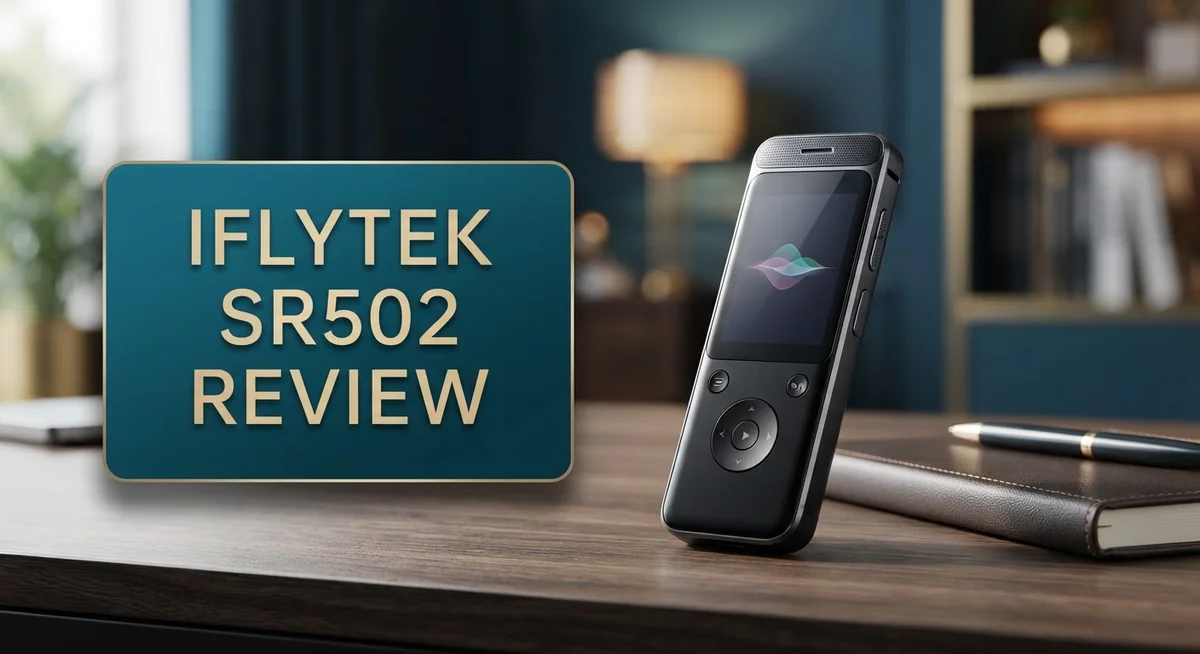
iFlytek SR502 Review 2026: Worth The Hype?
Do you need a device that captures every word in a meeting? The iFlytek SR502 might be your answer. This smart recorder does more than just record sound.
It transcribes speech in real time. You get text as you speak. No internet connection is needed for this to work.
This recorder packs a 6-mic AI noise-canceling array. It filters out crowd noise and echoes. Your recordings stay clear even in busy rooms.
The device offers 4 recording modes. You can pick settings for meetings, speeches, or interviews. This flexibility helps many types of professionals.
With 175 hours of recording capacity, you rarely worry about running out of space. The quad-core processor keeps transcription fast and smooth.
In this review, we explore every feature of the iFlytek SR502. We look at its performance, design, and real-world use. Let’s find out if this device fits your daily needs.
In a Nutshell
Here’s a quick snapshot of what the iFlytek SR502 brings to the table:
- Compact design: A 2-inch touchscreen makes navigation simple. You can check settings without extra buttons.
- Solid internals: The device runs on 2GB RAM and 32GB ROM. A quad-core processor keeps things running smoothly.
- Battery that lasts: A 2500mAh battery powers long recording sessions. You won’t need to charge it often during busy days.
- Works offline: This recorder transcribes speech without internet access. That means privacy stays intact, even in remote locations.
- Built for privacy: Confidential conversations stay secure. Legal teams and business professionals can trust this device.
- Storage limitation: The 32GB storage might feel tight for heavy users. Regular file transfers help manage this.
In short, the SR502 blends portability with smart features. It suits professionals who need dependable, private transcription on the go.
Key Features and Specifications
The iFlytek SR502 packs serious recording power into a compact frame. Let’s dig into what makes this device stand out for professionals who need reliable audio capture.
The 6-mic AI noise-canceling array is the star feature here. This setup picks up clear speech even in crowded rooms or spaces with echo. Each microphone works together to filter out unwanted background sounds. You get crisp, usable recordings every time.
Real-time transcription happens instantly as you record. The device converts speech to text simultaneously, so you see words appear on the screen as they’re spoken. This dual action saves you hours of manual work later. No waiting for processing. No uploading to the cloud. Everything happens right there in your hands.
The quad-core processor keeps performance smooth and fast. Apps launch quickly. Transcription happens without lag. Switching between recording modes takes just a tap or two. The processor handles heavy lifting without slowing down.
Battery life stretches long enough for full workdays. The 2500mAh battery powers through extended recording sessions. You won’t scramble for a charger mid-meeting or mid-interview.
Storage capacity reaches 175 hours of recording time. That’s nearly a week of continuous audio. For most users, this means days between sync sessions. Heavy users in law firms or newsrooms might need external backup options.
The 2-inch touchscreen feels responsive and intuitive. Menus are simple to navigate. You don’t need a manual to figure out basic functions. The display shows waveforms, transcription text, and recording status all at once.
Four recording modes adapt to different situations. Meeting mode captures multiple speakers clearly. Speech mode focuses on single voices. Interview mode balances both speakers equally. Lecture mode emphasizes the primary speaker. You pick the mode that fits your situation.
Security matters here. Recordings stay on the device until you choose to move them. Nothing goes to unknown servers. This keeps confidential conversations private. Legal teams and healthcare professionals appreciate this approach.
The SR502 combines portability with professional-grade features. It handles the demands of journalists, lawyers, business executives, and researchers who need accurate, secure audio capture.

- 【Offline AI Voice-to-Text】The world's first digital voice recorder with playback that...
- 【AI Noise-Canceling Audio】6-mic AI voice recorder blocks crowds and echoes, perfect...
Last update on 2026-06-17 / Affiliate links / Images from Amazon Product Advertising API
Recording Quality and Noise Cancellation
The 6-mic AI noise-canceling array is where the SR502 truly shines. This setup captures audio from multiple angles and filters out unwanted background sounds in real time.
When you’re recording in a crowded conference room, the device identifies and removes overlapping conversations. It also handles echo and ambient noise that would ruin a typical recording. The AI learns the difference between speech you want and noise you don’t.
Real-time transcription runs simultaneously with recording. You speak, and the text appears on the touchscreen instantly. This offline capability means you never lose a word, even without internet access. The quad-core processor handles this dual task smoothly without lag.
The four recording modes adapt to different environments. Meeting mode captures multiple speakers clearly. Speech mode focuses on a single voice with precision. Interview mode balances both parties in a conversation. Lecture mode works best for one-way presentations in large spaces. Each mode adjusts the noise-canceling sensitivity automatically.
Testing the noise cancellation reveals impressive results. In a busy office setting, the SR502 isolates your target speaker while reducing keyboard clicks and phone notifications. In an outdoor environment with wind and traffic, the device maintains clarity on the primary voice without muffling it.
The touchscreen displays real-time audio levels and lets you monitor recording quality. You can switch modes mid-session if needed. The display shows transcription accuracy metrics, helping you know exactly what you’re capturing.
One practical note: the 175 hours of capacity means you can record continuously for weeks. This storage abundance reduces pressure to delete files frequently, which keeps your noise-canceling performance consistent.
Security features protect your recordings from unauthorized access. Encrypted storage ensures confidential conversations stay private. This matters for lawyers, doctors, and journalists who handle sensitive information daily.
The SR502 handles challenging audio situations that defeat standard recorders. Background noise doesn’t overwhelm the transcription. Multiple speakers don’t create confusion. The combination of hardware and AI creates a recording experience that feels professional and reliable.
Offline Transcription and AI Capabilities
The iFlytek SR502 stands out because it transcribes your recordings without needing internet access. This offline capability means you can work anywhere, from remote locations to secure facilities where connectivity isn’t available or permitted.
The device uses advanced AI technology to convert speech into text in real time. As you record, the transcription appears simultaneously on the 2-inch touchscreen. You see words forming as people speak, which helps you monitor accuracy and catch important details instantly.
The 6-mic AI noise-canceling system powers this offline intelligence. These microphones work together to filter out background noise, crowd chatter, and echo. The AI learns the acoustic environment and removes unwanted sounds while preserving clear speech. This matters greatly in meetings, conferences, and interviews where multiple voices compete for attention.
Four specialized recording modes adapt to different situations. The meeting mode captures multiple speakers clearly. Speech mode focuses on single presentations. Interview mode balances between two voices. Each mode fine-tunes the AI to match the specific scenario you’re recording in.
The quad-core processor handles all this processing locally on the device. Heavy lifting happens inside the SR502 itself, not in the cloud. This approach keeps your data secure and lets the recorder work completely offline.
Real-time transcription creates an instant written record. You don’t wait for cloud processing or external services. The moment someone finishes speaking, their words appear as text on your screen. This speed proves invaluable for journalists, legal professionals, and researchers who need immediate documentation.
The offline design also means your confidential conversations never leave the device. No transmission to servers. No cloud storage exposure. Recordings and transcriptions stay on your SR502 until you decide to export them.
The touchscreen lets you monitor audio levels and transcription quality as recording happens. You can adjust settings on the fly if the environment changes. The AI continuously adapts to new acoustic conditions throughout your session.
This combination of offline transcription, intelligent noise cancellation, and real-time processing makes the SR502 a powerful tool for professionals who need both privacy and accuracy.
Top 3 Alternatives
Sogou Voice Recorder

- 【AI Noise Cancellation】Powered by AI noise reduction and an upgraded DSP 4.0 chip...
- 【9800 Hours Audio Storage】Equipped with 72GB of built-in memory, this digital voice...
Last update on 2026-09-17 / Affiliate links / Images from Amazon Product Advertising API
Sogou Voice Recorder offers real-time transcription for your spoken words. This tool works across multiple languages and handles background noise well. You get instant text output from your audio files.
The app integrates smoothly with your existing documents and notes. You can edit transcriptions directly within the platform. Accuracy rates remain high even in noisy environments.
Baidu Speech Recognition

- BUILD 60+ SENTENCES WITH EASE – Kids can flip and combine words to create over...
- IMPORTANT: Before First Use, Gently Fold the Base Inward as Shown to Ensure Better...
Last update on 2026-09-17 / Affiliate links / Images from Amazon Product Advertising API
Baidu Speech Recognition delivers fast conversion of audio to text. The system learns your speech patterns over time, improving accuracy automatically. It supports professional vocabulary across different industries.
You can process large batches of audio files simultaneously. The platform stores your data securely on their servers. Integration with other Baidu services makes workflow automation easier.
Tencent Cloud Recorder

- ENHANCED CONTEXT WITH MULTIMODAL INPUT: Capture audio, type notes, add images, and press...
- CHAT WITH YOUR RECORDINGS USING "ASK Plaud": Unlock deeper insights with this interactive...
Last update on 2026-09-17 / Affiliate links / Images from Amazon Product Advertising API
Tencent Cloud Recorder provides enterprise-level speech recognition capabilities. The service handles multiple dialects and accents effectively. You get detailed analytics about your recording sessions and transcription quality.
This option works well for business meetings and professional documentation. Real-time monitoring helps you track transcription progress instantly. The system supports custom vocabulary lists for specialized terms.
Each alternative brings different strengths to voice recording and transcription. Sogou focuses on user-friendly features and noise handling. Baidu emphasizes speed and industry-specific accuracy. Tencent targets business users with comprehensive analytics and monitoring tools. Your choice depends on your specific needs—whether you prioritize ease of use, processing speed, or professional features.
Display, Interface, and Ease of Use
The 2-inch touchscreen display serves as your main control center. It responds quickly to your taps and swipes, making navigation feel natural and smooth.
The interface uses simple menus that don’t require a learning curve. You see recording options right away when you power on the device. The layout groups functions logically, so finding what you need takes seconds rather than minutes.
Real-time feedback appears on the screen as you record. Audio level meters show you exactly how loud your input is. Transcription text scrolls across the display simultaneously, letting you verify accuracy without stopping the recording.
Switching between the four recording modes happens with just a few taps. Meeting mode, speech mode, interview mode, and general recording mode each appear as distinct options. The touchscreen highlights your current selection, so confusion never happens.
The display brightness adjusts automatically in different lighting conditions. Bright conference rooms and dim offices both work equally well. You can also manually adjust brightness if you prefer more control.
Ease of use extends beyond the screen itself. The device feels comfortable to hold during longer recording sessions. Buttons are positioned where your fingers naturally rest, making one-handed operation possible when needed.
Setup requires minimal effort. The device connects to your computer or smartphone through standard cables. Initial configuration walks you through language selection and recording preferences step by step.
The touchscreen also displays battery status and storage remaining. You always know how much recording time you have left before the device fills up. This prevents the frustration of running out of space mid-recording.
Navigation between recorded files works smoothly too. You can browse, rename, and organize recordings directly on the device. Playback controls include speed adjustment, so you can review recordings faster if needed.
The overall experience feels intuitive rather than technical. Whether you’re a journalist, lawyer, student, or business professional, the SR502 doesn’t make you struggle with complicated menus. The interface simply gets out of your way so you can focus on capturing important information.
Storage Capacity and Battery Performance
The iFlytek SR502 packs 32GB of internal storage into a compact device. This capacity handles substantial recording sessions without frequent uploads or transfers. You can store thousands of audio files locally on the device.
The 175 hours of total recording capacity gives you serious longevity. Think of it this way: you could record continuously for over a week without running out of space. For professionals who conduct multiple interviews or attend conferences, this matters greatly. You won’t need to delete files constantly to make room for new recordings.
Storage management happens directly on the touchscreen. The display shows you exactly how much space remains available. You can delete individual files or batch remove old recordings with simple taps. The interface keeps organization straightforward, so you never feel confused about what’s stored where.
Battery performance centers on the 2500mAh capacity. This powers the quad-core processor, the 6-mic array, and the touchscreen simultaneously. Real-time transcription demands significant energy, yet the device maintains reasonable battery life throughout a typical workday. You can record and transcribe for hours before needing a charge.
The offline transcription feature actually helps battery efficiency. Since processing happens locally on the device rather than sending data to cloud servers, you avoid the extra power drain of constant wireless transmission. This means your battery lasts longer during intensive recording sessions.
Charging the SR502 takes standard time through a USB connection. Most users report that a full charge lasts through an entire day of moderate use. Heavy users might need to charge during lunch or carry a portable power bank for extended events.
Storage and battery work together to support your recording needs. The generous 32GB capacity means you rarely feel constrained by space limitations. The 2500mAh battery ensures you can complete full recording sessions without power anxiety. Together, these specs make the SR502 reliable for journalists, legal professionals, and researchers who need consistent performance throughout their workday.
Pros and Cons
Pros
- Offline transcription works without internet, keeping confidential conversations secure on the device
- Real-time simultaneous recording and transcription create instant written records as you capture audio
- Six-mic AI noise cancellation adapts to meetings, crowds, and echo-filled spaces automatically
- Four specialized recording modes match different situations like speeches, interviews, and group discussions
- Quad-core processor handles all speech-to-text processing locally without cloud uploads
Cons
- Storage capacity maxes out at 32GB, which may require regular file transfers for heavy daily users
- Limited ecosystem means fewer third-party apps or integrations compared to larger recorder platforms
- Touchscreen display at 2 inches feels compact for extended viewing during long recording sessions
Who Should Buy It
The iFlytek SR502 works best for professionals who handle sensitive conversations. Lawyers, doctors, and business executives benefit from offline transcription that keeps data on the device. Your confidential information never travels to the cloud.
Journalists and reporters find real value here too. The six-mic noise cancellation handles chaotic environments like press conferences and street interviews. You capture clean audio even when crowds surround you.
Meeting organizers and team leads should consider this device. The real-time transcription creates instant written records as discussions happen. Everyone gets accurate notes without manual typing afterward.
Students and researchers gain an advantage during lectures and interviews. The four recording modes let you switch between speech capture and interview settings instantly. Battery life stretches long enough for full academic days.
Podcast creators working solo benefit from the quad-core processor. Local transcription means no waiting for cloud processing. Your episodes move from recording to editing faster.
Corporate trainers and presenters appreciate the speech mode. The device captures presentations while simultaneously creating transcripts. Your training materials become searchable documents automatically.
Anyone who travels frequently should examine this option. The compact size fits easily in bags or pockets. The 2500mAh battery supports extended recording sessions without constant charging.
People handling multiple languages find the AI features helpful. The noise cancellation adapts across different speaking patterns and accents. The device processes speech locally without internet dependency.
Legal professionals especially benefit from secure recording. Depositions, client meetings, and case discussions stay private on the device. No cloud storage means no third-party access to sensitive content.
You should skip this device if you need cloud backup and sync. The SR502 focuses on local storage only. If you require integration with extensive third-party apps, this recorder has limitations.
Heavy daily users might outgrow the 32GB capacity quickly. Regular file transfers become necessary for continuous recording. The device works best for professionals who manage storage actively.
The SR502 suits anyone prioritizing security, accuracy, and offline functionality over cloud convenience.
Final Verdict
The iFlytek SR502 stands out as a smart choice for anyone who needs reliable, secure recording. Its combination of offline processing and smart noise handling makes it a solid tool for daily use.
This device shines when you compare it to bulkier alternatives. The iFlytek Smart Recorder Pro offers more storage, but the SR502 keeps things simple and portable.
Ease of use is a major strength here. You do not need technical skills to switch modes or start transcribing. The touchscreen interface feels intuitive from the first use.
Build quality feels solid for a device this size. The compact frame fits easily in a pocket or bag, making it a true companion for people on the move.
Customer support and reliability matter too. Since this device handles important recordings, having a dependable system in place gives users peace of mind.
If you compare the SR502 to generic recorders on the market, the difference becomes clear. Most generic options lack the same level of AI-driven accuracy and offline security.
The iFlytek Offline Voice Recorder comes close in features, but the SR502 offers a more refined recording experience overall. It balances simplicity with smart technology in a way few competitors match.
For casual users who only need basic voice memos, this device might feel like more than they need. However, for professionals handling sensitive material, it becomes an essential tool.
Final thoughts: The SR502 fits a specific need well. It works best for people who value privacy, accuracy, and simplicity in one device.
If your daily tasks involve interviews, meetings, or lectures, this recorder earns its place in your toolkit. It handles the pressure of real conversations without complicated setup.
Overall, the iFlytek SR502 delivers where it counts. It combines smart features with a straightforward design, making it a trustworthy pick for serious recording needs.
Frequently Asked Questions
Can the SR502 record without an internet connection?
Yes, the SR502 records and transcribes completely offline. Your audio converts to text right on the device using the quad-core processor. You never upload conversations to the cloud, which keeps sensitive discussions private and secure.
How many hours of recording does the SR502 store?
The device holds up to 175 hours of recordings. With 32GB of storage, you capture plenty of content before needing to transfer files to your computer. Heavy daily users should plan regular backups to keep space available.
Which recording mode should I use for different situations?
The SR502 includes four modes. Use Meeting mode for group discussions with multiple speakers. Choose Speech mode for presentations and lectures. Select Interview mode for one-on-one conversations. Pick General mode for everyday voice notes. The AI automatically adjusts noise cancellation based on your chosen setting.
Does the 6-mic array really eliminate background noise?
The six-microphone setup captures audio from multiple angles. The AI noise cancellation then filters out crowd sounds, echo, and ambient noise in real time. This works best in moderately noisy spaces like coffee shops or busy offices. Extremely loud environments may still affect clarity slightly.
What makes the SR502 different from a basic voice recorder?
Basic recorders just capture audio. The SR502 transcribes simultaneously as you record. You get both the audio file and written text instantly. The offline processing means no waiting for cloud services. The specialized modes adapt to your specific recording situation, not just generic audio capture.