
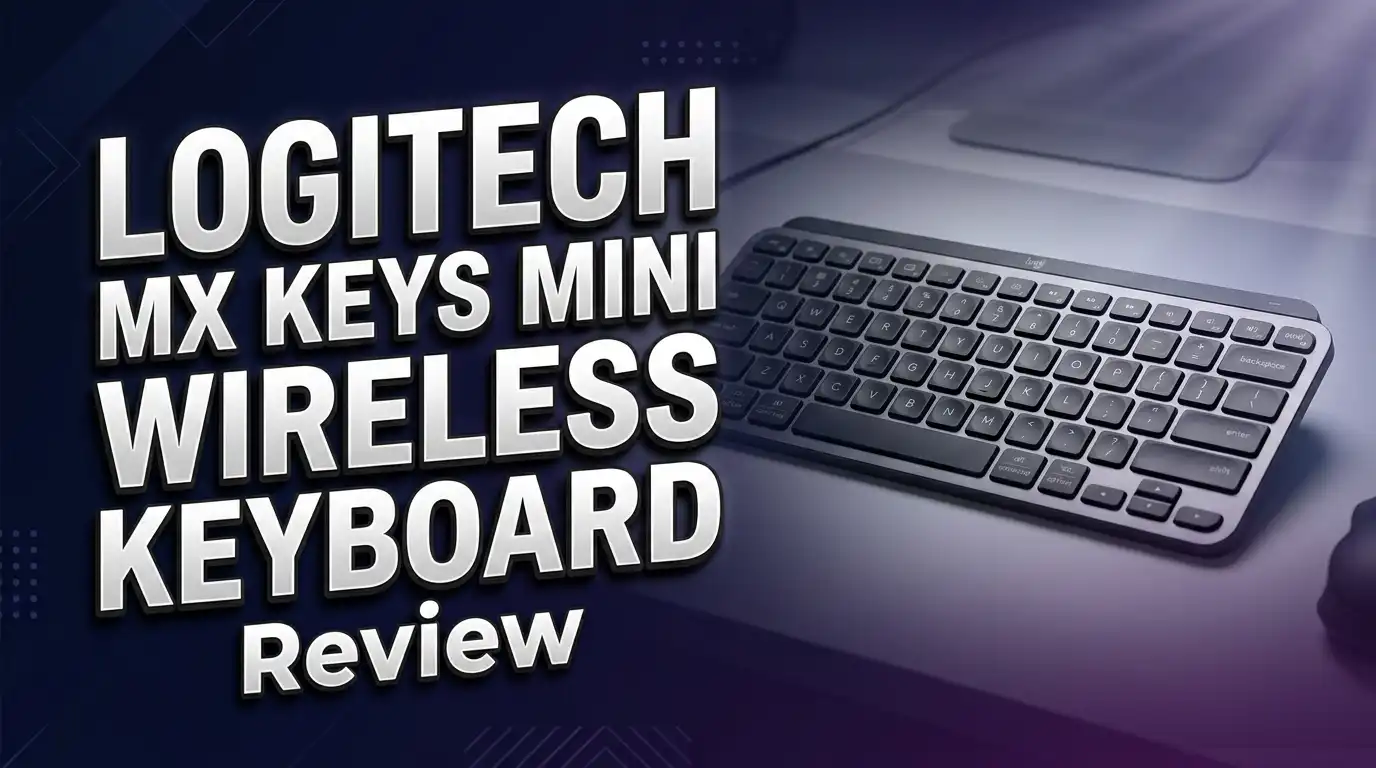
Logitech MX Keys Mini Wireless Keyboard Review 2026: Worth Buying?
The Logitech MX Keys Mini has been a fan favorite since its release, and it continues to hold a strong position in the compact wireless keyboard market. But does it still deserve your money in 2026? With fresh competitors like the Keychron B1 Pro entering the scene, this question matters more than ever.
This keyboard packs a premium typing experience into a small, portable frame. It connects over Bluetooth to up to three devices and switches between them instantly. The backlit keys adjust to your environment automatically. The build quality feels solid thanks to an aluminum frame.
In this review, we break down every detail. We cover the design, typing feel, battery life, connectivity, and much more. Read on to find out if the Logitech MX Keys Mini still earns its spot on your desk in 2026.
Key Takeaways
- The Logitech MX Keys Mini is a compact 75% layout keyboard that removes the numpad and extra keys to save desk space. It still includes a full F-row and dedicated arrow keys, so you don’t lose essential functions. This makes it ideal for people with small desks or those who travel often.
- Typing feels smooth and precise thanks to Logitech’s Perfect Stroke keys. Each key has a slight concave shape that guides your fingers into position. The low-profile scissor switches offer a satisfying, quiet keystroke.
- Battery life is impressive at up to 10 days with backlighting on and up to 5 months with backlighting off. The keyboard charges through USB-C. A quick charge gives you hours of use in minutes.
- Multi-device switching works flawlessly with three Easy-Switch buttons. You can pair the keyboard with a laptop, tablet, and phone at the same time. Switching takes about one second.
- Smart backlighting uses a proximity sensor that lights up the keys the moment your hands approach. The brightness adjusts based on room lighting. This saves battery without sacrificing visibility.
- The price sits in the premium range around $80 to $100, which may feel steep for some buyers. However, the build quality, typing experience, and software support justify the cost for serious users.
Logitech MX Keys Mini Wireless Keyboard Overview

- Perfect Stroke Typing with Smart Keys (1): Type on keys shaped for your fingertips, with...
- Mini Size, Mighty Powerful: A layout designed for effortless precision, with a minimalist...

Last update on 2026-06-09 / Affiliate links / Images from Amazon Product Advertising API
The Logitech MX Keys Mini is a compact wireless keyboard built for productivity-focused users. It measures 11.65 x 5.19 x 0.82 inches and weighs about 506 grams. This makes it easy to carry in a backpack or laptop sleeve.
Logitech designed this keyboard with a minimalist 75% layout. You get all the letters, numbers, F-keys, and arrow keys you need. The numpad is gone, which frees up valuable desk space.
The frame uses a combination of metal and plastic. The top plate feels solid and premium. The base keeps the weight manageable for portability.
It connects through Bluetooth Low Energy and works with Windows, macOS, iPadOS, Linux, Chrome OS, and Android. There is no USB receiver option. You rely entirely on Bluetooth.
Logitech’s Options+ software unlocks customization. You can remap keys, create app-specific shortcuts, and adjust backlight behavior. The software runs on both Windows and macOS. This keyboard remains a strong contender in 2026 for anyone who values clean design and reliable wireless performance.
Design and Build Quality
The Logitech MX Keys Mini looks sleek on any desk. It comes in three color options: Graphite, Pale Grey, and Rose. Each color has a subtle, modern finish that blends well with most setups.
The top plate is made of metal, which gives the keyboard a premium, sturdy feel. It does not flex or bend under pressure. The edges are smooth and rounded. The overall look is clean and professional.
The keyboard sits at a fixed typing angle. There are no adjustable feet. This angle works well for most users, but some may prefer a steeper tilt. A wrist rest is not included.
Each keycap has a matte finish that resists fingerprints. The legends are crisp and clear. They stay visible through the smart backlight system.
At just 0.82 inches thick at its highest point, this keyboard is remarkably slim. You can slide it into any bag without adding bulk. The bottom has rubber pads that keep it stable on flat surfaces. The design feels refined and purposeful without any unnecessary decoration.
Typing Experience and Key Feel
Typing on the MX Keys Mini is a smooth and comfortable experience. Logitech uses their proprietary Perfect Stroke key system. Each key has a round, concave dish that cradles your fingertips.
The scissor switches offer 1.8mm of key travel. This is deeper than most laptop keyboards but shallower than traditional mechanical switches. The actuation feels crisp and responsive.
The keys produce a quiet, soft sound. You can type in a library or shared office without disturbing anyone. There is no loud clicking or clacking.
The key spacing follows a standard layout. If you are used to a full-size keyboard, the adjustment period is short. Most users adapt within a day or two.
One standout feature is the stability of each key. There is almost no wobble or rattle. Every keystroke lands exactly where you expect it to. The consistency across all keys sets this keyboard apart from cheaper alternatives.
Long typing sessions feel easy on the fingers. The gentle concave shape reduces strain. Many reviewers describe the typing feel as one of the best among low-profile wireless keyboards.
Top 3 Alternatives for Logitech MX Keys Mini
If the MX Keys Mini does not fit your needs, here are three excellent alternatives worth checking out.
1. Logitech MX Mechanical Mini offers a similar compact design but with real mechanical switches. It comes in three switch types: Tactile Quiet, Linear, and Clicky. This keyboard suits users who want more key travel and a mechanical feel.

- Tactile Quiet mechanical key switches with a satisfying tactile bump you feel - for...
- Low-profile keys, more comfort: A keyboard layout designed for effortless precision, with...
Last update on 2026-06-09 / Affiliate links / Images from Amazon Product Advertising API
2. Keychron B1 Pro is a budget-friendly option that delivers solid performance. It supports Bluetooth, 2.4GHz wireless, and wired modes. The battery lasts up to 1,200 hours. It uses ZMK firmware for deep customization.

- 2.4 GHz & Bluetooth Wireless Connection - The B1 Pro boasts a rapid 1000 Hz polling rate...
- Type Quietly - The scissor-switch keys are quiet and especially appreciated in quiet...
Last update on 2026-06-09 / Affiliate links / Images from Amazon Product Advertising API
3. Apple Magic Keyboard is the go-to choice for Mac users who want tight Apple ecosystem integration. It features a slim aluminum body and a clean, minimal layout. The typing feel is light and fast.

- Magic Keyboard delivers a remarkably comfortable and precise typing experience.
- It’s also wireless and rechargeable, with an incredibly long-lasting internal battery...
Last update on 2026-06-09 / Affiliate links / Images from Amazon Product Advertising API
Each of these keyboards offers unique strengths. Your best pick depends on your typing preference, budget, and device ecosystem.
Smart Backlighting System
The MX Keys Mini features one of the smartest backlight systems on any wireless keyboard. A built-in proximity sensor detects your hands before they touch the keys. The backlight turns on automatically.
The brightness adjusts based on ambient light conditions. In a dark room, the keys glow brighter. In a well-lit office, the brightness drops to save energy. You can also adjust the brightness manually using the F-keys.
The backlight shuts off after a period of inactivity. This helps preserve battery life. It turns back on the instant you move your hands toward the keyboard again.
The LED lighting is even across all keys. There are no dim spots or uneven patches. The white backlight makes the legends easy to read in any lighting condition.
With the backlight on, battery life drops to about 10 days. With it off, you get up to five months. The smart system finds a useful middle ground by reducing brightness when full power is not needed. This feature alone sets the MX Keys Mini apart from many competitors that use basic always-on backlighting.
Battery Life and Charging
Battery life is a strong point for the Logitech MX Keys Mini. The built-in rechargeable battery delivers up to 10 days of use with the backlight enabled. Turn the backlight off, and you can stretch that to five months.
The keyboard charges through a USB-C port located on the back edge. A full charge takes about two hours. Logitech also includes a USB-C charging cable in the box.
Quick charging is available. A short 15-minute charge can give you enough power for a full day of use. This is helpful if you forget to charge overnight.
A small LED indicator on the top edge shows battery status. It blinks red when the battery is low. You can also check the battery level through the Logitech Options+ software on your computer.
The smart backlighting system plays a major role in extending battery life. It dims the keys in bright rooms and turns them off when idle. This means you rarely need to manually manage the backlight to save power.
Overall, battery management is hassle-free. Most users find themselves charging the keyboard once every one to two weeks under normal use with the backlight on.
Bluetooth Connectivity and Multi-Device Switching
The Logitech MX Keys Mini connects through Bluetooth Low Energy (BLE). It pairs with up to three devices at the same time. Three Easy-Switch buttons sit at the top-left corner of the keyboard.
Pressing one of these buttons instantly switches the active connection. The transition takes about one second. This feature is perfect for people who work across multiple devices throughout the day.
The Bluetooth connection is stable and reliable. The keyboard maintains a strong signal within a range of about 10 meters (33 feet). Dropouts and lag are extremely rare.
One limitation is the lack of a USB receiver option. Some Logitech keyboards include a Logi Bolt receiver for a more stable wireless connection. The MX Keys Mini relies only on Bluetooth. This can be a minor issue for older computers with weak Bluetooth modules.
Pairing is simple. You hold down an Easy-Switch button for three seconds. The keyboard enters pairing mode, and it appears in your device’s Bluetooth settings. The entire process takes under a minute.
For most users, the Bluetooth-only approach works perfectly. The multi-device switching alone makes this keyboard a top pick for hybrid workers.
Logitech Options+ Software
The Logitech Options+ app adds deep customization to the MX Keys Mini. It is available for both Windows and macOS. The app is free to download from Logitech’s website.
- Perfect Stroke Typing with Smart Keys (1): Type on keys shaped for your fingertips, with...
- Mini Size, Mighty Powerful: A layout designed for effortless precision, with a minimalist...
Last update on 2026-06-09 / Affiliate links / Images from Amazon Product Advertising API
Inside the app, you can remap any key on the keyboard. You can assign shortcuts, launch apps, or trigger system functions with a single press. The customization options are extensive.
One standout feature is app-specific profiles. You can set different key assignments for Photoshop, Excel, Zoom, or any other app. The keyboard automatically switches profiles when you change apps.
The Logitech Flow feature works with compatible Logitech mice. It lets you move your cursor between two computers and copy-paste text or files across them. The MX Keys Mini follows the cursor and switches to the active computer automatically.
You can also adjust backlight settings, check battery status, and update firmware through Options+. The interface is clean and easy to use.
Some users report that Options+ can be resource-heavy on older machines. It runs in the background and uses some CPU and RAM. On modern computers, this impact is barely noticeable. The software brings a level of customization that few other keyboards in this price range can match.
Portability and Travel Use
The MX Keys Mini is one of the best keyboards for travel. Its compact size fits easily into laptop bags, backpacks, and even large tablet sleeves. At 506 grams, it adds little weight to your carry.
The dimensions of 11.65 x 5.19 inches are nearly identical to a laptop keyboard layout. This makes the adjustment between your laptop and the MX Keys Mini almost seamless.
The metal frame adds durability for travel. It can handle being tossed in a bag alongside other gear. The keys are recessed into the frame, which helps protect them from accidental damage.
There is no carrying case included in the box. Several third-party hard shell cases are available on Amazon. These cases fit the keyboard snugly and add extra protection during transit.
The keyboard works well on airplane tray tables and coffee shop surfaces. The rubber feet on the bottom keep it from sliding around. The quiet keys mean you will not annoy your neighbors.
For digital nomads and frequent travelers, the MX Keys Mini is a practical and reliable companion. It offers desktop-quality typing in a size that goes anywhere you do.
Compatibility Across Devices and Operating Systems
The Logitech MX Keys Mini works with a wide range of devices and operating systems. It supports Windows 10 and later, macOS 11 and later, iPadOS 14 and later, Chrome OS, Linux, and Android.
On macOS, the keyboard layout adjusts automatically. The Command, Option, and Control keys map correctly without manual setup. Dedicated keys for Mission Control and Launchpad work right out of the box.
On Windows, the standard key layout applies. The Windows key, Alt key, and Ctrl key function as expected. The F-keys control media playback, brightness, and other system functions.
The keyboard also pairs well with iPads and Android tablets. It turns your tablet into a capable workstation. Typing on a tablet feels significantly better with the MX Keys Mini than with any on-screen keyboard.
Chrome OS support is solid. The keyboard works smoothly with Chromebooks and Chrome OS tablets. Basic functions like screen brightness and volume control work through the F-row.
Linux support is functional but limited. The keyboard connects and types without issues. However, the Logitech Options+ software is not available for Linux. You lose key remapping and custom profiles on that platform.
Who Should Buy the Logitech MX Keys Mini?
This keyboard is an excellent choice for writers, programmers, and office professionals. The comfortable typing experience reduces fatigue during long work sessions. The quiet keys suit shared workspaces perfectly.
Remote and hybrid workers benefit the most from the multi-device switching. You can move between a work laptop and a personal computer without unplugging anything. The transition is fast and smooth.
Students who carry their gear across campus will appreciate the compact size and light weight. The keyboard fits easily next to a laptop in a backpack. The long battery life means fewer charging worries.
The MX Keys Mini may not be the best fit for gamers. It lacks features like anti-ghosting, high polling rates, and customizable RGB lighting. A dedicated gaming keyboard serves that audience better.
If you prefer mechanical key switches, the Logitech MX Mechanical Mini is a better option. The MX Keys Mini uses low-profile scissor switches. They are quiet and smooth but do not offer the tactile feedback of mechanical keys.
People who need a numpad should look at the full-size Logitech MX Keys S instead. The Mini layout removes the number pad entirely.
Pros and Cons of the Logitech MX Keys Mini
The pros are clear. The typing experience is one of the best in its class. The Perfect Stroke keys feel precise and comfortable. Build quality is premium with a metal top plate that lasts.
Battery life is generous. Up to 10 days with backlighting and five months without gives you flexibility. USB-C charging with quick charge support keeps downtime short.
Multi-device switching works fast and reliably. Three Bluetooth connections cover most setups. The Logitech Options+ software adds powerful customization.
The smart backlight system is genuinely useful. It saves battery without you lifting a finger. The proximity sensor feels like a small luxury.
The cons exist too. The price is on the higher side. Budget-conscious buyers might find better value elsewhere. The Keychron B1 Pro offers similar features at a lower cost.
There is no USB receiver option. Users with weak Bluetooth on their computers may experience occasional connectivity hiccups. A Logi Bolt receiver would have been a welcome addition.
The fixed typing angle may not suit everyone. Some users prefer adjustable feet for a steeper tilt. A wrist rest is also missing from the package.
Is the Logitech MX Keys Mini Still Worth It in 2026?
The short answer is yes. The Logitech MX Keys Mini remains one of the best compact wireless keyboards you can buy in 2026. It delivers a premium typing experience in a small, portable package.
Competition has increased since its launch. The Keychron B1 Pro and other budget options offer solid alternatives. However, the MX Keys Mini still leads in build quality, software support, and overall polish.
Logitech’s ecosystem adds extra value. Pairing this keyboard with an MX Master mouse and using Logitech Flow creates a seamless multi-device workflow. No other brand offers this level of integration.
If you value comfort, quiet typing, smart features, and device flexibility, the MX Keys Mini earns its price tag. It is a reliable tool that works well every single day.
For buyers who want mechanical switches or a lower price, the alternatives listed above are worth exploring. But for the pure combination of portability, typing comfort, and smart features, the Logitech MX Keys Mini remains hard to beat.
Frequently Asked Questions
Does the Logitech MX Keys Mini work with iPad?
Yes. The MX Keys Mini pairs with iPads running iPadOS 14 or later over Bluetooth. It works great for typing documents, emails, and notes. The compact size matches well with most iPad screen sizes.
Can I use the Logitech MX Keys Mini with a Windows PC and Mac at the same time?
Yes. The keyboard supports up to three Bluetooth connections. You can pair it with a Windows PC, a Mac, and a third device. Press the Easy-Switch buttons to move between them instantly.
Does the Logitech MX Keys Mini have a number pad?
No. The MX Keys Mini uses a 75% compact layout that removes the numpad. If you need a number pad, consider the full-size Logitech MX Keys S.
How long does the battery last on the Logitech MX Keys Mini?
The battery lasts up to 10 days with the backlight on and up to 5 months with it off. Actual battery life depends on typing volume and backlight usage.
Is the Logitech MX Keys Mini good for programming?
Yes. The keyboard offers a comfortable typing experience with good key travel and spacing. The Logitech Options+ software lets you create custom shortcuts for your coding environment. Many developers use it daily.
Does the Logitech MX Keys Mini come with a USB receiver?
No. The MX Keys Mini connects only through Bluetooth. There is no Logi Bolt or Unifying receiver included or supported. Make sure your computer has a reliable Bluetooth connection before purchasing.


