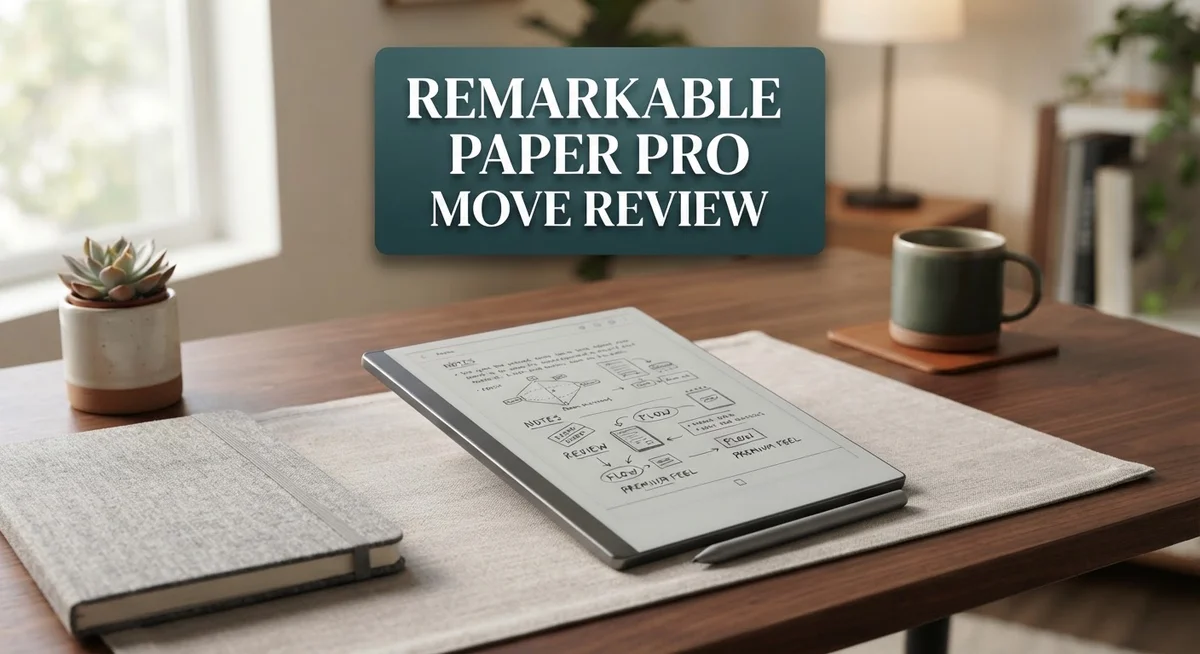
reMarkable Paper Pro Move Review: Is It Worth The Hype?
Do you want a digital notebook that fits in your pocket? The reMarkable Paper Pro Move might be your answer. This device shrinks the reMarkable experience into a small, portable package.
It features a 7.3 inch Canvas Color e-ink display. You get 20,000 colors for notes, sketches, and highlights. The screen feels crisp and paper like.
This is the smallest device in the reMarkable lineup. It comes with a smaller battery too. But it makes up for size with smart features and smooth performance.
The Marker Plus stylus comes included. Writing feels natural and responsive. Many users call it one of the best writing experiences on any e-ink tablet.
But is smaller always better? This device faces real competition from BOOX Palma 2 Pro, Kindle Scribe, and even the iPad mini.
In this review, we break down what works, what does not, and who should buy this tiny powerhouse. Let’s dive in and see if it earns a spot in your bag.
In a Nutshell
Here is the quick summary of this tiny device before you dive deeper.
- Best in class cloud syncing. The Move connects to your notes across devices without any fuss. It syncs faster than most e-ink rivals on the market.
- AI powered handwriting conversion. Your scribbles turn into clean text almost instantly. Margin notes and handwriting search make organizing simple.
- Unlimited cloud storage comes standard. You never worry about running out of space for your notes or sketches.
- Durability raises some flags. Some users report input failures after about a year of use. This is worth watching if you want long term reliability.
- Battery life feels limited for a device this small. Charging takes over ten minutes to get meaningful power back.
- Size cuts both ways here. It fits in your pocket easily, but some tasks feel cramped on such a small screen.
This device shines for quick notes and portability. But check if the tradeoffs fit your daily habits first.
Display and Color Technology
The Canvas Color e-ink display sets the Paper Pro Move apart from basic black and white devices. You get 20,000 colors on a 7.3 inch screen that feels natural to write on. The color reproduction looks vibrant without the glare you’d see on a tablet.
E-ink technology works differently than LCD screens. It reflects light instead of emitting it. This means your eyes experience less strain during long writing sessions. The Paper Pro Move maintains this advantage while adding color support.
The display handles handwriting input with impressive precision. You write with the Marker Plus stylus and see minimal lag. The pen tip feels responsive against the screen surface. This creates an experience close to writing on paper.
Color rendering happens in real time as you write. You can switch between colors and see them apply instantly. The palette offers enough variety for note taking, sketching, and organizing information visually. Some users appreciate the ability to highlight notes in different colors.
Brightness levels adjust automatically based on ambient light. You can also control brightness manually through settings. The screen remains readable in various lighting conditions, though direct sunlight still presents challenges like most e-ink devices.
Resolution quality matters for text clarity. The Paper Pro Move displays text sharply enough for comfortable reading. Smaller fonts remain legible without requiring zoom functions. This helps when reviewing pages filled with handwritten notes.
The color technology does introduce one trade off. Refresh rates feel slightly slower compared to black and white e-ink displays. Page turns take a moment longer. This minor delay rarely impacts the writing experience during normal use.
Contrast between colors and the white background works well for organization. You can create visual hierarchies in your notes using different colors. This helps information stand out without cluttering the interface.
The display maintains its quality over time. Users report consistent performance after months of regular use. The screen shows no signs of image burn in or degradation. This durability in the display itself contrasts with some reliability concerns elsewhere in the device.

- A BETTER WAY TO MEET - No wall of laptops or notifications that interrupt your flow...
- WHAT'S INCLUDED - reMarkable Paper Pro Move, an ultraportable digital paper tablet with a...
Last update on 2026-09-17 / Affiliate links / Images from Amazon Product Advertising API
Design and Portability
The reMarkable Paper Pro Move delivers a genuinely pocket-sized experience that sets it apart from larger competitors. At 7.3 inches, this device fits comfortably in a jacket pocket or small bag. You can carry it everywhere without the bulk of traditional tablets.
The build quality feels premium throughout. The lightweight construction means you won’t feel weighed down during daily use. Materials are solid and the finish resists fingerprints well. The overall package screams attention to detail in manufacturing.
Weight matters for portability, and the Move excels here. Holding it for extended periods causes minimal fatigue. You can write, sketch, or take notes without arm strain. This makes it ideal for people who move between locations frequently.
The included Marker Plus stylus completes the portable package. It stores securely and the stylus itself remains compact. You get full writing capability without sacrificing space in your bag.
However, size introduces real compromises for certain workflows. The smaller screen means less visible content at once. If you need to view multiple pages or complex layouts simultaneously, you’ll find yourself scrolling more often. Some professionals find this limiting for detailed work.
The display sits flush with the edges, which enhances the sleek appearance. There’s minimal bezels around the screen. This design choice maximizes usable space while keeping dimensions tight. The overall aesthetic feels modern and intentional.
Durability concerns emerge as a practical consideration. Some users report input failures after roughly one year of regular use. The compact design may concentrate wear on smaller components. This raises questions about long-term reliability despite the premium feel initially.
Battery capacity reflects the ultraportable philosophy. The 2334mAh lithium-ion battery ranks as the smallest in reMarkable’s lineup. Charging requires approximately 10 minutes to reach full capacity. This means frequent charging cycles during heavy use days.
The reMarkable Paper Pro Move succeeds as the most portable e-ink notebook available. You sacrifice screen real estate and battery endurance for genuine pocket compatibility. The tradeoff works perfectly for users who prioritize mobility and quick note-taking over extended sessions.
Writing Experience and Software Features
The writing experience on the Paper Pro Move feels natural and responsive. Your pen glides across the screen with minimal lag, making it feel like writing on actual paper. The Marker Plus stylus captures your movements with precision, so every stroke registers exactly as intended.
The software handles handwriting conversion smoothly. Your scribbles transform into clean, readable text almost instantly using AI technology. This feature saves time when you need to share notes or search through old entries. The handwriting search function lets you find specific notes by searching your own writing, which is incredibly useful for busy professionals and students.
Margin notes work seamlessly in the software. You can add comments alongside your main text without disrupting your workflow. This feature makes reviewing documents and collaborating on ideas much simpler. The interface stays clean and intuitive throughout the process.
Organization tools keep your notes sorted effectively. You can create folders, tag notes, and sort by date or content type. The software doesn’t overwhelm you with unnecessary features. Everything serves a clear purpose.
One limitation appears in the display’s color rendering. While the Canvas Color e-ink shows 20,000 colors, not every shade displays with perfect vibrancy. The contrast between colors and the white background works well for highlighting important information, but subtle color gradations may look muted compared to traditional screens.
The syncing system stands out as genuinely impressive. Your notes update across all your devices without any manual intervention. You can start writing on the Move, then continue on your phone or computer seamlessly. This cloud integration removes friction from your workflow.
The software stability generally holds up well during regular use. Most users report smooth performance when switching between apps and opening large notebooks. However, some users have mentioned occasional freezes when working with particularly complex documents or numerous high resolution sketches.
Battery performance impacts your software experience indirectly. Since the device requires frequent charging, you’ll spend more time in setup and less time in continuous writing sessions. This matters if you rely on long, uninterrupted work periods.
Top 3 Alternatives
Apple iPad Pro

- WHY IPAD PRO — iPad Pro with the Apple M5 chip delivers extraordinary performance for...
- PERFORMANCE AND STORAGE — iPad Pro with M5 brings next-generation speed and the power of...

Last update on 2026-09-17 / Affiliate links / Images from Amazon Product Advertising API
The iPad Pro offers a powerful alternative for digital note-taking and creative work. It runs iPadOS, which gives you access to thousands of apps from the App Store. You can use Apple Pencil to write and draw with precision on the screen.
The display is bright and colorful, making it great for viewing documents and photos. Battery life lasts many hours, so you can work all day without charging. The device connects easily to other Apple products you might own.
One advantage is the speed. The iPad Pro processes tasks quickly thanks to its powerful chip. You get smooth performance whether you’re writing notes or editing videos. The screen size options let you pick what works best for your needs.
Microsoft Surface Pro

- Brilliant OLED Display – Incredible image quality – The 13" PixelSense touchscreen...
- Up to 15.5 hours of battery life[3] - The new Surface Pro is designed for long days, late...
Last update on 2026-09-17 / Affiliate links / Images from Amazon Product Advertising API
The Surface Pro runs Windows, which means you can use traditional computer programs alongside note-taking apps. It has a kickstand built into the back, so you can prop it up on any flat surface without extra equipment.
The device works like a laptop and tablet combined. You can attach a keyboard and use it like a computer, or remove it and use just the screen. This flexibility appeals to people who want one device for many tasks.
The stylus support is strong, and you can write naturally on the screen. Windows gives you familiar software options that many professionals already know. File management works the same way as a regular computer.
Wacom One Display

- BIGGER CANVAS, BETTER DETAIL: Redesigned with more drawing area, the laminated 14" crisp...
- PRECISE, NATURAL FEEL: Draw with the control that made Wacom a favorite; the battery-free...
Last update on 2026-09-17 / Affiliate links / Images from Amazon Product Advertising API
The Wacom One Display connects to your computer and gives you a pen display for creative work. You draw directly on the screen while your computer does the processing. This setup works well for artists and designers.
The pen feels responsive and accurate. You maintain full control over your computer while drawing. The display shows colors clearly, and the build quality feels solid. This option suits people who want a dedicated drawing tool without replacing their main computer.
Battery Life and Charging
The reMarkable Paper Pro Move runs on a 2334mAh lithium ion battery. This is the smallest power cell in the entire reMarkable lineup. The compact size reflects the device’s ultraportable design philosophy.
Battery life sits at around 10 days with typical use. This means you won’t need to charge constantly throughout your week. The actual duration depends on how much you write and whether you keep wireless features active.
Charging takes approximately 10 to 15 minutes for a full battery. You’ll use the included USB C cable to power up the device. This quick turnaround fits well with the Move’s grab and go lifestyle.
The trade off is real though. A smaller battery means less total capacity than larger e-ink devices. If you write heavily every single day, you might notice the battery drains faster. Power intensive features like cloud syncing and color rendering do consume more energy than basic note taking.
Standby time performs impressively. The device can sit unused for weeks without significant battery loss. This matters if you use the Move sporadically rather than daily.
Battery health remains stable over extended ownership periods. Most users report consistent performance after months of regular charging. The lithium ion technology doesn’t degrade rapidly like older battery types.
Real world usage varies based on your habits. Heavy writers who sync constantly may see shorter battery life. Casual users who jot quick notes and leave wireless off will stretch each charge further.
The battery indicator appears on screen, so you always know your remaining power. You can monitor usage patterns to understand your specific device’s consumption rate. This helps you plan charging sessions around your schedule.
One practical consideration: the small battery means you cannot use this device as a backup power source for other electronics. Some larger tablets offer this feature, but the Move’s capacity makes it unsuitable for that purpose.
Overall, the battery performance matches the device’s portable nature. You get enough power for typical daily use without carrying a heavy, oversized battery pack.
Cloud Sync and Data Management
The reMarkable Paper Pro Move shines when it comes to keeping your notes synchronized across devices. The cloud syncing system works seamlessly, meaning your handwritten notes appear on your phone, tablet, or computer almost instantly. You never worry about losing your work because everything backs up automatically to the cloud.
The unlimited cloud storage means you can save as many notebooks and documents as you want without hitting a limit. This removes the frustration you might feel with devices that cap your storage space. Your entire note collection stays safe and accessible whenever you need it.
Data management feels intuitive on the Paper Pro Move. You organize notes into notebooks and folders using a simple interface. The software lets you search through your handwritten text using the handwriting search feature. This matters because finding old notes becomes quick and easy, even if you wrote them months ago.
The AI powered conversion system transforms your handwriting into typed text automatically. You can export notes in multiple formats like PDF or text files. This flexibility helps when you need to share notes with colleagues or import them into other apps.
Syncing happens in the background without slowing down your writing experience. You don’t see loading screens or delays while you work. The connection remains stable whether you sync over WiFi or use the mobile app on the go.
One practical advantage emerges for collaborative work. You can share specific notebooks with others through the cloud system. Team members see your updates in real time, making the Paper Pro Move useful for group projects.
The sync quality ranks among the best in the e-ink space. Cloud reliability means your data stays protected even if something happens to the device itself. You maintain access to your notes through the web app or mobile app anytime, anywhere.
The system handles large notebooks smoothly without performance drops. Syncing continues working reliably whether you have ten notebooks or one hundred stored in your account.
Pros and Cons
Pros
- Writing feels natural and responsive, making note-taking smooth and enjoyable
- Premium build quality keeps the device feeling solid despite its lightweight design
- Cloud syncing stands out as the best in the e-ink space, with unlimited storage included
- Small pocketable size means you can carry it anywhere without bulk
- Handwriting converts to text automatically, and you can search through your written notes
Cons
- Input failures have been reported after about one year of use, raising durability questions
- Battery capacity is the smallest in reMarkable’s lineup, limiting total charge cycles
- Compact screen size may feel restrictive if you need space for complex sketches or layouts
- Some users feel the device doesn’t deliver enough capability to justify regular daily use
Who Should Buy It
The reMarkable Paper Pro Move works best for specific types of users. If you write frequently and want your notes instantly available across devices, this device fits your workflow perfectly. The unlimited cloud storage and seamless syncing mean your thoughts stay organized without extra effort.
Students benefit greatly from this device. You can take handwritten notes in class, then convert them to typed text later. The search function lets you find old notes quickly. Margin notes help you annotate documents during study sessions.
Professionals who attend many meetings find real value here. You jot down action items, sketch quick diagrams, and sync everything to your computer before the meeting ends. The portability means you carry it in your pocket rather than a bulky notebook.
However, this device may frustrate you if you need a large canvas for complex work. Architects, designers, and artists working on detailed sketches might find the 7.3 inch screen limiting. The compact size prioritizes portability over workspace.
Heavy users should think carefully about durability. Some owners report input failures after roughly one year of use. If you write thousands of words daily, you may experience technical issues sooner than expected.
Battery life matters if you plan extended sessions away from outlets. The small battery means you cannot write continuously for entire workdays without charging. Quick 10 minute charges help, but frequent chargers may find this inconvenient.
Travelers and commuters love this device. Its pocketable form factor means you always have a notebook handy. You capture ideas on trains, planes, or during layovers without carrying extra weight.
The Paper Pro Move works poorly if you need color sketching or artistic work. While it displays 20,000 colors, it functions primarily as a note taking tool rather than a creative canvas.
Choose this device if portability and cloud syncing matter most to you. Skip it if you need extensive writing sessions, large workspaces, or guaranteed long term durability. Your specific needs determine whether this ultraportable e-ink device becomes your perfect companion or remains a mismatch for your routine.
Final Verdict
The reMarkable Paper Pro Move earns its spot as a genuine contender in the e-ink space. It blends smart design with practical features that make daily writing simple.
This device shines when you need quick notes on the go. It fits into a bag or even a large pocket with ease.
Comfort and portability remain its strongest selling points. You get a device that feels premium without weighing you down.
Still, no product is perfect. The durability reports and battery limitations are worth noting before you commit.
If you already own other reMarkable devices, this one complements them well. It acts as a lighter companion for quick capture rather than a replacement for deep work sessions.
Compared to rivals like the BOOX Palma 2 Pro or Kindle Scribe, the Paper Pro Move focuses more on writing precision than multimedia features. That focus pays off if writing is your main goal.
For anyone torn between a tablet and a notebook, this device bridges that gap nicely. It keeps the tactile feel of paper while adding digital convenience.
We recommend this device to students, note takers, and professionals who value simplicity over bulk. It suits people who want their notes synced and searchable without extra effort.
Artists and heavy sketch users might find the screen size limiting. If your work depends on a larger canvas, consider other options in the lineup.
Overall, the reMarkable Paper Pro Move delivers a smooth, reliable writing experience wrapped in a portable design. It proves that a smaller device does not mean smaller value.
If you want a companion that keeps your notes organized and accessible everywhere, this one earns a strong recommendation. Just weigh the durability concerns against how you plan to use it daily.
In short, this device works best for those who write often and travel light. It stands out as a smart, focused tool built for real productivity.
Frequently Asked Questions
Does the reMarkable Paper Pro Move work for artistic sketching?
Not really. The 7.3″ canvas feels cramped for complex artwork. Artists need more space to move their stylus freely. The color e-ink display shows 20,000 colors, but the small screen limits creative expression. This device prioritizes writing over drawing. If you sketch regularly, consider a larger competitor like the BOOX Tab Mini C instead.
How long does the battery last on a single charge?
The Paper Pro Move has the smallest battery in reMarkable’s lineup at 2334mAh. Real-world use shows you get several days of light note taking before needing a charge. Heavy users who write for hours daily may need to charge more often. Quick charging takes about 10 minutes, so it’s convenient for busy schedules.
Can I search through my handwritten notes?
Yes. The handwriting search feature lets you find specific words or phrases across all your notes. AI powered conversion transforms your writing into searchable text automatically. This is one of the device’s strongest features for students and professionals who take lots of notes.
What happens if the screen breaks or the stylus stops working?
Input failures have been reported after roughly one year of use by some owners. This raises durability concerns. Before purchasing, check the warranty details and consider protection options. The Marker Plus stylus is replaceable, but screen repairs can be costly.
Is this better than an iPad mini for note taking?
Both serve different purposes. The Paper Pro Move excels at writing precision and eye comfort for long sessions. iPad mini offers more apps and versatility. Choose the Paper Pro Move if you want distraction free writing. Choose iPad mini if you need flexibility and app access.