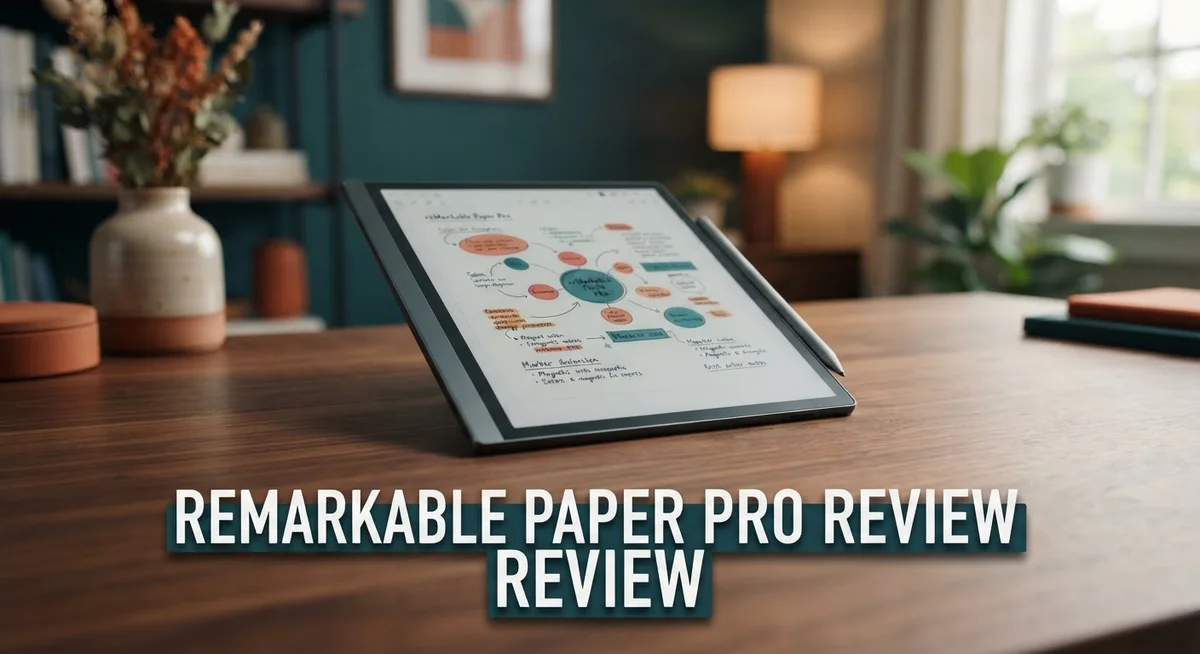
reMarkable Paper Pro Review: Is It Worth The Price?
Are you searching for a digital notebook that feels like real paper? The reMarkable Paper Pro might be your answer. This device brings a fresh take on digital writing and reading.
It features an 11.8″ Canvas Color e-ink display. With 229 PPI, colors look sharp and clear. You get 9 writing tools with color blending options too.
Writing on this tablet feels natural. The pen glides smoothly across the screen. It mimics paper in a way many competitors cannot match.
This review covers every detail you need to know. We will look at build quality and the clean, simple interface. We will also test the keyboard folio and editing features.
But no product is perfect. Battery life and screen refresh rates raise some concerns. We will discuss these issues honestly.
By the end, you will know if this tablet fits your needs. Let’s explore what makes the reMarkable Paper Pro a unique tool for writers and readers alike.
In a Nutshell
Here is the quick rundown of the reMarkable Paper Pro. This tablet shines in some areas and stumbles in others.
- Writing experience wins big. The nine writing tools let you blend colors and create art. Low latency makes every stroke feel instant.
- Build quality stands out. The device feels solid in your hands. The keyboard folio adds real typing power for notes and emails.
- Editing feels flexible. You can move, scale, undo, and copy content with ease. The clean UI makes navigation simple for beginners.
- Battery life falls short. You will charge this device more often than rivals like the Supernote A5X2 Manta.
- Screen quirks exist. Expect frequent refreshes, a darker display, and a small humming sound during use. The frontlight can cast shadows too.
- Distraction-free focus. No web browser means you stay on task. This makes it different from tablets like the BOOX Note Air 5C.
This tablet suits writers who want a paper-like feel without constant screen refresh worries.
Display and Screen Quality
The display on the reMarkable Paper Pro sets a new standard for digital note taking. You get an 11.8 inch Canvas Color e-ink screen that renders text and sketches with impressive clarity. The 229 PPI color pixel density means every stroke you make appears sharp and defined.
Color blending capabilities stand out as a major strength here. The nine writing tools let you mix colors directly on the canvas, just like you would with real markers or colored pencils. This opens up creative possibilities for artists, designers, and anyone who wants more than basic black and white notes.
The adjustable reading light is genuinely useful. You can brighten the screen in dim environments without straining your eyes. However, the frontlight design does create some shadows in certain viewing angles. This is a trade-off you will notice during extended reading sessions.
One display quirk deserves mention. The screen refreshes more frequently than some competitors. You will see occasional full-page redraws when switching between apps or making edits. Some users find this distracting, while others barely notice it after a few days.
The screen itself appears darker than e-ink tablets from rivals like the BOOX Note Air 5C. This darker tone actually enhances the paper-like feel, but it means you may need the frontlight on more often. Contrast remains good for reading PDFs and viewing handwritten notes.
The pen-to-screen gap is noticeably small, which improves writing precision. Your hand sits very close to the display surface. This proximity creates that authentic paper experience many users crave.
The overall display performance supports distraction-free work. Without a web browser, your focus stays on content creation and note taking. The screen responds quickly to pen input with minimal lag, so your writing feels natural and responsive.
The Canvas Color technology delivers on its promise of paper-like functionality. You get a practical, functional display that balances color capability with the familiar feel of writing on actual paper. The minor quirks do not overshadow the solid performance you get daily.

- THE ULTIMATE PAPER TABLET – For the first time on a reMarkable paper tablet, you can...
- WHAT’S IN THE BOX – You’ll find reMarkable Paper Pro, a digital notebook for...
Last update on 2026-09-17 / Affiliate links / Images from Amazon Product Advertising API
Writing Experience and Stylus Performance
The stylus on the reMarkable Paper Pro delivers a writing experience that feels remarkably close to pen on paper. The pen glides across the Canvas Color display with minimal resistance. You notice the responsiveness immediately when you start taking notes.
Low latency is a key strength here. Your handwriting appears on screen almost instantly as you write. There is virtually no lag between pen movement and ink placement. This real-time feedback makes the writing feel natural and intuitive.
The device includes nine writing tools that go beyond basic note taking. You get options like ballpoint pens, markers, and highlighters. Color blending capabilities let you mix shades directly on the screen. Artists and designers will appreciate this flexibility for sketching and creative work.
The small gap between the screen and pencil tip improves writing precision. Your hand does not feel like it is floating above the display. Instead, the pen sits close to the surface. This design choice makes the experience feel more authentic compared to some competitors.
One practical consideration deserves attention. The pen tip requires occasional replacement over time. Frequent users should expect normal wear on the stylus. Replacement nibs are available, so you can keep writing for years.
Pressure sensitivity works smoothly across the display. You can vary line thickness by adjusting how hard you press. This feature opens up possibilities for both note takers and artists. The writing tools respond predictably to different pressure levels.
The editing capabilities complement the writing experience well. You can move text blocks around, scale them larger or smaller, and undo mistakes instantly. Copy and paste functions work seamlessly. This flexibility means you are not locked into your initial layout choices.
Hand recognition technology helps prevent accidental marks. The device distinguishes between your hand resting on the screen and intentional pen strokes. Palm rejection works reliably during extended writing sessions.
Overall, the stylus performance ranks among the best in the digital notebook category. The combination of low latency, responsive tools, and natural feel makes this tablet genuinely enjoyable to use. Writers and note takers will find the writing experience satisfying and productive day after day.
Design, Build Quality, and Portability
The reMarkable Paper Pro impresses with its thoughtful design philosophy. The device measures 11.8 inches, making it large enough for serious work yet portable enough to carry daily. The build quality feels premium throughout. You notice this the moment you pick it up. The materials used suggest attention to detail and durability.
The tablet weighs just enough to feel substantial without becoming burdensome. Slip it into a bag and you forget it is there. The edges are smooth. The back has a matte finish that resists fingerprints. This matters when you use the device constantly.
Portability stands as a genuine strength here. Unlike larger tablets, the Paper Pro fits comfortably under your arm. You can take it to meetings, coffee shops, or libraries without hassle. The screen size balances usability with mobility perfectly. Writers appreciate this balance immediately.
One design element worth noting involves the gap between the screen and pencil tip. This small separation actually improves writing precision. Your hand rests naturally on the surface. You write without awkward angles or strain. The ergonomics feel right from day one.
The device includes an adjustable reading light, which proves useful during evening work sessions. You control brightness easily. The light distributes evenly across the canvas. One caveat exists here. The frontlight creates subtle shadows in certain angles. This is minor but worth knowing before purchase.
The keyboard folio deserves mention as a design highlight. It attaches securely and feels well engineered. You get a protective cover plus typing functionality in one accessory. The integration feels seamless. Many users appreciate having both options available.
The overall aesthetic keeps things minimal and clean. No unnecessary buttons clutter the interface. No bloated menus distract you. This simplicity extends to the physical design as well. The tablet looks professional in any setting. Businesspeople and students alike feel comfortable using it openly.
The construction suggests this device will last years with normal use. Corners show no flex. The screen bezel feels rigid. You sense the engineering behind every component. This builds confidence in your purchase decision.
Top 3 Alternatives
iPad Pro

- WHY IPAD PRO — iPad Pro with the Apple M5 chip delivers extraordinary performance for...
- PERFORMANCE AND STORAGE — iPad Pro with M5 brings next-generation speed and the power of...

Last update on 2026-09-17 / Affiliate links / Images from Amazon Product Advertising API
The iPad Pro works well for digital writing and drawing. You get a large screen with excellent colors. The Apple Pencil feels smooth when you write or sketch. Many apps support the iPad Pro, so you have lots of options for note-taking and creative work.
The screen is bright and responsive. You’ll notice quick reactions when you tap or write. The battery lasts a long time. You can also use the iPad Pro for other tasks beyond note-taking, like video editing or web browsing.
Wacom One Pen Display

- Wacom One Creative Pen Display: High definition creative pen display designed for creative...
- Works With All Software: Wacom One display can be used in any software program to explore...
Last update on 2026-09-17 / Affiliate links / Images from Amazon Product Advertising API
Wacom One Pen Display connects to your computer and shows your work on its screen. The pen feels natural in your hand. The display gives you a direct writing experience where you see your content right where you touch.
This device works with many software programs. Artists and designers often choose Wacom for professional work. The pen has good pressure sensitivity, which helps with shading and line control. You get a traditional tablet feel with modern technology.
Lenovo Tab P12 Pro

- LEVEL UP – Synergize your work and play with the Lenovo Idea Tab Pro. It’s...
- NEXT-GEN PERFORMANCE – Perform at your best with the super-efficient MediaTek Dimensity...
Last update on 2026-09-17 / Affiliate links / Images from Amazon Product Advertising API
The Lenovo Tab P12 Pro offers a large 12-inch screen for comfortable writing and drawing. The display has vibrant colors and sharp details. The stylus responds quickly to your movements. You can use it standalone or connect it to other devices.
This tablet runs smoothly and handles multiple apps without lag. The screen size gives you plenty of space for detailed work. Battery life keeps up with long work sessions. The Lenovo Tab P12 Pro works well for people who want a bigger writing surface without spending extra on premium features.
Software, Interface, and Productivity Features
The software experience on the reMarkable Paper Pro focuses on keeping you in a distraction-free zone. There’s no web browser, no notifications, and no endless app notifications pulling your attention away. This intentional design choice means you stay focused on what matters: your notes and ideas.
The interface itself feels clean and intuitive. Navigating between documents, notebooks, and tools happens smoothly without unnecessary complexity. The menu structure makes sense from your first interaction. You won’t spend time hunting for basic functions.
Productivity features shine through practical tools that actually support your workflow. You can move text and shapes freely across your page. Scaling elements works without frustration. The undo function responds instantly, so experimenting with ideas feels safe. Copy and paste functionality lets you reuse content efficiently across documents.
The keyboard folio transforms the Paper Pro into a hybrid device. You can type when handwriting doesn’t fit your mood or task. This flexibility means the device adapts to how you work, not the other way around. Switching between writing and typing happens seamlessly.
Organization tools keep your content manageable. Folders, notebooks, and tags help you sort through your library without getting lost. The search function finds your notes quickly when you need them later. Hand recognition technology prevents accidental marks, so your palm resting on the screen won’t create unwanted lines.
One consideration worth noting: the software feels purpose-built for note taking and reading rather than heavy document editing. If you need advanced formatting options or complex layouts, this device may feel limited. However, for students, professionals, and creative thinkers who prioritize capturing ideas quickly, the software delivers exactly what you need.
The distraction-free approach extends to system performance. Screen refreshes happen frequently compared to some competitors, but this keeps your view accurate and current. The software prioritizes clarity and responsiveness over battery efficiency, which shapes your daily usage experience.
Overall, the software philosophy emphasizes simplicity and focus. You get powerful tools without unnecessary clutter. This approach appeals to anyone who values a clean workspace and wants technology to support their thinking rather than complicate it.
Battery Life and Charging
The reMarkable Paper Pro’s battery performance presents a genuine trade-off that deserves honest attention. The device struggles with battery longevity, which ranks among its most significant limitations compared to competitors like the Supernote A5X2 Manta or BOOX Note Air 5C.
Real-world usage shows that the Paper Pro demands charging far more frequently than you might expect from a modern digital notebook. Heavy users find themselves reaching for the charger every few days, while lighter users might stretch it to a week. This contrasts sharply with some competing models that can last weeks between charges.
The culprit behind this weakness lies in the device’s display technology. The color e-ink screen consumes more power than traditional monochrome displays, especially during frequent screen refreshes. The adjustable reading light also draws additional battery resources, though the feature itself proves valuable during low-light reading sessions.
Charging itself happens through a standard USB-C connection, which works reliably and charges at a reasonable pace. A full charge typically takes 2 to 3 hours, making it practical to top up overnight or during a work break. The USB-C standard means you can use any compatible charger lying around your home or office.
For users who work primarily at a desk or spend extended time in one location, the charging frequency becomes less problematic. You simply dock the device overnight and start fresh each morning. Mobile users who travel frequently or work across multiple locations may find this limitation more frustrating.
Battery management features exist within the settings, allowing you to adjust screen refresh rates and light intensity to squeeze out additional runtime if needed. These tweaks help, but they cannot fully compensate for the underlying power demands of the color display technology.
If extended battery life ranks high on your priority list, this aspect deserves serious consideration before purchasing. The Paper Pro excels in many areas, but battery endurance is not among them. Competing devices in this category often deliver notably better performance in this specific metric.
Pros and Cons
Pros
- Paper-like writing feel that mimics real pen on paper with excellent responsiveness
- Solid build quality that feels durable and built to last through years of regular use
- Clean, intuitive interface that keeps you focused without unnecessary distractions
- Strong keyboard folio accessory that transforms the device into a productivity machine
- Low latency performance means your writing appears instantly as you write
Cons
- Battery drains quickly and requires frequent charging during regular daily use
- Screen refreshes happen often, which contributes to the battery drain issue
- Display appears darker than competing e-ink tablets, affecting readability in some lighting
- Small gap between the screen and pencil tip can feel slightly awkward during writing sessions
Who Should Buy It
The reMarkable Paper Pro works best for people who spend their days writing, sketching, and reading. If you take handwritten notes regularly, this device becomes a natural extension of your workflow.
Students benefit significantly from this tablet. You can write lecture notes with authentic pen feel, highlight key passages, and organize everything in one distraction-free space. The paper-like experience makes studying feel less like staring at a screen and more like working in a traditional notebook.
Professionals who handle documents and annotations find real value here. Architects, designers, and engineers appreciate the color support for marking up plans and sketches. Lawyers and consultants use it for contract review and markup tasks. The flexibility to move, scale, and undo edits means your work stays organized without messy corrections.
Writers and authors should seriously consider this device. The distraction-free environment eliminates notifications and app temptations. You can focus purely on your words without digital interruptions pulling your attention away.
Creative professionals benefit from the nine writing tools and color blending capabilities. Artists who sketch digitally find the responsive pen performance satisfying for detailed work. The 11.8-inch canvas gives you enough space to work comfortably without feeling cramped.
However, the Paper Pro demands a different commitment than traditional tablets. The frequent battery drain means you cannot treat it like a phone that lasts all day. If you move between locations constantly, you need to plan charging stops. The darker screen and occasional refresh issues matter less if you work in controlled lighting at a desk.
This device suits people who value focus over features. You won’t find web browsing, social media apps, or endless entertainment options. That’s intentional. The reMarkable Paper Pro strips away everything except what supports deep work.
Skip this tablet if you need constant connectivity or expect multi-day battery life. Pass if you want a device that does everything. But if you crave a focused, distraction-free writing and reading experience with authentic pen feel, the Paper Pro aligns perfectly with your needs.
Final Verdict
The reMarkable Paper Pro stands out as a premium writing tool built for people who value focus. It delivers a paper like experience that few tablets can match.
This device works best for note takers, sketchers, and readers who want one dedicated tool. If your day involves constant writing or reviewing documents, this tablet earns its place on your desk.
The battery concerns and screen refresh issues are real drawbacks. You need to accept these tradeoffs if you want the writing quality this device offers.
Compared to alternatives like the Supernote A5X2 Manta or BOOX Note Air 5C, the Paper Pro offers a cleaner interface and smoother pen feel. Those competitors give you more app flexibility, but they cannot match this level of writing comfort.
The BOOX Go 10.3 and Bigme Inknote X target similar users, yet they lean more toward general tablet features. The Paper Pro sticks to its purpose, and that focus is its biggest strength.
If you want a tablet that replaces your notebook completely, this is a strong pick. Students who take detailed notes, professionals who annotate documents daily, and writers who need silence will benefit most.
However, if battery life matters more to you than writing feel, look elsewhere. People who need an all day device without frequent charging might feel frustrated here.
This is not a tablet for casual users. It suits people who write often and want that experience to feel natural. The keyboard folio adds real value for those who type and write in equal measure.
In short, the reMarkable Paper Pro delivers on its main promise. It gives you a true paper like writing experience wrapped in a clean, distraction free package. The compromises are noticeable, but they do not overshadow what this device does well.
Frequently Asked Questions
Does the reMarkable Paper Pro work well for students?
Yes, absolutely. Students get real value from this device. You can take lecture notes with an authentic pen feel that mimics writing on paper. The distraction-free environment means no notifications pull your attention away during class. The nine writing tools and color blending let you highlight and annotate documents naturally. Many students find it replaces their notebook completely while keeping everything digital and organized.
Can I use the Paper Pro as a general tablet?
Not really. This device focuses on writing, sketching, and reading. It has no web browser and no app store. You won’t check email or scroll social media on it. If you want a multipurpose tablet, look at competitors like the BOOX Go 10.3 or Bigme Inknote X instead. The Paper Pro demands a different commitment. It’s built for people who value focus over features.
How does the display compare to other e-ink tablets?
The 11.8″ Canvas Color e-ink screen offers 229 PPI color pixel density. However, the display appears darker than competing models, which affects readability in some lighting situations. The adjustable reading light helps, but it can create shadows on the screen. If brightness matters to you, the Supernote A5X2 Manta or BOOX Note Air 5C might suit you better.
What’s the biggest drawback I should know about?
Battery life is the main concern. The battery drains quickly during regular daily use. Screen refreshes happen frequently, which contributes to this drain. You’ll need to charge it often. If long battery life matters more to you than writing feel, consider alternatives before deciding.